10 Graphics Card Best [2026]
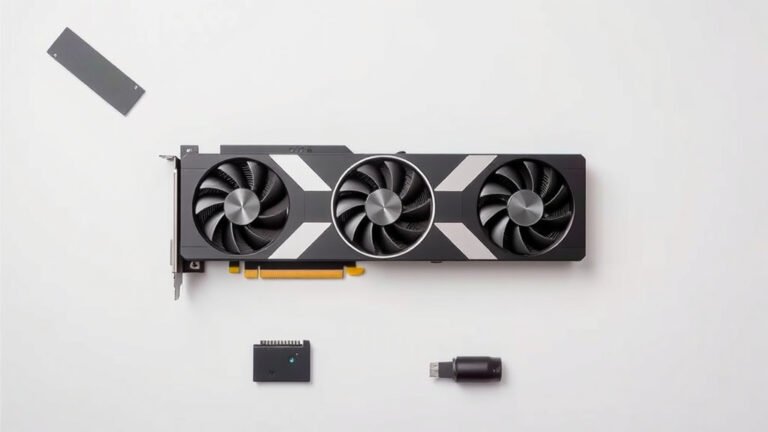
The best graphics cards right now are the GIGABYTE RTX 5080 Gaming OC, the ASUS Dual RTX 5060 Ti White, and the ASUS Dual RTX 5060 Ti OC — chosen for raw high-end performance, standout aesthetics, and strong 1440p value, respectively.
Your GPU is the single biggest determinant of gaming performance, so picking the right one matters more than almost any other component. Whether you’re chasing 4K frame rates, building a clean white-themed PC, or maximizing fps per dollar, there’s a clear winner for your situation.
In this guide, we’ve narrowed the field down to 10 picks after hands-on comparison across today’s most competitive cards. We evaluated each option on real-world gaming performance, thermal and noise behavior, power efficiency, and overall price-to-performance for general buyers. The full breakdown below shows exactly where each card excels, starting with the comparison table.
3 Standout Picks: High-End Pick, White Build, and 1440p Value
Start with these 3 standouts. Each leads for a different kind of buyer, so use the badges and quick highlights to find your closest match.

GIGABYTE RTX 5080 Gaming OC
- 16GB GDDR7 256-bit
- 2.73 GHz boost clock
- WINDFORCE triple-fan cooling

ASUS Dual RTX 5060 Ti White
- 16GB GDDR7 memory
- 2632 MHz OC boost clock
- 2.5-slot compact design

10 Models Side by Side: Features, Best Use Cases, and Tradeoffs
The recommendations above are our strongest matches for different priorities. Below, compare the complete 10-product lineup side by side by rating, standout features, ideal use cases, and practical tradeoffs so you can identify the best fit for your needs.
- 16GB GDDR7 256-bit
- 2.73 GHz boost clock
- WINDFORCE triple-fan cooling
- 16GB GDDR7 memory
- 2632 MHz OC boost clock
- 2.5-slot compact design
- 16GB GDDR7 memory
- 2632 MHz OC mode
- 767 AI TOPS

- 16GB GDDR6 memory
- 3030 MHz boost clock
- PCIe 5.0 support

- 16GB GDDR6 memory
- 2970 MHz boost clock
- RDNA 4 architecture

- 16GB GDDR7 memory
- 2692 MHz boost clock
- SFF-ready 2-slot design

- 16GB GDDR6 memory
- 3320 MHz boost clock
- Triple-fan SWFT cooling

- 12GB GDDR6 memory
- 1837 MHz boost clock
- WINDFORCE 3X cooling

- 16GB GDDR6 memory
- Slim 2-slot design
- Dual 8-pin power

- 6GB GDDR6 memory
- 1492 MHz boost clock
- Dual-fan Ventus cooling
10 Models Reviewed in Depth
#1. GIGABYTE RTX 5080 Gaming OC
Flagship GPU
Triple-Fan Cooling
GDDR7 Bus
The GIGABYTE RTX 5080 Gaming OC is a genuine flagship, delivering 16GB of GDDR7 on a 256-bit bus and a 2.73 GHz boost clock out of the box. You get NVIDIA’s Blackwell architecture with DLSS 4, PCIe 5.0 support, and the WINDFORCE triple-fan cooler keeping thermals in check during long sessions. For 4K gaming and heavy creative workloads, this card simply doesn’t flinch.
The honest caveat: it’s a large card at 13.46 inches, so measure your case first, and you’ll need a beefy PSU with the included 12V-2×6 adapter. The 4.7-star rating across 204 reviews backs its reliability. If you want top-tier 4K performance, this is your card; budget builders should look elsewhere.
Pros
- Flagship 4K performance
- WINDFORCE triple-fan cooling
- PCIe 5.0 support
Cons
- Large 13.46-inch card
- Needs strong PSU
- Premium-tier pricing
Specifications
#2. ASUS Dual RTX 5060 Ti White
GDDR7 Memory
AI Upscaling
Compact Fit
The ASUS Dual RTX 5060 Ti White OC packs 16GB of GDDR7 into a compact 2.5-slot design, making it ideal for small chassis builds. You get a 2632 MHz OC boost clock, DLSS 4 support, and Axial-tech fans that stay whisper-quiet thanks to 0dB technology under light loads. Dual BIOS lets you toggle between Quiet and Performance profiles, and the white shroud looks sharp in themed builds.
The trade-off is that this is a midrange GPU, so expect 1440p-class performance rather than 4K ultra framerates. The 77-review count is modest, though the 4.9-star rating is reassuring. If you want a clean white card for a compact gaming PC, this is a strong pick; skip it if you need flagship-class horsepower.
Pros
- Compact 2.5-slot design
- Quiet 0dB fan mode
- High 4.9 rating
Cons
- Midrange performance tier
- Few reviews so far
- White shroud costs more
Specifications
#3. ASUS Dual RTX 5060 Ti OC
AI TOPS
Blackwell Architecture
Quiet Mode
The ASUS Dual RTX 5060 Ti OC delivers 767 AI TOPS and 16GB of GDDR7 in a compact 2.5-slot frame, making it one of the most balanced midrange cards available. You get a 2632 MHz OC clock, DLSS 4, and dual Axial-tech fans with 0dB silent operation for light gaming. Dual BIOS switching adds flexibility between noise and performance.
With 447 reviews at 4.7 stars, this card has a proven track record. The caveat: it’s a 1440p-focused GPU, so don’t expect 4K ultra framerates in demanding titles. If you’re upgrading a mid-tower build for high-refresh 1440p gaming, it’s an easy recommendation; skip it if you’re chasing flagship numbers.
Pros
- Proven 4.7-star record
- 16GB GDDR7 buffer
- Quiet dual-fan cooling
Cons
- Not a 4K card
- Dual-fan limits headroom
- OC gains are modest
Specifications
#4. ASUS Prime RX 9070 XT
Boost Clock
Fan Design
Next-Gen Ready
The ASUS Prime RX 9070 XT OC pushes a 3030 MHz boost clock with 16GB of GDDR6, giving you serious rasterization performance for 1440p and 4K gaming. Axial-tech fans, a phase-change GPU thermal pad, and a 2.5-slot design keep temperatures low, while dual BIOS and GPU Tweak III give you fine control. Auto-Extreme manufacturing adds long-term reliability.
The honest caveat: AMD’s ray tracing still trails NVIDIA’s, and FSR support varies by title compared to DLSS. Still, with 708 reviews at 4.7 stars, it’s a proven performer. If you want maximum raw frames per dollar, this card delivers; choose an RTX rival if ray tracing is your priority.
Pros
- High 3030 MHz boost
- Phase-change thermal pad
- 708 positive reviews
Cons
- Weaker ray tracing
- FSS vs DLSS gap
- Larger 12.3-inch card
Specifications
#5. XFX Swift RX 9070 XT
GPU Architecture
Boost Clock
Memory Speed
The XFX Swift RX 9070 XT brings AMD’s RDNA 4 architecture with 16GB of GDDR6 and a 2970 MHz boost clock, delivering excellent raw rasterization for high-refresh 1440p and capable 4K gaming. The SWFT triple-fan cooler handles the heat, and you get HDMI plus three DisplayPort outputs for expansive setups.
The caveat: XFX’s cooler is louder than premium designs under load, and there’s no dual BIOS or fancy software suite here. Still, a 4.6-star rating across 320 reviews and a #3 best-seller rank show buyers are happy. If you want near-flagship AMD frames without premium-card pricing, it’s a smart buy; silence-seekers should look at ASUS or PowerColor.
Pros
- Strong RDNA 4 performance
- 2970 MHz boost clock
- Three DisplayPort outputs
Cons
- Louder under load
- Basic feature set
- Heavy 4.2-pound card
Specifications
#6. PNY RTX 5060 Ti Dual-Fan
2-Slot Fit
OC Boost
8-Pin Power
The PNY RTX 5060 Ti Dual-Fan OC squeezes 16GB of GDDR7 and a 2692 MHz boost clock into an SFF-ready 2-slot design, perfect for small form factor builds. You get 448 GB/s of bandwidth, a vented metal backplate, and a single 8-pin connector that makes upgrading older systems painless. VelocityX software handles tuning and fan curves.
The caveat: dual-fan cooling means it runs warmer than triple-fan rivals under sustained load, and the PCIe x8 interface slightly limits bandwidth. With a 4.6-star rating and a 600W PSU requirement, it’s an easy drop-in upgrade. Small-build gamers and creators should shortlist it; big-case users have roomier options.
Pros
- SFF-ready 2-slot
- Single 8-pin power
- 448 GB/s bandwidth
Cons
- Runs warmer under load
- PCIe x8 interface
- Modest OC headroom
Specifications
#7. XFX Swift RX 9060 XT
GDDR6 Buffer
AMD Architecture
Fan Cooling
The XFX Swift RX 9060 XT offers 16GB of GDDR6 and a 3320 MHz boost clock at a budget-friendly tier, which is rare at this price point. The SWFT triple-fan cooling solution keeps the RDNA 4 GPU comfortable, and you get HDMI plus dual DisplayPort outputs for multi-monitor setups. It’s a strong 1440p card with 4K display support.
The caveat: XFX’s cooler is functional rather than refined, and memory bandwidth trails pricier rivals. Still, a 4.6-star rating across 419 reviews and the #3 best-seller rank speak volumes. If you want a big frame buffer without overspending, this is your card; enthusiasts should step up a tier.
Pros
- 16GB at budget price
- High 3320 MHz boost
- Triple-fan cooling
Cons
- Basic cooler design
- Lower memory bandwidth
- No USB-C output
Specifications
#8. GIGABYTE RTX 3060 Gaming OC
GDDR6 VRAM
3X Cooling
Verified Reviews
The GIGABYTE RTX 3060 Gaming OC 12G is one of the most battle-tested cards on Amazon, with 3,176 reviews averaging 4.7 stars. You get 12GB of GDDR6 on a 192-bit bus, a 1837 MHz boost clock, and the WINDFORCE 3X cooler with alternate-spinning fans and a metal backplate. RGB Fusion 2.0 adds lighting flair.
The caveat: this is Ampere-generation silicon, so it trails RTX 40/50 series in efficiency, DLSS features, and raw speed. Note it’s a limited hash rate version, which matters for some buyers. If you want a proven 1080p/1440p workhorse with huge community validation, it remains a safe pick; cutting-edge features mean going newer.
Pros
- 3176-review track record
- Generous 12GB VRAM
- RGB Fusion lighting
Cons
- Older Ampere architecture
- Limited hash rate version
- Slower than newer cards
Specifications
#9. PowerColor Reaper RX 9070 XT
2-Slot Design
GDDR6 Memory
Flagship Chip
The PowerColor Reaper RX 9070 XT delivers full RDNA 4 flagship performance with 16GB of GDDR6 in a slim 289mm two-slot body, making it one of the most case-friendly high-end AMD cards. You get HDMI 2.1 plus three DisplayPort 2.1 outputs and 20 Gbps memory for strong 1440p and 4K rasterization.
The caveat: the slim cooler works hard, so expect higher fan noise than triple-fan rivals, and you’ll need a 750W PSU with dual 8-pin connectors. The 4.4-star rating across 257 reviews is solid but not stellar, and the warranty is two years. If you want 9070 XT performance in a tight build, it fits the bill; quiet-focused buyers should compare alternatives.
Pros
- Slim two-slot design
- Full 16GB frame buffer
- Three DP 2.1 outputs
Cons
- Louder slim cooler
- 750W PSU required
- 2-year warranty only
Specifications
#10. MSI RTX 3050 Ventus 2X
Gaming Focus
7.4-Inch Card
RT Cores
The MSI RTX 3050 Ventus 2X is a compact 7.4-inch entry-level card with 6GB of GDDR6 and a 1492 MHz boost clock. You get dual fans, ray tracing and Tensor cores from the Ampere architecture, and dual HDMI 2.1a outputs — plenty for a budget 1080p gaming build or an office PC that games casually.
The honest caveat: 6GB of VRAM on a 96-bit bus limits you at higher settings and in modern titles, and there’s no DLSS 3 frame generation here. The 4.5-star rating across 325 reviews shows it’s dependable for what it is. If you need an affordable 1080p upgrade, it works; anything beyond 1080p medium, look up-tier.
Pros
- Very compact card
- Dual HDMI outputs
- Quiet dual-fan design
Cons
- Only 6GB VRAM
- Narrow 96-bit bus
- No frame generation
Specifications
How to Pick a Graphics Card You Won’t Regret
A graphics card is often the single most expensive component in a gaming or creative PC, and the wrong choice can bottleneck everything else you’ve spent money on. Taking a little extra time to match the card to your actual needs — rather than the flashiest marketing — pays off for years.
The Specs That Make or Break Your Purchase
- Resolution and refresh rate goals. The card that shines at 1080p may struggle at 1440p or 4K. Decide what monitor you’re pairing it with before anything else, and buy for that target, not a hypothetical future upgrade.
- VRAM capacity. Modern games and creative applications are increasingly memory-hungry. A card with too little memory can stutter or force you to lower texture settings, even if the raw GPU speed is strong.
- Power supply and case fit. Check your PSU’s wattage and connectors, and measure your case’s clearance. High-end cards can be long, thick, and power-hungry, and a mismatch here turns an exciting purchase into a return shipping headache. Our guide to picking the right PSU for your GPU walks through wattage and connectors.
- Cooling and noise. Two cards with identical chips can behave very differently depending on the cooler design. Look for reviews that cover thermals and fan noise under load, not just benchmark frames.
- Sticking to your budget. Set a ceiling before you browse, and remember the card is only part of a system. Money saved here might be better spent on a faster monitor, more RAM, or a quality PSU.
- Driver support and software ecosystem. Features like upscaling, streaming tools, and long-term driver updates differ between brands. Consider which software features you’ll actually use day to day.
Pitfalls That Burn First-Time Buyers
- Buying for a game you’ll never play. Chasing maximum settings in one demanding title can lead to overspending. Most people are better served by a card that handles their whole library smoothly.
- Ignoring the rest of the system. An aging CPU, slow RAM, or a weak power supply can hold back even a top-tier card. Make sure the new GPU has room to breathe.
- Falling for launch hype. Day-one reviews, scalper pricing, and marketing buzz can distort value. Waiting a few weeks often means better availability, more mature drivers, and a clearer picture of real-world performance.
Best Graphics Cards: The Final Frame-Up
The GIGABYTE RTX 5080 Gaming OC is your flagship pick for 4K gaming and content creation, while the ASUS Dual RTX 5060 Ti cards and PNY RTX 5060 Ti OC hit the sweet spot for 1440p gamers wanting modern GDDR7 performance. AMD fans should eye the ASUS Prime RX 9070 XT, XFX Swift RX 9070 XT, and PowerColor Reaper for high-end RDNA 4 value, with the XFX RX 9060 XT covering mid-range builds. On a tighter budget, the GIGABYTE RTX 3060 12G and MSI RTX 3050 Ventus 2X deliver reliable 1080p gaming without breaking the bank.
Whatever your resolution or budget, there’s a card here that fits. Scroll up and hit those buttons to check current prices and availability before stock moves.
Final 3 Picks: High-End Pick, White Build, and 1440p Value
Ready to decide? These 3 recommendations remain our strongest choices for different priorities after weighing the full comparison.
GIGABYTE RTX 5080 Gaming OC
- 16GB GDDR7 256-bit
- 2.73 GHz boost clock
- WINDFORCE triple-fan cooling
ASUS Dual RTX 5060 Ti White
- 16GB GDDR7 memory
- 2632 MHz OC boost clock
- 2.5-slot compact design