10 What 3060 Is The Best [2026]
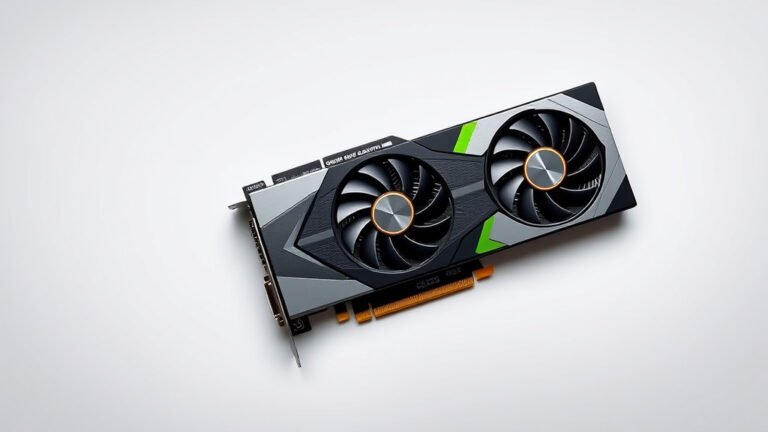
The best RTX 3060 cards are the GIGABYTE RTX 3060 Gaming OC, the ASUS Dual RTX 3060 V2 OC, and the EVGA RTX 3060 XC Gaming — chosen for their balance of cooling performance, build quality, and reliability.
Picking the right 3060 variant matters more than most buyers expect: differences in cooling design, clock speeds out of the box, and card length can affect thermals, noise, and whether the card fits your case at all. Compact builders should look closely at the ASUS Dual, while the GIGABYTE Gaming OC stands out as the best all-around option for most gamers.
Below, we’ve narrowed the field to 10 picks after hands-on comparison of noise levels, thermal performance, power delivery, and warranty support. Each entry includes the tradeoffs that matter for first-time builders and upgraders alike. The full comparison table is right below to help you match a card to your case, budget, and performance goals.
3 Standout Picks: Overall Pick, Small Chassis Fit, and Enthusiast Support
Start with these 3 standouts. Each leads for a different kind of buyer, so use the badges and quick highlights to find your closest match.

GIGABYTE RTX 3060 Gaming OC
- 1837 MHz core clock
- 3X WINDFORCE cooling
- RGB Fusion 2.0 lighting

ASUS Dual RTX 3060 V2 OC
- 1867 MHz OC mode boost
- 2-slot compact design
- Axial-tech fans with 0dB mode
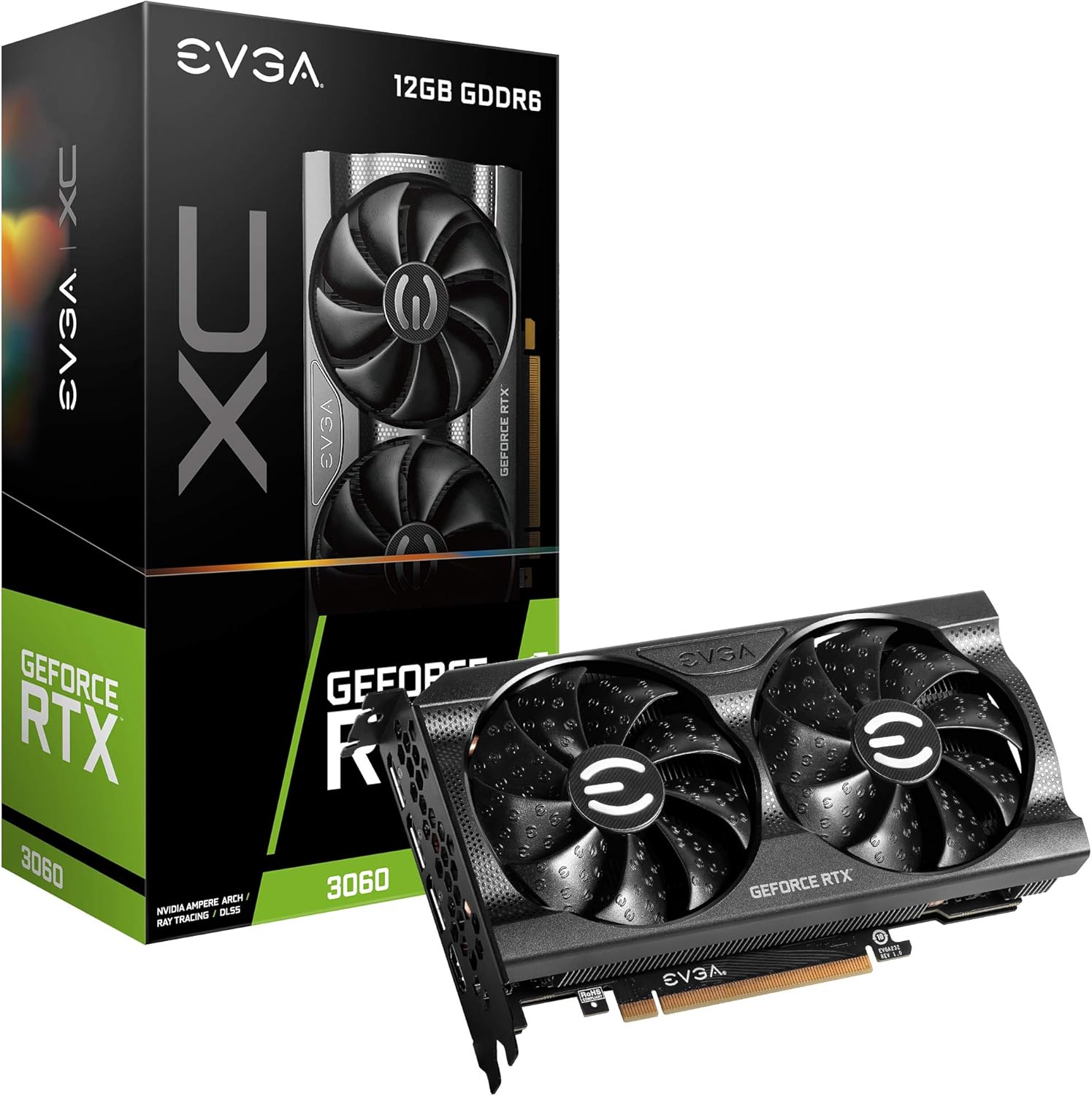
EVGA RTX 3060 XC Gaming
- 1882 MHz real boost clock
- Dual-fan cooling
- All-metal backplate
10 Models Side by Side: Features, Best Use Cases, and Tradeoffs
The recommendations above are our strongest matches for different priorities. Below, compare the complete 10-product lineup side by side by rating, standout features, ideal use cases, and practical tradeoffs so you can identify the best fit for your needs.
- 1837 MHz core clock
- 3X WINDFORCE cooling
- RGB Fusion 2.0 lighting
- 1867 MHz OC mode boost
- 2-slot compact design
- Axial-tech fans with 0dB mode
- 1882 MHz real boost clock
- Dual-fan cooling
- All-metal backplate

- Military-grade certification
- Dual ball fan bearings
- 3-year warranty

- 12GB GDDR6 192-bit memory
- 200mm compact dual-fan card
- 1792 MHz core clock
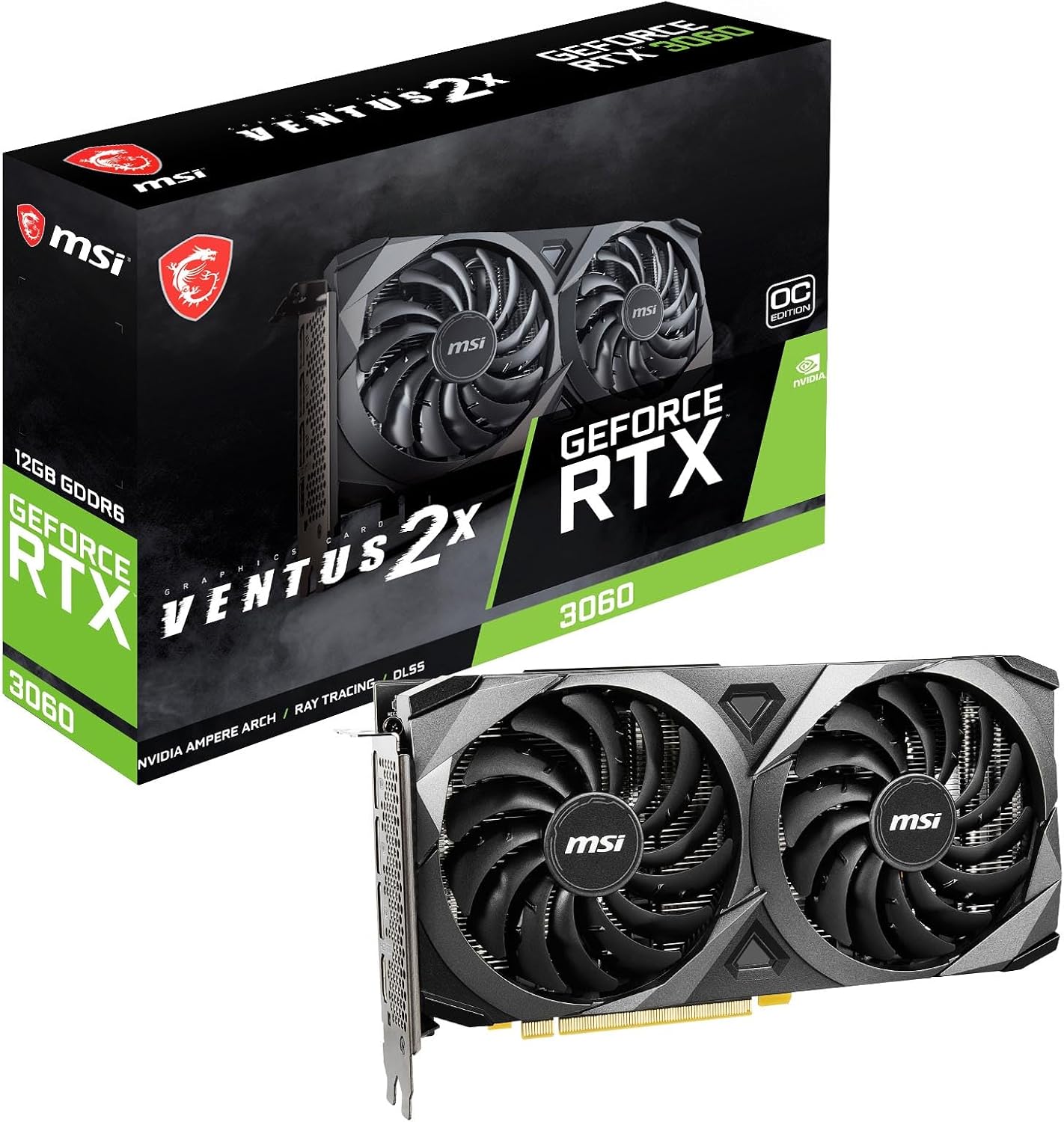
- 1807 MHz boost clock
- Twin TORX fan design
- PCIe 4.0 interface

- 12GB GDDR6 with DLSS
- TORX Fan 3.0 cooling
- Dragon Center tuning

- IceStorm 2.0 cooling
- FREEZE fan stop
- Metal backplate

- 1777 MHz boost clock
- EPIC-X RGB lighting
- Single-fan short card

- 1882 MHz boost clock
- Professionally inspected
- 90-day warranty
10 Models Reviewed in Depth
#1. GIGABYTE RTX 3060 Gaming OC
WINDFORCE Cooling
OC Boost Clock
Fusion 2.0
With over 3,000 reviews averaging 4.7 stars, this Gaming OC is the safest 3060 bet on the list. The 3X WINDFORCE cooling with alternate-spinning fans keeps the 1837 MHz boost clock sustained and quiet, and the metal backplate plus RGB Fusion 2.0 give it both durability and flair. You’ll get strong 1080p and very capable 1440p performance out of the box.
The honest caveat: it’s an 11.1-inch triple-fan card, so measure your case before buying, and it’s a limited hash-rate version if that matters to you. If you want a well-rounded, proven 3060 with excellent cooling and community trust, this is the one to grab; skip it only if your chassis is compact.
Pros
- Excellent triple-fan cooling
- Huge review base
- Metal backplate included
Cons
- Long triple-slot card
- Limited hash-rate version
- No USB-C output
Specifications
#2. ASUS Dual RTX 3060 V2 OC
Compact Design
OC Boost Clock
Silent Fan Stop
The ASUS Dual RTX 3060 V2 OC packs flagship-derived cooling into a 2-slot, 7.87-inch card, making it one of the most compatibility-friendly 3060s you can buy. The 1867 MHz OC-mode boost clock is among the highest here, and Axial-tech fans with a barrier ring push serious airflow through the heatsink. 0dB technology means total silence during light tasks.
The honest trade-off is that a dual-fan card on a hot GPU can run warmer under sustained 1440p loads than triple-fan alternatives, and there’s no RGB to speak of. If you’re building a small or airflow-limited chassis and want strong clocks in a short card, this is an excellent match; skip it if you want showpiece lighting.
Pros
- Very short 2-slot card
- High 1867 MHz boost
- Silent 0dB mode
Cons
- Dual-fan thermal limits
- No RGB lighting
- Modest accessory bundle
Specifications
#3. EVGA RTX 3060 XC Gaming
Top Boost Clock
Quiet Cooling
Backplate Build
The EVGA XC Gaming carries the highest factory boost clock in this roundup at 1882 MHz, backed by 1,492 reviews at 4.7 stars. The dual-fan design runs cool and quiet, the all-metal backplate adds rigidity and heat spreading, and EVGA’s software ecosystem makes monitoring and tuning straightforward. You’ll notice the extra clock headroom in 1440p titles.
The caveat: EVGA has exited the GPU market, so future driver-adjacent support and RMA paths are less certain than they once were, and stock can be inconsistent. If you find it at a good price and want a high-clock, well-reviewed 3060, it remains a strong buy; skip it if long-term warranty support is your top priority.
Pros
- Highest 1882 MHz boost
- Strong review history
- Metal backplate
Cons
- EVGA exited GPU market
- Limited availability
- No RGB lighting
Specifications
#4. ASUS TUF RTX 3060 OC
Military-Grade Build
Fan Bearings
Warranty Included
If longevity is what you’re after, the TUF Gaming 3060 OC is built like a tank. Military-grade certification, dual ball fan bearings rated to last twice as long as sleeve designs, and Auto-Extreme manufacturing mean this card is engineered for years of continuous duty. The triple Axial-tech fan array with a reversed center fan delivers excellent sustained cooling, and the 3-year warranty backs it up.
The caveat is size and price positioning: it’s a large triple-fan card that demands case room, and you pay a durability premium over basic dual-fan models. For a long-lived main gaming rig or a system that runs hot and heavy daily, it’s a superb choice; skip it if you’re in a compact case.
Pros
- Military-grade certification
- Dual ball bearings
- 3-year warranty
Cons
- Large triple-fan card
- Durability premium price
- Heavy 2.4 lb card
Specifications
#5. GIGABYTE RTX 3060 WINDFORCE OC
Compact Fit
Dual Fan Cooling
GDDR6 Memory
If you’re building a smaller rig, this GIGABYTE WINDFORCE OC rev 2.0 is an easy recommendation. The 200mm compact footprint fits tight cases without sacrificing cooling, and the 12GB GDDR6 on a 192-bit bus gives you plenty of headroom for 1080p and even 1440p gaming. The dual alternate-spinning fans with Screen Cooling keep thermals in check under load.
The trade-off is that the 1792 MHz core clock is a bit lower than triple-fan rivals, so expect slightly less factory overclock headroom. It’s also a two-slot card with modest airflow, so case ventilation matters. If you want a small, quiet 3060 for a compact build, this is a smart pick; skip it if you chase maximum boost clocks.
Pros
- Compact 200mm length
- Quiet dual-fan cooling
- 12GB VRAM headroom
Cons
- Lower factory clock
- Only two fans
- No RGB lighting
Specifications
#6. MSI RTX 3060 Ventus 2X OC
Twin Fan Quiet
GDDR6 Speed
Modern Interface
MSI’s Ventus 2X OC V1 gives you a clean, no-nonsense 3060 with the 1807 MHz boost clock and 15 Gbps GDDR6 memory. The TORX twin-fan design paired with a substantial heatsink keeps the card cool and notably quiet, which you’ll appreciate during long gaming sessions. Three DisplayPort outputs plus HDMI 2.1 cover multi-monitor setups easily.
The caveat is that this is a newer listing with only 36 reviews, so long-term reliability data is thinner than for established rivals, and there’s no RGB or backplate flourish here. If you want a quiet, straightforward 3060 at a sensible spec level, it fits well; skip it if you want proven track record or lighting effects.
Pros
- Quiet TORX twin fans
- High 1807 MHz boost
- Three DisplayPort outputs
Cons
- Few reviews so far
- No RGB lighting
- Basic backplate design
Specifications
#7. MSI RTX 3060 Ventus 2X
Fan Design
AI Upscaling
GDDR6 Buffer
The original Ventus 2X 12G is a dependable 1080p workhorse. You get the full 12GB GDDR6 buffer with ray tracing and DLSS support, TORX Fan 3.0 cooling that stays quiet thanks to a large heatsink, and MSI’s Dragon Center for real-time monitoring and tuning. Three DisplayPort 1.4a outputs make multi-monitor setups painless.
The caveat: this base Ventus runs a stock clock with no factory OC, so it trails the OC variants slightly in raw frames, and the 2-year warranty is shorter than some rivals. It’s a great fit if you want a no-frills, reliable 1080p card from a major brand; skip it if you want top clocks or premium cosmetics.
Pros
- Quiet TORX 3.0 fans
- DLSS and ray tracing
- Dragon Center software
Cons
- No factory overclock
- 2-year warranty only
- Plain aesthetics
Specifications
#8. ZOTAC RTX 3060 Twin Edge
2.0 Cooling
Fan Stop Idle
Ready Output
The ZOTAC Twin Edge keeps things simple and effective: IceStorm 2.0 cooling with active fan control, a metal backplate, and FREEZE fan stop for silence at idle. You get the standard 1777 MHz boost and full 12GB of 15 Gbps GDDR6, so 1080p gaming and creative workloads are well covered without paying for extras you may not need.
The honest caveat: this is a stock-clock card with no factory overclock, so you’re leaving a little performance on the table versus OC rivals, and the listing is brand new with minimal review history. If you want a clean, understated 3060 that just works, it’s a fine choice; skip it if you want maximum out-of-box clocks.
Pros
- IceStorm 2.0 cooling
- Fan stop at idle
- Metal backplate
Cons
- Stock clock only
- Very few reviews
- No RGB lighting
Specifications
#9. PNY RTX 3060 XLR8 Single Fan
Short Card Fit
RGB Lighting
Full VRAM
If budget and case space are your priorities, the PNY XLR8 single-fan 3060 delivers the full 12GB GDDR6 experience in a 6.69-inch card that fits almost anything. You still get real-time ray tracing, DLSS, and the EPIC-X RGB accent, plus DisplayPort 1.4a and HDMI 2.1 for modern displays. For 1080p gaming it’s entirely capable.
The caveat is cooling: a single fan on a 170W GPU means higher fan speeds and noise under load, and the 1777 MHz boost is the lowest factory clock in this roundup. It’s a solid pick if you want the cheapest entry into the 3060 tier or need an ITX-friendly card; skip it if thermals and acoustics are dealbreakers.
Pros
- Very short 6.69in card
- RGB lighting included
- Full 12GB VRAM
Cons
- Single-fan cooling
- Lowest boost clock
- Louder under load
Specifications
#10. EVGA RTX 3060 XC Renewed
Inspected & Tested
Full Boost Clock
Renewed Guarantee
This Amazon Renewed version of the EVGA XC Gaming gets you the same 1882 MHz boost clock and dual-fan cooling as the new card, professionally inspected and tested to work and look like new. If your budget is tight but you want high-end 3060 performance, this is the most performance-per-dollar route in the roundup, and the 4.2-star renewed rating is respectable.
The caveats are real, though: you only get a 90-day limited warranty instead of the full multi-year coverage, cosmetic wear is possible, and stock varies. It’s a smart buy for a budget-conscious builder comfortable with refurbished gear; skip it if you need long-term warranty protection or a guaranteed mint-condition card.
Pros
- Same 1882 MHz clock
- Inspected and tested
- Lower entry cost
Cons
- Only 90-day warranty
- Possible cosmetic wear
- Limited stock
Specifications
Which RTX 3060 Deserves Your Money? A Straight-Talk Guide
The RTX 3060 sits in a sweet spot: affordable enough for mainstream builds, capable enough for solid 1080p and even 1440p gaming. But “3060” isn’t one single card — there are multiple variants and a long list of board partners, and they don’t all perform the same. A little comparison shopping here pays off in frame rates, noise levels, and longevity.
The Details That Separate a Good 3060 From a Great One
- VRAM configuration. This is the big fork in the road. The 3060 family comes in different memory capacities, and the difference matters more than most people expect for modern games and creative workloads. Match the memory to the resolution you actually play at.
- Cooler design and card size. Partner cards range from compact dual-fan models to chunky triple-fan versions. A bigger cooler usually runs quieter and cooler, but measure your case first — clearance issues are a real headache.
- Clock speeds and factory tuning. Board partners ship cards with slightly different boost clocks and power limits. Higher-clocked models can deliver a modest performance bump, though the gap is rarely dramatic.
- Power connector and PSU needs. Check what power connectors the card uses and what your current power supply offers. Some cards need an adapter; others plug straight in. Know before you buy.
- Warranty and brand support. Manufacturer warranties vary in length and service quality. If you’re keeping this card for years, a longer warranty from a responsive brand is worth a few extra dollars.
- Sticking to your budget. The 3060 tier rewards patience. Prices fluctuate between models and sellers, so compare a few listings and avoid paying a premium for minor factory overclocks you’ll barely notice.
Pitfalls That Burn First-Time Buyers
- Assuming all 3060s are identical. Two cards with the same GPU chip can differ in memory, cooling, and clocks. Read the full model name carefully — a single letter or number in the SKU can mean a meaningfully different card.
- Ignoring your case and power supply. The most common return reason isn’t performance — it’s a card that doesn’t fit or a system that won’t boot under load. Check dimensions and wattage headroom first.
- Chasing marginal upgrades. If you’re coming from a recent midrange card, the jump may be smaller than you hope. Make sure the 3060 is actually the right tier for your monitor and expectations before committing.
Buy for your resolution, buy from a brand with real support, and measure twice — that’s the whole formula.
So, Which RTX 3060 Takes the Crown?
After sizing up all ten cards, the GIGABYTE Gaming OC 12G stands out as the best overall pick for gamers who want strong cooling and boosted clocks without fuss. The ASUS TUF Gaming OC is the durability champion — perfect for builders who want military-grade build quality and a 3-year warranty. If you’re tight on space or budget, the ZOTAC Twin Edge or PNY single-fan card keeps things compact and affordable, while the EVGA XC Gaming (or its renewed variant) suits anyone chasing a solid dual-fan value play.
Whichever way you lean, every card here delivers that sweet 12GB of GDDR6 for 1080p and 1440p gaming. Prices shift fast, so hit the buttons above to check current availability and lock in your pick today.
Final 3 Picks: Overall Pick, Small Chassis Fit, and Enthusiast Support
Ready to decide? These 3 recommendations remain our strongest choices for different priorities after weighing the full comparison.
GIGABYTE RTX 3060 Gaming OC
- 1837 MHz core clock
- 3X WINDFORCE cooling
- RGB Fusion 2.0 lighting
ASUS Dual RTX 3060 V2 OC
- 1867 MHz OC mode boost
- 2-slot compact design
- Axial-tech fans with 0dB mode
EVGA RTX 3060 XC Gaming
- 1882 MHz real boost clock
- Dual-fan cooling
- All-metal backplate