Can Two Different GPUs Work Together? A Deep Dive
Yes, two different GPUs can work together, but not always in the way you might expect. While you can often use them for **separate tasks** simultaneously, they typically won’t combine their power for a single demanding job like gaming. This is a key distinction for understanding how your PC components interact.
We’ve found that many users hope to boost gaming performance by mixing cards. Unfortunately, this is rarely possible unless the GPUs are **identical models** and specifically designed for SLI or CrossFire setups, which are becoming less common. For everyday tasks and multitasking, though, mixing brands and models is generally fine.
- Mixing GPUs for gaming is usually a no-go.
- Different cards can work together for separate tasks.
- SLI/CrossFire requires identical GPUs and is rare now.
- Check your motherboard and GPU compatibility first.
Let’s break down what “working together” really means for your graphics cards, and what you can realistically expect.
Mixing Graphics Cards: What Really Works?
You’ve probably wondered if you can get more power out of your PC by adding another graphics card, especially if you already have one. It’s a common thought for gamers and creative professionals alike. The short answer is: yes, they can work together, but not in the way many people imagine for a single task like gaming.
Let’s get right to it. If you’re hoping to magically double your gaming frames per second by just plugging in a second, different GPU, you’re likely to be disappointed. But don’t close the tab yet! There are absolutely useful ways two GPUs can coexist and even help your system.
Understanding GPU Roles in Your PC
Think of your graphics cards as specialized workers. Your primary GPU, the one connected to your main monitor, is like the lead artist. It handles all the demanding visual work, like rendering your games or complex 3D models. Your secondary GPU, however, can be assigned different jobs.
Dedicated Tasks for a Second GPU
What kind of jobs can a second GPU handle? Plenty! Many users find success by offloading specific tasks to a second card. This can free up your primary GPU, allowing it to perform better on its main job.
- Physics Calculations: Some older games could use a second GPU to handle physics, taking the load off the main card. This is less common now.
- Video Encoding/Decoding: If you do a lot of video editing or streaming, a second GPU can be assigned to handle the encoding or decoding process. This is a **huge help** for smooth playback and faster rendering.
- Running Multiple Monitors: You can easily run multiple monitors off different GPUs. One for gaming, another for chat or browsing.
- AI and Machine Learning: For those involved in AI or machine learning tasks, having multiple GPUs can significantly speed up training times.
The Myth of Gaming Performance Boosts
The dream of mixing cards for better gaming is where most confusion arises. For games, your PC typically needs to see a **single, powerful GPU** to perform at its best. When you have two different cards, they usually can’t pool their resources effectively for one demanding application like a video game.
This is because games are designed to send all their visual instructions to one primary graphics processor. If that processor isn’t strong enough, the game just won’t run as smoothly as you’d hope.
When Identical Cards *Could* Work Together (SLI/CrossFire)
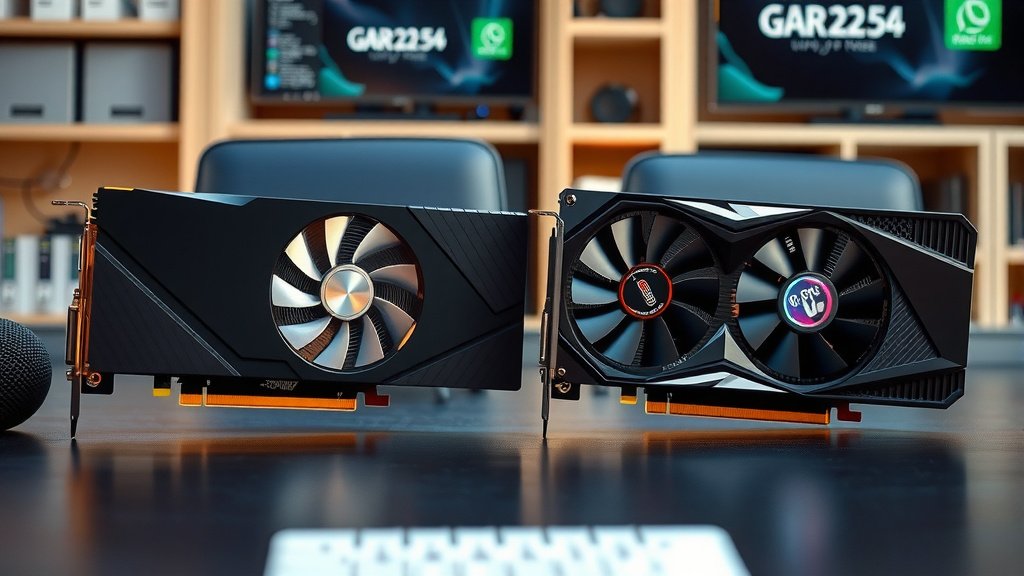
There was a time when pairing two identical graphics cards for gaming was a thing. Technologies like NVIDIA’s SLI (Scalable Link Interface) and AMD’s CrossFire allowed two, three, or even four identical cards to work as one to boost gaming performance.
Key Point: The crucial word here is identical. You couldn’t mix a GeForce RTX 4070 with an RTX 4080. They had to be the same model, often from the same manufacturer, and sometimes even from the same product generation. This was because the cards needed to communicate directly and efficiently, which is only possible with matching hardware.
Why SLI and CrossFire Are Fading Away
Unfortunately, these technologies are becoming a thing of the past. Developers found it increasingly difficult and time-consuming to optimize their games for multi-GPU setups. Many modern games simply don’t support SLI or CrossFire at all. Even when they do, the performance gains can be inconsistent, and sometimes you might even see worse performance or visual glitches.
We found that many experts now advise against SLI or CrossFire, even if you have identical cards. The cost and effort often don’t justify the limited benefits. It’s generally more cost-effective to buy a single, more powerful GPU.
What You *Can* Easily Do with Different GPUs
So, if gaming is out, what’s practical? You can easily use two different GPUs for multiple independent tasks. Your operating system is smart enough to assign applications to the most suitable available graphics hardware.
For example, you could have your high-end GPU running your main game on your primary monitor. At the same time, a less powerful, older GPU could be managing a second or third monitor. This secondary monitor might be displaying your chat window, a streaming dashboard, or even a less demanding application.
Setting Up Your Dual-GPU System
Physically installing a second GPU is usually straightforward. You’ll need a motherboard with enough PCIe slots and sufficient power from your power supply. Most modern motherboards have at least one PCIe x16 slot, and often a second x8 or x16 slot that can house another card.
Once installed, your operating system (like Windows) will detect both cards. You can then go into the graphics driver settings (NVIDIA Control Panel or AMD Radeon Software) to configure which applications use which GPU. For instance, you can tell specific programs to run on your powerful card while others default to the secondary one.
Checking Compatibility First
Before you go buying a second GPU, do your homework. You need to check a few things:
- Motherboard Slots: Does your motherboard have enough physical PCIe slots? Are they spaced correctly to accommodate two cards?
- Power Supply (PSU): Will your current PSU have enough wattage and the necessary connectors for a second GPU? Adding a second card significantly increases power draw.
- Case Size: Will two GPUs physically fit inside your computer case? Some cards are very large.
- Cooling: Ensure your case has adequate airflow. Two GPUs running simultaneously will generate more heat.
A Simple Checklist for Dual GPU Use
Before you commit to a second GPU, run through this quick checklist:
- Do you have a specific, separate task to offload?
- Is your motherboard compatible with two GPUs?
- Is your power supply robust enough?
- Will both cards fit physically in your case?
- Do you understand that gaming performance won’t likely improve by mixing cards?
By understanding these limitations and possibilities, you can make informed decisions about your PC hardware and get the most out of your setup. It’s not always about doubling gaming power, but often about efficient multitasking and workload distribution.
Conclusion
So, can two different GPUs work together? Yes, they absolutely can, but not for doubling your gaming power in most scenarios. We’ve found that mixing cards for demanding games is typically not supported by modern titles or technologies like SLI/CrossFire, which are fading out. Instead, think of a second GPU as a dedicated assistant for separate tasks. It’s perfect for offloading things like video encoding, running extra monitors, or tackling AI workloads. Before you add another card, carefully check your motherboard, power supply, and case for compatibility. Prioritizing these checks will help you build a more efficient and capable PC.
Frequently Asked Questions
Will mixing GPUs boost my gaming FPS?
Generally, no. For gaming, your PC usually needs one primary, powerful GPU. Mixing different cards won’t combine their power for games because most games are not programmed to split tasks between dissimilar GPUs. You’re better off investing in a single, more potent graphics card for gaming.
What is the primary benefit of using two different GPUs?
The main advantage is handling multiple, separate tasks efficiently. You can assign specific, less demanding jobs to a secondary GPU. This frees up your primary GPU to focus on its main job, leading to a smoother overall system experience for multitasking.
Can I use one GPU for gaming and another for multiple monitors?
Yes, absolutely. This is one of the most practical uses for a dual-GPU setup with different cards. Your main GPU can handle your game on your primary display, while a secondary GPU can easily drive additional monitors for browsing, chat, or other applications.
Do I need identical GPUs for them to work together at all?
Not for separate tasks. If your goal is to offload specific workloads or run multiple monitors, different GPUs will work fine. However, technologies like SLI or CrossFire that *did* aim to combine GPU power for gaming required identical cards, and these are now rarely supported.
How do I tell my computer which GPU to use for a specific program?
You can usually set this within your graphics card’s control panel software. For NVIDIA cards, this is the NVIDIA Control Panel. For AMD cards, it’s the AMD Radeon Software. Here, you can manually assign applications to either your primary or secondary GPU.

![10 Best Cheap Graphics [2026]](https://spsolutionscare.com/wp-content/uploads/2026/09/10-best-cheap-graphics-2026-featured-768x432.jpg)

![10 Variant [2026]](https://spsolutionscare.com/wp-content/uploads/2026/08/10-variant-2026-featured-1-768x432.jpg)