
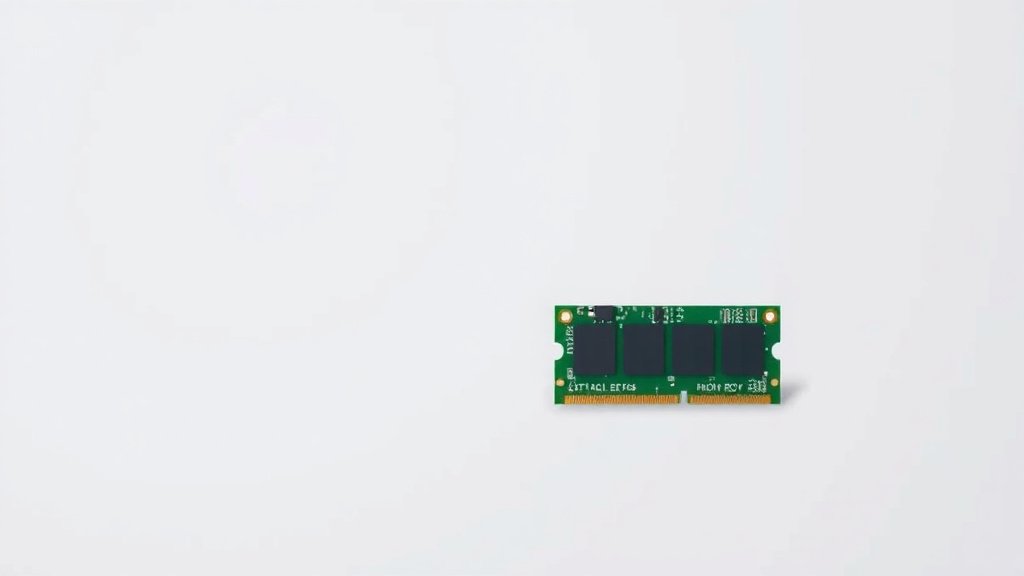
Memory Bus Width Explained: How Data Travels Faster
A memory bus width is essentially the width of the highway that your computer’s components use to talk to each other. It determines how much data can be sent at once between the CPU, RAM, and other parts. Think of it as the number of lanes on a road; more lanes mean more cars can travel simultaneously.
This bus width directly impacts your computer’s overall speed and performance. A wider bus can transfer data faster, which means your programs load quicker and your system feels more responsive. It’s a key factor many experts consider when building or upgrading a PC for better efficiency.
- Memory bus width is like a highway for data.
- It dictates how much information travels between components.
- A wider bus means faster data transfer.
- This leads to a snappier and more responsive computer.
- It’s a vital spec for performance.
Let’s break down exactly what memory bus width is and why it matters for your computer’s performance.
Understanding Your Computer’s Data Highway Width
So, what exactly is this “memory bus width” we’ve been talking about? Think of it as the number of lanes on that highway. The wider the highway, the more cars—or in our case, data—can travel at the same time.
This highway connects your computer’s brain (the CPU) to its short-term memory (RAM). It also links other components. The width of this highway directly affects how quickly information can move between them. A wider bus means a faster flow of data.
How Memory Bus Width Works
Your computer’s memory bus is a set of electrical pathways. These pathways carry data signals between different hardware components. The bus width refers to the total number of these pathways.
These pathways are often measured in bits. A common bus width is 64 bits. This means 64 bits of data can be transferred in a single clock cycle. If you had a 32-bit bus, only 32 bits could travel at once. It’s a simple concept with a big impact on speed.
Bits and Bytes: A Quick Refresher
Before we go further, let’s clarify bits and bytes. A bit is the smallest unit of data, either a 0 or a 1. A byte is a group of 8 bits.
So, a 64-bit bus can transfer 64 bits of data simultaneously. This is the same as 8 bytes (64 bits / 8 bits per byte). Researchers have found that doubling the bus width can often nearly double data transfer speeds, assuming other factors are equal (like clock speed).
The Role of the Memory Controller
To manage this data highway, your system has a memory controller. This controller acts like a traffic cop for the bus. It ensures data gets to the right place at the right time.
The memory controller can be integrated directly into the CPU or be a separate chip. Modern CPUs usually have it built-in. This integration helps speed up communication between the CPU and RAM even further.
Why Bus Width Matters for Your PC’s Performance
You might be wondering if this technical detail really makes a difference in your day-to-day computer use. The answer is a definite yes! A wider memory bus can lead to a noticeably faster computer experience.
Faster Program Loading and Responsiveness
When you open an application, your CPU needs to pull data from your RAM. If the bus is wide, this data transfer happens much quicker. Programs will launch faster.
Your entire system will feel more responsive. Clicking on menus, switching between tasks, or even just moving your mouse can feel smoother. This is because the system can access the data it needs without delay.
Impact on Gaming and Heavy Workloads
For demanding tasks like gaming, video editing, or running complex simulations, bus width is especially important. These activities require moving large amounts of data very quickly.
A wider bus allows your graphics card and CPU to communicate more efficiently. This can result in higher frame rates in games and quicker rendering times for videos. Many PC builders focus on this spec to get the best gaming performance.
Comparing Different Bus Widths
Historically, computers used narrower buses. Early PCs might have had 8-bit or 16-bit buses. Then came 32-bit buses, common in older Windows versions.
Today, 64-bit is the standard for most computers and operating systems. This is why you see “64-bit” often mentioned when you buy a new computer or software. Some high-performance systems, especially servers, can use even wider buses, but 64-bit is the common benchmark for everyday users.
| Bus Width (Bits) | Data Transfer (Bytes per Cycle) | Typical Use |
|---|---|---|
| 32 | 4 | Older PCs, some embedded systems |
| 64 | 8 | Modern PCs, Laptops, Gaming Rigs |
| 128+ | 16+ | High-end workstations, Servers, some GPUs |

Key Takeaways for Your Computer’s Speed
Understanding memory bus width helps you make informed decisions about your computer. Here’s what you should remember:
- Bus width determines how much data moves at once.
- More lanes (wider bus) mean faster data transfer.
- This leads to quicker program loading and a snappier system.
- Gamers and power users benefit greatly from wider buses.
- 64-bit is the current standard for most modern computers.
Conclusion
You’ve learned that your computer’s memory bus width is like its main data highway. A wider bus means more data can travel at once, directly impacting how fast your system performs. This translates to quicker program loads and a smoother experience, especially for demanding tasks like gaming. Understanding this spec helps you appreciate your computer’s performance. When choosing your next PC or upgrading components, remember to consider the bus width for a snappier, more efficient machine.
Frequently Asked Questions
Does memory bus width affect my everyday computer use?
Yes, a wider memory bus will make your everyday use feel faster. You’ll notice programs opening more quickly. Switching between tasks will also be smoother because data moves around your system without delay.
Is a 64-bit bus width always better than a 32-bit bus?
Generally, yes. A 64-bit bus can transfer twice the amount of data per cycle compared to a 32-bit bus. This leads to a noticeable performance boost for most modern computing tasks.
How can I find out the memory bus width of my computer?
You can often find this information in your computer’s system specifications or within your BIOS/UEFI settings. You can also use system information tools available on your operating system.
Is memory bus width more important than RAM speed?
Both are important for performance. Think of bus width as the number of lanes on a highway and RAM speed as the speed limit. You need both sufficient lanes and a good speed limit for optimal data flow.
Does a wider bus width mean my computer will have better graphics?
A wider bus width is very important for graphics performance, especially for gaming. It allows your CPU and GPU to communicate faster, which can lead to higher frame rates and smoother visuals.

![10 Rtx [2026]](https://spsolutionscare.com/wp-content/uploads/2026/08/10-rtx-2026-featured-768x432.jpg)



![10 Best Gpu For 1440 [2026]](https://spsolutionscare.com/wp-content/uploads/2026/09/10-best-gpu-for-1440-2026-featured-768x432.jpg)