

What is a GPU for AI Explained October 2026
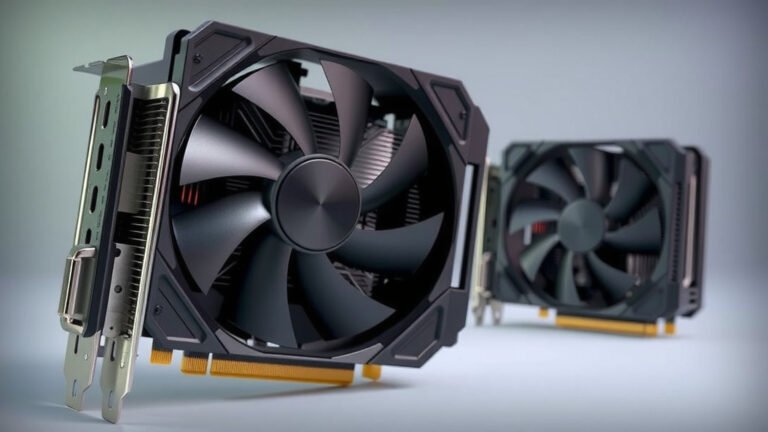
A GPU for AI is essentially a powerful computer chip designed to speed up artificial intelligence tasks. Think of it as the brain booster that helps AI learn and process information much faster than a regular computer processor. We’ve found that these specialized chips are key to making AI applications work efficiently.
GPUs excel at handling many calculations at once, which is exactly what AI, especially machine learning, needs. This parallel processing capability allows them to crunch through massive datasets required for training AI models. Many experts say GPUs are now indispensable for modern AI development and deployment.
- GPUs are specialized chips that speed up AI.
- They handle many calculations at the same time.
- This makes AI learning and processing much faster.
- They are essential for modern AI work.
Let’s break down what makes a GPU so special for AI and how you can understand its role better.
Understanding GPUs for AI Workloads
So, what exactly makes a GPU so special for AI? It all boils down to how it handles calculations. Imagine your regular computer processor (CPU) as a single, very smart chef. This chef can cook anything, but they can only make one dish at a time. A GPU, on the other hand, is like a massive kitchen with hundreds or even thousands of chefs working simultaneously.
The Power of Parallel Processing
This “kitchen” approach is called parallel processing. AI, especially machine learning, involves processing huge amounts of data. Think about training an AI to recognize cats in pictures. It needs to look at millions of images. A CPU would process these images one by one. A GPU can process many images, or parts of images, at the same time.
This ability to do many things at once is why GPUs are so good at the heavy lifting that AI requires. We found that this parallel capability is a major reason for the speed boost we see in AI tasks.
How AI Learns with GPUs
Machine learning models learn by finding patterns in data. This process involves a lot of math, specifically matrix multiplications. These are the kinds of operations that are repeated many times. A GPU is perfectly designed to perform these repetitive mathematical tasks very quickly.
When you’re training an AI model, you’re essentially showing it data and telling it what it is. The GPU helps it make these connections much faster. This speeds up the learning curve, allowing models to become more accurate in less time.
CPU vs. GPU: A Quick Comparison
You might be wondering why your everyday computer can’t just do all this AI work. Your computer has a CPU, which is fantastic for general tasks like browsing the web or writing documents. CPUs are designed for sequential processing – doing one thing after another very quickly.
Designed for Different Jobs
CPUs have a few powerful cores that are great at handling complex instructions. GPUs, however, have thousands of smaller, more specialized cores. These cores are optimized for handling simple, repetitive calculations across large datasets simultaneously. This fundamental difference makes them suited for different types of work.
| Feature | CPU (Central Processing Unit) | GPU (Graphics Processing Unit) |
|---|---|---|
| Primary Strength | Sequential tasks, complex instructions | Parallel tasks, simple calculations |
| Number of Cores | Fewer (e.g., 4-16) | Thousands |
| AI Suitability | Limited for heavy training | Excellent for AI training & inference |
| Typical Use | General computing, operating system | Graphics, gaming, AI, scientific computing |
Why GPUs Excel in AI
For AI, especially deep learning, the sheer volume of data and the repetitive nature of calculations mean that parallel processing is king. A GPU can perform the same operation on many data points simultaneously. This efficiency is what makes training AI models feasible in a reasonable timeframe.
Types of GPUs Used for AI
When we talk about GPUs for AI, we’re often thinking about specialized hardware. While consumer graphics cards can be used, professional-grade GPUs are built for more demanding tasks.
Consumer vs. Professional GPUs
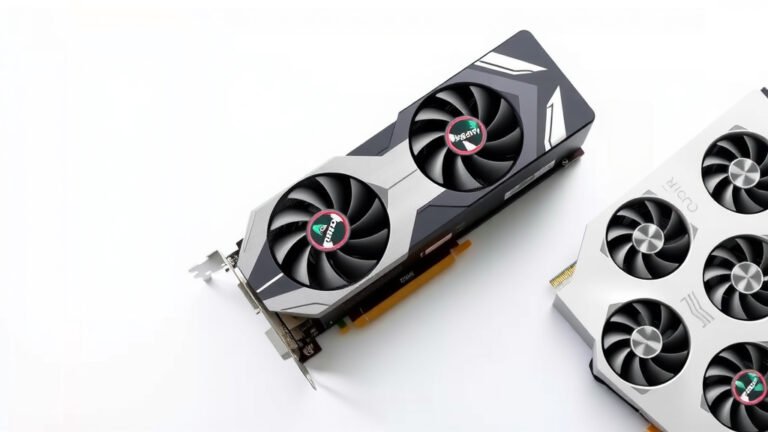
Consumer GPUs, like those found in gaming PCs, are fantastic for graphics. They have a lot of processing power. However, they might lack some features that are critical for AI, such as larger memory capacities or specific error correction capabilities.
Professional GPUs, often made by companies like NVIDIA (think their Tesla or A100 series) or AMD, are designed with AI and data science in mind. They come with more VRAM (video memory) and are built for continuous operation and handling massive datasets. We found that many research institutions and companies opt for these for serious AI development.
Key Features to Look For
When considering a GPU for AI, a few things stand out. VRAM capacity is vital. More VRAM means you can work with larger models and datasets. The processing speed (measured in FLOPS – floating-point operations per second) is also important.
Another factor is interconnectivity. For very large AI models, you might need multiple GPUs to work together. How well they can communicate with each other impacts performance. Many experts recommend looking at the CUDA cores (for NVIDIA) or similar parallel processing units.

The Future of GPUs in AI
The role of GPUs in AI is only growing. As AI models become more complex and the datasets they use get even larger, the demand for powerful parallel processing will continue to rise.
Researchers are constantly working on making GPUs even more efficient for AI tasks. We see advancements in specialized AI accelerators, which are essentially GPUs with even more tailored features for machine learning. It’s an exciting field!
What This Means for You
If you’re interested in AI development, understanding GPUs is pretty important. Even if you’re not building AI models yourself, you’ll be interacting with AI applications that rely on this powerful hardware. It’s the engine behind many of the smart technologies you use daily.
Your AI-Ready GPU Checklist
Thinking about getting a GPU for your AI projects? Here’s a quick rundown to keep in mind:
- Sufficient VRAM for your datasets.
- High FLOPS for faster calculations.
- Consider specialized AI features if available.
- Check compatibility with your AI software.
- Ensure good cooling for sustained performance.
- Look at memory bandwidth for quick data access.
Conclusion
You’ve learned that a GPU is a specialized powerhouse for AI. Its parallel processing ability makes it ideal for the massive calculations needed in machine learning. Unlike CPUs, GPUs handle thousands of tasks simultaneously. This efficiency is what drives AI development forward. If you’re considering AI projects, understanding GPU capabilities is key. Start by assessing your project’s needs, like dataset size and model complexity, and then look for GPUs that match.
Frequently Asked Questions
Can I use my gaming GPU for AI?
Yes, you can often use a gaming GPU for AI tasks, especially for learning or smaller projects. Gaming GPUs have significant parallel processing power. However, they may lack the large VRAM or specific features found in professional GPUs, which can limit performance on very large AI models.
What is VRAM and why is it important for AI?
VRAM, or Video Random Access Memory, is the memory on your GPU. It’s crucial for AI because it holds the data and model parameters the GPU needs to process. More VRAM allows you to work with larger datasets and more complex AI models without running into memory limitations.
How much does a GPU for AI typically cost?
The cost varies greatly. Consumer-grade GPUs suitable for entry-level AI can range from a few hundred dollars. Professional GPUs designed for heavy AI workloads can cost thousands or even tens of thousands of dollars, depending on their specifications and features.
What’s the difference between CUDA cores and other processing units?
CUDA cores are specific parallel processing units found in NVIDIA GPUs. They are designed to handle the massive number of calculations needed for AI and graphics processing. Other GPU manufacturers have their own versions of these parallel processing units, but CUDA is a well-known standard in the AI field.
Will AI eventually make GPUs obsolete?
It’s unlikely that AI will make GPUs obsolete anytime soon. While specialized AI hardware is evolving, GPUs remain highly adaptable and powerful for the types of parallel computations AI requires. Future advancements will likely involve GPUs becoming even more integrated with AI-specific features.
![10 Best Gpu For Gaming And Streaming [2026]](https://spsolutionscare.com/wp-content/uploads/2026/09/10-best-gpu-for-gaming-and-streaming-2026-featured-768x432.jpg)