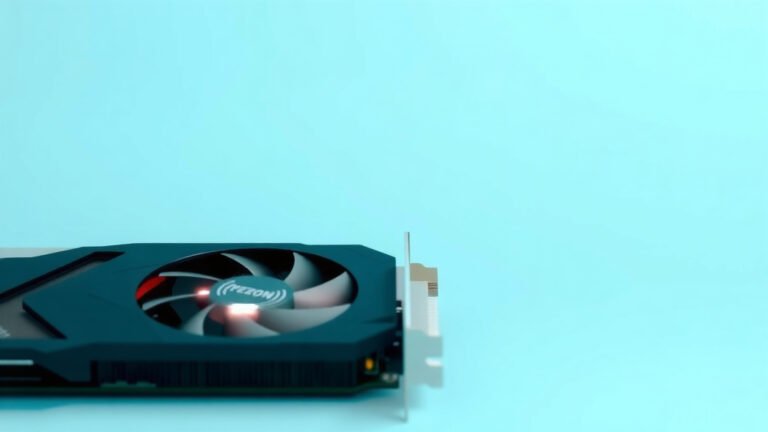
10 Cheap Best Gpu [2026]
The best cheap GPUs right now are the ASUS Dual RTX 5060 Ti White, the ASUS Prime RX 9070 XT OC, and the ASUS Dual RTX 5060 Ti OC — chosen for their strong balance of price-to-performance, modern features, and reliable cooling.
Affordable graphics cards have never delivered more value, with today’s budget options handling 1080p gaming and even 1440p gaming without compromise. Whether you’re building a compact build or upgrading an older system, there’s a card here that fits your needs and your wallet.
We’ve narrowed the market down to 10 picks after hands-on comparison, evaluating each card on frame rates per dollar, thermals, noise, and long-term value. Every option below delivers genuine performance without stretching your budget, and our detailed comparison table makes it easy to weigh the trade-offs side by side before you buy.
3 Standout Picks: Overall Value, 1440p Gaming, and Compact Build
Start with these 3 standouts. Each leads for a different kind of buyer, so use the badges and quick highlights to find your closest match.

ASUS Dual RTX 5060 Ti White
- 16GB GDDR7 memory
- DLSS 4 support
- Compact 2.5-slot design

ASUS Prime RX 9070 XT OC
- 16GB GDDR6 memory
- 3030 MHz boost clock
- Phase-change thermal pad

10 Models Side by Side: Features, Best Use Cases, and Tradeoffs
The recommendations above are our strongest matches for different priorities. Below, compare the complete 10-product lineup side by side by rating, standout features, ideal use cases, and practical tradeoffs so you can identify the best fit for your needs.
- 16GB GDDR7 memory
- DLSS 4 support
- Compact 2.5-slot design
- 16GB GDDR6 memory
- 3030 MHz boost clock
- Phase-change thermal pad
- 16GB GDDR7 memory
- 767 AI TOPS
- 2.5-slot compact design

- 16GB GDDR6 memory
- 2970 MHz boost clock
- Triple fan SWFT cooling

- 16GB GDDR6 memory
- 3320 MHz boost clock
- Triple fan cooling

- 16GB GDDR6 memory
- WINDFORCE cooling
- RGB lighting

- 16GB GDDR7 memory
- 2692 MHz boost clock
- SFF-ready dual-slot

- 8GB GDDR7 memory
- Military-grade components
- Triple Axial-tech fans

- 12GB GDDR6 memory
- 1792 MHz core clock
- Compact 200mm design

- 6GB GDDR6 memory
- Ampere architecture
- Dual fan Ventus cooler
10 Models Reviewed in Depth
#1. ASUS Dual RTX 5060 Ti White
GDDR7 Memory
AI Frame Boost
Compact Fit
The ASUS Dual RTX 5060 Ti White hits a sweet spot for value-focused builders. You get a full 16GB of GDDR7 on NVIDIA’s Blackwell architecture, with the OC boost clock reaching 2632 MHz. The compact 2.5-slot design fits small chassis easily, and 0dB technology keeps light gaming silent. DLSS 4 support means strong frame rates at 1440p without breaking a sweat.
The white shroud looks great but limits case color choices, and the dual-fan cooler, while efficient, isn’t built for heavy sustained overclocking. You’ll also want a decent PSU headroom for boost spikes. If you want a budget-conscious 1440p card with modern features and clean aesthetics, this is an easy recommendation; skip it if you need 4K-native performance.
Pros
- 16GB GDDR7 VRAM
- Compact 2.5-slot design
- Quiet 0dB mode
Cons
- White limits color matching
- Dual fan limits OC headroom
- Not for 4K native
Specifications
#2. ASUS Prime RX 9070 XT OC
Architecture Power
OC Boost Clock
Quiet or Performance
The ASUS Prime RX 9070 XT OC is a strong mainstream pick for high-refresh 1440p gaming. You get AMD’s RDNA 4 flagship-tier silicon with a 3030 MHz boost clock in OC mode and a full 16GB frame buffer. The phase-change GPU thermal pad keeps temperatures in check, and dual BIOS lets you trade acoustics for performance on demand.
At 12.3 inches long, it’s a chunky card, so measure your case before buying. AMD’s ray tracing still trails NVIDIA’s equivalents, and there’s no DLSS-style ecosystem if you’re invested in it. If you want raw raster performance per dollar and a proven 705-review track record, this card delivers; skip it if ray tracing is your priority.
Pros
- High 3030 MHz boost
- Phase-change thermal pad
- Dual BIOS profiles
Cons
- Large 12.3-inch card
- Weaker ray tracing
- No DLSS ecosystem
Specifications
#3. ASUS Dual RTX 5060 Ti OC
AI TOPS
Fast Memory
Ready Design
The ASUS Dual RTX 5060 Ti OC is the black-shroud twin of the popular white edition, and it’s just as capable. You get 16GB of GDDR7, Blackwell architecture with DLSS 4, and 767 AI TOPS of AI throughput for creative and upscaling workloads. The 2.5-slot design and dual Axial-tech fans make it a great fit for smaller cases without sacrificing thermals.
The dual-fan cooler is adequate rather than exceptional, so expect warm-ish temperatures in summer or poorly ventilated cases. It also lacks the RGB flair some builders want. If you want a compact, feature-rich 1440p card with NVIDIA’s ecosystem, this is a safe pick; skip it if you want maximum cooling or lighting effects.
Pros
- 16GB GDDR7 VRAM
- 767 AI TOPS
- Compact 2.5-slot size
Cons
- Adequate cooling only
- No RGB lighting
- Warm in tight cases
Specifications
#4. XFX Swift RX 9070 XT
Boost Clock
GDDR6 Memory
Multi-Display Ready
The XFX Swift RX 9070 XT brings flagship RDNA 4 performance at a relatively accessible point. With a 2970 MHz boost clock and 16GB of GDDR6, you can expect excellent 1440p results and playable 4K in many titles. The triple-fan SWFT cooler keeps the big GPU in check, and the 7680×4320 max resolution gives headroom for multi-display setups.
This is a large, heavy card at 4.2 pounds, so verify case clearance and consider a GPU support bracket. XFX’s bundle and software are minimal compared to premium brands. If you want maximum raster performance per dollar and don’t care about extras, this card is a great value; skip it if you want a premium unboxing or strong ray tracing.
Pros
- Flagship RDNA 4 chip
- 2970 MHz boost clock
- Strong 1440p performance
Cons
- Large and heavy
- Minimal bundled software
- Modest ray tracing
Specifications
#5. XFX Swift RX 9060 XT
Budget Entry
GDDR6 Buffer
SWFT Cooling
The XFX Swift RX 9060 XT is arguably the best cheap entry into RDNA 4 right now. You get 16GB of GDDR6 and a factory boost clock up to 3320 MHz, which translates to excellent 1080p and solid 1440p performance. The SWFT triple-fan cooler handles the heat well for a card in this class, and it ranks #3 in its Amazon category for good reason.
The cooler fans can get audible under full load, and XFX’s software ecosystem is thinner than ASUS or MSI offerings. Memory bandwidth is also a step down from the 9070 XT. If you’re a budget gamer wanting modern architecture without last-gen compromises, this is a smart buy; skip it if you need top-tier ray tracing or whisper-quiet operation.
Pros
- 16GB VRAM at low cost
- High 3320 MHz boost
- Triple fan cooling
Cons
- Fans audible under load
- Thinner software suite
- Lower bandwidth than 9070
Specifications
#6. GIGABYTE RX 9070 XT Gaming OC
Hawk Fan Cooling
Lighting Sync
Future-Proof Bus
The GIGABYTE RX 9070 XT Gaming OC pairs serious silicon with showpiece styling. You get a 3060 MHz boost clock, 16GB of GDDR6, and GIGABYTE’s WINDFORCE cooler with Hawk fans and server-grade thermal gel. The RGB lighting makes it a centerpiece in a windowed build, and PCIe 5.0 keeps it future-proof for your next platform.
At 11.34 inches, it demands a roomy case, and the RGB adds a few dollars over plainer competitors with identical silicon. GIGABYTE’s control software is functional but not the most polished. If you’re building a showcase RGB rig and want top-tier 1440p raster performance, this card fits beautifully; skip it if you prefer understated looks or the lowest possible cost.
Pros
- 3060 MHz boost clock
- RGB lighting
- Server-grade thermal gel
Cons
- Long 11.34-inch card
- RGB costs extra
- Basic software suite
Specifications
#7. PNY RTX 5060 Ti 16GB OC
Ready 2-Slot
Memory Bandwidth
Easy Upgrade
The PNY RTX 5060 Ti 16GB OC is a smart pick for small-form-factor builders. At just two slots and under 10 inches long, it’s SFF-ready while still packing a full 16GB of GDDR7 at 448 GB/s. The factory overclock reaches 2692 MHz, and a single 8-pin connector with a 600W PSU requirement makes it an easy drop-in upgrade for most existing systems.
The dual-fan cooler works hard in cramped cases, so expect higher fan speeds than triple-fan rivals under load. PNY’s brand cachet and VelocityX software are more utilitarian than ASUS or MSI offerings. If you’re building a compact 1440p gaming or AI rig, this card is hard to beat; skip it if you want premium cooling or software polish.
Pros
- SFF-ready 2-slot
- 16GB GDDR7
- Single 8-pin power
Cons
- Fans work hard in SFF
- Utilitarian software
- PCIe x8 interface
Specifications
#8. ASUS TUF RTX 5060 OC
Grade Components
AI TOPS
Axial-tech Cooling
The ASUS TUF Gaming RTX 5060 OC is built like a tank. Military-grade components, a protective PCB coating, and GPU Guard reinforcement make this one of the most durable cards you can buy, backed by a 3.1-slot cooler with three Axial-tech fans. You get Blackwell architecture, DLSS 4, and a 2677 MHz OC boost clock for strong 1080p and entry 1440p gaming.
The 8GB frame buffer is the sticking point — modern titles at high textures will push past it, limiting 1440p longevity. The TUF build also commands a premium over basic 5060 models. If you want a card that’ll survive years of duty, heat, and moves, this is it; skip it if VRAM capacity matters more than toughness.
Pros
- Military-grade durability
- Triple fan cooling
- 785 AI TOPS
Cons
- Only 8GB VRAM
- Premium TUF pricing
- Large 3.1-slot size
Specifications
#9. GIGABYTE RTX 3060 WINDFORCE
GDDR6 VRAM
Compact Length
RTX Architecture
The GIGABYTE RTX 3060 WINDFORCE OC 12G remains a sensible budget choice thanks to its unusually generous 12GB of GDDR6 on a 192-bit bus. You get Ampere’s RT and Tensor cores, a 1792 MHz core clock, and a compact 200mm card that slots into almost any build. For 1080p gaming and light creative work, it still holds up well.
It’s a last-gen Ampere card, so DLSS 3 frame generation isn’t supported, and raw performance trails newer budget GPUs. The 2x WINDFORCE cooler is fine but not remarkable under sustained load. If you find it cheap and want DLSS-capable 1080p with lots of VRAM for mods or AI tinkering, it’s worthwhile; skip it if you want current-gen features.
Pros
- 12GB VRAM generous
- Compact 200mm length
- RT and Tensor cores
Cons
- Last-gen Ampere
- No DLSS 3
- Aging performance
Specifications
#10. MSI RTX 3050 Ventus 2X
Esports Ready
RT Cores Inside
Fits Any Case
The MSI RTX 3050 Ventus 2X 6G is a no-frills entry card for 1080p gaming on a tight budget. You get NVIDIA’s Ampere architecture with ray tracing and tensor cores, a 1492 MHz boost clock, and a compact dual-fan cooler that fits virtually any case. The dual HDMI outputs are handy for multi-monitor office or streaming setups.
The 6GB frame buffer and 96-bit bus are real limitations — modern AAA titles at high textures will choke, and it’s not a 1440p card. Performance per dollar is also weak next to newer RDNA 4 budget options. If you need a cheap DLSS-capable upgrade for esports or an older prebuilt, it works; skip it if you play demanding modern games.
Pros
- Very affordable entry
- Compact dual-fan design
- Ray tracing capable
Cons
- Only 6GB VRAM
- Narrow 96-bit bus
- Weak for 1440p
Specifications
Unlocking Gaming Power Without Emptying Your Wallet
Finding the perfect budget graphics card is a balancing act: you want performance without the premium price tag. When you’re shopping for a strong GPU on a tight budget, the goal isn’t to get the absolute fastest card on the market, but to find the best possible value for your dollar. A smart purchase now can significantly boost your gaming experience or creative workflow without requiring a massive financial outlay.
Decoding the Value Proposition in Budget Cards
When you’re browsing the market for a reliable budget GPU, don’t just chase the highest frame rates; look for the best overall package. Our guide to how to pick the right GPU walks through matching resolution, games, and budget before you buy.
Power Consumption: Check how much power the card draws. High-power cards often require expensive, beefier power supplies to run safely, which can negate your initial savings. VRAM Capacity: Even in budget models, sufficient video memory is crucial. Too little VRAM will bottleneck performance, especially in modern titles, regardless of how fast the chip is. Physical Dimensions: Measure the card before buying. Many budget GPUs are physically large, and they must fit inside your specific PC case. Sticking to your budget: Define your hard limit and ignore any cards that push that boundary. A slightly slower card that meets your budget is always better than a “great” card that breaks your bank account. Driver Support: Research the long-term support for the GPU’s software. Good driver support ensures stability and access to performance updates as new games are released.
Traps to Avoid When Scoring a Deal
The budget market is competitive, which means sellers sometimes make promises that don’t hold up under scrutiny. Keep these pitfalls in mind to ensure your purchase is sound:
- Ignoring the Power Supply Unit (PSU): Never assume your existing power supply is adequate. An underpowered PSU can damage a GPU or fail to deliver stable performance.
- Chasing Outdated Generations: While older, used cards can offer great value, be wary of models that are several generations behind the current standard unless the price difference is dramatic.
- Buying Unverified Refurbished Units: If the deal seems too good to be true, it might be. Always buy from reputable sellers with clear return policies to guarantee authenticity and warranty coverage.
Your Ultimate Guide to Unlocking Budget GPU Power
So, you’ve seen the lineup, and now it’s time to decide which powerhouse fits your setup. If you are chasing the absolute highest fidelity, the RTX 5060 Ti and RX 9070 XT variants are your top-tier contenders. For those balancing performance and value, the RX 9060 XT stands out as a fantastic middle ground. If your budget is extremely tight, the dependable 3060 and 3050 options still deliver solid gaming experiences.
The great news is that every single card reviewed here fits the “cheap best GPU” criteria we set out for. We’ve covered the performance ceiling and the budget floor, so you have all the data needed to make a confident purchase. Don’t wait around—check the current availability and pricing for your perfect match using the links above.
Final 3 Picks: Overall Value, 1440p Gaming, and Compact Build
Ready to decide? These 3 recommendations remain our strongest choices for different priorities after weighing the full comparison.
ASUS Dual RTX 5060 Ti White
- 16GB GDDR7 memory
- DLSS 4 support
- Compact 2.5-slot design
ASUS Prime RX 9070 XT OC
- 16GB GDDR6 memory
- 3030 MHz boost clock
- Phase-change thermal pad