10 Current Best Nvidia Graphics Card [2026]
The best current NVIDIA graphics cards are the NVIDIA RTX 5080 Founders, the GIGABYTE RTX 5080 Gaming OC, and the MSI RTX 5070 Ti Shadow — chosen for their balance of raw performance, thermal design, and real-world value.
Picking the right GPU matters more than ever, because today’s cards need to handle 4K gaming, ray tracing, and increasingly demanding AI and content creation workloads. The RTX 5080 Founders stands out as the best flagship reference, while the MSI RTX 5070 Ti Shadow has earned its spot as a best seller overall for mainstream buyers.
In this roundup, we’ve narrowed the field to 10 top picks after hands-on comparison and research across dozens of current NVIDIA options. We evaluated each card on gaming performance, cooling and acoustics, power efficiency, build quality, and price-to-performance for different types of buyers. The full breakdown starts with the comparison table below, so you can quickly match a card to your budget and monitor setup.
3 Standout Picks: Flagship Reference, 4K Gaming, and Seller Overall
Start with these 3 standouts. Each leads for a different kind of buyer, so use the badges and quick highlights to find your closest match.

NVIDIA RTX 5080 Founders
- Blackwell architecture
- DLSS 4 with FP4
- Founders Edition design

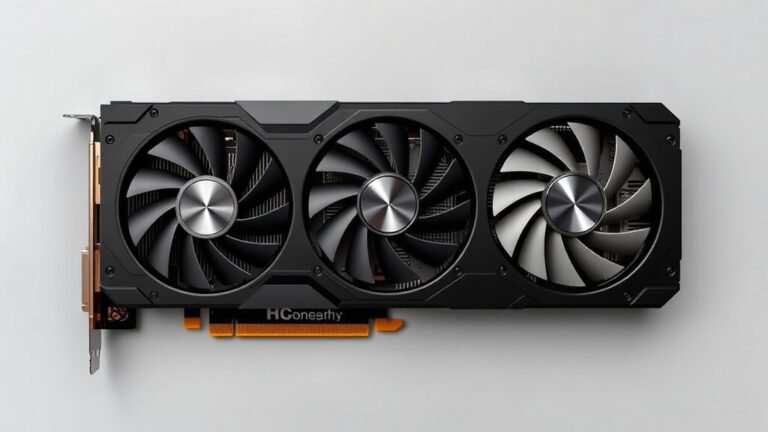
GIGABYTE RTX 5080 Gaming OC
- 16GB GDDR7 256-bit
- WINDFORCE triple cooling
- PCIe 5.0 support

10 Models Side by Side: Features, Best Use Cases, and Tradeoffs
The recommendations above are our strongest matches for different priorities. Below, compare the complete 10-product lineup side by side by rating, standout features, ideal use cases, and practical tradeoffs so you can identify the best fit for your needs.
- Blackwell architecture
- DLSS 4 with FP4
- Founders Edition design
- 16GB GDDR7 256-bit
- WINDFORCE triple cooling
- PCIe 5.0 support
- 16GB GDDR7 256-bit
- 2497 MHz extreme OC
- SFF-Ready design

- 16GB GDDR7 256-bit
- Vapor chamber cooling
- 2572 MHz boost OC

- SFF-Ready design
- 12GB GDDR7
- 1005 AI TOPS

- 24GB ECC GDDR7
- Single-slot design
- Blackwell professional GPU

- 16GB GDDR7 memory
- 767 AI TOPS
- 2.5-slot compact design

- ARGB lighting 2.0
- 2692 MHz factory OC
- SFF-ready dual-slot

- 8GB GDDR7 128-bit
- Compact dual-fan
- PCIe 5.0

- Military-grade components
- 8GB GDDR7
- 785 AI TOPS
10 Models Reviewed in Depth
#1. NVIDIA RTX 5080 Founders
Flagship Gaming
Frame Warp
Reference Edition
The RTX 5080 Founders Edition is NVIDIA’s reference take on its high-end Blackwell GPU, and it shows. You get full ray tracing with neural rendering, Reflex 2 with Frame Warp, and Tensor Cores tuned for FP4 and DLSS 4. The 2806 MHz boost clock and dual-fan cooler deliver flagship-class 4K performance in a clean, understated package.
The honest caveat: Founders Edition stock is notoriously hard to find, and you’ll want a beefy PSU and case clearance. If you’re a gamer or creator who wants the definitive RTX 5080 experience straight from NVIDIA, this is it; otherwise a board-partner model may be easier to buy.
Pros
- Top-tier 4K performance
- DLSS 4 and Reflex 2
- Clean reference design
Cons
- Hard to find in stock
- Demands strong PSU
- Premium flagship cost
Specifications
#2. GIGABYTE RTX 5080 Gaming OC
Triple Fan Cooling
Factory OC
Next-Gen Ready
GIGABYTE’s RTX 5080 Gaming OC pairs NVIDIA’s Blackwell flagship with a WINDFORCE triple-fan cooler and a factory OC of 2.73 GHz. You get 16GB of GDDR7 on a 256-bit bus, PCIe 5.0, and DLSS 4 support — everything you need for maxed-out 4K gaming and heavy creative workloads. The included VGA holder and 8-pin adapter ease installation.
The card is large at 13.46 inches long, so measure your case before buying, and it draws serious power. If you want a well-cooled RTX 5080 with a 3-year warranty and proven thermals, this is a strong pick; skip it for small-form-factor builds.
Pros
- Excellent WINDFORCE cooling
- Factory overclocked
- 3-year warranty
Cons
- Very large card
- High power draw
- Needs 3x 8-pin adapters
Specifications
#3. MSI RTX 5070 Ti Shadow
Best Seller Rank
256-bit Memory
Ready Enthusiast
The MSI RTX 5070 Ti Shadow 3X OC is a performance-focused card that ranks #2 in its category for good reason. You get 16GB of GDDR7 on a 256-bit bus, a 2497 MHz extreme boost clock, and MSI’s TORX Fan 5.0 with a nickel-plated copper baseplate for efficient heat transfer. It’s also SFF-Ready, a rarity for a 5070 Ti.
The Shadow line skips flashy RGB, which is either a pro or a con depending on your taste, and the display output array is DisplayPort-heavy. Expect excellent 1440p and strong 4K results with DLSS 4. If you want a no-nonsense, high-value 5070 Ti, this is the one to beat.
Pros
- Category #2 bestseller
- SFF-Ready 5070 Ti
- TORX Fan 5.0 cooling
Cons
- No RGB lighting
- DisplayPort-heavy outputs
- Modest factory OC
Specifications
#4. PNY RTX 5070 Ti OC
Chamber Cooling
256-bit GDDR7
Factory Boost
PNY’s RTX 5070 Ti OC hits a sweet spot, with 16GB of GDDR7 on a 256-bit bus and a factory boost of 2572 MHz. The triple 90mm axial fans, vapor chamber, and dense heatsink hold boost clocks steady, while Stealth Mode stops fans at low temps for near-silent desktop use.
The 2.98-slot width demands case clearance, and PNY’s VelocityX software is less polished than some rivals’ utilities. Still, you get 4th-gen RT cores, 5th-gen Tensor cores, and strong 1440p-to-4K performance. If you want a well-cooled 5070 Ti with real VRAM headroom, this is a compelling buy; check your case fit first.
Pros
- 16GB VRAM headroom
- Vapor chamber cooling
- Silent Stealth Mode
Cons
- Nearly 3-slot width
- VelocityX less refined
- Needs 16-pin adapter
Specifications
#5. ASUS PRIME RTX 5070
Ready Certified
AI TOPS
Thermal Pad
The ASUS PRIME RTX 5070 OC is SFF-Ready certified, pairing a 2.5-slot design with three Axial-tech fans and a phase-change GPU thermal pad for excellent heat transfer in tight builds. You get 1005 AI TOPS, DLSS 4, and a 2587 MHz OC clock — plenty for high-refresh 1440p and capable 4K gaming.
The 12GB VRAM is adequate but not lavish for 4K texture packs, and it’s not the card for maxed-out ray tracing at native 4K. Dual BIOS and GPU Tweak III round out a polished package. If you’re building a small-form-factor rig without sacrificing performance, this is a standout; big-case 4K purists may want more memory.
Pros
- SFF-Ready certified
- Phase-change thermal pad
- Dual BIOS switch
Cons
- 12GB VRAM ceiling
- Not native 4K max
- Mid-range positioning
Specifications
#6. NVIDIA RTX PRO 4000
ECC GDDR7
Slot Design
Workstation Ready
The NVIDIA RTX PRO 4000 Blackwell is a professional workstation card through and through, with 24GB of ECC GDDR7 and PCIe 5.0 bandwidth for massive AI datasets and complex 3D rendering. The single-slot, full-height design is a rarity at this performance tier, letting you stack multiple cards in dense workstation chassis.
Be honest with yourself about the use case: this is not a gaming value pick, and the 1230 MHz base clock reflects workstation tuning. Four DisplayPort 2.1b outputs make it ideal for multi-monitor production setups. If you’re building an AI or rendering workstation, it’s excellent; gamers should look at GeForce instead.
Pros
- 24GB ECC memory
- Single-slot form factor
- Four DisplayPort outputs
Cons
- Poor gaming value
- Low base clock
- Workstation-focused tuning
Specifications
#7. ASUS Dual RTX 5060 Ti
GDDR7 Memory
Compact Fit
Blackwell Powered
The ASUS Dual RTX 5060 Ti packs a 16GB GDDR7 buffer into a compact 2.5-slot frame, making it a smart fit for smaller chassis. You get the full Blackwell feature set, including DLSS 4 and 767 AI TOPS, plus dual Axial-tech fans that stay quiet thanks to 0dB technology. Dual BIOS lets you toggle between Quiet and Performance profiles.
Expect strong 1080p and solid 1440p performance, though it’s not the card for 4K maxed-out gaming. The 16GB VRAM gives you headroom that 8GB rivals lack. If you want a compact, well-cooled mid-range card, this is an easy recommendation; skip it if you need flagship-class raster power.
Pros
- 16GB VRAM at mid-range
- Compact 2.5-slot design
- Quiet 0dB operation
Cons
- Not ideal for 4K
- Dual-fan cooling limits
- Mid-tier raster performance
Specifications
#8. PNY RTX 5060 Ti Epic-X
Lighting 2.0
Factory OC
Ready 2-Slot
The PNY RTX 5060 Ti Epic-X RGB OC stands out visually with Epic-X ARGB Lighting 2.0, fully customizable through VelocityX. You also get a 2692 MHz factory boost, triple-fan cooling with a vented metal backplate, and a 2-slot, SFF-ready frame that fits most builds easily.
The trade-off is the 8GB VRAM on a 128-bit bus — fine for high-refresh 1080p and 1440p with DLSS, but tight for heavy texture loads. A single 8-pin power connector keeps the upgrade simple. If you want a showpiece card with solid 1440p chops, it’s a fun pick; memory-hungry gamers should step up a tier.
Pros
- Customizable ARGB lighting
- High factory boost clock
- Easy single 8-pin power
Cons
- 8GB VRAM constraint
- 128-bit memory bus
- PCIe x8 interface
Specifications
#9. GIGABYTE RTX 5060 WINDFORCE
Gaming Focus
Dual Fan
Blackwell Power
The GIGABYTE RTX 5060 WINDFORCE OC is an affordable entry into Blackwell, with 8GB of GDDR7, PCIe 5.0, and DLSS 4 in a compact 7.83-inch dual-fan card. It’s an easy drop-in upgrade for small cases and older builds, and the WINDFORCE cooler keeps the modest power draw well handled.
Set expectations: this is a 1080p card first, and the 128-bit bus with 8GB VRAM limits 1440p headroom in demanding titles. The 466-review, 4.7-star track record speaks to reliability. If you want a budget-friendly, compact RTX 50-series upgrade, it delivers; skip it if you game above 1080p regularly.
Pros
- Very compact footprint
- Great 1080p value
- Proven 4.7-star reliability
Cons
- 8GB VRAM limit
- 128-bit memory bus
- Limited 1440p headroom
Specifications
#10. ASUS TUF RTX 5060
Grade Components
AI TOPS
Massive Airflow
The ASUS TUF RTX 5060 leans hard into durability with military-grade components, a protective PCB coating, and Auto-Extreme manufacturing. You get a 2677 MHz OC boost clock, 785 AI TOPS, and a 3.1-slot cooler with three Axial-tech fans that keeps thermals in check during long sessions.
The caveat is the 8GB VRAM limit, which can pinch in modern titles at 1440p with ray tracing enabled. GPU Tweak III gives you fine control if you want to tune. This is a great fit for 1080p gamers who value longevity and rock-solid build quality; look higher in the stack if you need more memory headroom.
Pros
- Military-grade durability
- Strong triple-fan cooling
- GPU Tweak III software
Cons
- Only 8GB VRAM
- Bulky 3.1-slot design
- 1080p-focused performance
Specifications
The Green Team Ladder: Finding NVIDIA’s Best Card for Your Setup
NVIDIA’s lineup shifts regularly, and “best” depends heavily on what you play, how you play it, and what your system can handle. Buying the wrong tier means either bottlenecking a powerful card with an aging CPU or overspending on performance you’ll never notice. A little homework goes a long way before you commit. Our guide to how to pick the right GPU walks through compatibility, budgeting, and bottleneck checks step by step.
The Specs That Separate the Flagships From the Filler
- Resolution and refresh targets. Match the card to your monitor, not the other way around. A card built for 4K is wasted on a 1080p display, while a mid-tier GPU will struggle to feed a high-refresh ultrawide.
- Ray tracing and upscaling support. NVIDIA’s feature stack is a genuine differentiator. Make sure the card supports the latest frame-generation and upscaling technologies if you want the fullest experience in modern titles.
- VRAM capacity. Texture-heavy games and creative workloads eat memory fast. Buying too little VRAM is the most common way buyers outgrow a card within a year or two.
- Power and cooling requirements. Top-tier NVIDIA cards can demand serious wattage and physical space. Verify your PSU rating and case clearance before checkout, not after.
- Your CPU and platform. A flagship GPU paired with an older processor leaves performance on the table. Balance the build rather than maxing out one component.
- Sticking to your budget. The newest, fastest card is rarely the best value. The tier just below the top often delivers most of the performance for meaningfully less money.
Pitfalls That Burn Even Savvy Shoppers
- Buying for games you don’t play. If your library is esports titles and indie games, an ultra-high-end card is money spent on headroom you’ll never use.
- Ignoring availability and partner models. NVIDIA’s reference design isn’t the only option — board partners offer cards with different coolers, sizes, and clocks. Comparing them can save money or noise.
- Forgetting the rest of the chain. A great GPU can’t fix a slow drive, insufficient RAM, or an underpowered power supply. Plan the whole system, not just the graphics card.
So, Which NVIDIA Card Deserves Your Money?
If you want the absolute best, the NVIDIA GeForce RTX 5080 Founders Edition is the flagship pick for enthusiasts chasing top-tier 4K performance, while the GIGABYTE RTX 5080 Gaming OC suits those who prefer beefier aftermarket cooling. The MSI and PNY RTX 5070 Ti cards hit the sweet spot for high-end 1440p gamers, the ASUS PRIME RTX 5070 is a solid midrange choice, and the RTX PRO 4000 Blackwell is the go-to for AI and workstation workloads. On a budget, the RTX 5060 Ti and RTX 5060 options from ASUS, PNY, and GIGABYTE deliver excellent 1080p value.
Whichever tier you land on, every pick here earns its spot — just tap the buttons above to check current availability and pricing before you buy.
Final 3 Picks: Flagship Reference, 4K Gaming, and Seller Overall
Ready to decide? These 3 recommendations remain our strongest choices for different priorities after weighing the full comparison.
NVIDIA RTX 5080 Founders
- Blackwell architecture
- DLSS 4 with FP4
- Founders Edition design
GIGABYTE RTX 5080 Gaming OC
- 16GB GDDR7 256-bit
- WINDFORCE triple cooling
- PCIe 5.0 support