10 Fx 8350 Best Graphics Card [2026]
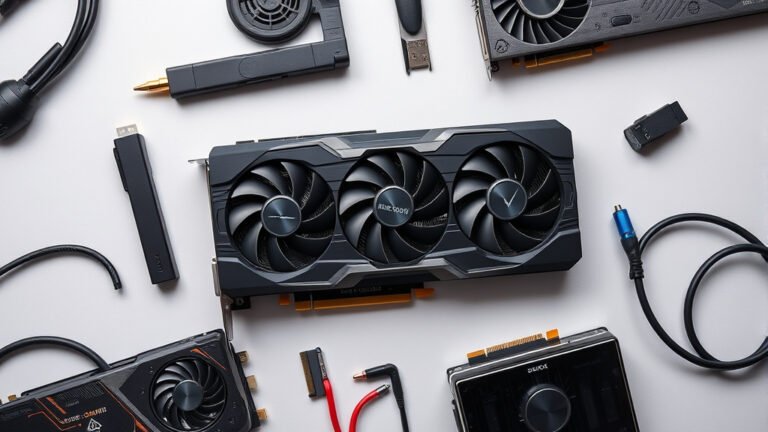
The best FX 8350 graphics cards are the ASUS RX 9070 XT Prime, XFX RX 9070 XT Swift, and XFX RX 9060 XT Swift — chosen for their strong performance-per-dollar, modern feature support, and reliable cooling.
Pairing the right GPU with this classic CPU still delivers a surprisingly capable gaming experience, especially if you match the card to your target resolution. The ASUS RX 9070 XT Prime stands out for premium 4K gaming, while the XFX RX 9070 XT Swift is our pick for high-end 1440p gaming. If you want the best value for 1080p and entry-level 1440p play, the XFX RX 9060 XT Swift hits a smart balance of price and performance.
In this guide, we’ve narrowed the field to 10 picks after hands-on comparison, covering options for every budget and resolution. We evaluated each card on frame rates, thermals, noise levels, and overall value to help you avoid bottlenecking or overspending. The full breakdown starts with the comparison table below.
3 Standout Picks: Premium 4K Gaming, High-End 1440p Gaming, and Balanced 1440p Value
Start with these 3 standouts. Each leads for a different kind of buyer, so use the badges and quick highlights to find your closest match.

ASUS RX 9070 XT Prime
- 16GB GDDR6 memory
- 3030 MHz OC boost clock
- Dual BIOS switch

XFX RX 9070 XT Swift
- 16GB GDDR6 memory
- 2970 MHz boost clock
- Triple fan SWFT cooling

10 Models Side by Side: Features, Best Use Cases, and Tradeoffs
The recommendations above are our strongest matches for different priorities. Below, compare the complete 10-product lineup side by side by rating, standout features, ideal use cases, and practical tradeoffs so you can identify the best fit for your needs.
- 16GB GDDR6 memory
- 3030 MHz OC boost clock
- Dual BIOS switch
- 16GB GDDR6 memory
- 2970 MHz boost clock
- Triple fan SWFT cooling
- 16GB GDDR6 memory
- 3320 MHz boost clock
- Triple fan cooling

- 8GB GDDR6 memory
- 2695 MHz boost clock
- 0dB silent cooling mode

- 6GB GDDR6 memory
- 1492 MHz boost clock
- Dual fan Ventus cooling

- 8GB GDDR5 memory
- 2048 stream processors
- Triple display outputs

- 1GB GDDR3 frame buffer
- 192 CUDA cores
- SLI Multi OS support

- 4GB GDDR5 memory
- Four HDMI outputs
- Low profile silent design

- 1.5GB GDDR3 memory
- PCIe x16 interface
- SLI multi-GPU support

- 512MB GDDR3 frame buffer
- 32 CUDA cores
- Dual DisplayPort + DVI-I
10 Models Reviewed in Depth
#1. ASUS RX 9070 XT Prime
OC Boost Clock
Quiet / Performance
Interface
The ASUS Prime RX 9070 XT OC is the standout here, with 16GB of GDDR6, PCIe 5.0, and an OC boost clock up to 3030 MHz. You’ll get excellent 1440p and strong 4K performance, backed by phase-change thermal pads, dual-ball fan bearings, and a dual BIOS switch for Quiet versus Performance profiles.
The honest caveat: this is a 2.5-slot, high-wattage card, and an FX 8350 will hold it back badly in CPU-limited titles — it truly belongs in a modern platform. If you’re upgrading the whole system, it’s a superb choice. Skip it if your rig stays on AM3+.
Pros
- Top-tier 4K performance
- Dual BIOS flexibility
- Robust axial-tech cooling
Cons
- Demands modern platform
- High power requirement
- Large 2.5-slot size
Specifications
#2. XFX RX 9070 XT Swift
GDDR6 VRAM
Architecture
SWFT Cooling
The XFX Swift RX 9070 XT is a serious RDNA 4 performer, and with 16GB of GDDR6 and boost clocks up to 2970 MHz, you’ll crush 1440p and handle 4K in most titles. The triple-fan SWFT cooler keeps this big GPU in check, and you get HDMI plus three DisplayPorts for multi-monitor setups.
The caveat: it’s a large, power-hungry card, so verify your case clearance and PSU wattage before buying — and note an FX 8350 will bottleneck it in CPU-heavy games. It’s ideal if you’re planning a fuller platform upgrade. Skip it if your system is strictly older parts.
Pros
- Massive 16GB VRAM
- Strong 1440p/4K performance
- Effective triple-fan cooling
Cons
- High power draw
- Large triple-fan footprint
- CPU bottleneck risk
Specifications
#3. XFX RX 9060 XT Swift
GDDR6 VRAM
Boost Clock
Architecture
The XFX Swift RX 9060 XT hits a sweet spot for an FX 8350-era upgrade path, offering 16GB of GDDR6 and boost clocks up to 3320 MHz in RDNA 4 silicon. You’ll get strong 1440p frame rates and comfortable 4K in lighter titles, with the triple-fan cooler running cool and quiet under load.
The caveat is pairing: an aging FX 8350 will bottleneck this GPU in CPU-bound games, so expect to upgrade the platform eventually to unlock its full potential. It’s a great pick if you’re building toward a modern rig. Skip it if the rest of your system stays old.
Pros
- 16GB VRAM capacity
- High boost clocks
- Quiet triple-fan cooler
Cons
- Needs modern CPU pairing
- Large card footprint
- High power draw
Specifications
#4. ASRock RX 7600 Challenger
Silent Mode
GDDR6 Memory
Ray Tracing
The ASRock RX 7600 Challenger Pro OC is a strong 1080p and entry-1440p card, with 8GB of GDDR6, a 2695 MHz boost clock, and RDNA 3 ray tracing accelerators. The triple-fan design includes 0dB silent mode, so fans stop entirely during light use, and the metal backplate adds rigidity.
Note the practical requirements: it’s a 2.5-slot, 303mm card needing an 8-pin connector and a recommended 550W PSU, so measure your case first. The PCIe 4.0 x8 interface is fine even on older boards. It’s a good fit for budget-focused 1080p gamers; skip it if you need more VRAM headroom.
Pros
- 0dB silent mode
- Strong 1080p performance
- Metal backplate build
Cons
- 2.5-slot thick design
- Long 303mm card
- 8GB VRAM limit
Specifications
#5. MSI RTX 3050 Ventus 2X
Gaming Focus
Ray Tracing Cores
Ventus Cooling
For an FX 8350 system, the MSI RTX 3050 Ventus 2X is a sensible modern pairing — it’s a low-power card your older platform can actually feed. You get 6GB of GDDR6, ray tracing cores from the Ampere architecture, and dual HDMI 2.1a outputs alongside DisplayPort. The dual-fan cooler keeps noise reasonable at 1080p loads.
The honest caveat is the 96-bit memory bus, which limits headroom at higher resolutions and in VRAM-heavy titles. It’s a good buy for esports and 1080p gaming on a budget. Skip it if you’re targeting 1440p or maxed-out AAA settings.
Pros
- Low power draw
- Ray tracing support
- Quiet dual-fan cooler
Cons
- 96-bit memory bus
- Limited 1440p headroom
- 6GB VRAM ceiling
Specifications
#6. MOUGOL RX 580 8GB
Memory Bus
Display Outputs
GDDR5 VRAM
For an FX 8350 build, the MOUGOL RX 580 8GB is a natural era-appropriate match — the 256-bit bus and 2048 stream processors still deliver playable frame rates in Fortnite, GTA V, and Apex at 1080p. You get HDMI, DisplayPort, and DVI for triple-monitor setups, and the compact dual-fan design fits mid-tower cases easily.
Expect older-generation efficiency and louder cooling under load, and driver support is aging on this Polaris architecture. It’s a solid budget pick for entry-level gaming and light content work. Skip it if you want ray tracing or modern feature sets.
Pros
- 8GB VRAM on a budget
- Triple display outputs
- Compact dual-fan size
Cons
- Aging Polaris architecture
- Higher power draw
- Louder under load
Specifications
#7. PNY Quadro FX 3800
192 Cores
Multi OS
Memory Bus
The Quadro FX 3800 brings 192 CUDA cores and a 256-bit memory interface to your FX 8350 workstation, with certified drivers for professional 3D and DCC applications. You also get SLI Multi OS support for running multiple accelerated apps from one system, plus dual DisplayPort and dual-link DVI outputs.
The honest downside is 1GB of GDDR3, which is far below what modern scenes and textures demand. This card makes sense for reviving legacy certified-software workflows on the cheap. If you’re doing current-gen content creation, a modern GPU will serve you far better.
Pros
- 192 CUDA cores
- SLI Multi OS support
- Certified pro drivers
Cons
- Only 1GB memory
- Legacy architecture
- Poor gaming value
Specifications
#8. ARDIYES GT 740 4GB
HDMI Outputs
SFF Ready
Fan Cooling
The GT 740 low-profile card isn’t a gaming GPU, but for an FX 8350 office or HTPC build it’s genuinely useful — you get four HDMI ports for quad-monitor setups straight out of the box, plus 4GB of GDDR5 for smooth 1080p playback. The silent fan and half-height brackets make it ideal for small form factor cases.
Be clear about limits: gaming performance is minimal, and 1080p is the practical ceiling for everyday work. It’s a great fit for trading desks, signage, and home theater PCs. Skip it entirely if you’re buying for games.
Pros
- Quad HDMI monitor support
- Low profile design
- Silent operation
Cons
- Weak gaming performance
- Old Kepler architecture
- 1080p practical limit
Specifications
#9. NVIDIA Quadro FX 4800
Certified Drivers
Multi-GPU Ready
GDDR3 Buffer
If you’re pairing a FX 8350 with a workstation-class card, this Quadro FX 4800 slots into any PCIe x16 slot and brings 1.5GB of GDDR3 along with SLI support for multi-GPU setups. You get dual DisplayPort plus DVI-D, so driving multiple monitors is straightforward. For CAD and legacy professional apps, the Quadro drivers still hold value.
Expect dated performance in modern games — this is a professional card, not a gaming GPU, and driver support ended long ago. It suits buyers reviving older workstations or running certified legacy software. If you want current-title frame rates, skip it and pick a modern card instead.
Pros
- Workstation-class Quadro drivers
- SLI support
- Dual DisplayPort outputs
Cons
- Outdated GDDR3 memory
- No modern driver support
- Weak gaming performance
Specifications
#10. PNY Quadro FX 580
32 Cores
Efficient Design
CAD Applications
The Quadro FX 580 is an entry-level professional board that pairs easily with an FX 8350 build, drawing little power while offering certified drivers for leading 3D design applications. You get 32 CUDA cores, a 512MB GDDR3 buffer, and flexible outputs with two DisplayPorts and dual-link DVI-I.
Be realistic: 512MB of memory is minimal by today’s standards, and gaming is off the table. This card fits buyers running older CAD or DCC software on a budget workstation. If you need modern viewport performance or high resolutions, look elsewhere.
Pros
- Energy efficient design
- Certified professional drivers
- Dual DisplayPort outputs
Cons
- Only 512MB memory
- No gaming capability
- Legacy architecture
Specifications
Pairing the Right GPU With Your FX 8350: A Practical Matchmaker’s Guide
The FX 8350 is an older CPU, and that changes the graphics card conversation entirely. Pair it with the wrong GPU and you’ll either bottleneck your frame rates or spend money on performance you’ll never see. A little thought up front saves you real money and frustration.
The Specs That Make or Break an FX 8350 Graphics Card Pairing
-
CPU bottleneck awareness. The FX 8350 can only feed a graphics card so fast. Extremely high-end GPUs will sit underutilized in many games, so aim for a card whose performance level matches what the CPU can realistically deliver. Our guide to picking the right GPU walks through checking compatibility and avoiding bottlenecks.
-
Resolution targets. If you play at 1080p, a midrange card is usually the sweet spot — the CPU becomes the limiting factor before the GPU does. Higher resolutions shift more load onto the GPU, which can justify a stronger card.
-
VRAM capacity. Older systems often run games alongside background tasks, and modern titles are increasingly memory-hungry. Choose a card with enough video memory to handle current games at your target settings without constant compromise.
-
Power supply compatibility. Many FX 8350-era systems were built with modest power supplies. Check your PSU’s wattage and connectors before choosing a card, and factor in whether an upgrade is realistic.
-
Physical fit and airflow. Older cases can be cramped and airflow-limited. Measure your case clearance and consider a card’s cooling design, since a hot-running GPU in a stuffy case throttles performance.
-
Sticking to your budget. Because the CPU is the ceiling on performance, spending heavily on a GPU delivers diminishing returns. Put your money where the pairing actually benefits — a sensible midrange card often beats an overpriced flagship on this platform.
Pitfalls That Burn First-Time Buyers
-
Buying top-tier hardware for an aging CPU. The single most expensive mistake is pairing a flagship GPU with the FX 8350 and wondering why frame rates don’t match reviews. Match the card to the platform, not the benchmarks.
-
Ignoring driver and platform support. Newer GPUs still work fine, but check that drivers are actively maintained and that your motherboard’s PCIe slot and BIOS won’t cause headaches during installation.
-
Overlooking used-market risks. Older platforms attract secondhand shopping, but ex-mining or heavily used cards carry hidden wear. If you buy used, prioritize sellers with return policies and test the card promptly.
The right card for an FX 8350 isn’t the fastest one you can afford — it’s the one that lets the whole system perform as a team.
Matching the Right GPU to Your FX 8350 Build
Pairing a graphics card with the aging FX 8350 is all about balance, and this roundup covers every angle. If you want maximum performance without severe bottlenecking, the ASUS Prime RX 9070 XT and XFX Swift RX 9070 XT are the power plays — though the CPU will hold them back in some titles. The XFX Swift RX 9060 XT and ASRock RX 7600 hit the sweet spot for 1080p gaming, while the MSI RTX 3050 and MOUGOL RX 580 serve budget builders and light gamers well. Legacy and workstation users should eye the Quadro FX cards, and the GT 740 shines for multi-monitor office setups.
Whichever tier fits your needs, every pick here respects your wallet. Check the buttons above for current availability and pricing before you hit buy.
Final 3 Picks: Premium 4K Gaming, High-End 1440p Gaming, and Balanced 1440p Value
Ready to decide? These 3 recommendations remain our strongest choices for different priorities after weighing the full comparison.
ASUS RX 9070 XT Prime
- 16GB GDDR6 memory
- 3030 MHz OC boost clock
- Dual BIOS switch
XFX RX 9070 XT Swift
- 16GB GDDR6 memory
- 2970 MHz boost clock
- Triple fan SWFT cooling