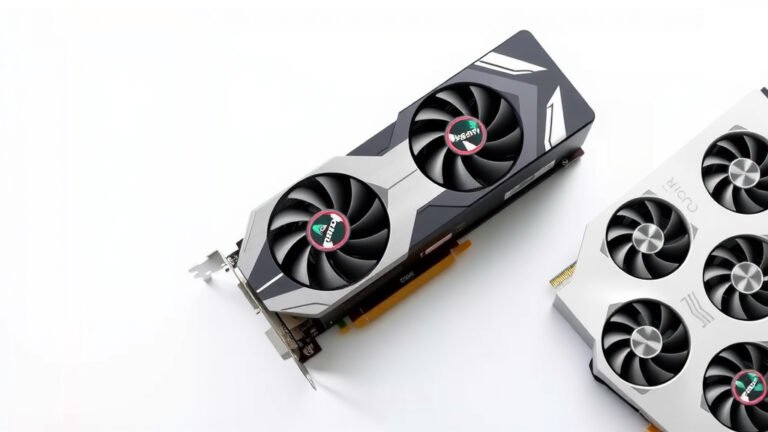
10 What Is The Best And Cheapest Graphics Card [2026]
The best and cheapest graphics card for most buyers right now is the ASUS RX 9060 XT Dual 16GB, which takes our Best Overall Value spot, with the ASUS RTX 5060 Ti Dual OC and GIGABYTE RX 9070 XT Gaming OC rounding out the top picks for DLSS 4 gaming and high-end performance, respectively.
Choosing the right card matters more than ever, because today’s lineup spans everything from budget-friendly 1080p gaming to 4K-ready performance, and the price-to-performance gaps between tiers can be significant. Picking well means getting smooth frame rates without overspending on power you won’t use. In this guide, we’ve narrowed the field down to 10 picks after hands-on comparison, covering options for casual gamers, 1080p and 1440p players, and enthusiasts alike.
We evaluated every card on real-world gaming performance, price-to-performance ratio, VRAM capacity, and power efficiency. The full comparison table below breaks down exactly how each one stacks up.
3 Standout Picks: High-End Performance, DLSS 4 Gaming, and Overall Value
Start with these 3 standouts. Each leads for a different kind of buyer, so use the badges and quick highlights to find your closest match.

GIGABYTE RX 9070 XT Gaming OC
- 16GB GDDR6 memory
- WINDFORCE Hawk fans
- PCIe 5.0 interface

ASUS RTX 5060 Ti Dual OC
- 16GB GDDR7 memory
- DLSS 4 AI upscaling
- 767 AI TOPS performance

ASUS RX 9060 XT Dual 16GB
- 16GB GDDR6 memory
- PCIe 5.0 support
- Dual BIOS quiet mode
10 Models Side by Side: Features, Best Use Cases, and Tradeoffs
The recommendations above are our strongest matches for different priorities. Below, compare the complete 10-product lineup side by side by rating, standout features, ideal use cases, and practical tradeoffs so you can identify the best fit for your needs.
- 16GB GDDR6 memory
- WINDFORCE Hawk fans
- PCIe 5.0 interface
- 16GB GDDR7 memory
- DLSS 4 AI upscaling
- 767 AI TOPS performance
- 16GB GDDR6 memory
- PCIe 5.0 support
- Dual BIOS quiet mode

- 8GB GDDR6 memory
- Triple-fan 0dB cooling
- 2695 MHz boost clock

- 6GB GDDR6 memory
- 1492 MHz boost clock
- Dual-fan Ventus cooling

- 6GB GDDR6 memory
- 2X WINDFORCE fans
- 1477 MHz OC clock

- 4GB DDR3 memory
- Triple HDMI/DVI/VGA output
- No external power needed

- 2GB DDR3 memory
- Low profile design
- HDMI/DVI/VGA outputs

- 2GB DDR3 memory
- Low profile design
- HDMI and VGA outputs

- 1GB DDR3 memory
- Silent low-profile card
- HDMI and VGA outputs
10 Models Reviewed in Depth
#1. GIGABYTE RX 9070 XT Gaming OC
Hawk Fan System
GDDR6 Buffer
Bandwidth Ready
The GIGABYTE RX 9070 XT Gaming OC 16G is the performance flagship of this list, built on PCIe 5.0 with 16GB of GDDR6 and a boost clock around 3060 MHz. The WINDFORCE cooling system with Hawk fans and server-grade thermal gel keeps this powerful GPU composed during sustained 1440p and 4K sessions.
You also get RGB lighting and a metal build that looks the part in a showcase system. The honest trade-offs are its large triple-slot-class footprint and the beefy power supply it demands. If you want top-tier raster performance without NVIDIA pricing, this is the card to shortlist.
Pros
- Top-tier 1440p/4K power
- Advanced WINDFORCE cooling
- PCIe 5.0 platform
Cons
- Large physical footprint
- Needs strong PSU
- Higher power draw
Specifications
#2. ASUS RTX 5060 Ti Dual OC
AI Upscaling
16GB VRAM
AI TOPS
The ASUS Dual RTX 5060 Ti 16GB OC brings NVIDIA’s Blackwell architecture and DLSS 4 upscaling to a compact 2.5-slot card. With 16GB of GDDR7 and 767 AI TOPS of AI throughput, you’ll get excellent 1080p and strong 1440p performance, and frame generation makes demanding titles feel far smoother.
Axial-tech fans, dual BIOS profiles, and 0dB technology round out a polished package. The caveat: NVIDIA’s 50-series pricing means you pay a premium over AMD equivalents at this tier. If DLSS, ray tracing, and creative AI workloads matter to you, this is the best-balanced pick here.
Pros
- DLSS 4 frame generation
- 16GB GDDR7 VRAM
- Compact 2.5-slot build
Cons
- Pricier than AMD rivals
- Dual-fan thermal limits
- 8-pin power required
Specifications
#3. ASUS RX 9060 XT Dual 16GB
GDDR6 VRAM
Next-Gen Ready
Silent Mode
The ASUS Dual Radeon RX 9060 XT 16GB hits a sweet spot: 16GB of GDDR6 and PCIe 5.0 in a compact 2.5-slot design that fits most cases. With boost clocks up to 3250 MHz in OC mode, you can expect strong 1080p and capable 1440p performance, plus 8K display support via DisplayPort 2.1a.
The dual BIOS switch lets you toggle between Quiet and Performance profiles, and 0dB technology keeps light tasks silent. The main caveat is that AMD’s software ecosystem may feel less familiar if you’re coming from NVIDIA. For gamers wanting maximum VRAM per dollar, this is a standout.
Pros
- 16GB VRAM capacity
- PCIe 5.0 ready
- Compact 2.5-slot design
Cons
- AMD software learning curve
- No bundled games
- Dual-fan on hot GPU
Specifications
#4. ASRock RX 7600 Challenger Pro
GDDR6 18Gbps
0dB Silent
Ray Tracing
The ASRock RX 7600 Challenger Pro OC is a focused 1080p gaming card with 8GB of GDDR6 at 18 Gbps, delivering up to 288 GB/s of bandwidth alongside 32MB of Infinity Cache. Its 2695 MHz boost clock and RDNA 3 architecture with ray tracing accelerators handle modern titles confidently at 1080p, with FSR support extending performance further.
The triple-fan Challenger Pro cooler with 0dB silent mode is generous for this class, and a metal backplate adds rigidity. The caveats: it needs an 8-pin connector and a 550W PSU, and its long 303mm body demands chassis clearance. A solid mid-range gaming pick.
Pros
- Strong 1080p performance
- Triple-fan 0dB cooling
- Metal backplate build
Cons
- Needs 550W PSU
- Long 303mm card
- PCIe x8 interface only
Specifications
#5. MSI RTX 3050 Ventus 2X
Ampere Cores
GDDR6 Memory
Ventus Cooling
The MSI RTX 3050 Ventus 2X 6G OC gives you a modern Ampere GPU with dedicated ray tracing and Tensor cores at an entry-level tier. You get 6GB of GDDR6 at 14 Gbps, a 1492 MHz boost clock, and a compact dual-fan cooler that fits most desktop builds. Expect smooth 1080p gaming in esports titles and solid performance in older AAA games.
The honest caveat is the 96-bit memory bus and 6GB VRAM, which limit you in VRAM-heavy modern titles at higher settings. If you want the cheapest current-generation NVIDIA card with ray tracing support, this is a smart pick; skip it if you plan to game at 1440p or above.
Pros
- Modern Ampere architecture
- Ray tracing support
- Compact dual-fan design
Cons
- Only 6GB VRAM
- Narrow 96-bit bus
- Limited 1440p headroom
Specifications
#6. GIGABYTE RTX 3050 Windforce
Dual Fan Cooling
RT + Tensor Cores
Gaming Focus
The GIGABYTE RTX 3050 WINDFORCE OC V2 6G pairs NVIDIA’s Ampere architecture with GIGABYTE’s proven 2X WINDFORCE cooling, keeping temperatures in check during long 1080p sessions. You get 6GB of GDDR6, 2nd-gen RT cores, and 3rd-gen Tensor cores for DLSS-accelerated performance in supported games.
Like all 3050 6GB cards, the 96-bit bus and 6GB buffer cap how far you can push modern AAA titles. It’s a great choice if you want reliable cooling and a trusted board partner at the lowest RTX entry point; look elsewhere if you need more VRAM headroom.
Pros
- Effective WINDFORCE cooling
- DLSS and ray tracing
- Trusted board partner
Cons
- 6GB VRAM limit
- 96-bit memory bus
- Entry-level performance
Specifications
#7. SOYO GT 740 Low Profile
128-Bit Memory
Display Output
No PSU Cable
The SOYO GT 740 4GB stands out among budget cards with 4GB of DDR3 on a 128-bit bus, double the memory of typical 2GB legacy options. You get triple display output via HDMI, DVI, and VGA, making it easy to build a dual-monitor workstation without adapters. It draws power entirely from the PCIe slot, so no external connector is needed.
Manage expectations: this handles 1080p video, office work, and light games like League of Legends, but it’s not a modern gaming GPU. It’s a strong pick for slim desktops and HTPCs; skip it if you’re chasing frame rates.
Pros
- 4GB on 128-bit bus
- Triple display outputs
- Slot-powered, no cables
Cons
- DDR3 memory is slow
- Not a gaming card
- Legacy GPU architecture
Specifications
#8. GIGABYTE GT 710 2GB
HTPC Ready
Monitor Outputs
Quiet Cooling
The GIGABYTE GT 710 2GB is a legendary quiet workhorse, with nearly 1,700 reviews backing its reliability. Its low profile design and triple outputs — dual-link DVI-D, D-Sub, and HDMI — make it perfect for adding extra monitors to an office PC or replacing dead integrated graphics. The 954 MHz core handles desktop tasks and HD video without breaking a sweat.
The caveat is performance: like the GT 610 and GT 210, this is not a gaming card, and its DDR3 memory is slow by modern standards. Buy it for displays, HTPC duty, or workstation multi-monitor setups; skip it for anything 3D-intensive.
Pros
- Proven reliability record
- Three display outputs
- Low profile brackets included
Cons
- No gaming performance
- Slow DDR3 memory
- Old Kepler-era GPU
Specifications
#9. Glorto GT 610 Low Profile
SFF Friendly
Win11 Ready
Passive Operation
The Glorto GeForce GT 610 2G is built for one job: giving an aging desktop a working display output and basic graphics acceleration. Its low profile, half-height design fits SFF towers and HTPCs, and the HDMI plus VGA outputs cover both modern and legacy monitors. Windows 11 drivers install automatically, so setup is genuinely plug-and-play.
Be realistic about expectations: with a 523 MHz core and 2GB DDR3, this is not a gaming card. It’s ideal if you need to revive an old office PC or add multi-monitor output on the cheap; skip it entirely if you want to play modern games.
Pros
- Fits SFF and HTPC builds
- Auto Win11 driver install
- Dual HDMI/VGA outputs
Cons
- Not for gaming
- Very old GPU architecture
- 2GB DDR3 is slow
Specifications
#10. Glorto GT 210 Low Profile
Fanless Design
Video Playback
Bracket Included
The Glorto GeForce GT 210 1GB is about as basic as discrete graphics gets, and that’s exactly its appeal. It’s a silent, low-profile card that adds HDMI output and HD video playback to an old PC, with a half-height bracket included for SFF and HTPC cases. HD movie playback and desktop acceleration are where it shines.
The caveat is obvious: 1GB of DDR3 and a 589 MHz core mean zero modern gaming capability. Buy it only if you need the absolute cheapest way to add display outputs or replace a failed integrated GPU; anything more demanding will disappoint.
Pros
- Completely silent operation
- Half-height bracket included
- Triple display outputs
Cons
- No gaming capability
- Only 1GB memory
- Ancient DirectX 10.1 support
Specifications
Finding a Budget Graphics Card That Punches Above Its Price
A graphics card is one of the most expensive parts of a PC build, and it’s also the part that most directly determines how your games look and run. That combination makes the “cheap but good” search tricky — the market rewards patience and punishes impulse buys. Shopping smart here means knowing which trade-offs actually matter and which ones are marketing noise, so you end up with a card that feels fast for years instead of one you’re already itching to replace next season.
The Specs That Separate a Bargain From a Regret
- VRAM capacity. This is the single most important number on a budget card. Games increasingly demand more memory, and a card with too little will stutter or force you to lower settings no matter how fast its chip is on paper.
- Performance per dollar. Don’t fixate on raw frame rates in isolation. A slightly slower card that costs meaningfully less is often the smarter buy — check independent benchmarks comparing cards at your target resolution. Our guide on how to pick the right GPU walks through matching a card to your monitor, budget, and power supply.
- Resolution match. Buy for the monitor you own, not the one you might someday own. Cards tuned for 1080p are dramatically cheaper than those built for 1440p or 4K, and overspending here is the most common budget trap.
- Power and cooling requirements. Check your power supply’s wattage and the card’s recommended PSU rating before buying. A bargain card is no bargain if it forces a power supply upgrade too.
- Case clearance and physical fit. Budget builds often use compact cases. Measure your available space and compare it to the card’s length and thickness — some affordable models are surprisingly chunky.
- Sticking to your budget. Set a firm ceiling before you browse, and include any accessories or upgrades the card might require. Last-generation cards at a discount frequently beat new releases on value.
Pitfalls That Trip Up First-Time Buyers
- Chasing the newest name. A current-generation entry-level card often performs worse than a discounted previous-generation model. Brand-new doesn’t mean better at this price point.
- Ignoring used and refurbished options. The secondhand market can offer serious savings, but buy from sellers with return policies and ask whether the card was used for mining or heavy gaming.
- Forgetting the rest of the system. An aging CPU or too little system RAM can bottleneck even a great budget card, wasting money you’d be better off spreading across the whole build.
The best cheap graphics card isn’t a specific model — it’s the one that matches your monitor, your power supply, and your patience. Take an afternoon to compare benchmarks, and you’ll spend less and game better.
Best Value, Sharpest Pixel: Your Graphics Card Verdict
If you want the best blend of performance and price, the GIGABYTE Radeon RX 9070 XT Gaming OC is the standout for serious 1440p and 4K gamers, while the ASUS Dual RTX 5060 Ti 16GB suits those chasing ray tracing and DLSS. Budget builders should grab the ASUS Dual RX 9060 XT or ASRock RX 7600 for smooth 1080p play, and the MSI or GIGABYTE RTX 3050 cards handle esports titles on a tight budget. For slim PCs and basic display upgrades, the SOYO GT 740, GIGABYTE GT 710, GT 610, or GT 210 get the job done for pennies.
Every pick here keeps your wallet happy — the cheapest options cost less than a nice dinner out. Scroll up and hit those buttons to check current prices and availability before they sell out.
Final 3 Picks: High-End Performance, DLSS 4 Gaming, and Overall Value
Ready to decide? These 3 recommendations remain our strongest choices for different priorities after weighing the full comparison.
GIGABYTE RX 9070 XT Gaming OC
- 16GB GDDR6 memory
- WINDFORCE Hawk fans
- PCIe 5.0 interface
ASUS RTX 5060 Ti Dual OC
- 16GB GDDR7 memory
- DLSS 4 AI upscaling
- 767 AI TOPS performance
ASUS RX 9060 XT Dual 16GB
- 16GB GDDR6 memory
- PCIe 5.0 support
- Dual BIOS quiet mode