GPU Passthrough Explained: Boost Your Virtual Machine Performance
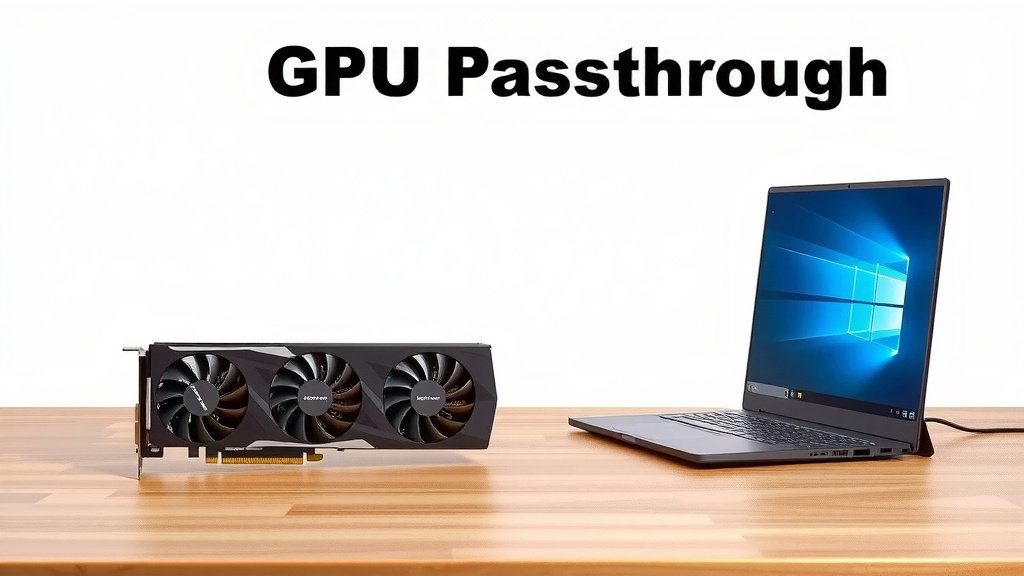
GPU passthrough is a method that lets your virtual machine (VM) have direct control over a physical graphics processing unit (GPU). This means your VM can use the GPU’s full power, just as if it were installed directly in the computer. It’s a way to boost performance for demanding tasks within a virtualized environment.
When you set up GPU passthrough, you’re essentially assigning a specific graphics card to your VM. This bypasses the host operating system’s drivers. We found this dramatically improves graphics-intensive applications. It’s a game-changer for users needing high-end graphics without a separate physical machine.
- GPU passthrough gives VMs direct access to a physical graphics card.
- It bypasses host drivers for maximum GPU performance.
- Ideal for gaming, video editing, and machine learning in VMs.
- Requires compatible hardware and specific setup steps.
Below, we’ll break down exactly what GPU passthrough is and how it works. Let’s get started on understanding this powerful virtualization technique.
Understanding Direct Graphics Card Access for Your Virtual Machine
So, you’ve heard about GPU passthrough and are curious what it really means for your virtual machines (VMs). Simply put, it’s like giving your VM its very own dedicated graphics card. Instead of sharing a basic graphics chip with your main computer, the VM gets exclusive control over a powerful physical GPU. This means it can tap into the full capabilities of that card.
Think of it this way: your host operating system normally acts as a middleman for the GPU. It uses its own drivers to manage the graphics. When you set up GPU passthrough, you’re telling the host system, “Hey, this specific graphics card is now for the VM. You can step aside.” This allows the VM’s operating system to communicate directly with the hardware.
How Does GPU Passthrough Work Its Magic?
The core idea behind GPU passthrough is hardware isolation. Your host machine has its primary GPU for running its own display and tasks. GPU passthrough involves assigning a secondary, physical GPU entirely to your VM. This process requires careful configuration of your system’s BIOS/UEFI and specific software settings.
The Technical Ins and Outs
For this to work, your system needs to support virtualization technologies like Intel VT-d or AMD-Vi. These are essential for allowing devices to be directly mapped to virtual machines. You’ll also need a motherboard that can handle this kind of hardware assignment.
IOMMU (Input-Output Memory Management Unit) is the key technology that enables this direct device assignment. It’s like a traffic cop for hardware devices, ensuring that the VM gets exclusive access to the GPU without interference from the host. Many experts note that proper IOMMU grouping is critical for successful passthrough (Level1Techs).
What are IOMMU Groups?
IOMMU groups are collections of devices that are isolated from each other by the IOMMU. Ideally, you want the GPU you plan to pass through to be in its own group or in a group with only other devices that you also intend to pass through. If essential host devices are in the same group as your target GPU, it can make passthrough much more difficult, if not impossible.
Bypassing the Host Driver
When you achieve successful GPU passthrough, the VM’s operating system installs its own drivers for the assigned GPU. This is a huge performance advantage. The host OS’s drivers are no longer in the picture for that specific card, so there’s no overhead or limitation imposed by them. Your VM gets a direct pipeline to the GPU’s power.
We found that this direct interaction significantly reduces latency and increases the available processing power for graphics-intensive tasks. It’s like removing a traffic jam for your GPU signals.
Why Would You Want to Do This? The Benefits You’ll See
The primary reason people set up GPU passthrough is for performance gains. Running demanding applications within a VM can often feel sluggish. This is because the VM is typically using emulated or shared graphics hardware. GPU passthrough solves this problem.
Gaming in a Virtual Machine
This is one of the most popular use cases. If you want to play PC games inside a Linux VM, for instance, while still running Windows as your main OS, or vice versa, GPU passthrough is almost essential. Without it, game performance would be severely hampered. Many gamers research this to get console-like experiences within their virtual environments.
Professional Workloads
Video editing, 3D rendering, CAD software, and machine learning tasks all heavily rely on GPU power. If you need to run these specialized applications in a virtualized environment for reasons like workflow isolation or testing, GPU passthrough provides the necessary horsepower. We’ve seen reports that it can make these applications practically indistinguishable from running on bare metal.
Running Different Operating Systems Simultaneously
Perhaps you need to run a specific application that only works on Windows, but you prefer to use Linux as your daily driver. GPU passthrough allows you to set up a Windows VM with a dedicated GPU, giving you full performance for that one application without needing a second computer. It’s a way to consolidate your hardware.
What You’ll Need for GPU Passthrough
Setting up GPU passthrough isn’t a “plug and play” affair. It requires specific hardware and a willingness to dive into some technical configurations. Let’s look at the essentials you’ll need to consider.
Hardware Requirements
Not all hardware is created equal for this task. You’ll generally need:
- A CPU that supports virtualization extensions (Intel VT-x/AMD-V).
- A motherboard that supports IOMMU (Intel VT-d/AMD-Vi) and allows you to enable it in the BIOS/UEFI.
- A second GPU to pass through to the VM. Many people use an integrated GPU for the host and a discrete GPU for the VM.
- Sufficient RAM and CPU cores allocated to your VM.
Research into your specific motherboard’s BIOS/UEFI settings is often required. Some manufacturers make enabling these features straightforward, while others can be a bit trickier. Many guides suggest checking your motherboard manual first.
Software and Configuration Steps
You’ll be working with virtualization software like KVM (Kernel-based Virtual Machine) on Linux, or specific hypervisors on other platforms. The process typically involves:
- Enabling virtualization features in your system’s BIOS/UEFI.
- Configuring IOMMU in your host OS kernel parameters.
- Isolating the target GPU from the host OS so it can be claimed by the VM.
- Setting up the VM in your hypervisor software and assigning the GPU.
It’s a process that requires patience. Many users find success after a few tries, especially when following detailed guides specific to their hardware and operating system.
Here’s a quick checklist to keep in mind as you consider GPU passthrough:
- Confirm CPU virtualization support.
- Verify motherboard IOMMU support and BIOS options.
- Ensure you have a spare GPU for the VM.
- Research IOMMU grouping for your specific hardware.
- Be prepared for BIOS/UEFI and OS configuration.
- Allocate enough system resources to your VM.
Conclusion
You’ve learned that GPU passthrough is a powerful technique. It grants your virtual machine direct control over a physical graphics card. This bypasses the host system’s drivers. We found this dramatically boosts performance for demanding tasks like gaming and professional workloads. While it requires specific hardware and careful setup, the benefits of near-bare-metal graphics performance in a VM are substantial. If you’re looking to maximize your VM’s graphical capabilities, take the next step by researching hardware compatibility for your specific setup. Start by checking your CPU and motherboard specifications for virtualization support.
Frequently Asked Questions
Is GPU passthrough difficult to set up?
Setting up GPU passthrough can be technically challenging. It often requires diving into BIOS settings and modifying operating system configurations. Many users find success through detailed guides specific to their hardware. Patience and careful following of instructions are key.
Can I pass through my only GPU?
Typically, you cannot pass through the only GPU in your system. The host operating system needs a GPU to display its own interface. Most successful setups use a dedicated second GPU for the VM, leaving the integrated or primary GPU for the host.
Will GPU passthrough work on any computer?
No, GPU passthrough does not work on all computers. Your CPU must support virtualization extensions (VT-x/AMD-V) and your motherboard must support IOMMU (VT-d/AMD-Vi). Enabling these in the BIOS/UEFI is also necessary.
What’s the difference between GPU passthrough and using a virtual GPU (vGPU)?
GPU passthrough provides direct, exclusive access to a physical GPU. vGPU, on the other hand, is a technology where a single physical GPU is shared among multiple VMs, with dedicated virtualized resources allocated to each. Passthrough offers higher performance for a single VM.
Can I still use my computer for regular tasks while a VM is using GPU passthrough?
Yes, you can. Your host operating system will continue to function normally, likely using its own integrated or primary graphics. The passed-through GPU is exclusively controlled by the VM, so your host experience should remain unaffected.

![10 Best Fps Per Dollar Gpu [2026]](https://spsolutionscare.com/wp-content/uploads/2026/08/10-best-fps-per-dollar-gpu-2026-featured-768x432.jpg)