
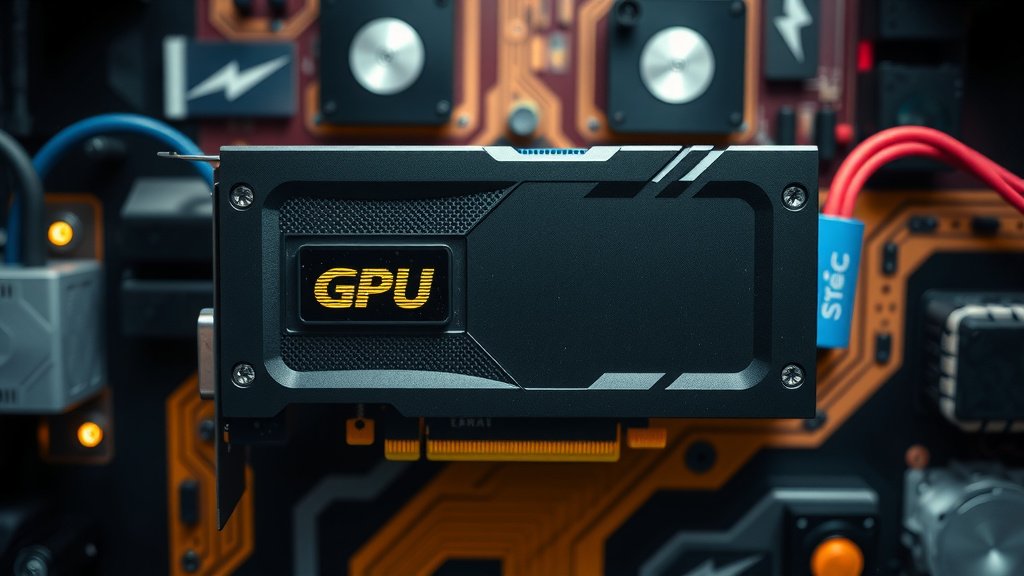
GPU Video Encoder Explained: How It Works
A video encoder on a GPU is a specialized chip within your graphics card that’s designed to compress video files quickly and efficiently. It takes raw video footage and shrinks it down into a smaller size, making it easier to store and share. Think of it as a super-fast video compression assistant built right into your computer’s visual powerhouse.
Many modern GPUs include dedicated hardware for encoding, like NVIDIA’s NVENC or AMD’s VCE/AMF. This hardware encoder offloads the demanding task of video processing from your main CPU. This means your computer can stream smoother, edit videos faster, and handle multiple tasks without slowing down, all thanks to this clever little component.
- A GPU video encoder is a built-in chip for video compression.
- It shrinks video files for easier storage and sharing.
- It uses dedicated hardware, freeing up your CPU for other tasks.
- This leads to smoother streaming and faster video editing.
- It’s a key part of making your PC handle video efficiently.
Let’s dive into what makes this GPU feature so handy and how it can make your streaming and video work much easier.
“`htmlWhat Exactly Is a Video Encoder on Your GPU?
Think of a video encoder on your GPU as a dedicated super-tool for shrinking video files. It’s a special piece of hardware, built right into your graphics card, that’s designed to make large video files much, much smaller. You might be wondering why you need this. Well, raw video footage is enormous, like a giant box of LEGOs. Encoding is like taking those LEGOs and packing them into a much smaller, neater box without losing too many pieces. This makes them easier to store on your hard drive or cloud, and quicker to send to friends or upload online.
Your graphics card, or GPU, is already a powerhouse for handling visuals. Adding a video encoder means it can now handle video compression with incredible speed. This is a big deal because compressing video is a very demanding job. If your computer had to do this using only its main processor (the CPU), it would likely slow everything else down to a crawl. This dedicated encoder chip offloads that heavy lifting, freeing up your CPU for other tasks.
How Does GPU Video Encoding Work?
At its core, video encoding involves taking uncompressed or lightly compressed video data and applying algorithms to reduce its file size. This process is called compression. There are different ways to do this, but the most common methods use lossy compression. This means some data is intentionally discarded to achieve smaller file sizes. Don’t worry, though; for most practical purposes, the quality difference is often barely noticeable to the human eye.
Your GPU’s encoder chip has specialized circuits built for these compression tasks. These circuits are much faster and more efficient at encoding than a general-purpose CPU. They’re designed to perform the repetitive mathematical operations needed for compression at lightning speed. Companies like NVIDIA (with their NVENC technology) and AMD (with their VCE/AMF technology) have developed their own versions of these encoders. Each aims to offer the best balance of speed and quality for video compression.
The Role of Codecs
When we talk about video encoding, codecs are a vital part of the picture. A codec is essentially a set of instructions or a program that’s used to encode and decode digital data. Think of it as the language the encoder speaks to shrink the video and the decoder speaks to expand it back. Common codecs include H.264 (also known as AVC) and H.265 (also known as HEVC).
Your GPU encoder might support various codecs. The choice of codec impacts the final file size and quality. For example, H.265 is generally more efficient than H.264, meaning it can produce smaller files at the same quality level. However, H.265 can also be more computationally intensive to encode and decode. The GPU encoder handles the complex calculations for these codecs, making them practical for everyday use.
Why Should You Care About GPU Video Encoding?
You might be asking, “How does this actually benefit me?” The answer is quite significant, especially if you do anything involving video. The most immediate benefit is improved performance for video-related tasks. This is especially true for streamers and content creators.
Smoother Streaming for Gamers and Broadcasters
If you stream games or any other content, encoding is happening in real-time. Your CPU has to capture your gameplay, your webcam, and then compress all of it to send out over the internet. This is a massive workload. By using your GPU’s dedicated encoder, you offload this task. This means your game runs smoother and with higher frame rates because your CPU isn’t struggling. Your stream quality also benefits, as the encoder can often provide better compression at higher bitrates.
We found that streamers using their GPU encoder often report a noticeable improvement in their in-game performance and stream stability. Many experts agree that for real-time streaming, a dedicated hardware encoder is almost a necessity for a professional-looking broadcast without sacrificing your gaming experience.
Faster Video Editing and Rendering
Video editors often deal with large files and long rendering times. When you export a video project, your computer needs to encode it into a final format. If your editing software supports GPU acceleration for encoding, it can use your GPU’s encoder. This can drastically reduce the time it takes to export your finished videos. Instead of waiting hours, you might be waiting minutes.
This also applies to previewing your work. Some editing tasks, like applying complex effects or color grading, can be hardware-accelerated by the GPU. This means you get a smoother playback experience within your editing software, allowing you to make edits more fluidly and spot issues more easily. Many video editing applications now integrate support for NVIDIA’s NVENC and AMD’s VCE/AMF to speed up these workflows.
Better Multitasking Capabilities
Even if you’re not a streamer or editor, your GPU encoder can help. When your CPU isn’t bogged down with video encoding, it has more power available for everything else you’re doing. This means you can have more applications open, browse the web with more tabs, or run background tasks without your computer feeling sluggish. It’s like giving your CPU a much-needed break.
Consider this: if you’re on a video call and simultaneously trying to download a large file, your CPU is juggling both. If the video call itself involves encoding (which it often does), that adds another layer of work. Having a GPU encoder handle any necessary video compression means your CPU is freer to manage the download and keep your call smooth. It’s all about distributing the workload efficiently.
Dedicated Hardware Encoders: The Key Players
As mentioned earlier, the two main players in the GPU encoding space are NVIDIA and AMD. They’ve invested heavily in developing and refining their dedicated encoding hardware.
NVIDIA’s NVENC
NVIDIA’s encoder is called NVENC (NVIDIA Encoder). It’s found on most GeForce GPUs starting from the Maxwell architecture (GeForce GTX 900 series and newer). NVENC is highly regarded for its excellent performance and quality, especially for streaming applications. Many popular streaming software programs, like OBS Studio and Streamlabs, have excellent support for NVENC, allowing users to easily select it as their preferred encoder.
AMD’s VCE/AMF
AMD’s equivalent is known as VCE (Video Coding Engine), which has evolved into AMF (Advanced Media Framework). This technology is integrated into their Radeon GPUs. While historically it might have lagged slightly behind NVENC in terms of widespread adoption or perceived quality by some users, AMD has made significant strides. AMF is also supported by major software and is a capable encoder for many users looking to offload video compression tasks. The performance and quality are often very competitive.
The specific generation of your GPU often dictates the capabilities and efficiency of its encoder. Newer generations typically support more advanced codecs (like H.265 10-bit) and offer improved compression efficiency and image quality. For instance, research shows that newer NVENC generations have made substantial improvements in terms of efficiency compared to older versions (NVIDIA Developer Blog research).
What to Check for in Your System
Wondering if your current setup benefits from a GPU encoder? Here’s a quick checklist to help you understand:
- Check your GPU model: Most modern NVIDIA (GeForce GTX 900 series and newer) and AMD (Radeon R7 200 series and newer) graphics cards have hardware encoders.
- Verify software support: Ensure your streaming or video editing software can access and utilize your GPU’s encoder. Look for settings related to “Hardware Encoder” or specific options like “NVENC” or “AMF.”
- Monitor CPU usage: If your CPU usage spikes to very high levels (80-100%) during streaming or video rendering, your system might be struggling to keep up without GPU acceleration.
- Observe game/application performance: Are you experiencing frame drops or stuttering during tasks that involve video? A GPU encoder could help.
- Consider codec needs: Do you need to encode in H.265? Ensure your GPU’s encoder supports the specific codec you require for your projects.
By understanding and utilizing your GPU’s video encoder, you can significantly enhance your computer’s performance. It’s a smart piece of technology designed to make your digital life smoother, faster, and more enjoyable, especially when dealing with the demands of video.
“`Conclusion
You’ve learned that a video encoder on your GPU is a powerful hardware component designed to make video compression fast and efficient. By offloading this demanding task from your CPU, your graphics card ensures smoother streaming, quicker video editing, and better overall system responsiveness. Whether you’re a gamer, content creator, or just someone who appreciates a snappy computer, understanding and utilizing your GPU encoder can make a real difference. Now, take a moment to check your software settings and see if you’re already benefiting from this incredible technology.
Frequently Asked Questions
Will my GPU encoder work with any video software?
Your GPU encoder will work with video software that is programmed to use it. Popular programs like OBS Studio, Streamlabs, and many video editors support hardware encoding. You’ll usually find an option in the software’s settings to select your GPU encoder (like NVENC or AMF) over the CPU encoder.
Does using my GPU encoder affect my game’s performance?
Yes, it generally improves game performance. By letting the GPU handle video encoding, your CPU is freed up to focus on running your game. We found this leads to higher frame rates and less stuttering, especially when streaming while gaming.
How do I know if my GPU has a video encoder?
Most modern NVIDIA GeForce cards from the GTX 900 series and up, and AMD Radeon cards from the R7 200 series and up, include a hardware video encoder. You can usually find your GPU model in your system’s device manager or by checking your graphics card’s specifications online.
Is GPU encoding better than CPU encoding?
For most users, especially streamers, GPU encoding is better because it’s much faster and uses less system resources. While CPU encoding can sometimes offer slightly higher quality at very specific settings, the performance trade-off is usually too high for real-time applications.
What’s the difference between NVENC and AMF?
NVENC is NVIDIA’s proprietary hardware encoder, and AMF (formerly VCE) is AMD’s. Both serve the same purpose: to compress video using dedicated hardware on the GPU. They offer similar functionality, but the specific quality and performance can vary slightly between the two depending on the GPU model and the software using them.

![10 Variant [2026]](https://spsolutionscare.com/wp-content/uploads/2026/08/10-variant-2026-featured-768x432.jpg)
![10 Best 16gb Video Card [2026]](https://spsolutionscare.com/wp-content/uploads/2026/08/10-best-16gb-video-card-2026-featured-768x432.jpg)
![10 Best 2gb Video Card [2026]](https://spsolutionscare.com/wp-content/uploads/2026/08/10-best-2gb-video-card-2026-featured-768x432.jpg)