What is GPU Base Clock Speed Explained
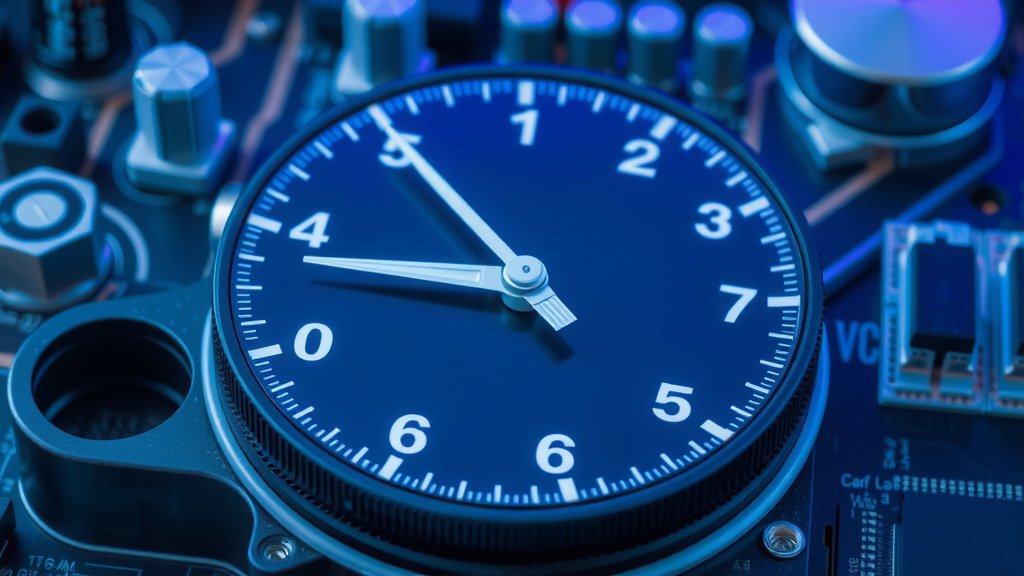
The GPU base clock is the minimum speed your graphics card’s core processor runs at under normal conditions. It’s a foundational speed that ensures basic functionality and performance. Think of it as the baseline heartbeat of your GPU. You’ll see this number in your GPU’s specifications.
While the base clock is important, it’s not the whole story for your GPU’s power. Most modern graphics cards can automatically boost their clock speed higher when needed. This is called the boost clock. It’s like your GPU having a turbocharger for demanding tasks. Many gamers and creators look at the boost clock more closely.
- GPU base clock sets the minimum speed for your graphics card.
- It’s the foundation of your GPU’s performance.
- Most GPUs also have a boost clock for higher speeds.
- The boost clock kicks in for demanding applications.
- Base clock is a starting point, boost clock is the potential.
Let’s dive deeper into what the GPU base clock means for you and your gaming setup.
You’ve probably seen the term “GPU base clock” when looking at graphics card specs. But what does it actually mean for your PC’s performance? Let’s break down this fundamental aspect of your graphics card. Understanding the base clock helps you know what to expect from your GPU.
Understanding Your Graphics Card’s Core Speed
The GPU base clock is the guaranteed minimum operating speed for your graphics processing unit. It’s a foundational speed set by the manufacturer. Think of it as the steady, reliable pace your GPU can maintain without breaking a sweat. This speed is crucial for basic operations and ensures your card functions correctly.
You’ll typically find the base clock listed in MHz (megahertz). This number represents how many cycles per second the GPU’s processing cores can complete. A higher base clock generally means more processing power at that minimum speed. It’s a key spec that gives you a starting point for evaluating performance.
What “Clock Speed” Actually Means
In the world of computer hardware, “clock speed” refers to the frequency at which a component operates. It’s measured in Hertz (Hz), which represents cycles per second. For a GPU, this means how many operations its cores can perform each second. More cycles per second usually translate to faster processing.
Imagine a factory assembly line. The clock speed is like the conveyor belt’s speed. A faster belt means more products can be assembled in the same amount of time. Your GPU’s cores are the workers on that line, and the clock speed dictates how quickly they can get their tasks done.
Base Clock vs. Boost Clock: A Crucial Distinction
While the base clock is important, it’s not the whole picture. Modern GPUs have a feature called the “boost clock.” This is a higher speed the GPU can automatically reach when it needs extra power. It’s like your GPU has a turbocharger. When you’re playing a demanding game or running a heavy application, your GPU might boost its speed beyond the base clock.
The base clock is the minimum guaranteed speed. The boost clock is the maximum speed it can reach under ideal conditions. We found that for gaming, the boost clock often has a more direct impact on frame rates. However, the base clock ensures stability and consistent performance.
Why Your GPU Base Clock Matters
The base clock serves as a reliable benchmark for your GPU’s performance. It tells you the minimum level of processing power you can expect. Even if your GPU boosts to higher speeds, its performance will always be anchored by its base clock capabilities. It’s the foundation upon which higher speeds are built.
When comparing different graphics cards, the base clock is one of the first numbers you’ll look at. It’s a standardized metric that helps you understand the raw processing power of the GPU. This makes it easier to compare cards from different manufacturers. You can get a general idea of which card is more powerful.
Ensuring Stability and Reliability
Manufacturers carefully set the base clock to ensure their GPUs are stable and reliable. This speed is tested extensively to guarantee it works without causing errors or overheating under normal usage. Think of it as the safe operating speed that avoids pushing the hardware too hard. This is especially important for everyday tasks and less demanding applications.
If a GPU is running too close to its thermal or power limits at its base clock, it would be very difficult to achieve higher boost clocks. The base clock ensures there’s headroom for those higher speeds. It’s the sensible starting point for your graphics card.
A Starting Point for Performance Benchmarking
When you see benchmarks for a GPU, the results are often influenced by both its base and boost clocks. However, the base clock provides a consistent point of reference. It helps you understand the performance ceiling that has been factory-tested and approved.
Many reviewers and tech sites will use tools to monitor a GPU’s clock speeds during testing. They’ll note how often it hits its base clock and how frequently it enters boost speeds. This gives you a real-world picture of how the card performs in different scenarios. Research indicates that consistent boost clock speeds lead to a smoother user experience.
Comparing Clock Speeds: What to Look For
When you’re in the market for a new graphics card, you’ll see a lot of numbers. The base clock is one of them. But it’s important to consider it alongside other specifications. Your decision should be based on a few key factors.
Base Clock vs. Boost Clock in Practice
Let’s look at how these speeds play out. A GPU might have a base clock of 1700 MHz and a boost clock of 1900 MHz. This means it will always run at 1700 MHz or higher, and when the workload demands it, it can ramp up to 1900 MHz. Many experts state that actual gaming performance is closer to the boost clock.
However, not all GPUs will consistently hit their advertised boost clocks. This depends on your PC’s cooling, power supply, and the specific game or application you’re running. A well-cooled system will allow the GPU to boost higher and for longer periods. We found that a good cooling solution is key.
| Specification | What it is | Importance |
|---|---|---|
| Base Clock | Minimum guaranteed operating speed (MHz). | Ensures stability and baseline performance. |
| Boost Clock | Maximum potential operating speed (MHz) under load. | Directly impacts performance in demanding tasks. |
| Memory Clock | Speed of the GPU’s video memory (GDDR). | Affects how quickly data can be accessed. |
| CUDA Cores / Stream Processors | Number of processing units on the GPU. | More cores generally mean more parallel processing power. |
Other Factors Influencing GPU Performance
Clock speed isn’t the only determinant of a graphics card’s power. You also need to consider other crucial elements. These include the number of cores and the amount and speed of video memory (VRAM). These components work together to deliver performance.
For example, a GPU with a slightly lower base clock but significantly more cores might outperform a card with a higher base clock. Similarly, VRAM is vital for handling high-resolution textures and complex scenes. Research from tech publications consistently shows that a balance of these specs is ideal.
Can You Change Your GPU’s Base Clock?
Technically, the base clock is set by the manufacturer and is considered the stable operating point. However, you can often increase the clock speed beyond the base and boost clocks using overclocking software. This is a process that pushes your hardware beyond its factory settings.
Overclocking can lead to higher performance, but it also carries risks. You need to be careful. Pushing your GPU too far can lead to instability, crashes, or even permanent damage to the card. Many enthusiasts do this, but it requires careful monitoring and good cooling.
The Role of GPU Drivers and Software
Your GPU drivers and software play a big role in managing clock speeds. Drivers are the software that allows your operating system to communicate with your GPU. They help determine when the GPU should boost its clock speed. Manufacturers like NVIDIA and AMD regularly release driver updates.
These updates can improve performance, fix bugs, and optimize how your GPU uses its clock speeds. We found that keeping your drivers up-to-date is a simple yet effective way to ensure your GPU is running as efficiently as possible. It helps your card reach its potential boost clocks more reliably.
A Checklist for Understanding Your GPU Specs:
- Note the GPU base clock for baseline performance.
- Pay attention to the boost clock for maximum potential.
- Consider the amount and speed of VRAM.
- Look at the number of cores (CUDA or Stream Processors).
- Ensure your PC cooling is adequate for boosting.
- Keep your GPU drivers updated for optimal performance.
Conclusion
Your GPU’s base clock is the reliable foundation for its performance. It’s the guaranteed minimum speed that ensures your card runs steadily. While the boost clock offers higher potential for demanding tasks, understanding the base clock helps you set realistic expectations. Think of it as the steady heartbeat powering your graphics. To get the most from your GPU, always keep your drivers updated and ensure your system has adequate cooling. This balance will help you consistently achieve optimal performance. Ready to see your GPU in action? Now you have the knowledge to understand its core speed.
Frequently Asked Questions
Is a higher base clock always better?
A higher base clock generally indicates a more powerful GPU at its minimum operating speed. However, it’s not the only factor. The boost clock, VRAM, and core count also significantly impact overall performance. You should consider all these specifications together.
How does the base clock affect gaming?
The base clock provides a baseline for your gaming performance. While games often push your GPU to its boost clock speeds, a higher base clock ensures a more stable and capable foundation. It contributes to smoother gameplay, especially when boost clocks aren’t consistently reached.
Can I manually set my GPU’s base clock?
The base clock is set by the manufacturer for stability and is not typically adjustable through standard software. You can, however, use overclocking tools to increase speeds beyond both the base and boost clocks. This requires caution and adequate cooling.
What’s the difference between base clock and core clock?
In most contexts, “base clock” and “core clock” refer to the same thing: the minimum guaranteed operating speed of your GPU’s processing cores. These terms are often used interchangeably when discussing GPU specifications.
Does cooling affect my GPU’s base clock?
Cooling primarily affects your GPU’s ability to reach and maintain its boost clock speeds. While a GPU’s base clock is designed to be stable even with standard cooling, better cooling allows the card to stay at higher frequencies for longer periods without overheating.