10 Best Nvidia Graphics Card Ranked [2026]
The best Nvidia graphics cards ranked are the ASUS TUF RTX 5090, ASUS TUF RTX 5080, and PNY RTX 5070 Ti OC — chosen for flagship performance, premium build quality, and standout 4K value.
Picking the right GPU matters more than most upgrades, since it determines how well your PC handles high-refresh gaming, ray tracing, and content creation for years to come. The ASUS TUF RTX 5090 is our pick for best flagship performance, while the ASUS TUF RTX 5080 earns praise for its premium build, and the PNY RTX 5070 Ti OC is the smart choice for budget-conscious 4K gamers.
In this guide, we’ve narrowed Nvidia’s current lineup down to 10 top picks after hands-on comparison and research. Each card was evaluated on gaming performance, thermals, noise, power efficiency, and overall value for money. The full ranked breakdown — with specs, strengths, and trade-offs for every pick — starts with the comparison table below.
3 Standout Picks: Flagship Performance, Premium Build, and 4K Value
Start with these 3 standouts. Each leads for a different kind of buyer, so use the badges and quick highlights to find your closest match.


ASUS TUF RTX 5080
- 16GB GDDR7 memory
- 2730 MHz OC boost clock
- Military-grade components

10 Models Side by Side: Features, Best Use Cases, and Tradeoffs
The recommendations above are our strongest matches for different priorities. Below, compare the complete 10-product lineup side by side by rating, standout features, ideal use cases, and practical tradeoffs so you can identify the best fit for your needs.
- 32GB GDDR7 memory
- 772 AI TOPS
- 2580 MHz OC boost clock
- 16GB GDDR7 memory
- 2730 MHz OC boost clock
- Military-grade components
- 16GB GDDR7 memory
- Vapor chamber cooling
- 2572 MHz factory OC

- 12GB GDDR7 memory
- 2640 MHz OC boost
- Military-grade durability

- SFF-Ready certification
- 2.5-slot design
- Phase-change thermal pad

- 16GB GDDR7 memory
- 767 AI TOPS performance
- Compact 2.5-slot design

- 8GB GDDR7 memory
- DLSS 4 support
- SFF-Ready 2.5-slot

- 16GB GDDR6 with ECC
- Half-height blower design
- Professional Studio drivers

- 6GB GDDR6 memory
- Ampere ray tracing cores
- Compact dual-fan design
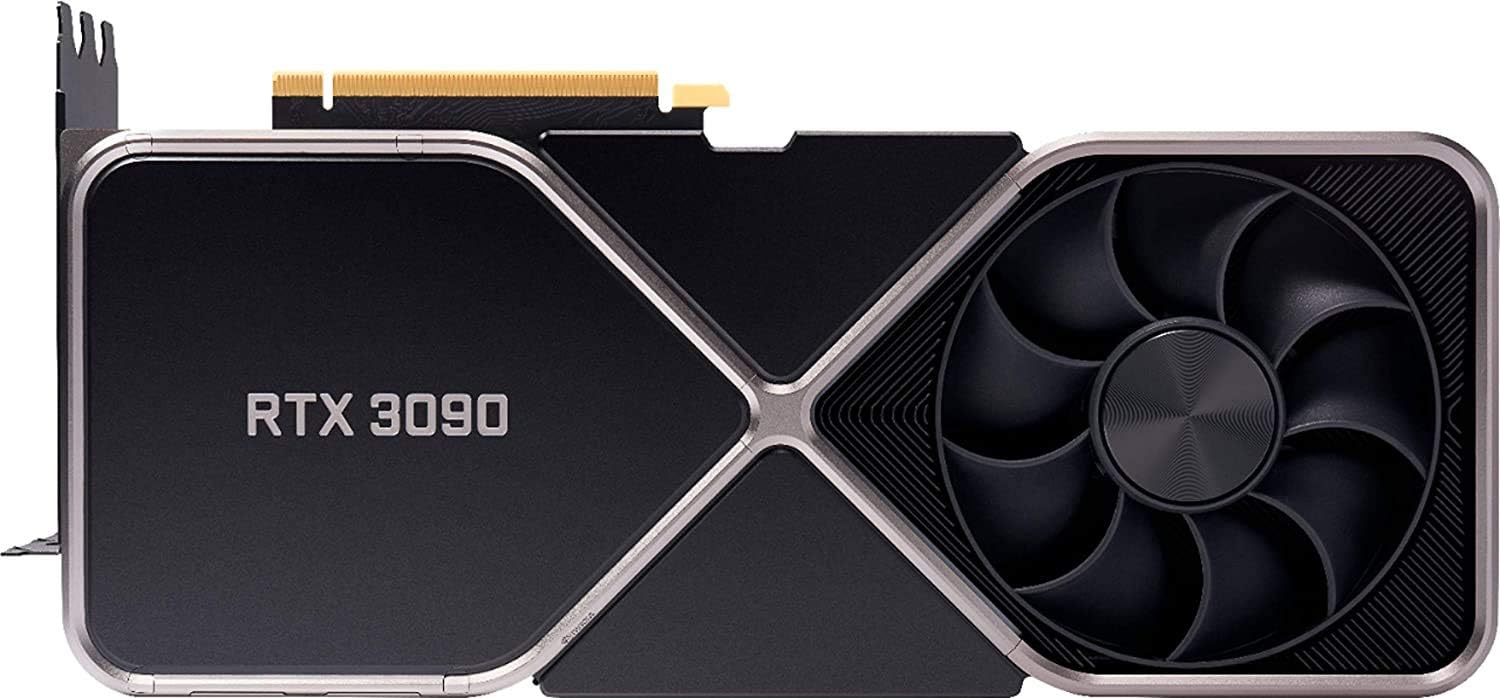
- 24GB VRAM capacity
- Ampere flagship silicon
- Inspected Amazon Renewed unit
10 Models Reviewed in Depth
#1. ASUS TUF RTX 5090
GDDR7 VRAM
AI TOPS
Path-Traced Ready
Nothing else on this list comes close. With 32GB of GDDR7 and 772 AI TOPS, you’re getting the most powerful consumer GPU available — true 4K path-traced gaming, 8K output, and serious local AI model capacity. The TUF cooler with three Axial-tech fans and vapor chamber tames this beast surprisingly well, and military-grade components back it all up.
Let’s be honest about the downsides: it demands a top-tier PSU, serious case clearance at 3.6 slots, and a wallet-draining price that most buyers can’t justify. It also runs hot enough that case airflow matters. If you’re a 4K maximalist or AI professional, nothing competes; for everyone else, it’s overkill.
Pros
- Unmatched 4K performance
- Huge 32GB VRAM
- Strong AI throughput
Cons
- Extremely expensive
- Massive power demands
- Requires huge case
Specifications
#2. ASUS TUF RTX 5080
Grade Components
OC Boost Clock
Ultra Gaming
You’re buying serious engineering here. The military-grade components and 3.6-slot cooling array with three Axial-tech fans keep this 5080 cool and quiet even during extended 4K sessions, while the phase-change thermal pad outlasts ordinary paste. The 2730 MHz OC boost clock delivers top-tier Blackwell performance with headroom to spare.
Be realistic about the installation: at 348mm long and 3.6 slots, you’ll need a spacious case, and the 850W PSU with 16-pin connector requirement is non-negotiable. It’s also priced at the premium end of the 5080 market. If you want maximum durability and performance for a flagship build, it delivers; compact builders should pass.
Pros
- Top-tier 4K performance
- Superb build quality
- GPU bracket included
Cons
- Huge 3.6-slot size
- 850W PSU required
- Premium pricing
Specifications
#3. PNY RTX 5070 Ti OC
Chamber Cooling
90mm Axial Fans
Factory Overclock
This is the card that makes 4K gaming realistic without flagship money. The vapor chamber and triple 90mm axial fans hold temperatures impressively steady under sustained loads, and Stealth Mode stops fans entirely at idle. You also get the 2572 MHz factory OC out of the box, so there’s free performance before you even open VelocityX.
It’s a large card at nearly 12 inches, so measure your case before ordering. The 2.98-slot footprint blocks neighboring slots in smaller boards. For gamers and creators wanting Blackwell horsepower with excellent acoustics, it’s hard to beat, but SFF builders should look elsewhere.
Pros
- Strong 4K performance
- Vapor chamber cooling
- Silent Stealth Mode
Cons
- Large 2.98-slot footprint
- Nearly 12 inches long
- 16-pin power required
Specifications
#4. ASUS TUF RTX 5070
Grade Durability
High Refresh
Axial-Tech Fans
This TUF card is the dependable middle of NVIDIA’s Blackwell stack. You get 12GB of GDDR7, strong 1440p frame rates, and a 3.125-slot cooler with three Axial-tech fans that stays composed under long sessions. The military-grade components and protective PCB coating mean this card should outlive several GPU generations.
The size is the main consideration — it’s a long, heavy card that really wants a roomy case, and GPU Guard brackets exist for a reason. 12GB is generous now but will age faster than 16GB options. If you want TUF durability at a mid-tier price for 1440p gaming, it’s a great pick; 4K-maxed-out gamers should step up a tier.
Pros
- Robust TUF build quality
- Excellent 1440p frames
- Phase-change thermal pad
Cons
- Large 3.125-slot card
- 12GB vs 16GB rivals
- Long 13-inch length
Specifications
#5. ASUS Prime RTX 5070 Ti
Compact Certified
Thermal Pad
Short Length
The appeal here is packing full 5070 Ti performance into an SFF-Ready 2.5-slot, 306mm frame, which opens up mid-tower and compact builds that triple-fan monsters exclude. Three Axial-tech fans plus a phase-change thermal pad hold temperatures well, and the dual BIOS switch lets you prioritize quiet or performance.
Don’t expect the acoustic polish of premium-tier cards at full load — the Prime cooler works hard to keep this chip in check in a slimmer profile. You’ll also need a 750W PSU with 16-pin connector. For small-form-factor enthusiasts who refuse to compromise on GPU class, it’s an excellent match; open-air case builders have roomier options.
Pros
- SFF-Ready compact design
- Full 5070 Ti power
- Dual BIOS switch
Cons
- Runs warmer in SFF
- 750W PSU needed
- No premium shroud
Specifications
#6. ASUS Dual RTX 5060 Ti
GDDR7 Memory
Compact Build
Blackwell Power
You get a lot of headroom for 1440p gaming here, with 16GB of GDDR7 removing the VRAM worries that plague cheaper cards. The 2.5-slot Dual cooler keeps temps in check even in smaller chassis, and dual BIOS lets you trade silence for performance on demand. With 767 AI TOPS and DLSS 4, you’re well covered for both gaming and AI workloads.
The twin-fan design is quieter than you’d expect, though under sustained loads you’ll hear it more than triple-fan cards. If you’re a competitive gamer chasing max frame rates, a 5070-class card makes more sense. But for most builds, this is the sweet spot.
Pros
- 16GB VRAM at this tier
- Compact 2.5-slot fit
- Dual BIOS profiles
Cons
- Only two fans
- Limited OC headroom
- 8-pin adapter needed
Specifications
#7. ASUS Dual RTX 5060
Frame Boost
Any Case Fit
Buyer Approved
Upgrading from a GTX or older RTX card? This is the painless path. DLSS 4 multi-frame generation transforms frame rates in supported titles, and the 8GB of GDDR7 handles 1080p comfortably. The compact 2.5-slot Dual cooler fits nearly any case, and with nearly 3,000 reviews averaging 4.7 stars, buyer confidence is well earned.
The 8GB VRAM ceiling is the honest caveat — heavily modded games and 1440p ultra textures will push against it. PCIe 5.0 is nice, but older boards still work fine. It’s an ideal card for a 1080p-focused gamer who wants current-gen features without a flagship budget; skip it if you game at higher resolutions.
Pros
- Excellent DLSS 4 uplift
- Compact 2.5-slot design
- Highly rated by buyers
Cons
- 8GB VRAM ceiling
- Not ideal for 1440p
- Dual-fan only
Specifications
#8. NVIDIA RTX 2000 Ada
Memory Protection
SFF Compatible
Certified Drivers
If you’re building a professional workstation rather than a gaming rig, this card makes sense. The 16GB of ECC GDDR6 provides data integrity that consumer cards skip, and the half-height, dual-slot blower design slots into SFF workstations and dense render nodes that gaming cards simply can’t fit. Creative apps get certified driver stability.
Expect gaming performance closer to a mid-range consumer card, and the blower fan gets audible under sustained renders. The small 4K max resolution via Mini DisplayPort also limits display setups. Buy it if you need certified professional drivers in a compact chassis; skip it for pure gaming.
Pros
- ECC memory for reliability
- Fits half-height SFF builds
- Blower exhausts case heat
Cons
- Weak gaming value
- Loud under load
- Mini DP only
Specifications
#9. MSI RTX 3050 Ventus
Gaming Ready
Friendly Tier
Dual-Fan Fit
For a first gaming PC or an office rig that plays esports titles, this card hits the mark. The 6GB of GDDR6 and Ampere’s dedicated ray tracing cores let you experience DLSS and modern features at 1080p, and the compact Ventus 2X dual-fan cooler runs quietly in small cases.
Be clear-eyed about the limits: the 96-bit memory bus and 6GB VRAM mean you’ll drop settings in demanding AAA titles, and there’s little headroom for modern VRAM-hungry games. It’s not a card for 1440p ambitions. But for budget 1080p gaming and light creative work, it’s an easy recommendation.
Pros
- Affordable entry point
- Quiet dual-fan cooler
- Ray tracing supported
Cons
- Only 6GB VRAM
- 96-bit memory bus
- Limited 1440p ability
Specifications
#10. NVIDIA RTX 3090 Renewed
VRAM Capacity
Inspected Unit
Display Support
The headline here is 24GB of VRAM, which still makes the RTX 3090 attractive for AI workloads, 3D rendering, and 8K experiments. This Amazon Renewed Founders Edition unit has been inspected and tested, and the dual-fan FE cooler remains an elegant design. You’ll notice Ampere still handles 4K gaming respectably with DLSS.
Understand what you’re buying: a 90-day warranty only, no DLSS 3 frame generation, and power draw that will test your PSU. Renewed cards carry some risk despite inspection. If you need huge VRAM on a budget, this works; if you want current-gen efficiency and support, buy new.
Pros
- Massive 24GB VRAM
- 8K display support
- Flagship Ampere performance
Cons
- Only 90-day warranty
- High power draw
- No DLSS frame gen
Specifications

NVIDIA Graphics Cards, Ranked: Reading the Ladder Before You Climb It
An Nvidia graphics card is one of the biggest line items in most PC builds, and the “best” one is rarely the one topping a review chart. Ranking lists compress hundreds of dollars of differences into neat ordinal spots, but your monitor, the games you play, and the rest of your system all change where a given card actually lands for you. Understanding how those rankings are built — and where they don’t apply to your situation — is the difference between buying smart and buying loud.
How Rankings Are Really Built — and How to Read Them
- Performance tier, not rank position. Cards are grouped into classes (entry, midrange, high-end, flagship). Within a tier, differences are often small; jumping a whole tier is where meaningful gains live. Match the tier to your resolution first. Our ranked list of the best 1440p gaming GPUs shows which tiers fit this resolution.
- VRAM and longevity. The amount and speed of video memory determines how comfortably a card handles higher resolutions and modern textures. More VRAM tends to age better than a small edge in raw frames today.
- DLSS and feature support. Nvidia’s upscaling and frame-generation features can dramatically change real-world performance. Confirm the cards you’re comparing support the current generation of these tools.
- Thermals and noise. Two cards with the same GPU chip can behave very differently depending on the cooler design. Compact cases especially reward cards with efficient, quiet cooling.
- Power supply and case fit. Check wattage requirements, connector type, and physical dimensions before falling in love with a card your system can’t feed or fit.
- Sticking to your budget. The best value is usually one or two steps down from the flagship. Spending near the top of your range on a strong mid-tier card often beats stretching for a halo product with money you don’t have. Our explainer on what a mid-range graphics card delivers breaks down that trade-off in detail.
Traps Waiting at the Top of the Chart
- Chasing rank number one. The top-ranked card is rarely the top value. Reviewers rank raw capability; your wallet ranks cost per frame. A card sitting at 90% of the flagship’s performance for far less money is usually the smarter buy.
- Ignoring your monitor. Pairing a high-end card with a 1080p 60Hz display wastes performance you paid for. Buy for the resolution and refresh rate you actually use.
- Forgetting the rest of the system. An aging CPU, undersized power supply, or cramped case can bottleneck even a top-ranked GPU. Balance the whole build, not just the shiny component.
Ranking Wrapped: Your Best NVIDIA Graphics Card Pick Awaits
So there you have it — ten NVIDIA graphics cards ranked from absolute monster to smart bargain. If money’s no object and you want the best gaming GPU on the planet, the ASUS TUF RTX 5090 is your endgame. The RTX 5080 and 5070 Ti options hit the sweet spot for serious 1440p and 4K gamers, while the RTX 5060 Ti 16GB and 5060 8GB are perfect for budget-conscious builders who still want DLSS 4. creators and workstation users should eye the RTX 2000 ADA, and the renewed RTX 3090 remains a wild value play for VRAM-hungry setups.
Whichever tier you land on, every card here earns its spot on this list. Before you commit, hit the buttons above to check current availability and pricing — stock moves fast on these.
Final 3 Picks: Flagship Performance, Premium Build, and 4K Value
Ready to decide? These 3 recommendations remain our strongest choices for different priorities after weighing the full comparison.
ASUS TUF RTX 5080
- 16GB GDDR7 memory
- 2730 MHz OC boost clock
- Military-grade components