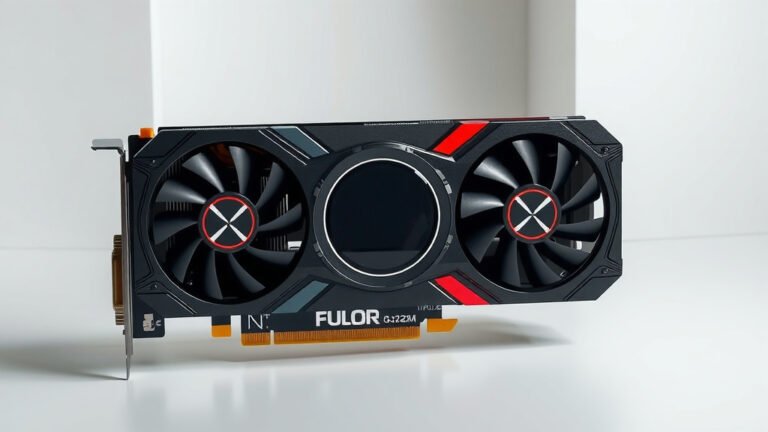
GPU Memory Bus Width: How It Impacts Performance
The memory bus width on your GPU has a direct impact on how fast your graphics card can access its own memory, significantly affecting gaming and performance. Essentially, a wider bus means more data can be transferred at once, like a highway with more lanes allowing for more cars to pass through simultaneously. This leads to a smoother, faster experience in demanding applications.
Think of it as the size of the pipe carrying information between your GPU and its dedicated memory (VRAM). A wider pipe, or bus, means more data can flow quickly. This is especially important for tasks that require a lot of visual information, like playing modern video games at high resolutions or working with large video files. Many experts say it’s a key factor in overall GPU performance.
- Memory bus width determines how much data your GPU’s memory can handle at once.
- A wider bus acts like a wider highway, allowing for faster data transfer.
- This speed boost is critical for gaming and graphics-intensive tasks.
- It directly influences your GPU’s ability to perform smoothly.
Let’s dive a bit deeper and see exactly how this works and what it means for your setup.
Understanding How GPU Memory Bus Width Impacts Your System
The memory bus width on your graphics card is a super important factor. It directly affects how much data your GPU can swap with its own memory. Think of it as the width of a highway connecting your GPU’s processor to its VRAM. A wider highway means more cars can travel at the same time, which translates to faster data transfer.
What Exactly is a Memory Bus?
A memory bus is essentially a set of electrical pathways on your graphics card. These pathways allow data to move back and forth between the GPU’s processing units and its dedicated video memory, known as VRAM. The width of this bus refers to the number of these pathways.
Bits and Data Transfer
We often hear about bus widths measured in bits, like 128-bit, 256-bit, or even 512-bit. Each bit represents a tiny piece of data. So, a 256-bit bus can transfer 256 bits of data simultaneously. This is why a wider bus can move much more information in a single clock cycle compared to a narrower one.
Memory Clock Speed vs. Bus Width
It’s easy to get confused between memory clock speed and bus width. Clock speed is how fast the memory operates, like the speed limit on a road. Bus width, on the other hand, is the number of lanes on that road. You need both good speed and enough lanes for optimal performance. A super-fast memory with a narrow bus can still be a bottleneck, just like a sports car stuck in single-lane traffic.
The Real-World Effects on Your Gaming and Graphics
So, how does all this translate when you’re actually using your computer? For gamers and creative professionals, it’s all about speed and smoothness. When you’re playing a demanding game, your GPU needs to constantly access textures, shaders, and other visual data from its VRAM. A wider memory bus allows for this rapid fetching of data.
Higher Resolutions and Textures
Modern games and high-resolution displays require a lot of visual information. Playing at 4K resolution, for instance, means your GPU is handling four times the pixels of a 1080p display. Similarly, using higher quality texture packs in games fills up VRAM faster. A wider bus width helps your GPU keep up with these data-hungry tasks without stuttering or lag.
Impact on Frame Rates
Many experts have found that memory bus width is a direct contributor to higher frame rates in games. When the bus is wide enough, the GPU doesn’t have to wait as long for data. This means it can render frames more quickly, leading to a smoother gaming experience. If the bus is too narrow, your GPU might spend more time waiting, which can cause those frustrating dips in frame rate.
Creative Workloads
Beyond gaming, professionals working with video editing, 3D rendering, or complex design software also benefit immensely. These tasks often involve manipulating massive datasets. Think of rendering a complex 3D scene or editing 8K video footage. A wider memory bus allows your GPU to access and process this data much more efficiently, shortening render times and improving workflow.
Comparing Different Bus Widths: A Simple Look
Let’s put it into perspective. Imagine moving water. A narrow pipe can only move so much water at a time, even if the water pressure (clock speed) is high. A wider pipe, however, can move a much larger volume of water more easily.
| Bus Width (Bits) | Analogy | Data Transfer Capacity |
|---|---|---|
| 128-bit | A single lane road | Lower capacity |
| 192-bit | A small two-lane road | Medium capacity |
| 256-bit | A standard four-lane highway | Good capacity |
| 384-bit | A wide, multi-lane highway | High capacity |
| 512-bit | A massive, superhighway | Very high capacity |
What This Means for Your GPU Choice
When you’re looking to buy a new graphics card, pay attention to the memory bus width. While other factors like VRAM amount and clock speeds are also vital, a wider bus width often signals a more powerful card capable of handling demanding tasks. For instance, enthusiast-grade cards often feature wider buses to ensure they aren’t bottlenecked by memory bandwidth.
When Does Bus Width Matter Most?
We’ve established that bus width is important, but when is it the *most* critical? It really shines when dealing with high-resolution textures and large datasets. If you’re a gamer who plays at 1440p or 4K, or a creative professional working with large files, a wider memory bus will give you a tangible performance boost.
Resolution and Texture Quality Settings
The higher the resolution you play at, the more pixels your GPU needs to manage. This requires a faster flow of data. Similarly, cranking up texture quality settings means loading more detailed images into VRAM. A wider memory bus helps your GPU handle these increased demands without performance drops. Many performance benchmarks show a clear difference here (TechSpot).
Bandwidth is Key
Ultimately, memory bus width contributes to your GPU’s overall memory bandwidth. Bandwidth is the maximum rate at which data can be read from or stored into a computer component. A wider bus, combined with fast memory, results in higher bandwidth. This is why you’ll often see high-end GPUs boasting both a large VRAM capacity and a wide memory bus.
Here’s a quick checklist to remember the key takeaways:
- Wider bus = More data at once.
- Think of it like more highway lanes.
- Crucial for high resolutions and textures.
- Affects gaming frame rates directly.
- Important for creative professional workloads.
- Consider it when buying a new GPU.
Conclusion
So, you’ve seen how your GPU’s memory bus width acts like a superhighway for data. A wider bus means your graphics card can grab textures and information much faster. This directly translates to smoother gameplay and quicker work on creative projects. When choosing your next GPU, remember that bus width plays a big role alongside VRAM amount. Don’t let a narrow bus bottleneck your powerful GPU. Make an informed decision by checking the memory bus specifications before you buy.
Frequently Asked Questions
Is a wider memory bus always better for my GPU?
Generally, yes. A wider memory bus allows your GPU to transfer more data to and from its VRAM simultaneously. This is especially beneficial for high-resolution gaming and demanding creative tasks. However, it works in conjunction with other factors like VRAM capacity and clock speed for overall performance.
Can a GPU with a lot of VRAM still be held back by a narrow memory bus?
Absolutely. Think of it like having a massive warehouse (lots of VRAM) but only a small loading dock (narrow bus). You can store a lot of goods, but it takes a long time to get them in and out. A narrow bus can definitely create a bottleneck, limiting how quickly your GPU can access that large amount of VRAM.
How does memory bus width affect performance in older games?
For older games that don’t demand as much visual data, the impact of memory bus width might be less pronounced. Games from a decade ago or more often don’t push VRAM bandwidth to its limits. You’ll see the most substantial differences in modern, graphically intensive titles and at higher resolutions.
Will upgrading my GPU’s memory bus width improve my frame rate?
Upgrading your GPU to one with a wider memory bus can certainly improve your frame rate, especially in bandwidth-intensive scenarios. The wider bus allows the GPU to feed itself data more efficiently, leading to quicker frame rendering. It’s not the *only* factor affecting frame rates, but it is a major one.
Where can I find the memory bus width information for a GPU?
You can usually find the memory bus width listed in the specifications section of a GPU’s product page on the manufacturer’s website or on retailer product listings. It will be listed in bits, such as 128-bit, 256-bit, or 384-bit.
![10 Card [2026]](https://spsolutionscare.com/wp-content/uploads/2026/08/10-card-2026-featured-768x432.jpg)

![10 Best Gpu For Lol [2026]](https://spsolutionscare.com/wp-content/uploads/2026/10/10-best-gpu-for-lol-2026-featured-768x432.jpg)