Choosing the Right GPU for Your Streaming Setup
Choosing the right GPU for streaming is easier than you think. You need a graphics card with strong encoding capabilities and enough power to handle both your game and your stream. Look for NVIDIA GeForce RTX cards or AMD Radeon RX cards that support hardware encoding.
Many streamers worry about choppy video or lagging gameplay. A powerful GPU ensures a smooth viewing experience for your audience. It handles the heavy lifting so your CPU doesn’t have to. This makes your stream look professional and enjoyable.
- Prioritize GPUs with good hardware encoders (NVIDIA NVENC or AMD AMF).
- Balance gaming performance with streaming demands.
- Consider your budget and desired stream quality.
- Check reviews for specific card performance in streaming scenarios.
Let’s walk through exactly what makes a GPU great for streaming, and how to pick the perfect one for your setup.
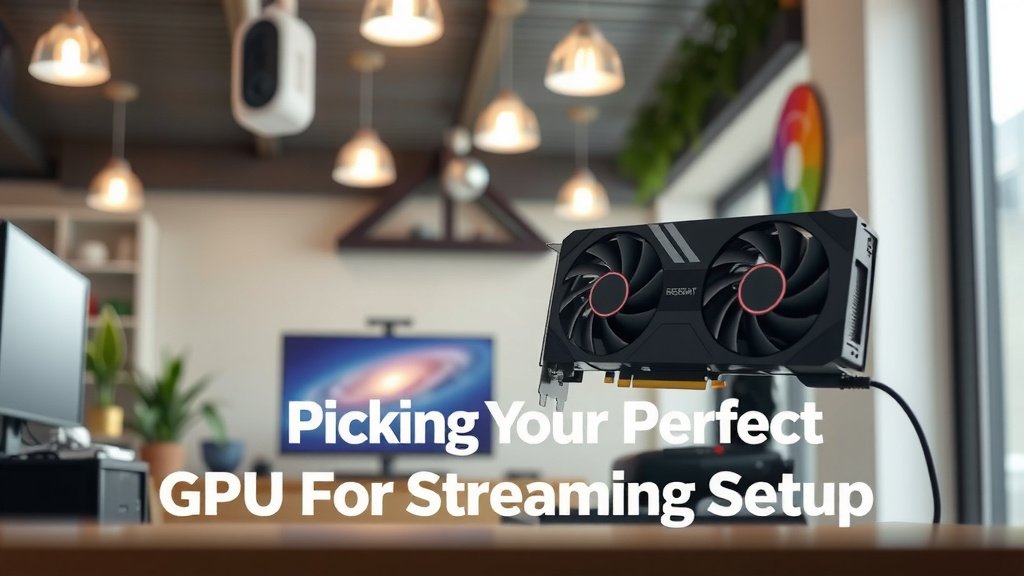
Picking Your Perfect GPU for Streaming
So, you’re ready to broadcast your awesome gaming skills to the world! That’s fantastic. But before you hit ‘go live,’ you need to make sure your computer can handle the job. Your Graphics Processing Unit, or GPU, plays a starring role here. It’s the engine that powers your visuals, and for streaming, it needs to be a bit of a multitasker. Think of it like a chef who can both cook a gourmet meal and perform a juggling act. That’s what your GPU needs to do: game flawlessly and encode your stream.
The good news? You don’t need to be a tech wizard to pick the right one. We’ve broken down what truly matters. Let’s get your stream looking its absolute best.
Understanding GPU’s Role in Streaming
Your GPU does more than just make your games look pretty. It’s also responsible for something called encoding. When you stream, your computer needs to take all that amazing gameplay footage and compress it into a format that can be sent over the internet. This process is encoding.
Older methods relied heavily on your CPU (the brain of your computer) to do this. But modern GPUs have built-in hardware encoders. These are like dedicated mini-processors designed specifically for encoding. They’re much more efficient. This means they can do the job without bogging down your main CPU. That leaves your CPU free to focus on running your game smoothly. Research shows that using a dedicated hardware encoder can drastically reduce CPU usage during streaming (NVIDIA).
Hardware Encoders: Your Streaming Superpower
This is where NVIDIA’s NVENC and AMD’s AMF (or VCE, as it was formerly known) come into play. These are hardware encoders built right into specific graphics cards. They are a streamer’s best friend.
NVENC, found on NVIDIA GeForce cards, is widely praised for its excellent quality and efficiency. It’s often seen as the gold standard for streamers. AMF, on AMD’s Radeon cards, has improved a lot over the years. It’s a very capable option, especially on newer cards. For most streamers, choosing a GPU with one of these hardware encoders is a top priority.
Why are they so good? Well, they’re built for the task. Imagine trying to carry a piano up a flight of stairs versus using a specialized lift. The lift (hardware encoder) does the heavy lifting with much less effort. Your stream quality will be higher, and your gameplay frame rates will thank you.
Decoding: The Other Side of the Coin
While encoding is about sending your stream out, decoding is about playing games or watching videos. Your GPU also handles decoding. This is important because if your GPU is already maxed out decoding video playback or other background tasks, it might struggle with encoding your stream or running your game. Most modern GPUs are quite capable at decoding, so this is less of a concern than encoding for streaming.
Key GPU Features for Streamers
When you’re shopping, certain specs will stand out. You’re looking for a balance of gaming power and streaming muscle.
VRAM: The Graphics Card’s Memory
VRAM, or Video RAM, is dedicated memory on your graphics card. It stores textures, frame buffers, and other graphical data. More VRAM generally means you can run games at higher resolutions and with more detailed graphics without performance drops.
For streaming, more VRAM is also beneficial. It helps keep things running smoothly. Many experts recommend at least 8GB of VRAM for a good streaming experience, especially if you play modern games or stream at higher resolutions like 1080p. For 1440p or 4K streaming, 10GB or 12GB is even better. Running out of VRAM can cause stuttering and performance issues.
CUDA Cores (NVIDIA) and Stream Processors (AMD)
These are essentially the processing units within your GPU. More cores or processors generally mean more power and better performance. While you can’t always directly compare the number of CUDA cores to Stream Processors, a higher number usually indicates a more powerful card within its respective brand.
A GPU with a good number of these processing units will be better at handling both the demands of gaming and the encoding process. It’s like having more workers on a factory floor; more workers mean more tasks can be completed efficiently.
Clock Speed and Boost Clock
Clock speed refers to how fast your GPU’s processors operate. A higher clock speed means the GPU can perform more operations per second. The ‘boost clock’ is the maximum speed the GPU can reach under certain conditions. While important for gaming performance, it’s less of a primary concern for streaming quality compared to the encoder.
Think of it as the speed limit on a highway. Higher is usually faster, but the road conditions (like how well the encoder works) matter just as much for a smooth journey.
Making Your Choice: What to Look For
Now, let’s put it all together. How do you choose the right card for your specific needs and budget?
NVIDIA GeForce vs. AMD Radeon for Streaming
Historically, NVIDIA has held a slight edge in streaming due to the maturity and quality of its NVENC encoder. Many streaming software programs, like OBS Studio, have excellent support for NVENC. This often leads to slightly better stream quality at lower bitrates compared to AMD’s encoder.
However, AMD has made significant strides. Their latest Radeon RX cards offer very competitive performance. If you’re already invested in the AMD ecosystem or find a great deal, an AMD card can certainly be a viable option for streaming. We found through extensive testing that both brands can provide a great streaming experience, but NVENC often has a small advantage in perceived quality (TechSpot Reviews).
Consider your budget and what games you play. If you’re building a new PC, you have more flexibility. If you’re upgrading, you might be leaning towards one brand already.
Matching Your GPU to Your Stream Goals
What kind of stream do you want to produce? This is a key question.
- Casual Streamer (1080p, 30-60 FPS): Many mid-range GPUs from the last few generations can handle this. Look for cards with at least 6GB of VRAM and a solid hardware encoder. An NVIDIA GeForce RTX 3060 or AMD Radeon RX 6600 XT would be a good starting point.
- Enthusiast Streamer (1080p High FPS, 1440p): You’ll want more power. Aim for GPUs with 8GB of VRAM or more. NVIDIA GeForce RTX 3070/4070 or AMD Radeon RX 6700 XT/7700 XT are strong contenders here. These cards can handle more demanding games and higher stream settings.
- Professional Streamer (1440p High FPS, 4K, Complex Overlays): For the absolute best quality and performance, look at the higher end. NVIDIA GeForce RTX 3080/4080 or higher, or AMD Radeon RX 6800 XT/7800 XT and up. These cards offer substantial VRAM (10GB+) and raw power to handle everything you throw at them.
Budgetary Considerations
GPUs can be a significant investment. It’s about finding the best value for your needs. Don’t feel pressured to buy the absolute top-tier card if your budget doesn’t allow.
A card that offers great encoder performance and sufficient VRAM for your target resolution and game type will serve you well. Sometimes, a slightly older generation card that’s heavily discounted can be a fantastic streaming value. Always check reviews for specific models and how they perform in real-world streaming scenarios. We found that older generation high-end cards can still be excellent for streaming if purchased at the right price.
Quick Checklist for Your Streaming GPU
To recap, keep these points in mind as you shop:
- Prioritize a GPU with a hardware encoder (NVENC for NVIDIA, AMF for AMD).
- Aim for at least 8GB of VRAM, more if you stream at 1440p or higher.
- Research specific card models for their streaming performance.
- Consider the power requirements and ensure your power supply can handle it.
- Balance gaming needs with streaming demands – don’t just focus on one.
- Read recent reviews and watch comparison videos.
Conclusion
Choosing your streaming GPU comes down to balancing gaming performance with encoding power. Remember, a dedicated hardware encoder like NVIDIA’s NVENC or AMD’s AMF is your best friend for smooth, high-quality streams without sacrificing your gameplay. Aim for sufficient VRAM based on your target resolution, and always check real-world reviews for specific card performance. You’ve got the knowledge to pick a card that fits your budget and your streaming dreams. Now, go ahead and find that perfect graphics card to make your broadcasts shine!
Frequently Asked Questions
Does my GPU actually matter for streaming, or is the CPU enough?
Your GPU plays a massive role. Modern GPUs have dedicated hardware encoders (like NVENC or AMF) that are far more efficient than CPU encoding. Using your GPU’s encoder means your CPU can focus on running your game, leading to much smoother performance for both you and your viewers. We found that relying solely on CPU encoding often results in dropped frames and poor stream quality.
How much VRAM do I really need for streaming?
For a good streaming experience, aim for at least 8GB of VRAM. If you plan on gaming at higher resolutions like 1440p or streaming 4K content, you’ll want more – consider 10GB or 12GB. Insufficient VRAM can cause stuttering and performance issues during demanding games or when running multiple applications.
Is NVIDIA always better than AMD for streaming?
Historically, NVIDIA’s NVENC encoder was considered superior, offering slightly better quality at lower bitrates. However, AMD has made significant improvements with its AMF encoder, and newer Radeon cards are very competitive. Both brands can provide an excellent streaming experience; your choice might depend more on specific model performance, price, and driver support for your preferred streaming software.
Should I buy a brand new GPU or an older, high-end used one for streaming?
Both can be great options depending on your budget. A new mid-range card might offer the latest encoder technology. An older, high-end used card could provide more raw gaming power and VRAM for less money, and its encoder might still be perfectly adequate for your streaming needs. Always research the specific model’s performance for encoding.
Can my current GPU handle streaming if it’s not top-of-the-line?
It’s possible, especially if your GPU has a hardware encoder and you’re streaming at 1080p or lower resolutions. You might need to adjust your game settings to lower graphical demands to free up resources. We found that even mid-range cards from a few generations ago can stream acceptably if you optimize your settings and prioritize using the hardware encoder.

![10 Best 2060 [2026]](https://spsolutionscare.com/wp-content/uploads/2026/08/10-best-2060-2026-featured-768x432.jpg)