More VRAM: Is It Always Better for Your PC
So, you’re wondering if more VRAM is always better for your graphics card, right? The short answer is: Our guide explains how VRAM affects gaming performance.not always, but often. More VRAM, or video memory, helps your graphics card handle larger textures and higher resolutions, which can lead to smoother gaming performance. But it’s not the only factor determining how well your GPU performs.
Think of VRAM like a workbench for your graphics card. A bigger workbench lets you lay out more tools and materials at once. This is especially helpful for demanding tasks like gaming at 4K or working with large video files. However, having a huge workbench is only useful if you have the skilled workers (the GPU’s processing cores) to actually use all that space efficiently. Too much VRAM without enough processing power is like having a massive workbench but only a few small tools.
- More VRAM is usually better for higher resolutions and detailed textures.
- It prevents “stuttering” when your GPU runs out of video memory.
- But, VRAM isn’t everything; your GPU’s processing power is equally important.
- The “right” amount of VRAM depends on your specific needs and games.
Let’s dive a bit deeper and figure out what VRAM really means for your setup, and whether you actually need to chase those higher gigabyte numbers.
So, you’ve seen those graphics card specs and wondered, “Does this card with 12GB of VRAM really beat the one with 8GB?” It’s a fair question, and the answer often depends on what you’re doing with your computer. Think of VRAM like a short-term memory for your graphics card, holding all the visual information it needs to display games and applications. More VRAM means your GPU can hold more of this information at once. This can prevent performance hiccups and keep things running smoothly. But is it always the best path to better performance? Let’s break it down.
When More VRAM Makes a Real Difference
Having extra VRAM is like having a bigger canvas for your digital artist. It lets you paint with more detail and bigger strokes. This becomes really important when you’re pushing your graphics card to its limits.
High-Resolution Gaming Demands
If you’re gaming at 1440p or 4K resolution, you’ll notice the benefits of more VRAM. Higher resolutions mean more pixels to fill, and each pixel needs data. Textures, shaders, and frame buffer information all take up space in VRAM. When you run out of space, your graphics card has to constantly swap data in and out from your slower system RAM. This causes annoying stuttering and lag, ruining your gaming experience. Many research findings suggest that 8GB is often a good starting point for 1440p, while 10GB or 12GB becomes more beneficial for 4K gaming (NVIDIA, AMD Official Documentation).
Maxing Out Graphics Settings
Beyond just resolution, enabling all those fancy graphics settings in games also hogs VRAM. Features like ultra-high-resolution textures, ambient occlusion, and anti-aliasing require a lot of memory. If you want to play your favorite games with everything cranked to the max, you’ll likely need more VRAM to support those visual choices without a performance penalty.
Content Creation and Professional Workloads
It’s not just gamers who benefit. Video editors, 3D modelers, and graphic designers often work with very large files. Think high-resolution video footage, complex 3D scenes, or massive image files. For these professionals, having ample VRAM can drastically speed up rendering times and make working with large datasets much smoother. Software like Adobe Premiere Pro, After Effects, and Blender are known to be VRAM hungry. Many professional benchmarks show a clear advantage for GPUs with 16GB or more VRAM in these demanding applications.
When More VRAM Isn’t the Golden Ticket
While more VRAM sounds great, it’s not a magic bullet. Sometimes, a graphics card with less VRAM but a more powerful processing core can outperform one with more VRAM but a weaker core. It’s all about balance.
The GPU Core vs. VRAM Bottleneck
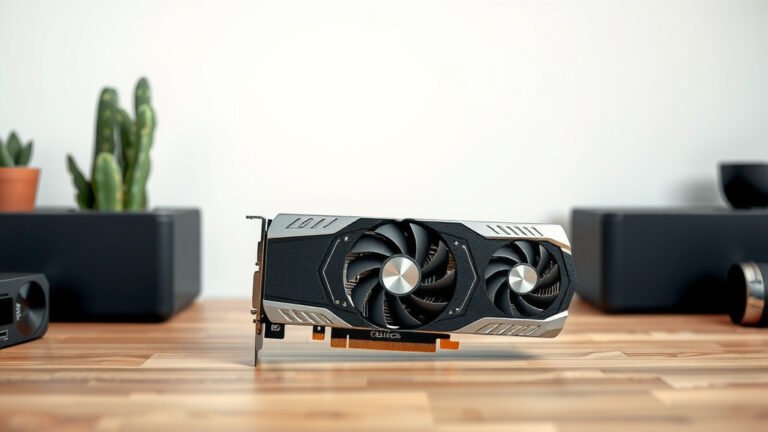
Your graphics card has two main parts: the processing cores (like the CUDA cores in NVIDIA cards or Stream Processors in AMD cards) and the VRAM. The cores do the actual calculating and rendering. The VRAM stores the data for them to use. If your GPU cores are too slow, they can’t keep up with the data provided by even a moderate amount of VRAM. In this scenario, more VRAM won’t make your games run faster because the cores are the bottleneck. You’re essentially giving your workers more materials than they can process.
Lower Resolutions and Less Demanding Games
If you primarily play games at 1080p resolution or enjoy less graphically intensive titles (like esports games or older titles), you might not need a ton of VRAM. A card with 6GB or 8GB might be perfectly sufficient. For example, many popular esports titles at 1080p rarely exceed 5-6GB of VRAM usage, even with high settings. Spending extra on a card with 12GB or 16GB in this situation would be overspending for your needs. You wouldn’t see a performance boost compared to a similarly powerful GPU with less VRAM.
Diminishing Returns at the High End
Even with demanding games, there comes a point where adding more VRAM offers little to no extra benefit. Once a game has loaded all the necessary assets into VRAM, having excess capacity doesn’t magically increase your frame rate. This is especially true if your GPU is already struggling with its core processing power. The difference between, say, 16GB and 20GB of VRAM in a game that only uses 12GB might be absolutely zero in terms of performance. You’re paying for capacity you’re not using.

How to Find the Right Amount of VRAM for You
So, how do you figure out what’s best for your setup? It’s about matching your hardware to your habits. Let’s look at some common scenarios and recommendations.
Understanding Your Gaming Habits
Are you a casual gamer who plays indie titles and older AAA games? Or are you chasing the latest AAA blockbusters at the highest settings? Your answer dictates your VRAM needs. Researching the specific requirements of the games you play most often is a smart first step. Many gaming websites and tech reviewers provide VRAM usage benchmarks for popular titles.
Matching VRAM to Your Monitor and GPU Core
Your monitor’s resolution is a key factor. A 1080p monitor generally needs less VRAM than a 1440p or 4K monitor. Similarly, a high-end GPU core needs enough VRAM to feed it. A powerful GPU paired with insufficient VRAM is like a race car with a tiny fuel tank. On the flip side, a weaker GPU with excessive VRAM won’t magically make it faster.
Here’s a general guideline we found based on common resolutions and settings:
| Resolution | Recommended VRAM | Typical Use Case |
|---|---|---|
| 1080p (Full HD) | 6GB – 8GB | Casual gaming, esports, older AAA titles, medium settings |
| 1440p (QHD) | 8GB – 12GB | Most modern AAA titles, high settings, some 4K gaming |
| 4K (UHD) | 10GB – 16GB+ | Max settings on demanding AAA titles, future-proofing for higher resolutions |
Future-Proofing Considerations
Games are constantly becoming more graphically demanding. While 8GB might be fine today for 1440p, in a few years, you might find yourself wishing for more. If you plan to keep your graphics card for a while, opting for a bit more VRAM than you currently need can help extend its useful lifespan. Think of it as buying a slightly bigger toolbox than you need right now, so you’re ready for bigger projects later.
Quick VRAM Checklist for Your Needs:
- Do you play the latest AAA games?
- Are you gaming at 1440p or higher resolutions? Our guide covers choosing a GPU for 1440p or higher resolutions.
- Do you like to max out your graphics settings?
- Do you perform professional content creation tasks?
- How long do you plan to keep your current graphics card?
Answering these questions honestly will help you avoid paying for VRAM you’ll never use, or conversely, finding yourself short down the road. It’s all about making an informed decision that aligns with your specific computing goals and budget.
Conclusion
So, is more VRAM always better? The short answer, as we’ve seen, is it depends on your needs. While extra VRAM is fantastic for higher resolutions, maxed-out settings, and demanding professional workloads, it’s not a universal performance booster. Your GPU’s processing cores are equally, if not more, important. Overspending on VRAM you don’t use is a waste. To make the right choice, assess your primary use case: the games you play, the resolution you game at, and your workflow. Then, match your VRAM needs to your monitor and GPU power for the best balance.
Frequently Asked Questions
Will more VRAM make my games run at higher frame rates?
Not directly. More VRAM helps by allowing your GPU to store more game assets and textures, which prevents stuttering at high resolutions or settings. If your GPU’s processing power is the bottleneck, adding more VRAM won’t magically increase your frame rate. It primarily ensures smoother performance by preventing memory-related issues.
How much VRAM do I need for 1080p gaming?
For 1080p resolution, 6GB to 8GB of VRAM is generally sufficient for most modern games, even at high settings. Many esports titles and less demanding games won’t even use that much. If you’re playing older titles or less graphically intensive games, 6GB might be perfectly adequate.
Is it worth getting more VRAM for future-proofing?
It can be a smart consideration. Games are consistently becoming more demanding, and resolutions are trending higher. Opting for a card with a bit more VRAM than you currently need can help ensure it remains capable for future titles for a longer period, extending its useful lifespan before needing an upgrade.
Can content creation use too much VRAM?
Yes, absolutely. Professional tasks like video editing, 3D rendering, and complex graphic design frequently work with massive datasets and high-resolution assets. These applications are known to consume large amounts of VRAM. For such workloads, having 12GB, 16GB, or even more VRAM can drastically improve performance and reduce rendering times.
How do I know if my VRAM is holding my GPU back?
You’ll typically experience noticeable stuttering, frame drops, or texture pop-in, especially in demanding games or at higher resolutions. Monitoring your VRAM usage while gaming can confirm this. If you’re consistently maxing out your VRAM capacity while your GPU core isn’t fully utilized, you likely have a VRAM bottleneck.