Integrated Graphics Card Explained: What You Need to Know
An integrated graphics card, often called onboard graphics, is a graphics processing unit (GPU) that’s built directly into your computer’s main processor (CPU). It handles displaying images and videos on your screen without needing a separate, dedicated graphics card. Think of it as the graphics engine that comes standard with many computers.
While integrated graphics are perfectly capable for everyday tasks like web browsing and office work, they aren’t designed for demanding applications. They share resources with the CPU, which can sometimes slow things down. If you’re a gamer or a creative professional, you might find their performance a bit lacking. We found that their capabilities vary greatly by manufacturer and specific chip model.
- Integrated graphics are built into your CPU.
- They handle basic display tasks.
- They are not ideal for gaming or heavy creative work.
- Performance depends on the specific chip.
- You can often upgrade to a dedicated card later.
Let’s dive into what this means for your daily computing experience and when you might need something more powerful.
Understanding Your Computer’s Graphics Power
So, you’ve heard the term “integrated graphics” and are wondering what it means for your computer’s performance. Think of it as the built-in artist for your screen. It’s a graphics processing unit (GPU) that’s part of your computer’s main brain, the CPU. It doesn’t require a separate component to do its job. This means it’s a standard feature on many computers you buy.
The main purpose of integrated graphics is to handle all the visual output you see. This includes everything from loading your operating system to displaying a simple web page. It’s the essential engine that drives the visuals on your display. You’re likely using integrated graphics right now if you haven’t added a separate graphics card.
How Integrated Graphics Work
Integrated graphics are part of the same chip as your CPU. This close connection offers some benefits but also comes with limitations. Because it shares space and resources with the CPU, it doesn’t have its own dedicated memory (RAM). Instead, it borrows a portion of your system’s main RAM. This can be a bottleneck when demands are high.
Sharing System Resources
This resource sharing is a key characteristic. Your CPU and integrated graphics card are working side-by-side on the same piece of silicon. When your graphics need more power, they pull from the same memory pool your CPU uses for other tasks. This is a major difference compared to dedicated graphics cards.
RAM Limitations
Dedicated cards have their own high-speed video RAM (VRAM). Integrated graphics rely on your system’s DDR4 or DDR5 RAM, which is generally slower and shared. We found that this memory limitation is often the primary factor affecting their performance in demanding tasks.
Power and Heat Considerations
Since it’s part of the CPU, integrated graphics typically use less power. This is a big advantage for laptops, as it helps extend battery life. Lower power consumption also means less heat is generated. This can lead to quieter systems because fans don’t need to work as hard. Many experts point to energy efficiency as a primary benefit (Intel, AMD).
Performance Expectations: What Can You Realistically Do?
Integrated graphics are fantastic for many everyday computing needs. If you use your computer for basic tasks, you’ll likely have a smooth experience. We found that for general use, they perform more than adequately.
Everyday Computing Tasks
Browsing the web, checking emails, streaming videos, and using office productivity software like word processors and spreadsheets are all well within the capabilities of most integrated graphics. You should expect a responsive and fluid experience for these activities. Even light photo editing is often manageable.
When Performance Starts to Struggle
The limitations become apparent when you push your system harder. Demanding video editing, running the latest video games at high settings, or working with complex 3D modeling software can overwhelm integrated graphics. They are simply not designed for the intense visual processing these tasks require. Many users report choppy frame rates or inability to even launch graphically intensive applications.
Gaming and Integrated Graphics
For serious gamers, integrated graphics are usually a no-go. While some very old or simple games might run on lower settings, modern AAA titles are typically unplayable. We found that even games designed for mobile platforms can sometimes struggle. If gaming is a priority, you will almost certainly need a dedicated graphics card.
Creative Professionals and Integrated Graphics
Similarly, if your work involves heavy video editing, animation, or graphic design with large files, integrated graphics will likely slow you down considerably. Rendering times can be excessively long. Many creative professionals rely on dedicated GPUs for the speed and power needed to handle these workloads efficiently. We found that for professional creative work, performance can be a significant bottleneck.
Integrated vs. Dedicated Graphics: A Quick Comparison
To truly understand integrated graphics, it helps to compare them to their more powerful counterparts: dedicated graphics cards. They each have their place.
| Feature | Integrated Graphics | Dedicated Graphics |
|---|---|---|
| Location | Built into the CPU | Separate card, plugs into motherboard |
| Memory (RAM) | Shares system RAM | Has its own dedicated VRAM |
| Performance | Basic to moderate tasks | High-end gaming, professional creative work |
| Power Consumption | Lower | Higher |
| Cost | Included with CPU, lower overall system cost | Adds significant cost to the system |
| Upgradability | Cannot be upgraded separately | Can be upgraded independently |
As you can see, the choice often comes down to your budget and your primary use for the computer. For many users, integrated graphics are the smart, cost-effective choice. For others, the investment in a dedicated card is essential.
Who Benefits Most from Integrated Graphics?
Integrated graphics are ideal for a large segment of computer users. They offer a balance of capability and affordability. We found that their suitability often depends on the specific demands placed on the machine.
The Everyday User
If your computer is primarily for browsing, email, social media, and streaming shows, integrated graphics are more than enough. You get a good visual experience without paying extra for power you won’t use. This is why they are standard in most budget-friendly laptops and desktops.
Students and Office Professionals
For schoolwork, writing papers, creating presentations, and managing spreadsheets, integrated graphics handle these tasks with ease. They help keep laptops lighter and more portable, which is a big plus for students on the go. Many business applications do not require intense graphics processing.
Home Media Centers
If you use your computer as a media center connected to your TV, integrated graphics are usually sufficient for playing videos and displaying menus. High-definition playback is generally not an issue. Some systems even offer hardware acceleration for video decoding, which helps immensely.
Can You Upgrade Integrated Graphics?
This is a common question, and the answer is generally no, not directly. Since integrated graphics are part of the CPU, you can’t just swap them out for a more powerful chip on the same motherboard. However, there are ways to improve your graphics experience.
Software and Driver Updates
Keeping your graphics drivers updated is essential. Manufacturers like Intel and AMD regularly release updates that can improve performance and fix bugs. We found that updating drivers can sometimes provide a noticeable boost, even for integrated solutions. Always download drivers from the official manufacturer’s website.
Increasing System RAM
Because integrated graphics share your system’s RAM, having more RAM can sometimes indirectly help. If your system is constantly running out of RAM, it can slow everything down, including graphics performance. Adding more RAM can free up resources. Many experts recommend at least 8GB of RAM for general use (Crucial, Kingston).
Adding a Dedicated Graphics Card
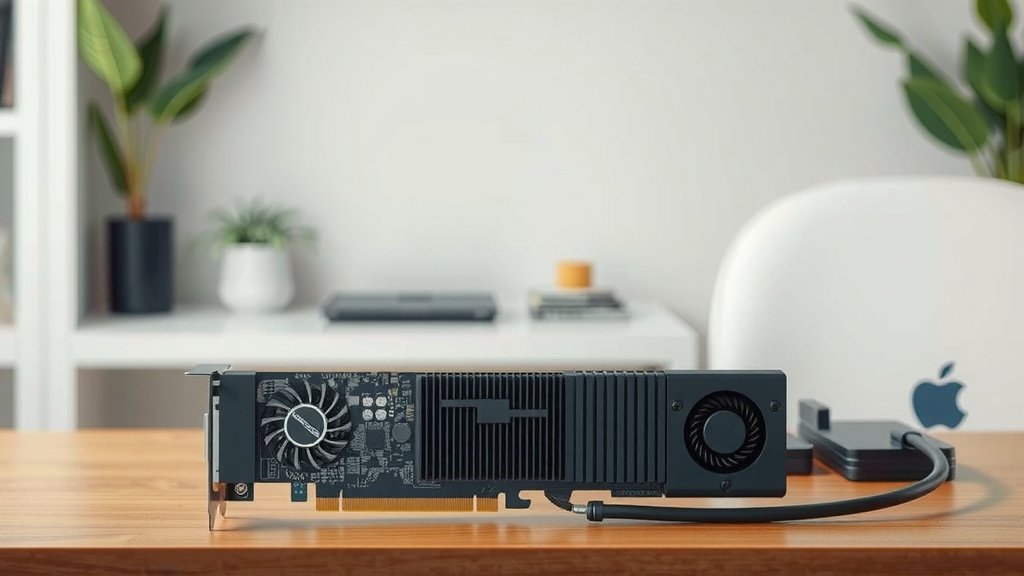
This is the most significant upgrade you can make for graphics performance. If your motherboard has a compatible slot (usually PCIe x16), you can install a separate, dedicated graphics card. This will take over all graphics processing duties from the integrated chip. Many desktops are designed with this upgrade path in mind. Laptops, however, are much more difficult, and often impossible, to upgrade this way.
Key Takeaways for Your Graphics Needs
Deciding whether integrated graphics are right for you is about understanding your computer’s intended use. Here’s a quick checklist to help you decide:
- Assess your primary computer tasks daily.
- Are you a gamer or video editor?
- Do you need a lighter, more power-efficient laptop?
- Is your budget a significant factor?
- Do you plan to upgrade components later?
By considering these points, you can better determine if your current integrated graphics setup meets your needs or if you might need to consider a dedicated solution down the line.
Conclusion
You’ve learned that integrated graphics are the built-in visual engines within your CPU. They’re perfect for everyday tasks like browsing and streaming. We found they offer great energy efficiency and keep your system cost down. However, for gaming or professional creative work, their performance can be a bottleneck due to shared system resources and RAM limitations. Your computer’s intended use should guide your graphics decision. If you’re ready to boost your visual power for demanding applications, consider adding a dedicated graphics card to your desktop PC.
Frequently Asked Questions
Do I need a dedicated graphics card if I only browse the web?
No, absolutely not. If your primary use is web browsing, checking email, and streaming videos, your computer’s built-in integrated graphics are more than sufficient. You’ll have a smooth visual experience without needing to spend extra on a dedicated card.
Can integrated graphics handle light photo editing?
Yes, for basic photo editing tasks like cropping, resizing, and minor color adjustments, integrated graphics can often handle the workload. We found that for casual users, this is usually not an issue, but intensive editing might show limitations.
How do I know if my computer has integrated graphics?
Most laptops and many desktop computers come with integrated graphics by default. If you haven’t specifically purchased a separate graphics card, your system is almost certainly using integrated graphics that are part of your CPU.
Will updating my integrated graphics drivers improve performance?
Yes, keeping your integrated graphics drivers updated is a good practice. Manufacturers often release updates that can fix bugs and sometimes provide minor performance improvements for everyday tasks and older games. Always download drivers from the official manufacturer’s website.
Are integrated graphics bad for battery life on laptops?
Generally, no. Integrated graphics are designed to be very power-efficient. This is a major advantage for laptops, as they consume less power and generate less heat, which helps to extend your battery life compared to a power-hungry dedicated card.
![10 Best 4k Gpus [2026]](https://spsolutionscare.com/wp-content/uploads/2026/08/10-best-4k-gpus-2026-featured-768x432.jpg)
![10 Best All Around Video Card [2026]](https://spsolutionscare.com/wp-content/uploads/2026/08/10-best-all-around-video-card-2026-featured-768x432.jpg)