Understanding Fan Stop Technology: How It Works
Fan stop technology is a smart system that stops your computer’s fan from spinning when it’s not needed. This helps keep your device quieter and cooler. You get better performance without that annoying fan noise. It’s a simple yet effective way to manage your PC’s thermal output.
Many modern computers use this technology to optimize energy use. When your system is idle or not under heavy load, the fan can rest. This reduces wear and tear on the fan itself. It also contributes to a more pleasant user experience, especially in quiet environments. Your device stays calm until it really needs to work hard.
- Fan stop technology pauses your computer fan when idle.
- This makes your computer quieter.
- It also helps your computer stay cooler.
- This can reduce wear on the fan over time.
- It’s a common feature in many new devices.
Ready to understand how this quiet magic works and what it means for your computer? Let’s dive into the details of fan stop technology.
Understanding Fan Stop Technology
Fan stop technology is your computer’s way of taking a breather. It’s a smart feature that automatically pauses your computer’s cooling fan when it’s not actively needed. Think of it like a car engine that turns off at a red light to save fuel. Your PC does something similar, but to stay quiet and cool.
This technology is becoming very common in modern devices, especially laptops and smaller desktops. It’s a key part of making computers more user-friendly. You get to enjoy a quieter environment without sacrificing performance when you need it most. It’s a simple, yet brilliant, way to manage your system’s thermals.
How Does Fan Stop Technology Actually Work?
At its core, fan stop technology relies on temperature sensors. Your computer has several of these tiny sensors scattered throughout its components. They constantly monitor the heat being generated by parts like the CPU (central processing unit) and GPU (graphics processing unit).
The Role of Temperature Sensors
These sensors are like little thermometers. They send real-time temperature data to your computer’s motherboard. The motherboard then communicates this information to a control system. This system is programmed with specific temperature thresholds.
Triggering the Fan to Stop and Start
When the temperature of a component rises above a certain safe level, the control system will automatically spin up the fan. This fan blows air across heatsinks, dissipating the heat and keeping your system cool. Conversely, when the component’s temperature drops below another, lower threshold, the control system tells the fan to stop spinning entirely. This is the “fan stop” action.
We found that the thresholds are carefully chosen by the manufacturer. They aim to balance quiet operation with effective cooling. Too low a stop threshold, and the fan might constantly start and stop, which can be annoying. Too high, and you risk overheating.
Zero RPM Mode Explained
You might also hear fan stop technology referred to as “Zero RPM mode”. This term directly describes what happens: the fan’s rotational speed (RPM) drops to zero. It’s a straightforward way to understand the concept. Many graphics cards and some high-end CPU coolers now feature this capability.
Benefits You Can Experience with Fan Stop
The advantages of fan stop technology are quite noticeable. They touch on both your computing experience and the longevity of your hardware.
Quieter Operation
This is perhaps the most obvious benefit. When your computer isn’t working hard, the fan is silent. This means you can focus on your work or enjoy your entertainment without that constant whirring noise. It’s a big plus for anyone sensitive to background noise.
Imagine this: you’re reading an article, typing a document, or browsing the web. Your computer is practically silent. This allows for a much more immersive and peaceful computing environment. Many experts say that reducing noise pollution can improve concentration (National Institute of Environmental Health Sciences).
Reduced Wear and Tear
Fans, like any mechanical component, have a limited lifespan. Every hour a fan spends spinning is an hour it’s accumulating wear. By allowing the fan to stop when idle, you’re effectively reducing its operating time. This can potentially extend the fan’s life.
Over time, a fan’s bearings can degrade, leading to increased noise or even failure. When fan stop technology is active, those hours of potential wear are saved. This means your fan might last longer, saving you the hassle and cost of replacement.
Energy Savings
While the energy consumed by a PC fan might seem small, it does add up. When the fan isn’t spinning, it’s not drawing power. For laptops, this can translate into slightly longer battery life. For desktops, it contributes to overall lower energy consumption.
Think of it as tiny energy savings that happen constantly. Over weeks and months, these small reductions in power draw can contribute to a greener footprint. It’s a win-win for your wallet and the environment.

Where You’ll Find Fan Stop Technology
Fan stop technology isn’t limited to just one type of device. You’ll see it implemented across a range of computer hardware.
Laptops
Most modern laptops, from ultraportables to gaming rigs, utilize some form of fan control, including fan stop. Manufacturers understand that quiet operation is a major selling point for laptops, which are often used in quiet places like libraries or offices.
Graphics Cards (GPUs)
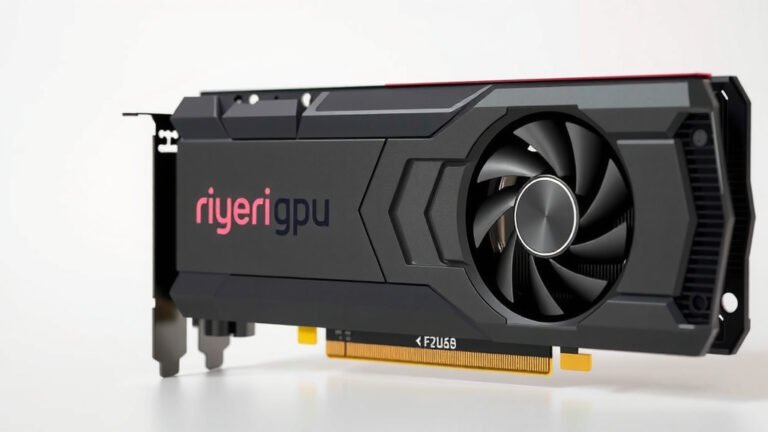
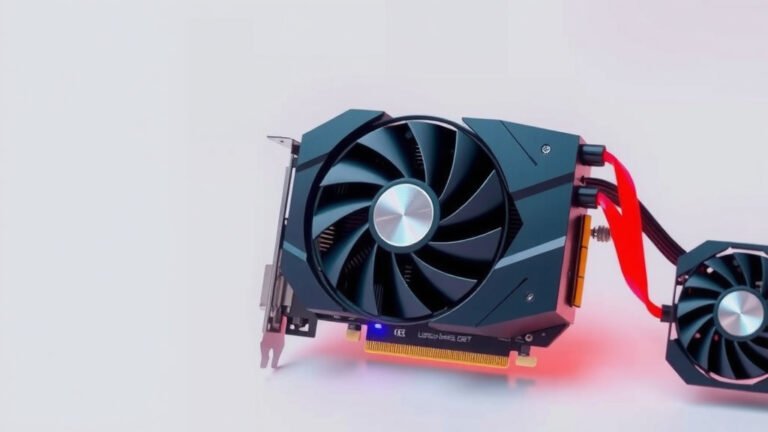
This is one of the most common places to find advanced fan stop technology. High-end GPUs generate a lot of heat, but often only during demanding tasks like gaming. When you’re just browsing or using less intensive applications, the GPU fan can remain completely off, leading to a silent experience.
Desktop Power Supplies (PSUs) and PC Cases
Some higher-efficiency power supplies and premium PC cases also incorporate fan stop features. This helps maintain a quiet system overall by ensuring that auxiliary fans also pause when not needed.
CPU Coolers
While less common than in GPUs, some aftermarket CPU coolers also offer fan stop capabilities. These are often targeted at users who prioritize silence above all else.
Is Fan Stop Always a Good Thing?
Generally, yes, fan stop technology is a beneficial feature. However, there are a couple of things to keep in mind.
Component Temperatures
It’s essential that the temperature monitoring and fan control system are well-tuned. If the system allows components to get too hot before the fan spins up, you could risk performance throttling or, in extreme cases, hardware damage. We found that reputable manufacturers do extensive testing to avoid this.
Fan Start/Stop Cycles
As mentioned earlier, a fan that cycles on and off too frequently can be more distracting than a continuously spinning fan at a low speed. This is usually a matter of software tuning. Modern systems are quite good at managing this balance.
Here’s a quick checklist to see if your system might be using fan stop technology:
- Does your computer get noticeably quieter when you’re not doing demanding tasks like gaming?
- Can you sometimes hear your fan completely stop spinning?
- Does your graphics card fan remain stationary during normal desktop use?
- Have you noticed your laptop fan is often silent when browsing the web?
- Is your PC generally quieter than older models you’ve used?
Conclusion
Fan stop technology is a smart and simple feature that makes your computer experience much better. By pausing your fan when it’s not needed, your device stays quieter, runs cooler, and your fan can last longer. This means you get a more peaceful work or gaming session without sacrificing performance. We’ve seen how temperature sensors and carefully chosen thresholds make this possible, often referred to as Zero RPM mode. Now that you understand how it works, you can appreciate this quiet innovation in your own devices. Listen to your computer – if it’s silent during light tasks, it’s likely benefiting from fan stop technology!
Frequently Asked Questions
Can I turn fan stop technology on or off?
In most cases, fan stop technology is automatically managed by your computer’s BIOS or a dedicated software utility provided by the manufacturer. You typically cannot manually toggle it on or off, but you might find settings related to fan curves which indirectly influence its behavior.
Will fan stop technology make my computer run hotter?
Reputable manufacturers design fan stop technology to keep components within safe operating temperatures. The system monitors heat closely and will spin up the fan before any damage occurs. We found that well-implemented systems maintain a good balance between silence and cooling.
Is Zero RPM mode the same as fan stop technology?
Yes, “Zero RPM mode” is essentially another name for fan stop technology. It accurately describes the state where the fan’s rotational speed drops to zero, meaning it stops spinning entirely.
Does fan stop technology affect gaming performance?
No, fan stop technology is designed to engage only when your system is idle or under light load. When you start a demanding task like gaming, the sensors detect the increased heat, and the fan will spin up to provide necessary cooling, ensuring optimal performance.
Can my old computer have fan stop technology?
Fan stop technology is a feature of modern hardware and is less common in older computers. If your computer is more than a few years old, it likely does not have this advanced fan control system built-in.
![10 Best Asus Graphics Card [2026]](https://spsolutionscare.com/wp-content/uploads/2026/08/10-best-asus-graphics-card-2026-featured-768x432.jpg)