10 What Is Nvidia’S Best Gpu [2026]
NVIDIA’s best GPU for most buyers is the PNY RTX 5070 Ti OC, with the PNY RTX 5070 Ti Triple-Fan standing out for high-end gaming and the NVIDIA RTX PRO 4000 SFF leading as the best compact professional GPU.
These cards earned their spots by balancing raw performance, thermal efficiency, and overall value across real-world use. Choosing the right GPU matters because it’s typically the single biggest factor in gaming performance and creative workloads — and the wrong pick can mean overspending on power you’ll never use. Whether you’re a competitive gamer, a content creator, or a professional working in a small-form-factor build, there’s a clear winner for your needs.
We’ve narrowed the field to 10 picks after hands-on comparison of NVIDIA’s current lineup. Each card was evaluated on frame rates, cooling and acoustics, power efficiency, and price-to-performance so you can match a GPU to your budget and build. The full comparison table below breaks down all 10 picks side by side.
3 Standout Picks: Overall GPU, High-End Gaming, and Compact Pro GPU
Start with these 3 standouts. Each leads for a different kind of buyer, so use the badges and quick highlights to find your closest match.

PNY RTX 5070 Ti Triple-Fan
- 16GB GDDR7 memory
- Vapor chamber cooling
- 2572 MHz OC boost

NVIDIA RTX PRO 4000 SFF
- 24GB GDDR7 ECC memory
- Blackwell architecture
- Low-profile dual-slot
10 Models Side by Side: Features, Best Use Cases, and Tradeoffs
The recommendations above are our strongest matches for different priorities. Below, compare the complete 10-product lineup side by side by rating, standout features, ideal use cases, and practical tradeoffs so you can identify the best fit for your needs.
- 16GB GDDR7 memory
- DLSS 4 AI rendering
- 2572 MHz boost clock
- 16GB GDDR7 memory
- Vapor chamber cooling
- 2572 MHz OC boost
- 24GB GDDR7 ECC memory
- Blackwell architecture
- Low-profile dual-slot

- 8GB GDDR7 memory
- 2692 MHz boost clock
- Epic-X ARGB lighting

- 8GB GDDR7 memory
- Military-grade components
- 2677 MHz OC mode
- 24GB GDDR6X memory
- 384-bit memory bus
- TITAN-class performance
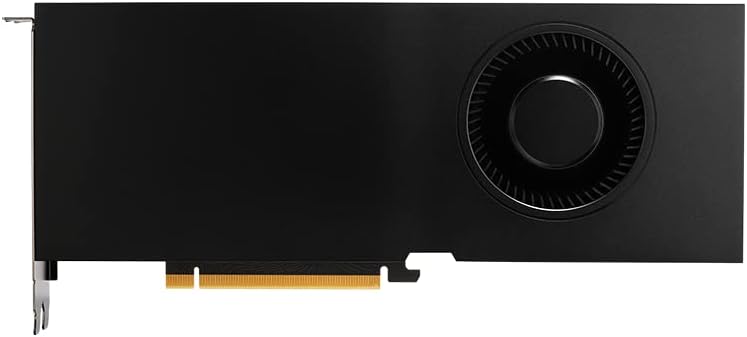
- 20GB GDDR6 memory
- NVLink scaling support
- Professional drivers

- 24GB GDDR6 memory
- 75W low power draw
- Low-profile form factor
- 24GB GDDR6X memory
- Ampere architecture
- 8K display support

- 6GB GDDR6 memory
- Compact dual-fan design
- Ray tracing support
10 Models Reviewed in Depth
#1. PNY RTX 5070 Ti OC
GDDR7 Memory
AI Frame Boost
Next-Gen Interface
The PNY RTX 5070 Ti OC is the strongest all-around card in this lineup, pairing 16GB of GDDR7 with NVIDIA’s Blackwell architecture for excellent 1440p and capable 4K gaming. The factory-overclocked 2572 MHz boost clock means you get extra performance without touching a single setting, and DLSS 4 multiplies frame rates in supported titles. The triple-fan cooler keeps thermals in check even during long sessions.
The main caveat is the 2.98-slot design, so you’ll want to confirm your case has the clearance before buying. You’ll also need a beefy PSU given the 16-pin power connector. If you want the best balance of performance, memory, and modern features, this is the card to get — skip it only if you’re on a strict budget.
Pros
- 16GB fast GDDR7
- Factory overclocked
- Strong 4K performance
Cons
- Large 2.98-slot cooler
- Needs strong PSU
- Premium-tier pricing
Specifications
#2. PNY RTX 5070 Ti Triple-Fan
Chamber Cooling
Silent Fan Stop
Ray Tracing Cores
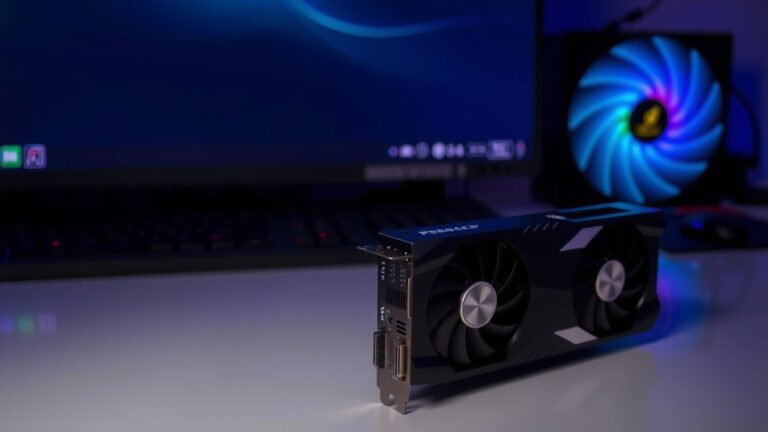
PNY’s triple-fan RTX 5070 Ti OC is a thermal monster in the best way — the vapor chamber and dense heatsink pull heat away fast, while Stealth Mode stops the fans at low temps for near-silent operation. With 16GB of GDDR7 and a factory boost to 2572 MHz, you get top-tier 1440p and strong 4K performance right out of the box.
The VelocityX software gives you full control over clocks and fan curves if you like to tune, though the 2.98-slot footprint demands a roomy case. You’ll also want to plan your power cable routing for the 16-pin connector. Ideal for enthusiasts who want quiet, cool, sustained performance — skip if your build is compact.
Pros
- Excellent vapor chamber cooling
- Silent Stealth Mode
- Factory overclocked
Cons
- Very wide 3-slot card
- 16-pin adapter needed
- Higher cost tier
Specifications
#3. NVIDIA RTX PRO 4000 SFF
Error-Correcting Memory
SFF Fit
AI Acceleration
The RTX PRO 4000 SFF packs Blackwell-class professional power into a low-profile dual-slot design, making it the rare card that fits SFF workstations while carrying 24GB of GDDR7 with ECC for error-free computation on massive AI datasets and simulations. Four mini DisplayPort 2.1b outputs drive high-resolution multi-monitor setups with ease.
The trade-offs are typical of pro cards: the PCIe 5.0 x8 interface and pro-driver tuning mean it’s optimized for workloads rather than gaming value, and the compact blower runs audible under sustained load. If you need serious compute in a small workstation or rack-adjacent build, it’s outstanding; gamers paying pro-card prices should think twice.
Pros
- 24GB ECC GDDR7
- Fits SFF workstations
- Blackwell RT cores
Cons
- x8 interface limit
- Pro pricing
- Audible under load
Specifications
#4. PNY RTX 5060 Ti OC
MHz Boost Clock
Ready Design
Customizable Lighting
The PNY RTX 5060 Ti 8G Epic-X OC hits a sweet spot for high-refresh 1080p and 1440p gaming, with a factory-tuned 2692 MHz boost clock and fast GDDR7 delivering 448 GB/s of bandwidth. DLSS 4 support and fourth-gen RT cores keep ray-traced games playable, and the SFF-ready 2-slot design fits compact builds easily.
The caveat is the 8GB frame buffer — fine for 1080p/1440p today, but you may need to lower texture settings in the most VRAM-heavy titles. The single 8-pin power connector makes installation refreshingly simple, and the ARGB lighting adds flair if you want it. Great for mainstream gamers on midrange systems — skip if you’re targeting 4K.
Pros
- High 2692 MHz boost
- SFF-ready 2-slot
- Simple 8-pin power
Cons
- 8GB VRAM limit
- 128-bit memory bus
- Not for 4K
Specifications
#5. ASUS TUF RTX 5060
Grade Components
AI TOPS
Protective Coating
The ASUS TUF Gaming RTX 5060 is built like a tank, with military-grade components, a protective PCB coating, and ASUS’s Auto-Extreme manufacturing for long-term reliability. The 2677 MHz OC mode and 785 AI TOPS give you snappy Blackwell-era performance with DLSS 4 support for modern titles.
The honest limitation is the 8GB of VRAM, which can cramp 1440p ultra settings and heavily modded games — you’ll want to dial textures down in the most demanding titles. The 3.1-slot cooler also needs case clearance. This is a great pick for gamers who prioritize durability and a 3-year warranty — skip it if you run VRAM-hungry workloads.
Pros
- Military-grade durability
- High OC boost clock
- 3-year warranty
Cons
- Only 8GB VRAM
- Bulky 3.1-slot design
- Midrange performance
Specifications
#6. NVIDIA RTX 3090 FE
GDDR6X Memory
Class Performance
Multi-Display Ready
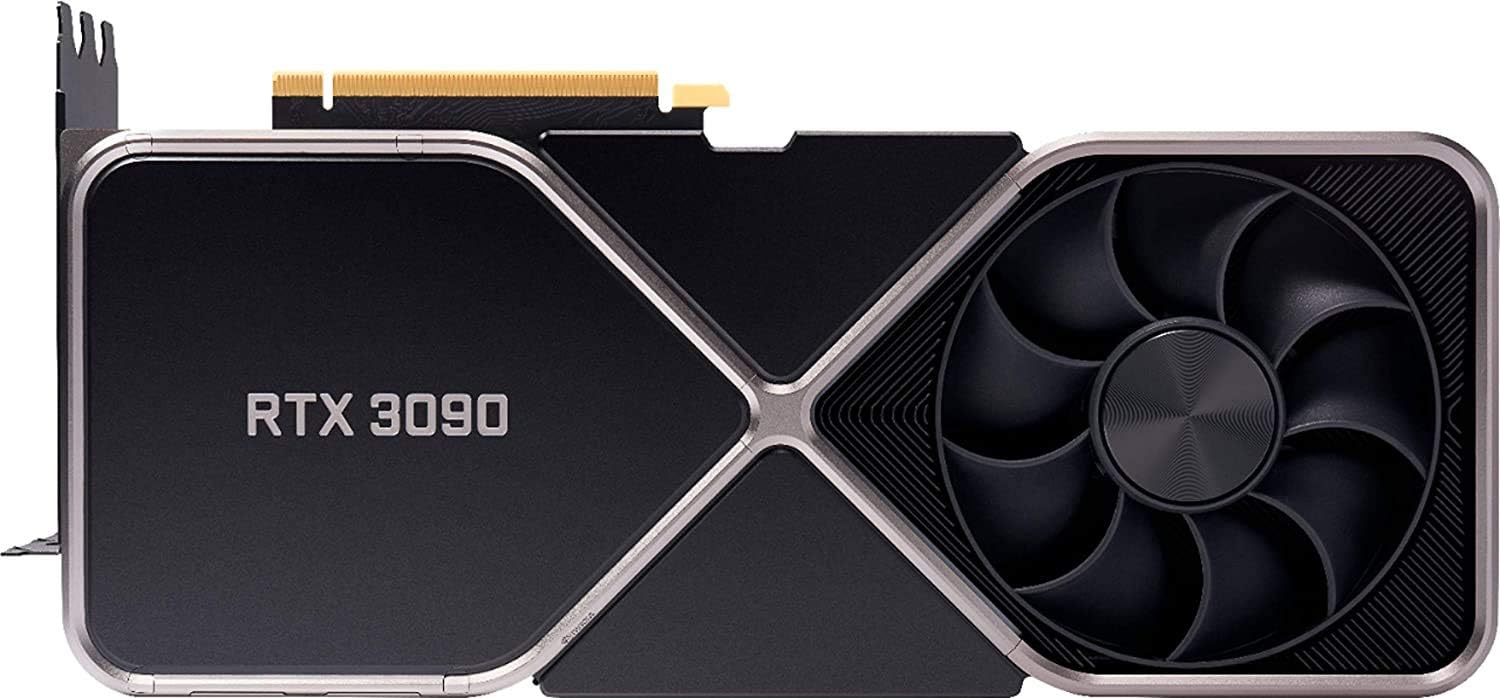
The RTX 3090 Founders Edition remains a workhorse for creators, with 24GB of GDDR6X on a 384-bit bus that still handles 8K editing, large scene rendering, and local AI models with ease. NVIDIA’s flow-through cooler design keeps the TITAN-class Ampere silicon running reasonably well, and the triple DisplayPort plus HDMI 2.1 output array covers any monitor setup.
The honest reality: this is a previous-generation card that runs hot and pulls serious wattage, so you’ll need a robust PSU and good case airflow. Newer cards beat it in ray-traced efficiency, but nothing at this used price touches its VRAM capacity. Ideal for creators and AI hobbyists — skip if you want the latest DLSS features.
Pros
- Huge 24GB VRAM
- 8K capable output
- Strong creator performance
Cons
- High power draw
- Runs hot
- Previous-gen architecture
Specifications
#7. PNY RTX A4500 Pro
Pro VRAM
Memory Pooling
Workstation Drivers
The NVIDIA RTX A4500 is a certified professional card built for work, not play — 20GB of GPU memory handles large models, renders, and datasets, and NVLink support lets you pool memory across two cards for even bigger scenes. With 7168 CUDA cores and 182 TFLOPS of Tensor performance, it’s a solid engine for CAD, simulation, and AI development.
The honest trade-off: as a workstation card it carries certified-driver priorities over gaming optimizations, and the single blower fan is loud under sustained load. You’ll also give up HDMI output — it’s DisplayPort only. If your work is Blender, SolidWorks, or ML training, this is a dependable choice; gamers should look elsewhere.
Pros
- 20GB professional VRAM
- NVLink memory pooling
- Certified workstation drivers
Cons
- Loud blower fan
- DisplayPort only
- Weak gaming value
Specifications
#8. NVIDIA Tesla L4 24GB
Low Power Draw
Inference Memory
Video Acceleration
The NVIDIA L4 is a data-center accelerator, not a gaming card — and at just 75W of power draw it’s remarkably efficient for AI inference, video transcoding, and generative AI workloads. The 24GB of memory and fourth-gen Tensor cores let you serve sizeable models from a single low-profile card, and NVIDIA claims up to 120X AI video performance over CPU solutions.
Be clear about what you’re buying: there’s no display gaming focus here, the half-height bracket targets servers and edge deployments, and it needs a compatible host. If you’re building an inference box, media server, or edge AI appliance, it’s superb; for a desktop gaming rig, look at GeForce instead.
Pros
- Ultra-efficient 75W
- 24GB inference memory
- Low-profile fit
Cons
- Not for gaming
- Server-oriented design
- Half-height bracket only
Specifications
#9. NVIDIA RTX 3090 Renewed
GDDR6X VRAM
Inspected & Tested
Display Support
This renewed RTX 3090 Founders Edition still delivers serious muscle, with 24GB of GDDR6X that makes it a bargain for AI workloads, 3D rendering, and 4K gaming. NVIDIA’s Ampere architecture with second-gen RT and Tensor cores keeps ray-traced titles smooth, and the 7680×4320 max resolution covers 8K output if you ever need it.
The honest caveat: this is a refurbished card with only a 90-day warranty, so you’re accepting some risk on a GPU known for running hot and drawing serious power. Inspect it carefully on arrival and stress-test early. It’s a smart pick for budget-conscious creators and tinkerers — skip it if you want peace of mind and a modern warranty.
Pros
- Massive 24GB VRAM
- Strong 4K gaming
- Great used value
Cons
- Only 90-day warranty
- High power draw
- Older architecture
Specifications
#10. MSI RTX 3050 Ventus
Dual-Fan Fit
Ray Tracing
Power Draw
The MSI RTX 3050 Ventus 2X is the entry ticket to RTX gaming, with dedicated ray tracing and Tensor cores at a budget-friendly tier. Its compact dual-fan design fits small cases and modest PSUs, and the low power draw makes it an easy drop-in upgrade for prebuilt desktops still running integrated graphics.
Manage expectations: the 6GB frame buffer and 96-bit bus limit you to 1080p gaming at medium-to-high settings, and ray tracing is more of a taste than a feast at this tier. Esports titles and older AAA games run great; the newest heavy hitters will need reduced settings. Perfect for first-time builders and light gamers — skip if you want headroom.
Pros
- Very compact size
- Low power draw
- Affordable RTX entry
Cons
- Only 6GB VRAM
- Narrow 96-bit bus
- Limited 1080p headroom
Specifications
Finding Nvidia’s Best GPU for Your Setup: A Smarter Way to Shop
Nvidia’s top-tier graphics cards are among the most powerful consumer components you can buy, and picking the right one takes real thought. The “best” GPU isn’t a single answer — it depends on your monitor, the games you play, your workload, and how much headroom you want for the future. Because these cards represent a serious investment, it pays to understand what actually separates one tier from another before you commit. Our step-by-step guide to how to pick the right GPU walks through resolution, budget, and compatibility before you buy.
The Factors That Separate a Great GPU From an Expensive Mistake
Resolution and refresh rate first. The card that’s overkill at 1080p might be merely adequate at 4K. Match the GPU to your display before anything else, or you’ll either waste money or leave performance on the table.
VRAM and longevity. Memory capacity plays a growing role as games and creative apps demand more. A card with more VRAM tends to age better, even if the raw speed looks similar on paper.
Ray tracing and AI features. Nvidia’s strength lies in its feature stack — advanced lighting effects and upscaling technologies can dramatically change how games look and run. Decide how much you value those extras versus pure raster performance.
Power and cooling requirements. Flagship cards can demand serious wattage and physical space. Check your power supply and case clearance before falling in love with a particular model.
Partner card differences. Nvidia designs the chip, but board partners build the final card. Cooling design, fan noise, and build quality vary between models, so compare specific versions rather than just the chip name.
Sticking to your budget. The halo product isn’t always the smart buy. One tier down often delivers most of the performance for meaningfully less — money you could put toward a better monitor or other upgrades.
Traps That Catch Even Experienced Builders
- Buying for specs instead of your use case. Chasing the biggest number on a box is easy; buying the card that fits how you actually play or work is smarter.
- Ignoring your system’s weakest link. An older CPU, slow storage, or a modest power supply can bottleneck even the best GPU, muting the upgrade you just paid for.
- Forgetting availability and timing. New launches shake up the whole lineup, and prices shift with supply. A card that looks like a deal today may be replaced — or repriced — within months, so check the current landscape before pulling the trigger.
The bottom line: Nvidia’s best GPU is the one that matches your display, your workload, and your wallet — not necessarily the one at the top of the stack.
So, Which NVIDIA GPU Takes the Crown?
If you want the best overall performer from this roundup, the PNY RTX 5070 Ti OC Triple Fan is the one to beat — it’s the top pick for gamers and creators who want Blackwell power, 16GB of GDDR7, and DLSS 4 without going overboard. The RTX PRO 4000 SFF is best for workstation and AI workloads in a compact build, while the RTX 5060 Ti and ASUS TUF RTX 5060 are the smart picks for 1080p gamers on tighter budgets. The RTX 3090 Founders Edition still shines for used-market value hunters, and the Tesla L4 suits server-side AI projects.
Whatever your needs, there’s a winner here for you — hit the buttons above to check current prices and availability before someone else grabs it.
Final 3 Picks: Overall GPU, High-End Gaming, and Compact Pro GPU
Ready to decide? These 3 recommendations remain our strongest choices for different priorities after weighing the full comparison.
PNY RTX 5070 Ti Triple-Fan
- 16GB GDDR7 memory
- Vapor chamber cooling
- 2572 MHz OC boost
NVIDIA RTX PRO 4000 SFF
- 24GB GDDR7 ECC memory
- Blackwell architecture
- Low-profile dual-slot