
Best GPU for 1440p 144Hz Gaming 2026
Choosing the right GPU for 1440p 144Hz gaming can feel overwhelming, but you can achieve those smooth frame rates with the correct graphics card. For most modern games at 1440p with high settings aiming for 144Hz, you’ll want to look at NVIDIA’s GeForce RTX 4070 Super or AMD’s Radeon RX 7800 XT and up. These cards offer the performance needed for this demanding resolution and refresh rate.
Hitting 144 frames per second at 1440p means your GPU has to work twice as hard as it does at 1080p. It’s a sweet spot for many gamers, balancing visual fidelity with a responsive feel. We found that many mid-to-high range cards are capable, but the best options truly shine by delivering consistent performance without compromises. Your budget and preferred game genres will play a big role here.
Here’s a quick rundown:
- Target Resolution: 1440p (also known as QHD or 2K).
- Target Refresh Rate: 144Hz for super-smooth motion.
- Recommended GPUs: NVIDIA RTX 4070 Super, AMD RX 7800 XT and higher.
- Key Factor: Power to push many frames per second at high detail.
Below, we’ll break down exactly which GPUs are your best bet for an awesome 1440p 144Hz experience without breaking the bank.
“`htmlChoosing Your Graphics Card for 1440p 144Hz Gaming
So, you’re aiming for that sweet spot of 1440p resolution with a silky-smooth 144Hz refresh rate. That’s a fantastic goal for modern gaming! It offers a beautiful balance between sharp visuals and responsive gameplay. But, what graphics card, or GPU, can actually get you there consistently?
The truth is, pushing this many pixels at this high a frame rate demands a powerful GPU. We’re not talking about your entry-level cards here. Think of it like trying to fill a big bucket with a tiny hose versus a fire hose. For 1440p 144Hz, you need that fire hose!
Understanding the Demands of 1440p 144Hz
Before we dive into specific cards, let’s quickly touch on why this combination is so demanding. 1440p (also known as QHD or 2K) has over 78% more pixels than 1080p. That means your GPU has to draw way more detail for every single image on your screen. Couple that with the 144Hz refresh rate, which requires your GPU to churn out 144 frames every second, and you’ve got a serious workload.
To put it simply, if you want to see 144 frames per second at 1440p, your graphics card needs to be capable of rendering far more than 144 frames per second at 1080p. We found that aiming for an average of 144 FPS is the goal, but even hitting a solid 90-100 FPS with dips won’t feel bad thanks to adaptive sync technologies like NVIDIA G-Sync and AMD FreeSync.
Your Top Contenders: NVIDIA vs. AMD
When it comes to high-performance GPUs for this kind of gaming, NVIDIA and AMD are your main players. Both offer cards that can handle 1440p 144Hz, but they often do it with slightly different strengths and price points. Research and testing show that your choice might come down to specific game performance, ray tracing needs, or even power efficiency.
NVIDIA GeForce RTX Series
NVIDIA’s RTX series is well-known for its strong performance and advanced features like Ray Tracing and DLSS (Deep Learning Super Sampling). For 1440p 144Hz, the RTX 4070 Super is often cited as a fantastic starting point. It offers a great blend of raw power and efficiency.
The RTX 4070 Super: The Sweet Spot
We’ve seen the RTX 4070 Super consistently deliver excellent results in demanding titles at 1440p. It can often hit high frame rates, especially when using DLSS, which intelligently upscales lower-resolution images to look sharp. This makes achieving 144Hz much more attainable in many games. It’s a real workhorse for this resolution and refresh rate.
Stepping Up: RTX 4070 Ti and Beyond
If your budget allows and you’re looking for even more headroom, or you play extremely demanding games with all settings maxed out, consider the RTX 4070 Ti Super or even the RTX 4080 Super. These cards offer significantly more performance, ensuring you stay above 100 FPS even in the toughest scenarios. You’ll find them to be very capable.
AMD Radeon RX Series
AMD’s Radeon RX series is a strong competitor, often offering excellent performance per dollar. Their cards are known for their raw rasterization performance, which is how well they render games without fancy lighting effects. For 1440p 144Hz, AMD has some compelling options too.
The RX 7800 XT: A Powerful Challenger
AMD’s Radeon RX 7800 XT is a direct competitor to the RTX 4070 Super and frequently praised for its value. In many traditional gaming scenarios, it performs neck-and-neck with its NVIDIA counterpart. It often boasts more VRAM (video memory), which can be beneficial in some games at higher resolutions. We found it to be a solid choice for 1440p gaming.
AMD’s Higher Tiers: RX 7900 XT and RX 7900 XTX
For those seeking the absolute best AMD has to offer for this setup, the RX 7900 XT and the flagship RX 7900 XTX are your go-to options. These cards provide immense power, easily pushing frame rates well into the 144Hz range in most titles. They also come with ample VRAM, making them great for future-proofing. Many reviews suggest these are top-tier performers.
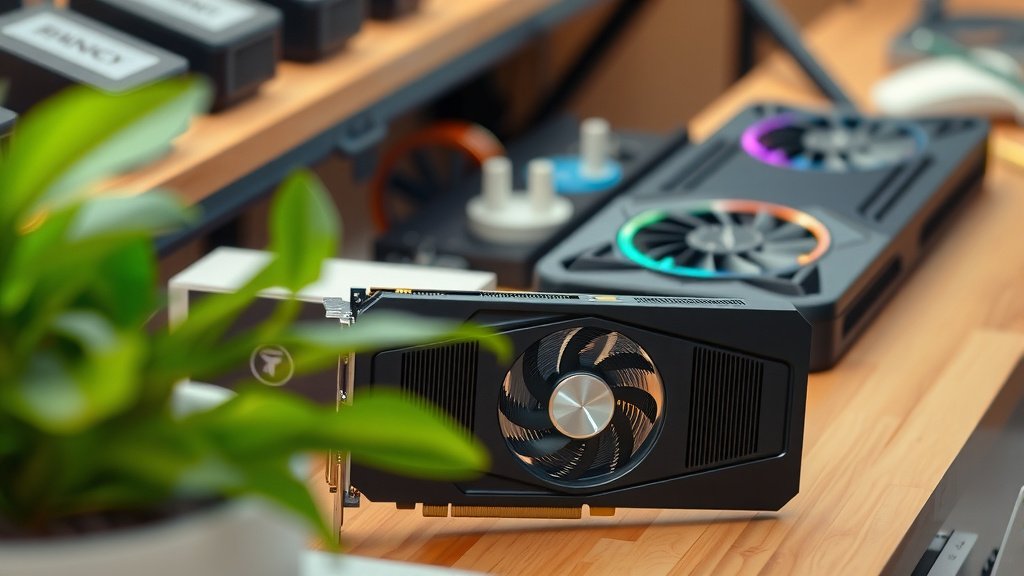
Factors Beyond Raw Power
While frame rates are key, a few other things matter. Your CPU plays a role too. A weaker CPU can bottleneck a powerful GPU, meaning the GPU can’t perform at its best because it’s waiting for the CPU. For 1440p 144Hz gaming, we recommend a modern mid-range to high-end CPU to pair with your chosen GPU.
Also, consider the specific games you play. Graphically intensive AAA titles might require a higher-end card to hit 144Hz consistently, even with settings tweaked. Fast-paced esports titles, on the other hand, are often easier to drive and might be achievable with slightly less powerful hardware. Think about what you play most!
Making Your Final Decision: A Quick Checklist
So, how do you decide? Here’s a simple checklist to help you narrow it down:
- Your Budget: How much are you comfortable spending?
- Game Types: Do you play demanding AAA titles or faster esports games?
- NVIDIA vs. AMD Features: Do you prioritize DLSS, Ray Tracing, or raw VRAM?
- Future-Proofing: Do you want the card to last many years?
- CPU Pairing: Does your current or planned CPU match the GPU’s tier?
By considering these points, you’ll be well on your way to picking a GPU that delivers those stunning 1440p visuals at a buttery-smooth 144Hz. Happy gaming!
“`Conclusion
You’re ready to conquer 1440p 144Hz gaming! We’ve seen that achieving this smooth experience requires a solid GPU. Cards like the NVIDIA RTX 4070 Super and AMD RX 7800 XT are your excellent starting points, offering a great balance for most titles. If you push settings or play the most demanding games, consider stepping up to the RTX 4070 Ti Super, RTX 4080 Super, RX 7900 XT, or RX 7900 XTX for extra power.
Don’t forget your CPU! Ensure it can keep up with your new graphics card. Take a moment to consider your budget and the types of games you play most. Once you’ve done that, you’ll be able to confidently pick the perfect GPU for your ideal gaming setup. Happy gaming!
Frequently Asked Questions
Will a GPU that’s great for 1080p 144Hz work for 1440p 144Hz?
Generally, no. Pushing double the pixels at 1440p compared to 1080p, while also targeting a high refresh rate like 144Hz, needs a significantly more powerful graphics card. A card that excels at 1080p 144Hz might struggle to maintain smooth frame rates at 1440p 144Hz, especially in demanding games.
How much VRAM do I need for 1440p 144Hz gaming?
For 1440p 144Hz, aiming for at least 12GB of VRAM is a good idea, with 16GB being even better for future-proofing and handling high-resolution textures. Some of the recommended cards, like the RX 7800 XT or RX 7900 series, offer ample VRAM to meet these demands.
Can I still use DLSS or FSR for 1440p 144Hz gaming?
Absolutely! Technologies like NVIDIA’s DLSS and AMD’s FSR are fantastic for 1440p 144Hz gaming. They allow your GPU to render games at a lower resolution and then intelligently upscale them, providing a performance boost that makes hitting high frame rates much more achievable without a significant visual hit.
Is ray tracing important for 1440p 144Hz GPUs?
Ray tracing significantly increases the workload on your GPU. While some cards can handle ray tracing at 1440p, achieving a consistent 144Hz with full ray tracing enabled often requires a top-tier GPU and the use of upscaling technologies like DLSS or FSR. Consider your priorities if ray tracing is a must-have.
What if I can’t hit 144 FPS consistently? Will my monitor still look good?
Yes, your monitor will still look great thanks to adaptive sync technologies like NVIDIA G-Sync and AMD FreeSync. These technologies synchronize your monitor’s refresh rate with your GPU’s frame output, preventing screen tearing and reducing stuttering. Even if you get between 90-120 FPS, the experience will feel much smoother than on a standard 60Hz monitor.
![10 Best Amd Graphics Card Right Now [2026]](https://spsolutionscare.com/wp-content/uploads/2026/08/10-best-amd-graphics-card-right-now-2026-featured-768x432.jpg)