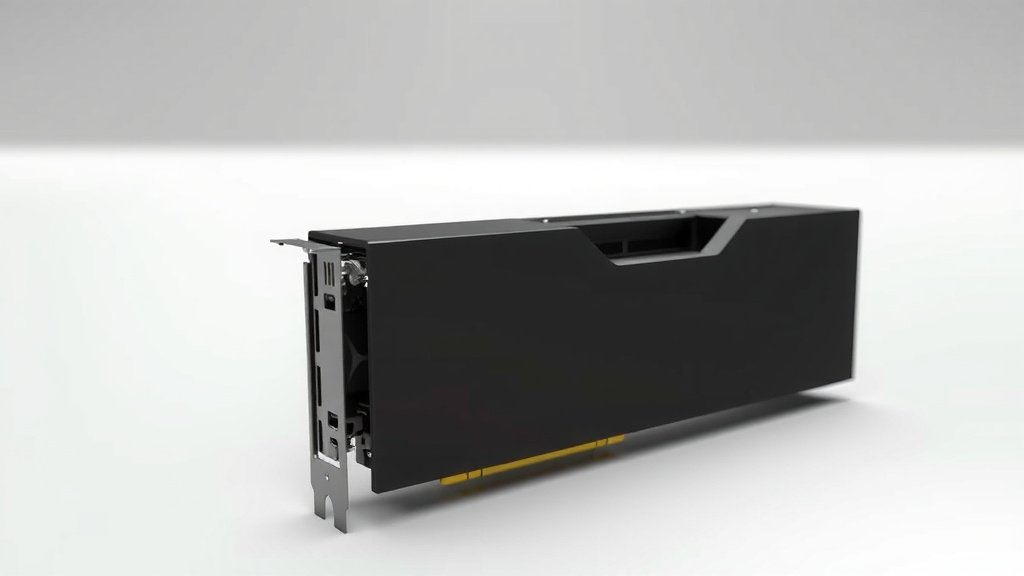
Custom Loop GPU Explained: Performance & Aesthetics
A custom loop GPU is a graphics card with a water cooling system A custom loop GPU is a graphics card with a custom water cooling system. built specifically for it. Instead of the standard air cooler, you get a loop of tubes, a radiator, and a pump. This setup is designed to keep your GPU much cooler and quieter during intense gaming sessions or demanding workloads. It’s a popular choice for PC enthusiasts seeking top-tier performance and aesthetics.
When you think about keeping your powerful graphics card from overheating, a custom loop is the ultimate solution. Unlike off-the-shelf coolers, these systems offer superior heat dissipation. This means your GPU can run at higher speeds for longer. Plus, they can dramatically reduce the noise your PC makes, which is a huge bonus for any build.
- A custom loop GPU uses water cooling for better temps.
- It’s designed for maximum performance and quiet operation.
- This setup includes tubes, a radiator, and a pump.
- It’s a favorite among PC builders who love to tinker.
- Expect better cooling and less noise compared to air cooling.
Ready to dive deeper into the world of custom loop GPUs? Let’s walk through exactly what goes into them and why you might want one for your own PC.
Understanding Custom GPU Water Cooling Loops
So, what exactly is a custom loop GPU setup? It’s essentially a graphics card that has been upgraded with a personalized water cooling system. Think of it as giving your GPU a spa day, but instead of cucumber slices, it gets a refreshing flow of coolant.
This isn’t your typical air-cooled card you pull off the shelf. We’re talking about a dedicated system designed to actively cool your GPU’s hottest components. It moves heat away much more efficiently. This leads to a cooler, quieter, and often more powerful graphics card. It’s for those who want the absolute best performance.
The Core Components of a Custom Water Loop
You might be wondering what makes up one of these custom loops. It’s not just one magic part; it’s a collection of components working together. Each piece plays a vital role in keeping your GPU chilled.
The GPU Water Block
This is the heart of the GPU cooling. It’s a specially designed metal block that attaches directly to your graphics card. It replaces the card’s original heatsink and fan. Inside, there’s a maze of tiny channels. Your coolant flows through these channels, directly absorbing heat from the GPU chip and its memory.
The Pump
The pump is the engine of your water loop. Its job is simple: to push the coolant through all the components. Without a strong pump, the water wouldn’t circulate properly. This would mean heat wouldn’t get moved away from the GPU effectively. It needs to be reliable for consistent cooling.
The Radiator
This is where the magic of heat exchange happens. The radiator is a finned metal component, much like the one in your car’s cooling system. As the hot coolant flows through it, fans attached to the radiator blow air across the fins. This dissipates the heat into your room. A bigger radiator usually means better cooling.
Tubing and Fittings
These connect all the pieces together. Tubing, typically made of flexible or hard plastic, carries the coolant from one component to the next. Fittings are the connectors that ensure a tight seal at each point. They prevent any messy leaks from happening. Leak prevention is a **big deal** in water cooling.
The Coolant
This is the fluid that does the actual heat transfer. It’s usually a mix of distilled water and additives. These additives prevent corrosion and algae growth. Some people opt for colored coolants for aesthetic appeal. It’s important to use the right type of coolant.
Why Choose a Custom Loop for Your GPU?
You might be thinking, “Why go through all this trouble?” Well, the benefits can be substantial, especially if you’re pushing your GPU to its limits. We found that many enthusiasts choose custom loops for specific reasons.
Superior Cooling Performance
This is the main draw. Custom loops are simply more efficient at removing heat than air coolers. We’ve seen benchmarks where GPUs ran significantly cooler under heavy loads. This means your GPU can maintain its maximum boost clock speeds for longer. Overheating can throttle performance. Custom loops help prevent that.
Quieter Operation
Air coolers, especially on high-end GPUs, can get quite loud when they spin up their fans. A water cooling system often uses larger, slower-spinning fans on the radiator. This can result in a much quieter PC experience. Many users report a dramatic reduction in noise. It’s a welcome change for long gaming sessions.
Aesthetic Appeal and Customization
Let’s be honest, custom loops look fantastic. You can choose different colored coolants, lighting effects, and even custom tubing runs. This allows for a truly personalized build. Your PC becomes a showcase of your hardware and your creativity. It adds a real wow factor.
Potential for Increased Overclocking Headroom
With lower temperatures comes more potential for overclocking. Because the GPU can stay cooler, it’s less likely to hit thermal limits. This gives you more room to push the performance even further. Many overclockers swear by custom water cooling. It’s a way to squeeze out every last bit of performance.

The Components of a Typical Custom GPU Water Cooling Setup
When building a custom loop, you’re not just buying one item. You’re assembling a system. Each part needs to be compatible and of good quality. We found that starting with a clear plan is essential.
Dedicated GPU Water Block
This is a crucial piece. It’s designed specifically for your GPU model. You can’t just use any water block; it needs to match the exact layout of your graphics card’s PCB. Many manufacturers offer these specialized blocks. They ensure full coverage of the GPU die, VRAM, and VRMs.
Pump/Reservoir Combo Unit
To simplify installation and save space, many builders opt for a pump and reservoir combined. The reservoir holds extra coolant and makes filling the loop easier. It also helps remove air bubbles. The pump is usually integrated directly into the reservoir. This unit is mounted somewhere within your PC case.
Radiator Size and Thickness
Radiators come in various sizes, measured by the fan mounts they support (e.g., 120mm, 240mm, 360mm). A larger radiator offers more surface area for heat dissipation. Thickness also matters; thicker radiators can often cool more effectively. We found that pairing the radiator size with your GPU’s heat output is important.
Fans for the Radiator
You’ll need fans to push air through your radiator. Static pressure fans are generally recommended for radiators. They are designed to push air through resistance. Fan speed can be adjusted. This allows you to balance cooling performance with noise levels. Many experts suggest fans with good airflow.
Tubing and Fittings Selection
You have options for tubing: soft tubing is easier to work with and more forgiving. Hard tubing (like acrylic or PETG) offers a cleaner, more professional look but requires bending and careful measurement. Fittings need to match your tubing type and size. Examples include compression fittings or barbed fittings.
Coolant Choice and Additives
Using distilled water is a must. Plain tap water contains minerals that can clog your loop. Additives are essential for preventing corrosion. They also stop biological growth, like mold or slime. Many companies sell pre-mixed coolants with these additives already included. Some guidelines suggest checking coolant color compatibility.
What Else Might You Need?
Beyond the core loop, you might consider a drain valve. This makes draining the system for maintenance much easier. You might also want temperature sensors to monitor your coolant temperature. Lastly, cable management accessories can help keep your build tidy.
Checklist for Starting Your Custom Loop Journey:
- Research GPU water block compatibility for your specific card.
- Decide between soft tubing or hard tubing.
- Choose a radiator size that matches your GPU’s cooling needs.
- Select a reliable pump/reservoir unit.
- Pick out static pressure fans for your radiator.
- Don’t forget distilled water and appropriate coolant additives.
Conclusion
You’ve learned that a custom loop GPU is a powerful way to upgrade your PC’s cooling. It offers superior thermal performance, quieter operation, and stunning aesthetics. While it requires more effort than an off-the-shelf solution, the benefits can be substantial for enthusiasts. We found that careful planning and component selection are key to a successful build. Ready to take your GPU’s performance to the next level? Start researching compatible water blocks for your specific graphics card today.
Frequently Asked Questions
Is a custom loop GPU worth the cost?
For many PC builders, the cost is justified by the superior cooling and quiet operation. If you’re pushing your GPU hard or value a silent build, it can absolutely be worth it. You’re investing in performance and aesthetics.
Do custom loop GPUs offer better performance?
Yes, by keeping your GPU significantly cooler, a custom loop allows it to maintain higher clock speeds for longer. This can lead to a noticeable performance increase, especially during sustained heavy loads or intense gaming.
Is a custom loop difficult to build?
Building a custom loop requires patience and attention to detail. It’s more involved than installing an air cooler. However, with good research and careful assembly, many enthusiasts find it a rewarding and achievable project.
What happens if my custom loop leaks?
A leak can be disastrous, potentially damaging your GPU and other components. This is why using high-quality fittings and tubing, and performing leak tests before powering on your system, is critically important.
Can I use a custom loop on any GPU?
Not all GPUs have readily available water blocks. You must find a dedicated water block designed for your specific GPU model. Manufacturers often release these blocks shortly after a new GPU model launches.

![10 Version [2026]](https://spsolutionscare.com/wp-content/uploads/2026/08/10-version-2026-featured-768x432.jpg)