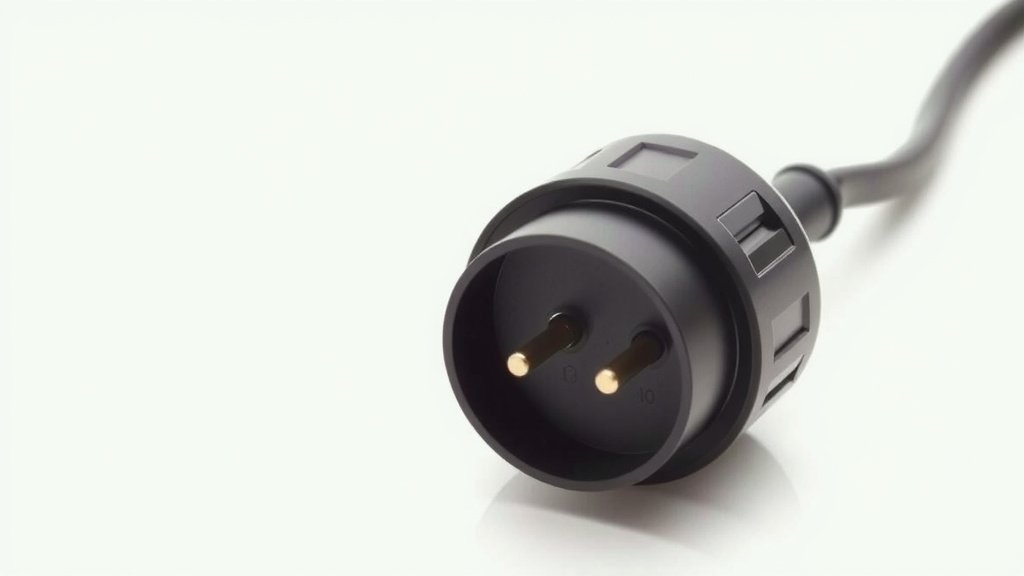
What is an 8-Pin Power Connector and How Does it Work
An 8-pin power connector is a type of cable used to deliver extra power to specific computer components. It’s most commonly found on graphics cards (GPUs). This connector ensures your powerful hardware gets the electricity it needs to perform at its best. Think of it as a direct power line for your most demanding parts.
These connectors often look like smaller versions of the main motherboard power connector. You might see them referred to as 8-pin PCIe connectors, which is a common standard. Having these dedicated power inputs is essential for high-performance computing and gaming. They help prevent power-related issues and ensure stability under heavy load.
- It’s a cable for extra power to PC parts.
- Mainly used for graphics cards.
- Provides more stable power for demanding tasks.
- Helps prevent performance issues.
Ready to understand more about what this little connector does for your PC? Let’s dive into the details of the 8-pin power connector.
Understanding Your PC’s Extra Power Needs
Have you ever wondered what that extra connector on your graphics card is for? It’s likely an 8-pin power connector, and it’s designed to give your powerful components the juice they crave. Think of your computer like a household. The main power cable is like the electricity coming into your house. But some appliances, like a big electric oven or a powerful air conditioner, need their own direct, beefier connections. That’s where an 8-pin connector comes in for your PC parts.
What Exactly is an 8-Pin Power Connector?
At its core, an 8-pin power connector is a specific type of cable plug. It has eight pins, which are the metal prongs that carry electrical current. These pins are arranged in a specific pattern within a plastic housing. This shape ensures it only fits into the matching socket on your hardware, like a graphics card. It’s a safety feature and a design standard.
These connectors are essentially a way to provide additional power beyond what the main motherboard slot can supply. Modern graphics cards, especially, are power-hungry beasts. They need more electricity to run complex games or demanding creative applications. The 8-pin connector delivers this extra power directly from your power supply unit (PSU).
Why Does Your PC Need This Extra Power?
Your computer’s motherboard has a main power connector, usually a 24-pin one. This powers most of your system. However, high-performance components, particularly modern graphics cards, require much more power. Pushing these parts to their limits without enough electricity can cause all sorts of problems.
You might experience performance dips, stuttering, or even unexpected shutdowns. This happens because the component isn’t getting a stable or sufficient power supply. It’s like trying to run a marathon on just a sip of water; you won’t get very far. The 8-pin connector helps avoid this power starvation.
The Difference: 6-Pin vs. 8-Pin Connectors
You might also see 6-pin power connectors on some hardware. They look very similar to the 8-pin ones but have fewer pins. Both serve the purpose of delivering extra power. The key difference lies in their power delivery capacity. An 8-pin connector can supply more wattage than a 6-pin connector.
We found that a standard 6-pin connector typically provides up to 75 watts. An 8-pin connector, on the other hand, can deliver around 150 watts. This extra capacity is vital for more powerful graphics cards that demand higher power inputs. It’s a simple upgrade in capability, offering more headroom for performance.
Understanding PCIe Power Connectors
When we talk about 8-pin power connectors on graphics cards, they are often specifically called 8-pin PCIe power connectors. PCIe stands for Peripheral Component Interconnect Express, which is the standard interface for graphics cards. These connectors are designed to meet the power demands of PCIe devices. They are built to handle the higher electrical loads these components create.
How to Identify the Right Connector
Locating the correct power connector is usually straightforward. On your graphics card, you’ll see a socket or port that clearly matches the shape of the 8-pin (or 6-pin) connector. This port is typically found on the edge of the card, often near the rear or top. Your power supply unit (PSU) will have a set of cables with corresponding connectors. These cables are usually labeled as “PCIe” or “VGA”.
It’s important to use the correct cable from your PSU. Many PSUs have modular cables, meaning you can attach them as needed. Always ensure you are plugging the PCIe power cable into the graphics card and not into any other port. The plastic housing and pin arrangement are designed to prevent incorrect insertion, but double-checking is always wise.
When Do You Need an 8-Pin Connector?
You’ll typically need an 8-pin connector if your graphics card specifications list it as a requirement. Mid-range to high-end graphics cards almost always use them. If you’re building a new PC or upgrading your graphics card, check the card’s manual or product page. It will clearly state the required power connectors.
Consider the overall power draw of your system. A powerful GPU, combined with a high-end CPU and other components, can quickly add up. Your PSU needs to be robust enough to handle this load and deliver power through these dedicated connectors. Many builders recommend having a PSU with a bit of extra wattage capacity for stability.
Common Scenarios Requiring an 8-Pin Connector
- High-Performance Gaming: Modern games push GPUs to their limits.
- Content Creation: Video editing, 3D rendering, and graphic design software utilize GPU power.
- AI and Machine Learning: These tasks are highly GPU-dependent and power-intensive.
- Multi-Monitor Setups: Driving multiple high-resolution displays can increase GPU power needs.
What if You Don’t Have Enough Connectors?
If your power supply doesn’t have the required 8-pin PCIe connectors, you have a few options. The most straightforward is to upgrade your power supply unit. This is often the best solution for stability and future-proofing. A newer PSU will likely have the necessary connectors and better overall power delivery.
Sometimes, you might see adapters that convert a 6-pin connector to an 8-pin connector, or even a Molex connector to a PCIe connector. While these exist, many experts advise caution. We found that using adapters can put extra strain on the 6-pin connector or the PSU itself. This could potentially lead to instability or damage. It’s generally safer to get a PSU that has the correct native connectors. Always prioritize a stable and sufficient power source.
Key Takeaways for Power Connectors
Let’s recap the main points about these essential connectors:
- An 8-pin connector provides extra power directly to components like graphics cards.
- It offers more wattage capacity than a 6-pin connector.
- You’ll find them on higher-performance hardware that demands more electricity.
- Always use the correct, native cables from your power supply unit.
- Upgrading your PSU is the safest bet if you lack the necessary connectors.
Ensuring Your Rig Gets the Power It Needs
Providing the right power is fundamental to a stable and high-performing PC. The 8-pin power connector is a key part of that equation for many modern systems. By understanding its role, you can make informed decisions when choosing components or troubleshooting your setup. It’s all about ensuring your hardware has the steady stream of energy it needs to perform at its peak.
Conclusion
You’ve learned that the 8-pin power connector is a vital component for modern PCs, especially those with demanding graphics cards. It’s not just about having more pins; it’s about delivering the necessary power for peak performance and stability. We’ve seen how it differs from a 6-pin connector and why it’s essential for gaming, content creation, and other intensive tasks. Making sure your power supply unit (PSU) can provide these connectors is key. If you’re building or upgrading, always check your component requirements and PSU capabilities. Your next step should be to inspect your current setup or your potential new components and ensure your PSU has the correct connectors available.
Frequently Asked Questions
Can I use a 6-pin to 8-pin adapter if my PSU doesn’t have an 8-pin connector?
While 6-pin to 8-pin adapters exist, we found they aren’t always the best solution. They can sometimes overload the 6-pin connector or your power supply, potentially causing instability. Upgrading to a PSU with native 8-pin connectors is generally the safer and more reliable option.
How do I know if my graphics card needs an 8-pin connector?
Your graphics card’s manufacturer will clearly list the required power connectors in its specifications. You can find this information on the product page, in the user manual, or on the card’s packaging. Most mid-range to high-end cards will specify an 8-pin or sometimes multiple 8-pin requirements.
What is the difference between an 8-pin CPU power connector and an 8-pin PCIe power connector?
Though they look similar, an 8-pin CPU connector (often 4+4 pin) is designed for your motherboard’s processor, while an 8-pin PCIe connector is specifically for graphics cards. They are not interchangeable, so always use the correct cable for the component.
Can I plug an 8-pin PCIe connector into the motherboard?
No, you should never plug an 8-pin PCIe power connector into your motherboard. Motherboards typically use a 24-pin connector for main power and may have an additional 4 or 8-pin connector for the CPU. PCIe connectors are exclusively for graphics cards and other PCIe expansion cards that require direct power.
Will adding an 8-pin connector to my system automatically make my PC faster?
An 8-pin connector itself doesn’t increase speed; it simply provides the necessary power for components like graphics cards to perform at their intended maximum speed. If your graphics card is already power-limited, having the correct 8-pin connection can allow it to boost higher and maintain performance, but it won’t magically overclock your hardware.