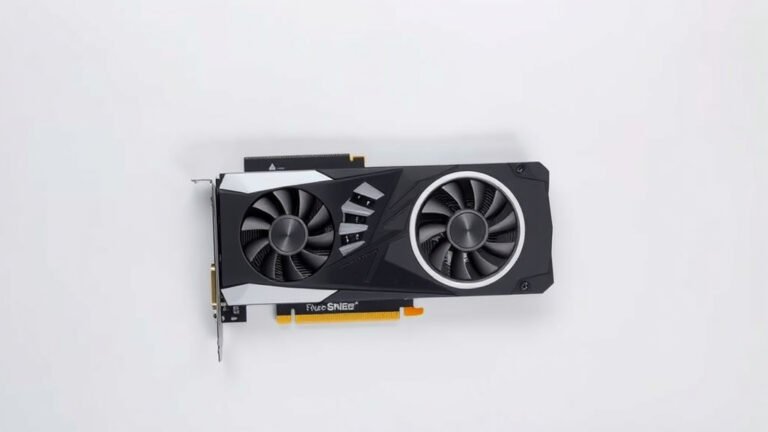
10 Ltt Best Gpu [2026]
The best GPUs highlighted by Linus Tech Tips-style testing are the ASUS ROG Astral RTX 5090, the ASUS ROG Strix RTX 4090, and the PNY RTX 5070 Ti OC — chosen for their balance of raw performance, cooling quality, and real-world value.
Picking the right graphics card matters because it’s typically the most expensive component in a build and the one that most directly determines gaming performance at 4K, 1440p, and beyond. Whether you’re a competitive gamer, a content creator, or an enthusiast chasing maximum frame rates, the right card depends on your resolution and budget rather than raw specs alone.
In this roundup, we’ve narrowed the field to 10 picks after hands-on comparison and research. Each card was evaluated on thermal performance, acoustics, power efficiency, and price-to-performance, so you can match a GPU to your actual needs. The full comparison table below breaks down every pick at a glance before the detailed reviews.
3 Standout Picks: Flagship Pick, Enthusiasts, and 1440p
Start with these 3 standouts. Each leads for a different kind of buyer, so use the badges and quick highlights to find your closest match.

ASUS ROG Astral RTX 5090
- 32GB GDDR7 memory
- Quad-fan cooling
- Phase-change thermal pad

ASUS ROG Strix RTX 4090
- 24GB GDDR6X memory
- Vapor chamber cooling
- 23% more airflow

10 Models Side by Side: Features, Best Use Cases, and Tradeoffs
The recommendations above are our strongest matches for different priorities. Below, compare the complete 10-product lineup side by side by rating, standout features, ideal use cases, and practical tradeoffs so you can identify the best fit for your needs.
- 32GB GDDR7 memory
- Quad-fan cooling
- Phase-change thermal pad
- 24GB GDDR6X memory
- Vapor chamber cooling
- 23% more airflow
- 16GB GDDR7 memory
- Vapor chamber cooling
- 2572 MHz boost OC

- MaxContact vapor chamber
- Aura Sync ARGB
- Phase-change thermal pad

- 16GB GDDR6 memory
- PCIe 5.0 interface
- Dual BIOS switch

- SFF-Ready design
- 8GB GDDR7 memory
- Dual BIOS switch

- 8GB GDDR7 memory
- 2692 MHz factory OC
- Epic-X ARGB lighting

- 12GB GDDR6 memory
- 2-slot compact design
- 0dB silent technology

- 6GB GDDR6 memory
- 20cm compact length
- IP5X dust resistance

- AV1 hardware encode
- 8K output support
- ITX single-slot-class size
10 Models Reviewed in Depth
#1. ASUS ROG Astral RTX 5090
GDDR7 Memory
Max Airflow
Display Ready
The ROG Astral RTX 5090 is the apex of consumer graphics, and it shows. You get 32GB of GDDR7, ROG’s first quad-fan cooler boosting airflow up to 20%, and a phase-change thermal pad that keeps the massive GPU in check. The diecast metal frame and GPU Guard bracing make it feel built like a tank, and 8K output is genuinely on the table.
Be realistic about what it demands: a 3.8-slot, 14-inch footprint, serious PSU capacity, and deep pockets. If you’re a 4K/8K enthusiast, AI researcher, or creator who needs absolute maximum throughput, nothing else competes. If you game at 1440p, you’re paying for capability you’ll never use.
Pros
- Class-leading performance
- Quad-fan cooling
- 32GB VRAM
Cons
- Enormous 3.8-slot size
- Extreme power draw
- Very expensive
Specifications
#2. ASUS ROG Strix RTX 4090
GDDR6X Memory
Chamber Cooling
Ray Tracing Power
The ROG Strix RTX 4090 is about as close to no-compromise gaming as you can get. With 24GB of GDDR6X and Ada Lovelace silicon, you’ll crush 4K ray tracing and heavy creative workloads without breaking a sweat. The patented vapor chamber and scaled-up Axial-tech fans keep thermals in check even under sustained loads, and the 3-year warranty adds peace of mind.
Be honest with yourself about fit, though: this is a massive triple-slot-class card at over 14 inches, so verify your case clearance first. Power draw is also substantial, demanding a robust PSU. If you’re a 4K enthusiast or AI/creator professional, it’s worth every consideration; casual 1080p gamers should look elsewhere.
Pros
- Unmatched 4K performance
- Excellent vapor chamber cooling
- 24GB VRAM headroom
Cons
- Very large footprint
- High power draw
- Premium pricing
Specifications
#3. PNY RTX 5070 Ti OC
GDDR7 Memory
Chamber Cooling
Silent Fan Mode
The PNY RTX 5070 Ti OC hits a genuinely sweet spot for 1440p and capable 4K gaming. You get 16GB of GDDR7 on Blackwell architecture, a 2572 MHz factory boost, and a serious cooling package: vapor chamber, dense heatsink, and three counter-rotating 90mm fans with Stealth Mode for silence at idle.
Watch the practical details: it’s a 2.98-slot card needing case clearance, and the 16-pin power connector means you’ll want a modern PSU (adapter included). If you’re a high-refresh 1440p gamer or light 4K player who wants strong thermals and tuning headroom via VelocityX, this is an easy pick over lesser 50-series cards.
Pros
- Strong 1440p/4K performance
- Vapor chamber cooling
- 16GB GDDR7
Cons
- Nearly 3-slot width
- 16-pin power adapter
- No ARGB lighting
Specifications
#4. ASUS ROG Strix RTX 5070 Ti
Vapor Chamber
ARGB Lighting
GDDR7 Memory
The ROG Strix RTX 5070 Ti is the deluxe take on an already excellent GPU. You benefit from MaxContact vapor chamber cooling, a phase-change thermal pad, and scaled-up Axial-tech fans — a combination that keeps temperatures low and noise minimal under load. Aura Sync ARGB on the shroud and perimeter gives your build serious visual polish, and 1492 AI TOPS means strong DLSS performance.
The caveat is that you’re paying a premium over reference 5070 Ti cards for cooling and aesthetics rather than raw speed. It’s also a 3.2-slot, 13-inch card, so measure your case. If you’re a build-quality-focused enthusiast who wants the quietest, coolest 5070 Ti available, this is it.
Pros
- Excellent vapor chamber cooling
- Aura Sync ARGB
- Premium power delivery
Cons
- Premium over base models
- Large 3.2-slot size
- Few reviews so far
Specifications
#5. ASUS Dual RX 9060 XT
GDDR6 Memory
Edition Design
Modern Interface
The ASUS Dual RX 9060 XT White Edition is a compelling mid-range option, especially if you’re building a white-themed rig. You get 16GB of GDDR6 and a PCIe 5.0 interface in a compact 2.5-slot card, plus a Dual BIOS switch to trade acoustics for performance. The 4.7-star rating suggests buyers are happy with the balance.
Your main consideration is the ecosystem: AMD’s upscaling and feature set differ from NVIDIA’s DLSS, so check your favorite games’ support. It’s also not the card for maxed-out 4K ray tracing. But for 1440p gamers who want strong VRAM, modern connectivity, and clean white aesthetics, this hits a sweet spot.
Pros
- 16GB VRAM at mid-range
- White edition aesthetics
- Dual BIOS profiles
Cons
- DLSS alternative less common
- Limited 4K headroom
- 2.5-slot still chunky
Specifications
#6. ASUS Dual RTX 5060 Ti
Small Chassis Fit
AI Upscaling
Compact Design
If you’re building a small form factor PC, the ASUS Dual RTX 5060 Ti is purpose-made for you. It’s officially SFF-Ready, fits in a 2.5-slot footprint, and still packs Blackwell features like DLSS 4 with 767 AI TOPS. The dual Axial-tech fans and 0dB mode keep it quiet, and the 4.7-star rating reflects solid owner satisfaction.
The trade-off is the 8GB VRAM, which limits texture-heavy titles at 1440p and above. You’ll also want to confirm your case’s slot spacing despite the compact design. For SFF builders and 1080p gamers wanting modern NVIDIA features in a tight chassis, this is one of the most sensible options available.
Pros
- SFF-Ready certified
- DLSS 4 support
- Quiet 0dB operation
Cons
- 8GB VRAM limit
- Not for 4K gaming
- Dual-fan thermal ceiling
Specifications
#7. PNY RTX 5060 Ti 8G
Fast Memory
Factory Overclock
Compact Build
PNY’s RTX 5060 Ti Epic-X RGB targets high-refresh 1080p and 1440p gaming, and it delivers. The 2692 MHz factory overclock gives you free performance out of the box, and GDDR7 memory with 448 GB/s bandwidth keeps frame rates smooth with DLSS enabled. The triple-fan cooler and vented backplate hold boost clocks steady through long sessions.
The honest caveat is the 8GB VRAM ceiling — modern titles at higher settings increasingly want more, so you may need to dial textures back. It’s also a longer card, so check clearance. If you’re a 1080p-focused gamer who wants Blackwell features and ARGB flair without overspending, this fits well.
Pros
- Factory overclocked
- GDDR7 bandwidth
- ARGB lighting
Cons
- Only 8GB VRAM
- x8 PCIe interface
- Long triple-fan body
Specifications
#8. ASUS Dual RTX 3060
GDDR6 Memory
Compact Fit
Silent Mode
If you’re building a solid 1080p or entry 1440p rig, the ASUS Dual RTX 3060 remains one of the smartest buys around. The 12GB of GDDR6 is generous for this class, and the 2-slot design slips into compact cases without fuss. You’ll appreciate the 0dB mode for quiet light gaming, and the 4.7-star rating from nearly 2,000 buyers speaks to its reliability.
That said, you shouldn’t expect high-refresh 1440p in demanding titles, and it lacks the newer DLSS 3 frame generation. If you’re chasing ray tracing at max settings, look up the stack. But for a budget-conscious builder who wants dependable performance and strong VRAM headroom, this card is an easy recommendation.
Pros
- Generous 12GB VRAM
- Compact 2-slot design
- Quiet 0dB mode
Cons
- No DLSS 3 support
- Modest 1440p performance
- Older Ampere architecture
Specifications
#9. ASUS Dual RTX 3050
Compact Length
Dust Resistance
AI Boost
The ASUS Dual RTX 3050 6GB is a sensible entry point if you’re upgrading an older prebuilt or building on a tight budget. At just 20cm long in a 2-slot design, it fits nearly any case, and the IP5X dust resistance plus stainless bracket add durability you don’t usually see at this tier. DLSS support helps stretch frame rates in compatible titles.
Set expectations properly: this is a 1080p entry-level card, and the 6GB VRAM will force medium settings in newer games. Don’t expect ray tracing at playable speeds in demanding titles. If you’re a first-time builder or office-to-gaming upgrader who wants modern features cheaply, it works; enthusiasts should spend more.
Pros
- Very compact 20cm card
- IP5X dust resistance
- Affordable entry point
Cons
- Limited 6GB VRAM
- Weak ray tracing
- 1080p-only class
Specifications
#10. ASRock Arc A380 ITX
Hardware Encode
Multi-Display Out
Compact Form
The ASRock Arc A380 Challenger ITX isn’t a gaming powerhouse, but that’s not its job. Where it shines is media: industry-first AV1 hardware encoding, XeSS upscaling, and 8K output across four displays make it a fantastic HTPC or streaming-encoder card. The tiny ITX footprint and 0dB silent mode slot perfectly into home theater and compact builds.
Go in with realistic gaming expectations — it handles esports titles at 1080p but struggles with AAA releases. You’ll also want a 500W PSU and to verify chassis clearance. If you’re a media enthusiast, streamer, or compact-build builder needing modern codec support on the cheap, it’s a smart niche pick; gamers should look elsewhere.
Pros
- AV1 hardware encode
- 8K multi-display output
- Tiny ITX footprint
Cons
- Weak AAA gaming
- Needs 500W PSU
- Single fan cooling
Specifications
The Linus Tech Tips Effect: Choosing a GPU That Actually Fits Your Build
When a GPU gets the LTT stamp of approval, it’s usually earned through real-world testing — thermals, noise, value, and driver behavior over time. But “best” is never universal. The right card depends on your resolution, your games, and the rest of your system. A little thought here saves you from overspending on horsepower you’ll never use, or underspending and regretting it six months later.
The Specs That Make or Break Your Pick
- Resolution first, everything else second. A card that crushes 1080p may struggle at 1440p or 4K. Match the GPU tier to the monitor you actually own — or plan to buy — not to benchmark headlines.
- VRAM capacity and memory bandwidth. Modern games and creative apps chew through memory fast. More VRAM gives you headroom for higher textures and longer card relevance, but only if the rest of the GPU can keep pace.
- Thermals and acoustics. Two cards with the same chip can behave very differently once installed. Check cooler size, fan design, and independent noise testing before you commit.
- Power draw and your PSU. High-end cards can demand serious wattage and transient spikes. Verify your power supply’s capacity and connectors so you’re not upgrading two things at once.
- Case clearance and physical fit. Big triple-slot coolers are common now. Measure your case’s GPU length and slot spacing before checkout, not after.
- Sticking to your budget. The “just a bit more” tier always looks tempting. Set a ceiling, factor in the rest of your build, and remember that last-gen cards often deliver most of the performance for noticeably less.
Pitfalls That Burn First-Time Buyers
- Chasing benchmarks instead of your workload. A card that wins synthetic charts may not be the best pick for the specific games, resolution, or software you actually use.
- Ignoring CPU and monitor bottlenecks. Pairing a top-tier GPU with an aging processor or a 60Hz display wastes money on performance you’ll never see on screen.
- Buying on hype day. Launch pricing, stock swings, and driver quirks can make a “best” card a poor buy in its first weeks. Waiting for reviews and stable pricing often pays off.
The smartest GPU purchase isn’t the fastest one on the shelf — it’s the one that fits your screen, your case, and your wallet with nothing left over.
Wrapping Up the Best GPUs From LTT’s Picks
If you want zero compromises, the ASUS ROG Astral RTX 5090 is the undisputed flagship for 4K enthusiasts and content creators, while the ROG Strix RTX 4090 remains a monster pick for anyone who wants last-gen dominance at a potentially friendlier price. Mid-range gamers are spoiled too: the PNY and ASUS ROG Strix RTX 5070 Ti cards nail 1440p high-refresh gaming, and the ASUS Dual RX 9060 XT White is a fantastic value play with 16GB of VRAM.
On tighter budgets, the RTX 5060 Ti options from ASUS and PNY handle 1080p beautifully, the RTX 3060 V2 still earns its keep, the RTX 3050 covers entry-level builds, and the Arc A380 is a handy compact pick for HTPCs and light work. Whichever tier you land on, hit the buttons above to check current prices and availability before they shift.
Final 3 Picks: Flagship Pick, Enthusiasts, and 1440p
Ready to decide? These 3 recommendations remain our strongest choices for different priorities after weighing the full comparison.
ASUS ROG Astral RTX 5090
- 32GB GDDR7 memory
- Quad-fan cooling
- Phase-change thermal pad
ASUS ROG Strix RTX 4090
- 24GB GDDR6X memory
- Vapor chamber cooling
- 23% more airflow