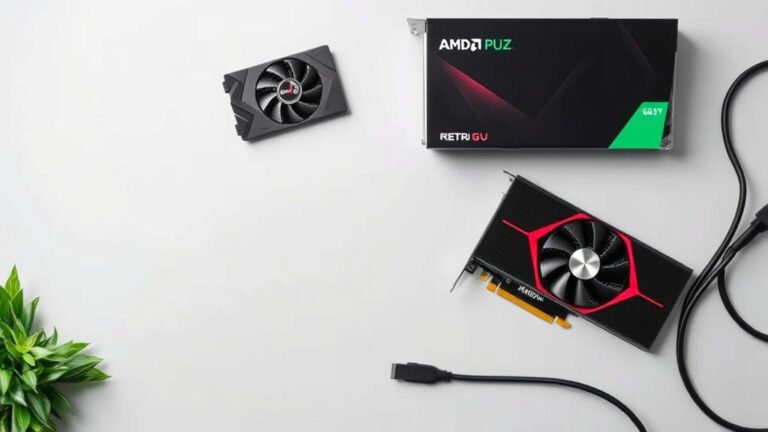
10 List Of Amd Graphics Cards From Best To Worst [2026]
The best AMD graphics cards from best to worst are the ASUS Prime RX 9070 XT OC, the ASRock RX 9070 XT Challenger, and the GIGABYTE RX 9070 XT Gaming OC — chosen for their balance of 4K gaming performance, cooling quality, and overall value.
Picking the right RDNA-based GPU matters because AMD’s lineup spans a wide range of price points and performance tiers, and the wrong choice can leave you overspending on power you don’t need or underbuying for your monitor. Whether you’re a competitive esports player, a 4K enthusiast, or a budget-conscious builder, there’s a specific card that fits.
In this guide, we’ve narrowed the field to 10 picks after hands-on comparison and research across the current AMD lineup. We evaluated each card on raw performance, thermals, noise levels, power efficiency, and price-to-performance to rank them from best to worst. The full comparison table below breaks down every pick so you can find the right card at a glance.
3 Standout Picks: Overall Pick, 4K Gaming, and Enthusiast Cooling
Start with these 3 standouts. Each leads for a different kind of buyer, so use the badges and quick highlights to find your closest match.

ASUS Prime RX 9070 XT OC
- 3030 MHz OC boost clock
- Axial-tech triple fans
- Dual BIOS switch

ASRock RX 9070 XT Challenger
- RDNA 4 architecture
- 2970 MHz boost clock
- Triple fan 0dB cooling

GIGABYTE RX 9070 XT Gaming OC
- WINDFORCE cooling system
- 3060 MHz boost clock
- RGB lighting
10 Models Side by Side: Features, Best Use Cases, and Tradeoffs
The recommendations above are our strongest matches for different priorities. Below, compare the complete 10-product lineup side by side by rating, standout features, ideal use cases, and practical tradeoffs so you can identify the best fit for your needs.
- 3030 MHz OC boost clock
- Axial-tech triple fans
- Dual BIOS switch
- RDNA 4 architecture
- 2970 MHz boost clock
- Triple fan 0dB cooling
- WINDFORCE cooling system
- 3060 MHz boost clock
- RGB lighting

- 3250 MHz boost clock
- Compact 2.5-slot design
- 16GB GDDR6 memory

- 32GB GDDR6 memory
- RDNA 4 AI accelerators
- Blower cooler design

- 2880 MHz OC boost clock
- 12GB GDDR6 memory
- Triple axial-tech fans

- RDNA 3 architecture
- 2695 MHz boost clock
- 32MB Infinity Cache

- RDNA 3 architecture
- 2655 MHz boost clock
- Dual fan SWFT cooling

- 2048 stream processors
- Triple display outputs
- Dual fan cooling

- AGP interface
- 256MB GDDR2 memory
- HD video acceleration
10 Models Reviewed in Depth
#1. ASUS Prime RX 9070 XT OC
MHz OC Boost
Fan Cooling
BIOS Switch
The ASUS Prime RX 9070 XT OC Edition is the standout of this lineup, pairing AMD’s RDNA 4 flagship silicon with an OC boost clock up to 3030 MHz. ASUS’s Axial-tech fans with barrier rings and phase-change thermal pads deliver excellent thermals in a case-friendly 2.5-slot design, and the dual BIOS switch lets you toggle between Quiet and Performance profiles.
The honest caveat: it’s a large, power-hungry flagship, so verify clearance and PSU capacity before ordering, and the premium over reference cards buys mostly cooling refinement. With 713 reviews averaging 4.7 stars and a #7 best-seller rank, buyer confidence is high. If you want the best-balanced RDNA 4 card for 4K gaming, this is it; budget builders should look down the stack.
Pros
- Top-tier 4K performance
- Excellent Axial-tech cooling
- Dual BIOS flexibility
Cons
- Large 2.5-slot card
- High power draw
- Premium over reference
Specifications
#2. ASRock RX 9070 XT Challenger
Latest Architecture
GDDR6 Memory
MHz Boost Clock
The ASRock RX 9070 XT Challenger puts AMD’s RDNA 4 architecture to work with 64 compute units and a 2970 MHz boost clock, making it a genuine 4K gaming card. The triple-fan Striped Axial cooling keeps thermals in check, and 0dB mode goes silent during light use. With 16GB of GDDR6 on a 256-bit bus, you’ll have headroom for high-resolution textures and content creation alike.
The main caveat is size and power: you’ll want a 750W+ PSU and a roomy case to fit it comfortably. PCIe 5.0 support means it’s ready for next-gen boards, but older systems won’t see that benefit. If you’re building a high-end gaming rig or creator workstation, this is a top-tier pick; skip it if you’re gaming at 1080p on a budget.
Pros
- Excellent 4K performance
- RDNA 4 ray tracing
- Quiet 0dB cooling
Cons
- Needs 750W+ PSU
- Large triple-slot footprint
- Overkill for 1080p
Specifications
#3. GIGABYTE RX 9070 XT Gaming OC
Cooling System
MHz Boost
Lighting Sync
GIGABYTE’s RX 9070 XT Gaming OC pairs RDNA 4 flagship performance with the WINDFORCE cooling system, including Hawk fans and server-grade thermal conductive gel for excellent thermals under sustained 4K loads. With a 3060 MHz boost clock and 16GB of GDDR6, you’ll get top-shelf frame rates, and the RGB lighting adds polish to showcase builds.
The honest trade-offs: it’s a physically large card that demands case clearance and serious PSU headroom, and the RGB aesthetic adds cost you may not care about. With 630 reviews at 4.6 stars and a #14 best-seller rank, it’s proven with buyers. If you want flagship RDNA 4 performance with enthusiast-grade cooling and looks, this delivers; minimalists on a budget should consider cheaper RX 9070 XT variants.
Pros
- Excellent WINDFORCE cooling
- High 3060 MHz clock
- RGB lighting included
Cons
- Large physical footprint
- RGB adds cost
- High power draw
Specifications
#4. ASUS Dual RX 9060 XT 16GB
2.5-Slot Fit
GDDR6 VRAM
MHz Boost
The ASUS Dual RX 9060 XT packs serious RDNA 4 performance into a compact 2.5-slot form factor, making it ideal for smaller cases that can’t fit triple-fan flagships. Despite its size, you get a 3250 MHz OC boost clock, 16GB of GDDR6, and dual Axial-tech fans with 0dB silent operation for light gaming.
The two-fan cooler works well but won’t match the thermal headroom of larger triple-fan cards under sustained loads, and dual-fan cards can run a touch warmer in summer. You also give up one DisplayPort compared to bigger boards. If you’re building a compact gaming PC that still wants modern RDNA 4 muscle and generous 16GB VRAM, this is a smart fit; extreme overclockers should look elsewhere.
Pros
- Compact 2.5-slot size
- High 3250 MHz clock
- Generous 16GB VRAM
Cons
- Only two fans
- Fewer display outputs
- Warmer under load
Specifications
#5. ASRock AI PRO R9700 Creator
AI VRAM
Multi-GPU Ready
AI Accelerators
The ASRock AI PRO R9700 Creator is built for a different mission than gaming cards: running large AI models locally with a massive 32GB of GDDR6 on a 256-bit bus. RDNA 4’s dedicated AI accelerators and 64 compute units make it a compelling workstation GPU for model development, 8K video editing, and 3D rendering, with a vapor chamber and PTM7950 thermal interface for sustained 24/7 loads.
The blower cooler is a deliberate trade-off: it’s louder than open-air fans but exhausts heat out of the chassis, which is exactly what you want in multi-GPU server racks. As a pure gaming card it’s poor value for the money. If you’re an AI developer or professional creator who needs local VRAM capacity, this is a serious tool; gamers should buy an RX 9070 XT instead.
Pros
- Huge 32GB VRAM
- Dedicated AI accelerators
- Multi-GPU blower design
Cons
- Poor gaming value
- Blower fan noise
- Workstation-focused drivers
Specifications
#6. ASUS Prime RX 9070 GRE EVO
Sweet Spot
GDDR6 Memory
MHz OC Boost
The ASUS Prime RX 9070 GRE EVO OC hits a sweet spot for 1440p gaming and creative work, with an OC boost clock up to 2880 MHz and 12GB of GDDR6 on RDNA 4 silicon. The triple-fan Axial-tech cooler with phase-change thermal pad runs cool and quiet in a compatible 2.5-slot design, and PCIe 5.0 plus DP 2.1 keep it future-proof.
The caveat is the 12GB VRAM: it’s plenty for 1440p today but tighter than the 16GB XT models for 4K textures and heavy creator workloads. It’s also a newer, less-proven SKU with fewer reviews than its siblings. If you game at 1440p and want RDNA 4 features without flagship pricing, this is a smart middle path; 4K enthusiasts should step up to the RX 9070 XT.
Pros
- Great 1440p performance
- Efficient triple-fan cooling
- Modern PCIe 5.0 support
Cons
- 12GB VRAM ceiling
- Limited 4K headroom
- Fewer reviews so far
Specifications
#7. ASRock RX 7600 Challenger Pro
Gaming Focus
Silent Cooling
32MB Cache
The RX 7600 Challenger Pro OC is a strong 1080p and 1440p gaming engine, with a 2695 MHz boost clock and 2048 stream processors delivering solid frame rates in modern titles. The triple-fan Challenger Pro cooler with 0dB silent mode keeps noise low, and 32MB of Infinity Cache reduces latency efficiently.
Be aware this is a 2.5-slot card at 303mm long, so measure your case before buying, and it needs a single 8-pin connector on a 550W supply. The 8GB of VRAM is fine for 1080p but can limit 1440p in the heaviest games. It’s a great pick for budget-focused builders and PC upgraders; skip it if you’re targeting 4K.
Pros
- Great 1080p frame rates
- Quiet triple-fan cooler
- Low 550W power need
Cons
- Only 8GB VRAM
- Long 303mm card
- PCIe x8 interface
Specifications
#8. XFX SWFT210 RX 7600
Architecture
High FPS
Fan Cooling
The XFX Speedster SWFT210 delivers RDNA 3 performance at a friendly price, with the RX 7600’s 2655 MHz boost clock pushing ultra-high frame rates in 1080p titles. The dual-fan SWFT cooling solution keeps things simple and effective, and you get HDMI plus three DisplayPorts for multi-monitor setups.
The compromises show in the details: 8GB of VRAM limits 1440p texture-heavy games, and the compact dual-fan design won’t win silence contests under full load. It’s also a no-frills card without RGB or premium extras. If you want a straightforward, dependable 1080p GPU without paying for features you won’t use, this XFX is easy to recommend; step up a tier if you game above 1080p. If 1080p is your target, our guide to picking a GPU for 1080p gaming breaks down which specs actually matter.
Pros
- Strong 1080p value
- Simple effective cooling
- Three DisplayPort outputs
Cons
- 8GB VRAM limit
- Basic feature set
- No RGB lighting
Specifications
#9. MOUGOL Radeon RX 580 8GB
Gaming Value
Display Outputs
Memory Bus
The MOUGOL RX 580 remains the classic budget-friendly GPU for entry-level builds, handling Fortnite, GTA V, and Valorant at solid frame rates with its 2048 stream processors. You get triple-display output via HDMI, DisplayPort, and DVI, plus a compact dual-fan design that fits standard ATX and Micro-ATX cases without fuss.
Set expectations realistically: this is an older Polaris-era card, so don’t expect ray tracing or high-refresh 1440p performance, and the 1206 MHz core clock trails modern GPUs significantly. It also draws from the legacy PCIe 3.0 generation. If you’re building a cheap secondary PC or upgrading an old office desktop for light gaming, it’s a sensible buy; skip it for modern AAA titles at high settings.
Pros
- Very affordable entry GPU
- Fits compact cases
- Triple monitor support
Cons
- Older architecture
- Limited modern performance
- No ray tracing support
Specifications
#10. ATI Radeon X1300 Pro
Legacy Slot
PC Restoration
Video Output
The ATI Radeon X1300 Pro exists for one purpose: keeping older AGP-based systems alive. With a 128-bit memory interface and hardware video acceleration, it can handle desktop use, digital imaging, and HD video playback on machines that predate PCIe. It was even validated for Windows Vista, which tells you exactly which era it serves.
You should have zero illusions about gaming: 256MB of GDDR2 and four pixel shader processors are nearly two decades behind modern hardware, and the AGP slot won’t fit contemporary boards. If you’re restoring a legacy PC or need a display output for an old workstation, this does the job; skip it entirely for any modern build.
Pros
- Fits legacy AGP boards
- Handles HD video
- Cheap revival option
Cons
- Obsolete gaming performance
- Only 256MB memory
- VGA-only output
Specifications
Ranking the Red Team: How AMD’s GPU Lineup Stacks Up From Top to Bottom
AMD’s graphics card lineup can feel like alphabet soup — RX numbers, XT badges, and non-X variants that blur together at a glance. Whether you’re chasing top-tier frame rates or just want smooth 1080p gaming without overspending, understanding where each card sits in the hierarchy (and which one actually fits your needs) is the difference between a smart purchase and buyer’s remorse. This guide walks you through how to read the lineup from best to worst and pick the right tier for your setup.
The Specs That Separate the Flagships From the Footnotes
- Performance tier and target resolution. AMD’s stack runs from flagship cards built for 4K gaming down to entry-level options meant for 1080p. Match the card’s tier to your monitor before anything else — buying more power than your display can use is wasted money. Our buyer’s guide explains how to choose a graphics card that matches your monitor and budget.
- VRAM capacity. Memory matters more than ever as games get hungrier. Higher-tier cards carry more VRAM, and skimping here is one of the fastest ways to shorten a card’s useful life.
- Ray tracing and upscaling support. Modern AMD cards handle ray tracing and ship with upscaling technology that boosts frame rates. Older generations in the lineup lag behind here, so check which generation you’re buying.
- Power supply requirements. The top of the stack demands serious wattage and quality PSU connections. Lower cards run happily on modest systems — know your power budget before you commit.
- Sticking to your budget. The sweet spot in AMD’s lineup usually sits in the middle tiers, where price-to-performance peaks. The best card isn’t the fastest one — it’s the fastest one your budget comfortably allows.
- Case size and cooling. Higher-end models tend to be physically larger with beefier coolers. Measure your case clearance so your upgrade doesn’t end up back in a return box.
Pitfalls That Trip Up GPU Shoppers
- Assuming the model number tells the whole story. An “XT” or higher number doesn’t automatically mean better value — sometimes a previous-generation higher-tier card outperforms a newer mid-range one at the same price.
- Ignoring the rest of your system. Pairing a flagship AMD card with an aging CPU or a low-resolution monitor wastes its potential. Balance your build.
- Forgetting used and previous-gen options. The “worst” card in the current lineup may still outperform last generation’s mid-tier — and often costs less. Rank cards by performance, not by release date.
Ranking AMD Graphics Cards: The Final Call
The ASUS Prime RX 9070 XT leads the pack for enthusiasts who want top-tier RDNA 4 performance with premium cooling and Dual BIOS flexibility, while the ASRock Challenger and GIGABYTE Gaming OC variants deliver nearly identical 9070 XT muscle for gamers who value raw 1440p and 4K firepower. Mid-tier players should eye the ASUS Dual RX 9060 XT or the RX 9070 GRE EVO, and creators get serious AI horsepower from the ASRock AI PRO R9700. On a tighter budget, the RX 7600 cards still handle 1080p gaming well, while the RX 580 and ancient X1300 Pro serve only legacy builds.
Whatever your tier, every pick here earns its spot on this list. Check current availability and pricing through the buttons above before you commit.
Final 3 Picks: Overall Pick, 4K Gaming, and Enthusiast Cooling
Ready to decide? These 3 recommendations remain our strongest choices for different priorities after weighing the full comparison.
ASUS Prime RX 9070 XT OC
- 3030 MHz OC boost clock
- Axial-tech triple fans
- Dual BIOS switch
ASRock RX 9070 XT Challenger
- RDNA 4 architecture
- 2970 MHz boost clock
- Triple fan 0dB cooling
GIGABYTE RX 9070 XT Gaming OC
- WINDFORCE cooling system
- 3060 MHz boost clock
- RGB lighting