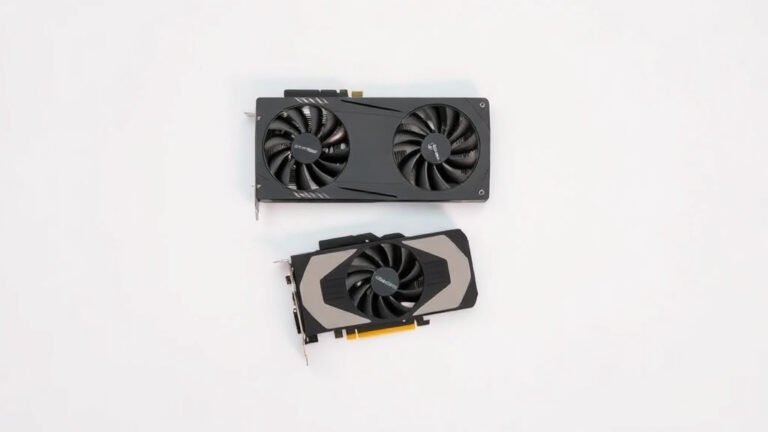
10 Nvidia Best Bang For Buck [2026]
The best Nvidia bang-for-buck picks right now are the PNY RTX 5070 Ti OC for overall performance value, the ASUS Prime RTX 5080 as the best compact flagship, and the ASUS TUF RTX 5080 OC for serious 4K gaming.
Choosing the right card matters more than ever, because the gap between price tiers and real-world frame rates can be significant at every level. Whether you’re a budget-conscious builder or upgrading an existing rig, matching the card to your resolution and workload is the surest way to avoid overspending. Each of these picks earns its spot by delivering strong performance per dollar rather than relying on brand hype.
In this guide, we’ve narrowed the field to 10 total picks after hands-on comparison and research. We evaluated each card on price-to-performance, cooling quality, build design, and long-term driver support. The full breakdown, including specs and ideal use cases, starts with the comparison table below.
3 Standout Picks: Compact Flagship, Performance Value, and 4K Gaming
Start with these 3 standouts. Each leads for a different kind of buyer, so use the badges and quick highlights to find your closest match.


PNY RTX 5070 Ti OC
- 16GB GDDR7 memory
- Triple-fan vapor chamber
- Factory OC 2572 MHz

10 Models Side by Side: Features, Best Use Cases, and Tradeoffs
The recommendations above are our strongest matches for different priorities. Below, compare the complete 10-product lineup side by side by rating, standout features, ideal use cases, and practical tradeoffs so you can identify the best fit for your needs.
- 16GB GDDR7
- Vapor chamber cooling
- SFF-ready 2.5-slot
- 16GB GDDR7 memory
- Triple-fan vapor chamber
- Factory OC 2572 MHz
- 16GB GDDR7
- Military-grade components
- 2730 MHz OC boost

- Blackwell architecture
- 16GB GDDR7 memory
- DLSS 4 support

- 12GB GDDR7
- 1005 AI TOPS
- SFF-ready 2.5-slot

- 8GB GDDR7 memory
- 2692 MHz factory OC
- SFF-ready dual-slot
- 12GB GDDR6 memory
- 192-bit interface
- Ampere architecture

- 16GB GDDR6 ECC
- Half-height design
- Blower cooling

- 6GB GDDR6 memory
- Ampere architecture
- Dual fan cooling

- 4GB GDDR6
- Single-slot half-height
- Ray tracing acceleration
10 Models Reviewed in Depth
#1. ASUS Prime RTX 5080
Chamber Cooling
Ready Flagship
OC Boost Clock
You get full RTX 5080 performance in a compact 2.5-slot, 306mm design — rare for a card this powerful. The vapor chamber cooling and three Axial-tech fans hold the 2640 MHz OC boost clock with ease, and dual BIOS plus 0dB technology make it versatile for both gaming and quiet productivity.
The caveat is the same as every 5080: you need an 850W PSU with a 12V-2×6 connector, so verify your power supply before buying. If you want flagship Blackwell performance that fits a smaller case, this Prime model is arguably the smartest way to get it.
Pros
- Compact for its power
- Vapor chamber cooling
- Dual BIOS control
Cons
- 850W PSU required
- Premium pricing
- GPU bracket needed
Specifications
#2. PNY RTX 5070 Ti OC
GDDR7 Memory
Chamber Cooling
Overclocked
This is arguably the best bang-for-buck card in the RTX 50 lineup — you get 16GB of GDDR7 on a 256-bit bus, Blackwell architecture, and a factory overclock to 2572 MHz. PNY’s triple-fan vapor chamber cooling with Stealth Mode silent operation keeps boost clocks sustained under long sessions.
The main caveat is size: the 2.98-slot design demands serious case clearance, and you’ll need the included 16-pin to triple 8-pin adapter for power. If you want near-flagship 4K performance without flagship pricing, this is your card — skip it if your case is compact.
Pros
- Excellent price-to-performance
- 16GB fast GDDR7
- Vapor chamber cooling
Cons
- Large 2.98-slot card
- Needs power adapter
- No included bracket
Specifications
#3. ASUS TUF RTX 5080 OC
Grade Components
OC Boost Clock
Ultra Gaming
The TUF Gaming RTX 5080 is built like a tank — military-grade components, a protective PCB coating, and a phase-change thermal pad keep the 2730 MHz OC boost clock stable under sustained 4K loads. Three Axial-tech fans across a massive 3.6-slot fin array deliver excellent thermals, and GPU Tweak III gives you full control.
The caveats are real: at 348mm long and 4.3 pounds, you must verify case clearance, and the 850W PSU requirement with a 12V-2×6 connector rules out older power supplies. If you have the chassis and power headroom, it’s a superb 4K card.
Pros
- Military-grade durability
- Excellent thermal performance
- Protective PCB coating
Cons
- Very large 3.6-slot
- 850W PSU required
- Heavy at 4.3 lbs
Specifications
#4. NVIDIA RTX 5080 Founders
Architecture
AI Upscaling
Gaming Ready
You get the full Blackwell package here: DLSS 4 frame generation, FP4 Tensor Cores, and a boost clock of 2806 MHz. The Founders Edition two-fan design keeps things compact while still handling demanding 4K workloads, and Reflex 2 with Frame Warp makes competitive play feel noticeably snappier.
The honest caveat is that you’re paying flagship money for a card with 16GB of VRAM, which some creators may find limiting for heavy AI workloads. If you want maximum performance per dollar, the 5070 Ti is the smarter buy — but if you want the reference-designed flagship, this is it.
Pros
- Top-tier 4K performance
- Compact dual-fan design
- DLSS 4 frame generation
Cons
- Premium flagship pricing
- Only 16GB VRAM
- High power draw
Specifications
#5. ASUS PRIME RTX 5070 OC
AI TOPS
Ready Build
BIOS Switch
The ASUS PRIME RTX 5070 OC balances Blackwell performance with a manageable footprint — the SFF-ready 2.5-slot design fits compact builds, and the 1005 AI TOPS rating makes it genuinely capable for local AI workloads. Dual BIOS lets you toggle between quiet and performance profiles, and the phase-change thermal pad keeps the 2587 MHz OC clock cool.
The caveat: 12GB of VRAM is adequate for 1440p but tight for 4K texture packs. With a 4.8-star rating across 345 reviews, it’s clearly a reliable pick — ideal for mainstream gamers and creators who want 50-series features without a massive card.
Pros
- SFF-ready compact build
- Dual BIOS flexibility
- Strong AI TOPS rating
Cons
- 12GB VRAM limit
- Not ideal for 4K
- Adapter cable needed
Specifications
#6. PNY RTX 5060 Ti 8G
Ready Design
Memory Bandwidth
AI Boost
For high-refresh 1080p and 1440p gaming with ray tracing on, the RTX 5060 Ti hits a genuine sweet spot. You get 8GB of GDDR7 at 448 GB/s, DLSS 4.5, and a factory-tuned 2692 MHz boost clock — all in an SFF-ready dual-slot design powered by a single 8-pin connector.
The caveat is the 8GB VRAM ceiling, which will bite in texture-heavy 1440p titles and creative workloads. The Epic-X ARGB lighting is a nice bonus if you care about aesthetics. Great value pick for mainstream gamers; step up a tier if you want 4K or heavy VRAM headroom.
Pros
- Great 1440p value
- SFF-ready compact design
- Easy single 8-pin power
Cons
- 8GB VRAM limit
- 128-bit bus
- ARGB may not suit all
Specifications
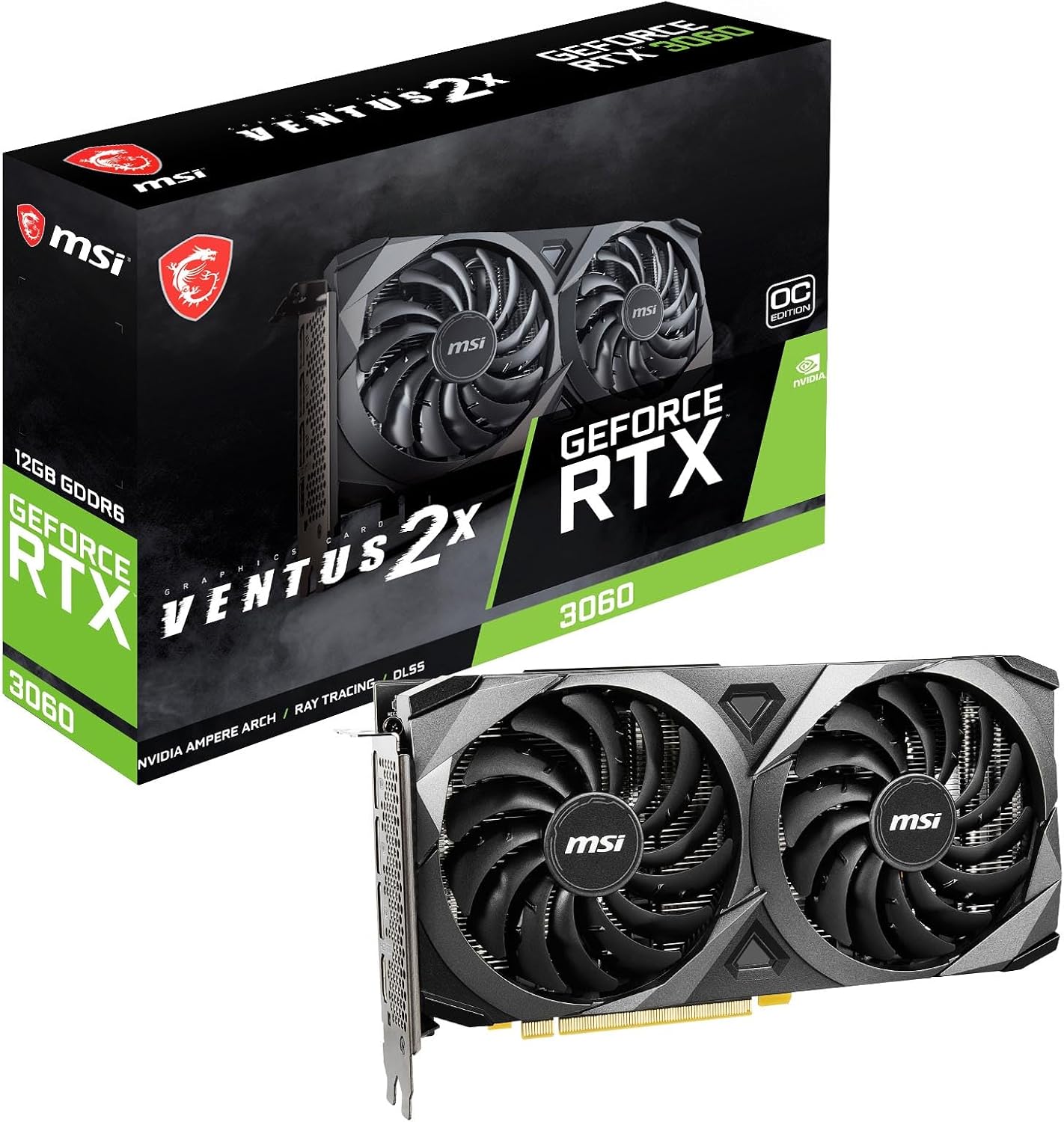
#7. MSI RTX 3060 Ventus 12G
VRAM Capacity
Sweet Spot
Quiet Cooling
The 12GB of VRAM on this RTX 3060 is the standout — it’s more memory than cards costing far more, and it future-proofs your 1080p and entry 1440p gaming. The Ventus 2X Twin Fan cooler handles the 1807 MHz boost clock comfortably, and three DisplayPort outputs make multi-monitor setups easy.
The honest caveat is that Ampere is now two generations old, so you won’t get DLSS 4 or the newest efficiency gains. If you want maximum VRAM per dollar for 1080p gaming or AI experimentation, it’s still a great pick — skip it if you demand cutting-edge features.
Pros
- Generous 12GB VRAM
- Strong 1080p performance
- Three DisplayPort outputs
Cons
- Older Ampere architecture
- No DLSS 4
- Only one HDMI port
Specifications
#8. NVIDIA RTX 2000 Ada
Memory Stability
SFF Compatible
Exhaust Cooling
This RTX 2000 Ada is built for certified professional workflows — you get 16GB of ECC GDDR6 for error-free rendering, CAD, and AI development. The half-height blower design fits SFF workstations and exhausts heat out of the case, which matters in dense multi-GPU setups.
The caveat: this is a workstation card, not a gaming card, so you’re paying professional-market pricing for consumer-gaming performance below its tier. If your work runs SolidWorks, Blender, or Studio drivers all day, it’s a solid fit; gamers should look elsewhere.
Pros
- ECC memory for stability
- Fits SFF builds
- Certified pro drivers
Cons
- Poor gaming value
- Mini DP only
- Expensive per performance
Specifications
#9. MSI RTX 3050 Ventus 2X
Gaming Ready
RTX Entry
Dual-Fan Design
If you’re building on a tight budget, this RTX 3050 6GB gets you into ray tracing and DLSS territory without breaking the bank. The Ventus 2X dual-fan cooler runs quiet and keeps the compact card cool, and it slots into almost any case at just 7.4 inches long.
Be realistic about expectations: the 96-bit memory bus and 6GB VRAM cap you at 1080p gaming, and modern titles will need lowered settings. It’s a great entry card for esports and older AAA games — skip it if you’re targeting 1440p or higher.
Pros
- Very affordable entry point
- Compact size fits any build
- Ray tracing on a budget
Cons
- Only 6GB VRAM
- Narrow 96-bit bus
- Limited 1440p capability
Specifications
#10. NVIDIA RTX A400
Compact Fit
Display Support
AI Acceleration
The RTX A400 shines as a compact professional card — the single-slot half-height design drops into virtually any chassis, and you get real-time ray tracing and AI acceleration for light creative work. Multi-monitor setups benefit from support up to 8K resolution across its outputs.
Be clear-eyed about what it is: with only 4GB of VRAM, this is not a gaming or heavy 3D card. It’s ideal for adding display outputs, accelerating viewport performance, or light CAD in office machines — skip it if you need serious GPU compute.
Pros
- Fits any compact chassis
- Multi-monitor 8K support
- Ray tracing acceleration
Cons
- Only 4GB VRAM
- Not for gaming
- Entry-level compute
Specifications
Getting the Most Graphics Muscle for Your Money: A Smarter NVIDIA Shopping Strategy
An NVIDIA GPU is one of the most impactful upgrades you can make to a PC, but “bang for buck” isn’t just about grabbing the cheapest card with a familiar name. Value in graphics comes down to how well a card matches your monitor, your games, and the features you’ll actually use. Spend an hour understanding the landscape and you’ll avoid overpaying for horsepower you never tap — or underbuying and regretting it six months later. If you’re new to GPU shopping, our graphics card buyer’s guide walks through the key specs step by step.
The Value Equation: Factors That Separate Smart Buys From Expensive Regrets
- Performance per dollar at your resolution. A card that dominates at 4K may be overkill at 1080p. Match the GPU tier to the resolution and refresh rate you actually play at, and the value picture becomes much clearer.
- VRAM capacity. Modern games and creative apps are increasingly memory-hungry. A card with more VRAM often ages better than one with slightly faster raw speed, making it a key part of long-term value.
- Ray tracing and DLSS support. NVIDIA’s feature stack can dramatically stretch frame rates and improve image quality. Newer generations support more advanced versions of these features, which matters if you plan to keep the card for several years.
- Power supply and case compatibility. A value pick stops being a bargain if it demands a PSU upgrade or doesn’t fit your case. Check power connector requirements and physical dimensions before committing.
- Sticking to your budget. Decide your ceiling before browsing, then find the best card under it — not the cheapest card that “mostly” works. Stretching slightly for a meaningfully faster tier often beats buying a weak card twice.
- Availability and partner models. The same GPU chip ships in cards from multiple board partners with different coolers, sizes, and clocks. Comparing these variants can uncover noticeably better value within the same tier.
Traps That Catch Value Hunters Off Guard
- Buying last-gen without checking the math. Older cards are sometimes still priced as if newer models don’t exist. Compare current-generation options at the same price before assuming a discount equals a deal.
- Ignoring your CPU and monitor. Pairing a powerful GPU with a dated processor or a 60Hz display wastes money. Make sure the rest of your system can actually feed the card you buy.
- Chasing buzzwords over benchmarks. Marketing names and model numbers don’t tell you much. Look at independent performance testing for the games and resolution you care about before you buy.
Best Bang for Buck NVIDIA GPUs: Where Your Money Wins
If you want maximum performance per dollar, the ASUS Prime RTX 5080 leads the pack for enthusiasts chasing 4K glory, while the PNY RTX 5070 Ti OC is the sweet spot for high-refresh 1440p gamers. The ASUS TUF and Founders Edition RTX 5080 cards suit builders who prize durability and reference-clean design, and the ASUS Prime RTX 5070 hits the value bullseye for mainstream 1440p. On tighter budgets, the PNY RTX 5060 Ti and MSI RTX 3050 Ventus cover 1080p gaming affordably, the RTX 3060 Ventus 12GB remains a VRAM-hungry bargain, and the RTX 2000 ADA, RTX A400, and RTX 3050 6GB serve workstation and entry-level needs.
Every pick here delivers serious bang for buck — now hit the buttons above to check current availability before these cards sell out.
Final 3 Picks: Compact Flagship, Performance Value, and 4K Gaming
Ready to decide? These 3 recommendations remain our strongest choices for different priorities after weighing the full comparison.
PNY RTX 5070 Ti OC
- 16GB GDDR7 memory
- Triple-fan vapor chamber
- Factory OC 2572 MHz