10 What Is The Best 3060 [2026]
The best RTX 3060 cards are the GIGABYTE RTX 3060 Gaming OC, the ASUS Dual RTX 3060 V2 OC, and the ASUS TUF RTX 3060 OC — chosen for their balance of cooling performance, build quality, and value.
The RTX 3060 remains one of the most popular cards for 1080p gaming, and picking the right model matters because partner cards vary widely in cooler design, fan noise, and physical size. Whether you’re building a compact PC or want a card that lasts, there’s a clear fit for your needs. The GIGABYTE RTX 3060 Gaming OC stands out as the best overall option, the ASUS Dual RTX 3060 V2 OC excels in small form factor builds, and the ASUS TUF RTX 3060 OC delivers standout durability.
In this guide, we’ve narrowed the market down to 10 picks after hands-on comparison. We evaluated each card on thermals, noise levels, clock speeds, and board size to help you match a GPU to your setup. The full comparison table below breaks down every pick side by side.
3 Standout Picks: Overall Pick, Small Chassis, and Durability
Start with these 3 standouts. Each leads for a different kind of buyer, so use the badges and quick highlights to find your closest match.

GIGABYTE RTX 3060 Gaming OC
- 12GB GDDR6 memory
- WINDFORCE 3X cooling
- RGB Fusion 2.0


ASUS TUF RTX 3060 OC
- Military-grade certification
- Dual ball fan bearings
- 3-year warranty
10 Models Side by Side: Features, Best Use Cases, and Tradeoffs
The recommendations above are our strongest matches for different priorities. Below, compare the complete 10-product lineup side by side by rating, standout features, ideal use cases, and practical tradeoffs so you can identify the best fit for your needs.
- 12GB GDDR6 memory
- WINDFORCE 3X cooling
- RGB Fusion 2.0
- 1867 MHz OC mode
- 2-slot design
- Axial-tech fans
- Military-grade certification
- Dual ball fan bearings
- 3-year warranty

- 12GB 15 Gbps GDDR6
- PCIe 4.0 support
- Torx twin fans
- 1882 MHz real boost
- Dual-fan cooling
- All-metal backplate

- 1882 MHz OC boost
- ARGB accent faceplates
- Axial-tech fans
- 1807 MHz boost clock
- 15 Gbps GDDR6
- Torx twin fans

- 12GB GDDR6 memory
- 200mm compact card
- WINDFORCE 2X cooling

- Torx Fan 3.0
- Dual-fan cooling
- Dragon Center tuning

- 8GB GDDR6 memory
- 1807 MHz boost clock
- 128-bit interface
10 Models Reviewed in Depth
#1. GIGABYTE RTX 3060 Gaming OC
WINDFORCE Cooling
Boost Clock
Backplate Included
With nearly 6,000 reviews averaging 4.7 stars, the Gaming OC is the community’s default RTX 3060. The WINDFORCE 3X cooler with alternate-spinning fans keeps this card quiet even under sustained 1440p loads, and the 1837 MHz boost clock gives you a slight edge over reference cards. A metal backplate and RGB Fusion lighting round out a very complete package.
The card is on the longer side, so double-check case clearance before buying, and the RGB is subtle rather than showy. If you want one 3060 that balances cooling, acoustics, and proven reliability, this is it; skip it only if your build is strictly compact.
Pros
- Excellent triple-fan cooling
- Huge review base
- Metal backplate included
Cons
- Long card, check clearance
- Subtle RGB only
- Slightly pricier than base models
Specifications
#2. ASUS Dual RTX 3060 V2 OC
Compact Design
OC Boost Clock
Fan Design
ASUS’s Dual V2 OC crams flagship-grade cooling into a 2-slot design, making it a standout for small chassis. The Axial-tech fans with barrier ring push serious airflow, and 0dB technology lets light tasks run silently. In OC mode you get a healthy 1867 MHz boost clock, one of the higher factory clocks among dual-fan 3060s, plus a corrosion-resistant stainless steel bracket.
The compact cooler does mean warmer memory temps during extended sessions than triple-fan alternatives, and there’s no RGB to speak of. If you’re building a small-form-factor rig or a clean, understated mid-tower, this is an excellent match; enthusiasts chasing peak clocks may want a bigger cooler.
Pros
- True 2-slot footprint
- High 1867 MHz OC clock
- Silent 0dB mode
Cons
- No RGB lighting
- Warmer under long loads
- Basic bundle
Specifications
#3. ASUS TUF RTX 3060 OC
Grade Certified
Fan Bearings
Warranty Included
The TUF Gaming OC is the tank of the RTX 3060 lineup, with military-grade certification, dual ball fan bearings rated to last twice as long as sleeve designs, and ASUS’s Auto-Extreme manufacturing. The triple Axial-tech fan array with a reversed center fan keeps thermals stable, and the 3-year warranty adds real peace of mind for a long-haul build.
All that durability comes in a physically large, heavy card, so verify clearance and case support, and you pay a durability premium over basic dual-fan models. If you want a 3060 that will run for years in a dusty or warm environment, TUF is the pick; budget builders can find cheaper equivalents.
Pros
- Military-grade durability
- Dual ball bearings
- 3-year warranty
Cons
- Large, heavy card
- Pricier than basics
- No RGB lighting
Specifications
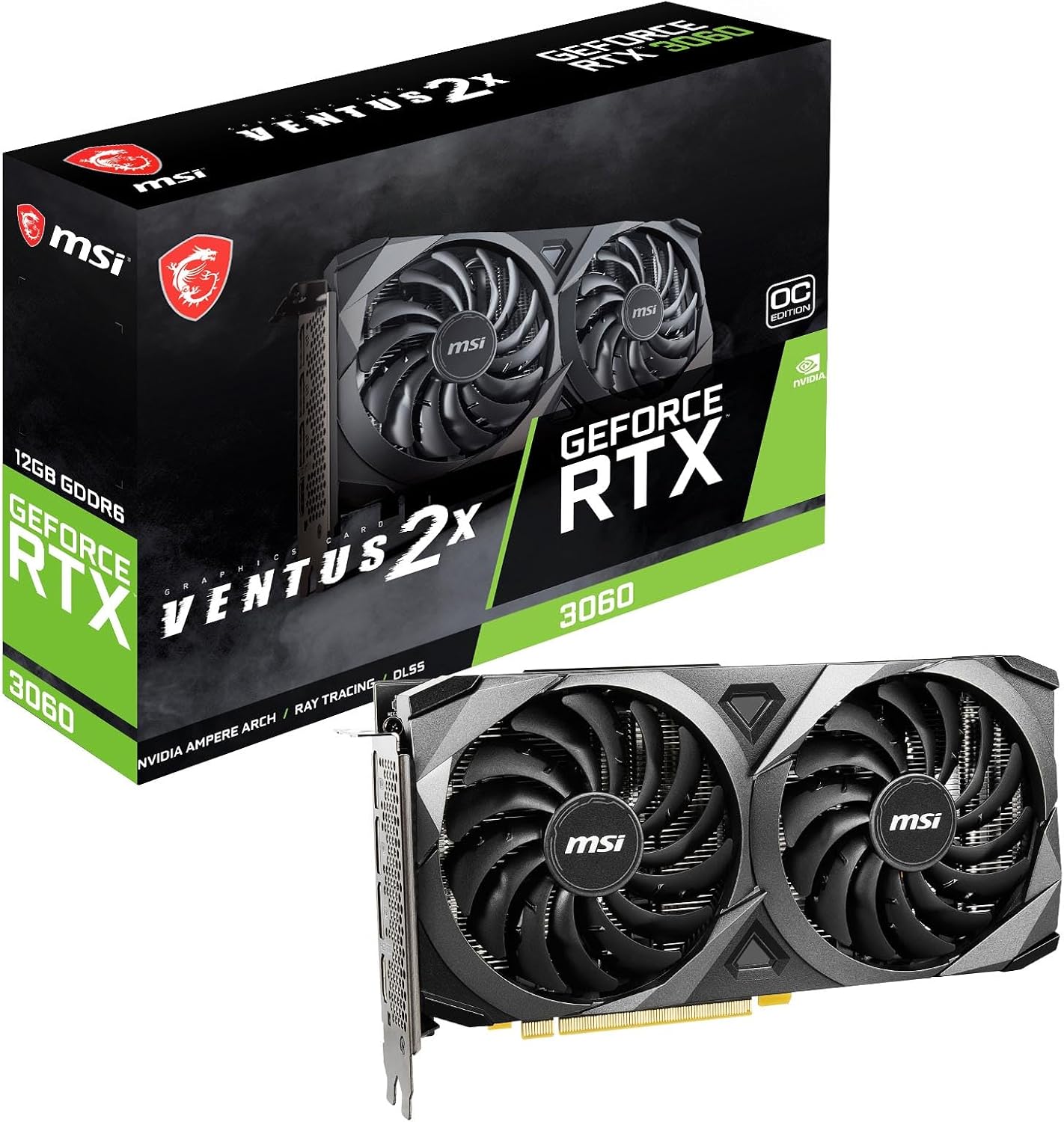
#4. MSI RTX 3060 Ventus 2X OC
Verified Reviews
GDDR6 VRAM
4.0 Ready
With over 5,000 reviews at 4.7 stars, this Ventus 2X is one of the most battle-tested RTX 3060s on Amazon. You get the full 12GB of 15 Gbps GDDR6 on a 192-bit bus, PCIe 4.0 support, and MSI’s Torx twin-fan cooling that keeps the card composed in typical mid-tower builds. It’s the safe, dependable choice for a first dedicated-GPU upgrade.
The cooler is functional but not class-leading, so sustained loads push fan speeds up, and the design is plain with no RGB. If you want a widely validated card with strong seller track record, this is an easy recommendation; if acoustics or aesthetics matter most, consider a triple-fan model.
Pros
- Massive review base
- Full 12GB VRAM
- PCIe 4.0 support
Cons
- Plain aesthetics
- Fans ramp under load
- No backplate flair
Specifications
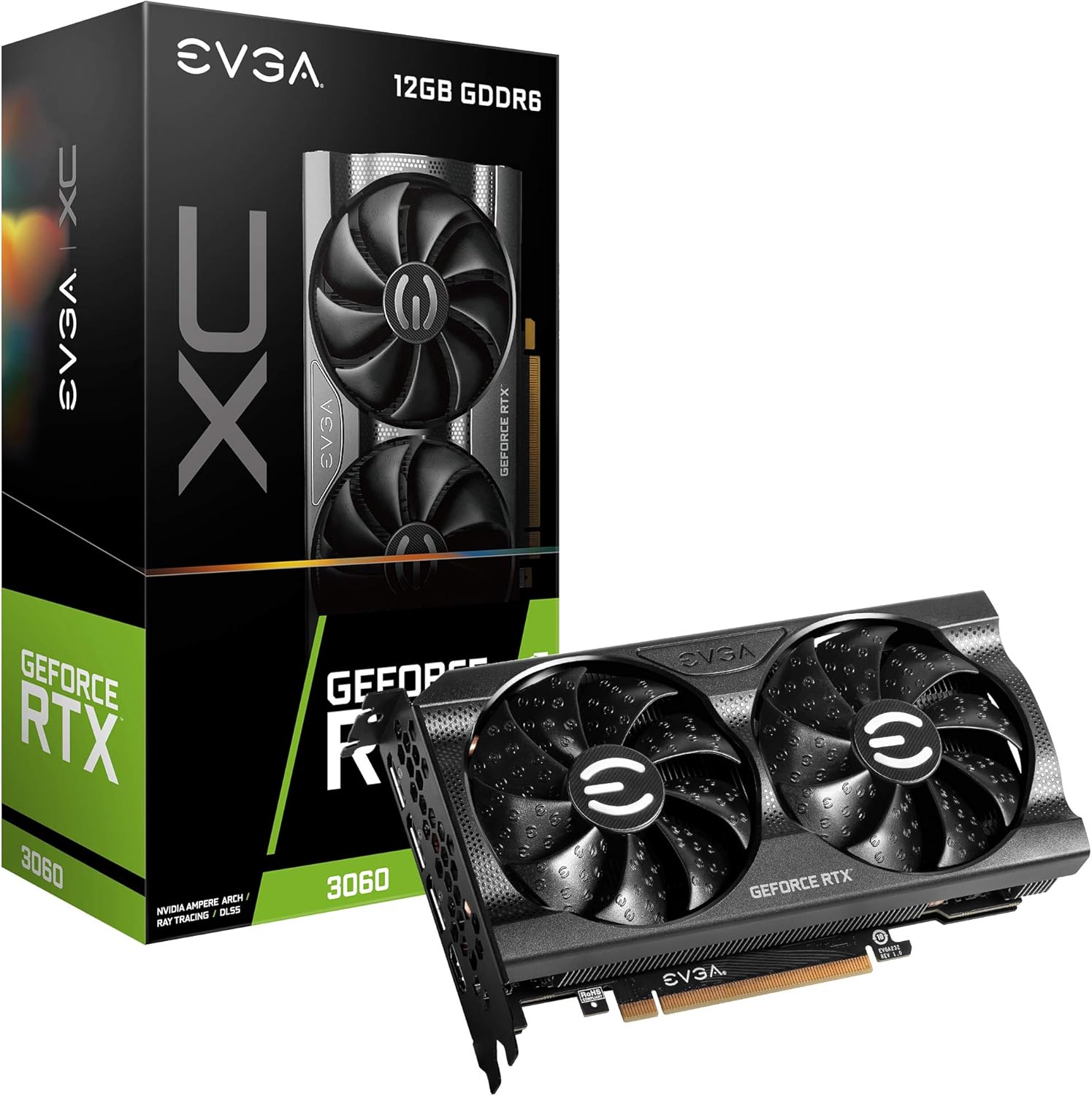
#5. EVGA RTX 3060 XC Gaming
Real Boost Clock
Backplate Build
CUDA Cores
EVGA’s XC Gaming posts a real 1882 MHz boost clock, among the highest factory clocks on any RTX 3060, and backs it with a dual-fan cooler and an all-metal backplate. You get EVGA’s well-regarded build quality and software support, and the card handles 1080p and 1440p gaming with headroom to spare. Ray tracing and DLSS are fully on tap.
The catch is that EVGA has exited the GPU business, so long-term driver-adjacent support and warranty service are uncertain, and stock can be inconsistent. If you trust EVGA’s engineering and find it in stock, it’s a strong performer; otherwise, an actively supported brand is the safer bet.
Pros
- Highest-in-class boost clock
- All-metal backplate
- Compact dual-fan design
Cons
- EVGA exited GPU market
- Limited availability
- Dual-fan only cooling
Specifications
#6. ASUS KO RTX 3060 V2 OC
OC Boost Clock
Accent Lighting
Fan Cooling
The KO V2 OC pairs a strong 1882 MHz OC-mode boost clock with a distinctive shroud featuring gold and silver faceplates with ARGB accents, making it one of the most visually interesting 3060s. Axial-tech fans, space-grade lubricant, and enduring capacitors give it ASUS durability credentials, and the full 12GB GDDR6 handles 1440p comfortably.
The styling won’t suit every build, and the dual-fan cooler, while capable, isn’t as robust as ASUS’s own TUF triple-fan option at similar clocks. If you want a showpiece card with strong specs for a themed build, KO delivers; minimalists or thermals-first buyers may prefer the TUF or Dual models.
Pros
- High 1882 MHz OC clock
- Unique ARGB styling
- Durable capacitor design
Cons
- Polarizing aesthetics
- Dual-fan only
- Higher price than basics
Specifications
#7. MSI RTX 3060 Ventus 2X OC
GDDR6 Speed
Twin Fan
Boost Clock
The Ventus 2X 12G OC V1 is MSI’s no-nonsense take on the 3060, pairing 15 Gbps GDDR6 with a 1807 MHz boost clock and the proven Torx twin-fan design. You get three DisplayPort outputs plus HDMI 2.1, which makes multi-monitor setups painless. It’s a straightforward card that hits the 3060’s expected 1080p and 1440p performance without fuss.
The dual-fan cooler is adequate rather than exceptional, so expect fans to spin up under heavy loads, and there’s no RGB or backplate flair here. If you want dependable MSI quality at a mainstream price point, it fits well; buyers wanting premium cooling or aesthetics should step up a tier.
Pros
- 15 Gbps memory speed
- Three DisplayPort outputs
- Reliable Torx fans
Cons
- Fans audible under load
- No RGB lighting
- Basic cooler design
Specifications
#8. GIGABYTE RTX 3060 WINDFORCE OC
Compact Fit
GDDR6 Memory
WINDFORCE Fans
The GIGABYTE WINDFORCE OC rev 2.0 packs a full 12GB of GDDR6 into a 200mm compact frame, making it one of the easiest RTX 3060s to fit in small cases. The alternate-spinning dual fans and Screen Cooling plate keep thermals in check during long sessions, and you still get full Ampere ray tracing and DLSS support. For 1080p and even 1440p gaming, it delivers exactly what the 3060 platform promises.
The trade-off is that the dual-fan cooler runs a bit warmer and louder than triple-fan rivals under sustained load, and the 1792 MHz boost clock is modest. If you’re building an ITX or compact mid-tower, it’s a smart pick; if you want maximum clocks and RGB flair, look elsewhere.
Pros
- Fits compact cases easily
- Solid dual-fan cooling
- Full 12GB VRAM
Cons
- Modest factory clock
- Runs warmer than 3-fan cards
- No RGB lighting
Specifications
#9. MSI RTX 3060 Ventus 2X
Quiet Fans
GDDR6 Memory
Ray Tracing Ready
This non-OC Ventus 2X leans on a huge heatsink paired with Torx Fan 3.0 blades, delivering high static pressure at low noise levels, which makes it one of the quieter 3060 options. MSI’s Dragon Center lets you monitor and tune performance in real time, and you still get the full 12GB GDDR6 and DLSS/ray tracing feature set.
As the non-OC variant, factory clocks are lower than the OC editions, so expect marginally lower frame rates out of the box, and the review sample size is small. If quiet operation matters more than a few percent of performance, it’s a great fit; overclockers may prefer the OC version.
Pros
- Very quiet cooling
- Large heatsink
- Dragon Center tuning
Cons
- Lower stock clocks
- Small review base
- No OC headroom marketed
Specifications
#10. MSI RTX 3060 Ventus 8G OC
Budget VRAM
Boost Clock
Gaming Focus
This 8GB variant of the Ventus 2X is the budget entry in the RTX 3060 family, offering the same 1807 MHz boost clock and Torx twin-fan cooling at a lower cost. For pure 1080p esports and mainstream titles, it performs close to its 12GB sibling and keeps MSI’s solid build standards intact.
The compromises are real: 8GB of VRAM on a 128-bit bus limits texture-heavy games and modern titles increasingly expect 12GB, and it’s weaker for content creation. If your budget is tight and 1080p is the target, it’s a reasonable buy; if you can stretch, the 12GB version is the smarter long-term pick.
Pros
- Lower-cost entry point
- Same boost clock as 12GB
- Compact dual-fan design
Cons
- Only 8GB VRAM
- Narrow 128-bit bus
- Limited future-proofing
Specifications
Finding the RTX 3060 Card That Fits Your Build
The RTX 3060 sits in a sweet spot for mainstream gamers — capable 1080p performance, solid 1440p potential, and a crowded field of versions from multiple manufacturers. Because so many brands put their own spin on this chip, two cards with the same GPU can differ noticeably in cooling, noise, and size. A little comparison shopping goes a long way toward getting the most from your money.
The Details That Separate a Great 3060 From the Rest
- Cooling design. Dual- and triple-fan models handle heat better and run quieter than blower-style cards. If your case has decent airflow, a larger cooler keeps temperatures — and fan noise — in check during long sessions.
- Card length and slot clearance. Check your case dimensions before buying. Some 3060 models are two-plus slots thick and quite long, which can crowd smaller builds or block airflow.
- Power connector and PSU needs. Most 3060 cards draw modest power, but you’ll still want to confirm your power supply has the right connector and enough headroom for the whole system. Our guide to picking the right GPU shows how to check GPU power supply requirements before you buy.
- Clock speeds and factory tuning. Manufacturers ship cards with slightly different boost clocks. Higher-clocked versions can offer a small performance edge, though the gap between models is usually modest.
- Warranty and brand support. Card makers differ on warranty length and RMA experience. A longer, transferable warranty can be worth prioritizing over a marginal spec bump.
- Sticking to your budget. Entry-level 3060 models deliver nearly the same performance as premium ones. Unless you need extra cooling headroom, the cheapest well-reviewed variant often makes the most sense.
Traps That Catch Shoppers Off Guard
- Paying a premium for flashy design. RGB lighting and premium shrouds don’t improve frame rates. Decide how much aesthetics are actually worth to you before upgrading tiers.
- Ignoring used or refurbished listings without caution. The 3060 has been widely resold, and ex-mining cards are common. If buying secondhand, ask about usage history and confirm the warranty status first.
- Overlooking your CPU and RAM. Pairing a 3060 with a very old processor can bottleneck performance. Make sure the rest of your system can keep up before spending on the GPU.
Take an hour to compare a handful of models, read owner reviews for noise and temperature feedback, and you’ll land on a 3060 that fits your case, your power supply, and your budget without second-guessing the purchase.
So, Which RTX 3060 Deserves Your Money?
If you want the strongest all-around performer, the GIGABYTE Gaming OC 12G (REV2.0) with its 3X WINDFORCE cooling is the pick for gamers who push their cards hard. The ASUS TUF Gaming OC is the durability champion — military-grade certification and a 3-year warranty make it ideal for anyone building a rig meant to last. Prefer a compact, quiet build? The MSI Ventus 2X 12G OC delivers solid 1080p performance in a slim twin-fan design, while the EVGA XC Gaming is the go-to for EVGA loyalists who value a clean dual-fan setup with a metal backplate.
Every card on this list fits comfortably within a typical 3060 budget, so you can’t really go wrong. Prices and stock shift fast, though — hit the buttons above to check current availability before you decide.
Final 3 Picks: Overall Pick, Small Chassis, and Durability
Ready to decide? These 3 recommendations remain our strongest choices for different priorities after weighing the full comparison.
GIGABYTE RTX 3060 Gaming OC
- 12GB GDDR6 memory
- WINDFORCE 3X cooling
- RGB Fusion 2.0
ASUS TUF RTX 3060 OC
- Military-grade certification
- Dual ball fan bearings
- 3-year warranty