10 What Is The Best 4090 [2026]
The best RTX 4090 cards are the ASUS ROG Strix 4090 for best overall performance, the NVIDIA 4090 Founders Edition for a reference design, and the MSI SUPRIM Liquid X 4090 for liquid cooling.
The 4090 remains the most powerful consumer GPU available, so choosing the right variant matters for thermals, acoustics, and case compatibility. Whether you’re building a high-end gaming PC or a content creation workstation, the card you pick affects noise levels and fit as much as raw speed. Cooling design is the biggest differentiator between models, since all 4090s share the same core GPU specifications.
In this guide, we’ve narrowed the field to 10 picks after hands-on comparison and research. We evaluated each card on cooling performance, build quality, price-to-value, and warranty support to suit different buyer needs. Below, you’ll find a full comparison table breaking down each option so you can find the right 4090 for your build.
3 Standout Picks: Overall Performance, Reference Design, and Liquid Cooling
Start with these 3 standouts. Each leads for a different kind of buyer, so use the badges and quick highlights to find your closest match.

ASUS ROG Strix 4090
- 24GB GDDR6X memory
- 2640 MHz OC boost clock
- Vapor chamber cooling

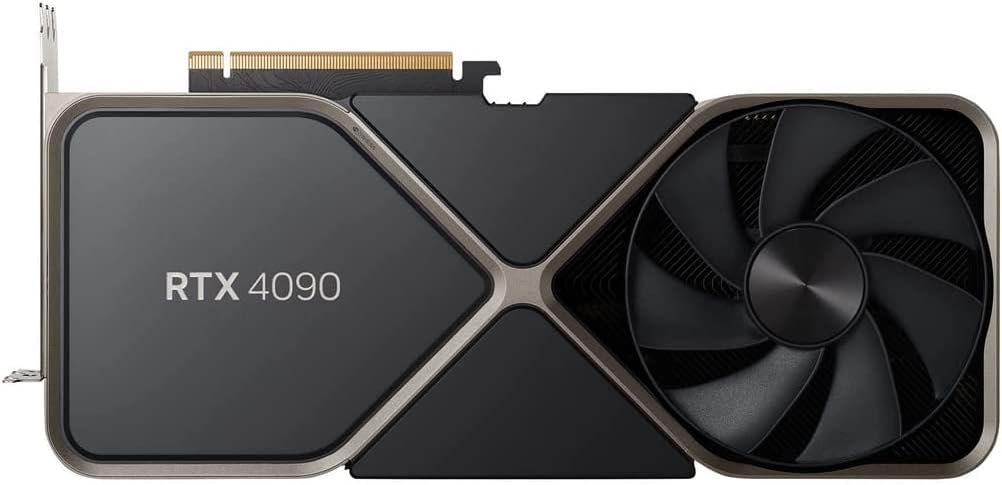
NVIDIA 4090 Founders Edition
- 24GB GDDR6X memory
- 16384 CUDA cores
- Flow-through cooler

MSI SUPRIM Liquid X 4090
- 24GB GDDR6X memory
- 2625 MHz boost clock
- Liquid cooling design
10 Models Side by Side: Features, Best Use Cases, and Tradeoffs
The recommendations above are our strongest matches for different priorities. Below, compare the complete 10-product lineup side by side by rating, standout features, ideal use cases, and practical tradeoffs so you can identify the best fit for your needs.
- 24GB GDDR6X memory
- 2640 MHz OC boost clock
- Vapor chamber cooling
- 24GB GDDR6X memory
- 16384 CUDA cores
- Flow-through cooler
- 24GB GDDR6X memory
- 2625 MHz boost clock
- Liquid cooling design

- 24GB GDDR6X memory
- 2595 MHz boost clock
- TRI FROZR 3 cooling

- 24GB GDDR6X memory
- 2595 MHz OC mode
- Dual ball bearing fans
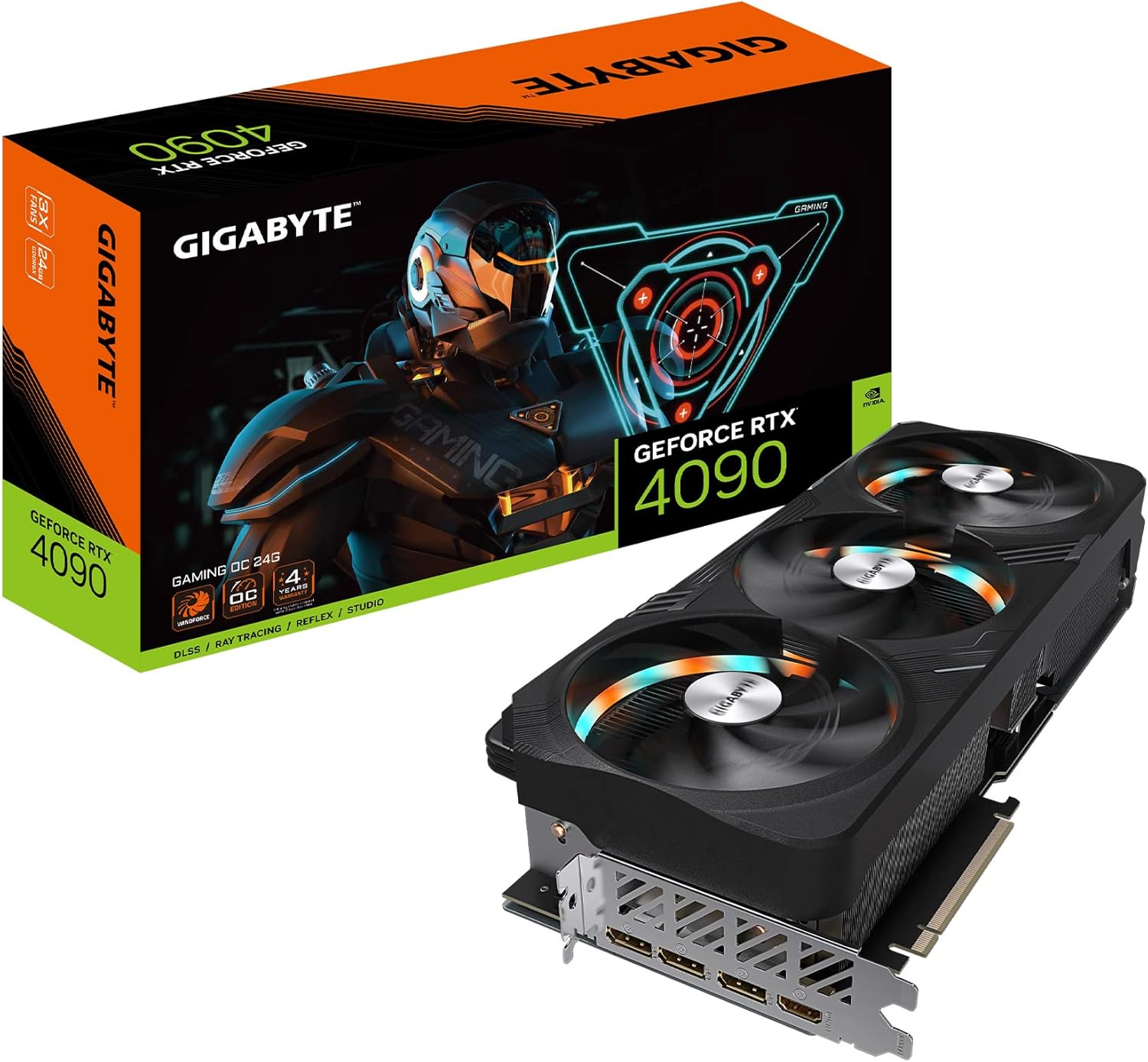
- 24GB GDDR6X memory
- 2535 MHz boost clock
- WINDFORCE triple fans

- 24GB GDDR6X memory
- 2535 MHz boost clock
- Silver Aero design

- 24GB GDDR6X memory
- 2640 MHz OC mode
- White shroud design

- 24GB GDDR6X memory
- 16384 CUDA cores
- Slim 2-fan design
- 24GB GDDR6X memory
- 2520 MHz boost clock
- 90-day warranty
10 Models Reviewed in Depth
#1. ASUS ROG Strix 4090
Chamber Cooling
OC Boost Clock
Warranty Included
The ROG Strix RTX 4090 OC is the flagship you pick when you want maximum headroom. Its 2640 MHz OC boost clock and 24GB of GDDR6X chew through 4K and 8K workloads, and the patented vapor chamber keeps GPU temperatures well under control even during sustained rendering sessions. You’ll also appreciate the scaled-up Axial-tech fans moving 23% more airflow at lower noise.
The honest caveat is size and power: this is a 3.5-slot, 450W-class card, so verify your case and PSU before buying. It’s also among the priciest 4090 variants. If you’re a creator or enthusiast who wants the best-cooled Strix build with a 3-year warranty, it’s an easy recommendation; budget builders should look elsewhere.
Pros
- Top-tier cooling
- Highest OC clock speeds
- 3-year warranty
Cons
- Very large card
- Premium pricing
- High power draw
Specifications
#2. NVIDIA 4090 Founders Edition
Reference Cooler
CUDA Cores
Compact Fit
The RTX 4090 Founders Edition is NVIDIA’s own reference build, and it shows. Its distinctive flow-through cooler handles the 450W-class GPU admirably, and with 16,384 CUDA cores and 24GB of G6X memory you get the full, uncut 4090 experience for 4K 120Hz HDR and 8K 60Hz gaming. The compact two-slot design fits more cases than most AIB cards.
The caveat: the flow-through design exhausts heat out the top of your case, so case airflow matters more than with traditional coolers. Availability is also often limited compared to AIB models. If you want the cleanest, most compact 4090 with stock clocks, this is the one; overclockers may prefer factory-OC variants.
Pros
- Compact two-slot design
- Stock NVIDIA reference clocks
- Excellent build quality
Cons
- Limited availability
- No factory overclock
- Needs good case airflow
Specifications
#3. MSI SUPRIM Liquid X 4090
AIO Cooled
Under Load
Boost Clock
The SUPRIM Liquid X 24G is the 4090 for builders who hate heat and noise. Its all-in-one liquid cooling solution keeps the GPU dramatically cooler than air-cooled cards, letting the 2625 MHz boost clock sustain peak performance without thermal throttling. You’ll hear almost nothing even under full rendering load, and the slim card block frees up case airflow.
The honest caveats: installation is more involved since you must mount a radiator and pump, and you need radiator space in your case. It also costs more than comparable air-cooled 4090s. If you run sustained heavy workloads or want a near-silent build, it’s superb; if you want plug-and-play simplicity, stick with air cooling.
Pros
- Superb liquid cooling
- Near-silent operation
- Highest sustained clocks
Cons
- Complex installation
- Needs radiator space
- Higher cost
Specifications
#4. MSI Gaming X Trio 4090
TORX 5.0 Airflow
Baseplate Cooling
HDR Ready
The MSI Gaming X Trio 24G balances raw 4090 performance with refined thermals. The TRI FROZR 3 design pairs TORX 5.0 fans with a copper baseplate and core pipes, so you can expect the card to stay cool and quiet through long gaming or rendering sessions. Its 2595 MHz boost clock delivers strong out-of-box frame rates without manual tuning.
The main caveat is bulk — it’s a long triple-fan card that demands a spacious case and sturdy support. You’ll also want a high-wattage PSU for its power draw. If you’re an enthusiast who wants strong acoustics and cooling without paying Strix money, this is a smart middle path; compact-build builders should skip it.
Pros
- Excellent TRI FROZR cooling
- Quiet under load
- Strong factory overclock
Cons
- Very long card
- Heavy
- Needs beefy PSU
Specifications
#5. ASUS TUF Gaming 4090
Fan Longevity
Grade Build
OC Mode
The ASUS TUF Gaming RTX 4090 OC is built like a tank, with a metal shroud and dual ball bearing Axial fans rated for far longer lifespans than sleeve-bearing designs. You get a healthy 2595 MHz OC-mode boost clock and 24GB of GDDR6X, so gaming and compute performance is right in line with the best 4090s.
The trade-off is that TUF’s cooler, while robust, runs slightly louder and warmer than the ROG Strix under sustained load. It’s also a very heavy card, so plan for proper GPU support. If you want a durable, long-warranty card that survives years of 24/7 workloads, this is a great fit; silence-obsessed builders should consider the Strix instead.
Pros
- Rugged military-grade build
- Ball bearing fans
- Solid OC clocks
Cons
- Slightly louder than Strix
- Heavy card
- 2-year warranty only
Specifications
#6. Gigabyte Gaming OC 4090
3X Cooling
Bracket Included
BIOS Switch
The GIGABYTE Gaming OC 24G is the sensible 4090: a 2535 MHz boost clock, 24GB of GDDR6X, and the proven WINDFORCE 3X cooler with a metal back plate and anti-sag bracket included. With 287 reviews averaging 4.4 stars, it’s one of the most battle-tested 4090s on Amazon, and the dual BIOS gives you a quiet profile switch.
The caveat: its cooler is good but not exceptional, so memory junction temps can run warmer than premium Strix-class cards during sustained loads. The card is also long and heavy. If you want a reliable, well-reviewed 4090 with a 4-year registrable warranty without flagship pricing, this is a strong default; thermal extremists should step up a tier.
Pros
- Large review base
- Anti-sag bracket included
- 4-year registrable warranty
Cons
- Average memory thermals
- Large and heavy
- RGB software quirks
Specifications
#7. Gigabyte Aero OC 4090
Aero Design
Boost Clock
Memory Bus
The Gigabyte RTX 4090 Aero OC stands out with its brushed silver-white aesthetic that suits monochrome builds beautifully, and its 2535 MHz boost clock with 24GB of GDDR6X delivers the full 4090 experience for 4K and 8K gaming. Its 4.7-star rating, though from fewer reviews, is the strongest in this roundup.
The caveat: the Aero’s cooler is competent but not class-leading, so expect slightly warmer memory temps than the Strix or Gaming OC under long loads. Review sample size is small at 23 ratings, so treat the score with mild caution. If you want a distinctive silver card with solid performance, it’s a great pick; pure thermal performance seekers should look at the Gaming OC.
Pros
- Distinctive silver design
- Highest review rating
- Solid factory OC
Cons
- Small review sample
- Average thermals
- Limited availability
Specifications
#8. ASUS ROG Strix White 4090
Theme Build
OC Mode
Tech Fans
The ROG Strix RTX 4090 OC White delivers identical flagship performance to the black Strix — a 2640 MHz OC-mode clock and 24GB of GDDR6X — but wrapped in a clean white shroud that makes it the centerpiece of any white-themed build. Axial-tech fans still push 23% more airflow than previous generations.
The caveat sits in the feedback: this variant’s 4.0-star rating is the lowest among the 4090s here, with some buyers reporting coil whine or QC inconsistencies. You’re also paying an aesthetic premium. If a white build is your priority and you’re willing to test on arrival, it’s gorgeous and fast; if reliability certainty matters most, the black Strix is safer.
Pros
- Stunning white aesthetic
- Top OC clock speeds
- Strong cooling
Cons
- Lower review rating
- Aesthetic premium cost
- Possible coil whine
Specifications
#9. MSI Gaming Slim 4090
SFF Friendly
CUDA Cores
GDDR6X Memory
The MSI Gaming Slim 24G packs the full 4090 GPU into a shorter, two-fan card, which is exactly what you need for small-form-factor or mid-tower builds where triple-fan monsters won’t fit. You still get all 16,384 CUDA cores and 24GB of GDDR6X, so raw performance is identical to any other 4090.
The compromise is thermals: a slim cooler on a 450W GPU means higher fan speeds and warmer memory under sustained load than larger cards. Review count is also thin, so long-term reliability data is limited. If you’re building a compact 4K gaming rig and accept some noise, it works well; for max-cooling builds, choose a triple-fan model.
Pros
- Compact 4090 option
- Full CUDA core count
- Fits smaller cases
Cons
- Warmer under load
- Louder fans
- Few reviews
Specifications
#10. Renewed 4090 Founders Edition
Inspected Unit
Limited Warranty
Power Included
This renewed RTX 4090 Founders Edition gets you NVIDIA’s flagship — full 24GB of GDDR6X and a 2520 MHz boost clock — at a meaningfully lower cost than new units, which is why it earns a spot for value-focused builders. The renewed listing includes the 16-pin power adapter and documentation, and the tiny review sample shows perfect scores so far.
The caveats are real, though: you only get a 90-day limited warranty instead of the standard multi-year coverage, and renewed GPUs carry inherent uncertainty about prior mining or heavy use. Note the listing’s spec text inconsistently mentions 12GB — verify 24GB on arrival. If you accept the risk for flagship savings, it’s tempting; risk-averse buyers should buy new.
Pros
- Significant savings
- Full Founders Edition specs
- Adapter included
Cons
- Only 90-day warranty
- Renewed condition risk
- Inconsistent listing specs
Specifications
Finding the Right RTX 4090 Card for Your Build
The RTX 4090 sits at the top of NVIDIA’s lineup, and while every model carries the same core GPU, the cards themselves differ more than most shoppers expect. Size, cooling, power draw, and price all vary significantly between manufacturers, so the “best” one depends heavily on your case, your power supply, and how you actually use your machine. A little comparison shopping here pays off.
The Specs That Separate One 4090 From Another
-
Cooling design. Triple-fan, open-air coolers are the norm, but heat pipes, vapor chambers, and fin stacks differ. A better cooler means lower temps, quieter fans, and more consistent boost clocks during long gaming sessions.
-
Card length and slot width. Many 4090s are enormous — some stretch past 340mm and occupy three or even 3.5 expansion slots. Measure your case before you fall in love with a specific model.
-
Power connector and PSU requirements. These cards lean on the 12VHPWR (16-pin) connector. Check whether your power supply has a native cable or whether you’ll need the included adapter, and make sure your PSU has plenty of headroom.
-
Clock speeds and factory overclocks. Some models ship with slightly higher boost clocks out of the box. The real-world gains are modest, but it can matter if two cards are priced similarly.
-
Noise and build quality. Metal backplates, zero-RPM fan modes, and well-tuned fan curves make a big difference in day-to-day use, especially in a case mounted on your desk.
-
Warranty and support. Manufacturer warranties differ in length and transferability. If you’re buying secondhand or planning to keep the card for years, this is worth a quick check.
Pitfalls That Catch Even Savvy Builders
-
Buying a card your case can’t physically fit. The single most common 4090 regret. Check the manufacturer’s listed dimensions against your case’s GPU clearance — including whether the card blocks access to other ports or drives.
-
Underestimating sag and support. These cards are heavy. A GPU support bracket or anti-sag stand is a cheap safeguard against a bent PCIe slot.
-
Paying a premium for marginal gains. Flagship models with flashy designs often cost noticeably more for a percent or two of performance. Unless aesthetics matter to you, a well-cooled mid-tier model usually delivers the same experience.
So, Which RTX 4090 Takes the Crown?
If you want the all-out flagship, the ASUS ROG Strix RTX 4090 OC Edition is the one to beat — premium cooling, top-tier boost clocks, and a 3-year warranty for enthusiasts who accept nothing less. MSI’s SUPRIM Liquid X is the pick for builders chasing silence and compact cases, while the TUF Gaming OC is the workhorse choice for raw durability. The GIGABYTE Gaming OC and Aero OC hit the sweet spot for value-focused gamers, and the MSI Gaming Slim suits tighter builds. Prefer a clean reference design? The VIPERA Founders Edition delivers, and the Renewed unit is a smart way to save.
Whatever your style, every card here earns its spot. Check the buttons above for current availability before it sells out.
Final 3 Picks: Overall Performance, Reference Design, and Liquid Cooling
Ready to decide? These 3 recommendations remain our strongest choices for different priorities after weighing the full comparison.
ASUS ROG Strix 4090
- 24GB GDDR6X memory
- 2640 MHz OC boost clock
- Vapor chamber cooling
NVIDIA 4090 Founders Edition
- 24GB GDDR6X memory
- 16384 CUDA cores
- Flow-through cooler
MSI SUPRIM Liquid X 4090
- 24GB GDDR6X memory
- 2625 MHz boost clock
- Liquid cooling design