What Is a GPU and How Does It Work
A GPU is a specialized processor designed to handle graphics and visual tasks. It’s like a dedicated artist for your computer. GPUs excel at processing many things at once, making them perfect for rendering images and videos. You’ll find them powering everything from your video games to complex scientific simulations.
Think of your computer’s main processor (the CPU) as the general manager. It handles all sorts of jobs. The GPU, on the other hand, is the visual effects team. It’s built for the massive calculations needed for high-quality graphics. This parallel processing power is why GPUs are also used for things like AI and cryptocurrency mining.
- GPUs are processors built for graphics.
- They handle visual tasks very efficiently.
- GPUs perform many calculations at the same time.
- They are found in computers, consoles, and more.
- Their power is used beyond just gaming.
Let’s dive deeper and learn what makes a GPU so special and how it impacts your daily digital life.
Understanding Your Graphics Processing Unit (GPU)
So, you’ve heard the term GPU, but what exactly is it? Think of your GPU as the visual powerhouse of your computer. It’s a specialized chip built to handle graphics and imaging tasks. These tasks require a massive amount of calculations. A GPU is designed to do many of these calculations all at once.
This parallel processing is its superpower. Your computer’s main brain, the CPU, is a jack-of-all-trades. It can do many things, but not as many at the same time as a GPU. When it comes to rendering images, videos, or 3D worlds, the GPU takes the lead. It’s like having a dedicated art studio for your computer.
How a GPU Works Its Magic
At its core, a GPU is a processor. But it’s unlike your CPU. Your CPU has a few very powerful cores. These cores are great at handling sequential tasks. This means they do one step after another, very quickly. Imagine a highly organized chef following a recipe step-by-step.
A GPU, on the other hand, has thousands of smaller cores. These cores aren’t as individually powerful as CPU cores. But they are designed for a specific type of work. They are built to work together on simple, repetitive calculations. Think of it like an army of painters, each working on a tiny section of a huge mural. Together, they can finish the entire mural much faster than one super-skilled artist.
The Power of Parallel Processing
This massive parallelism is key. When your computer needs to display a complex scene in a video game, it needs to calculate the color, light, and position of millions of pixels. A CPU would struggle to do this fast enough. A GPU can handle these pixel calculations across its thousands of cores simultaneously. This results in smooth, detailed graphics.
We found that this parallel design also makes GPUs ideal for other data-intensive tasks. It’s not just about pretty pictures. Many scientific simulations require similar types of calculations. Analyzing large datasets also benefits from this processing style. It’s a common thread: tasks that involve many similar calculations at once.
Where Do You Find GPUs?
You might be surprised where GPUs are hiding. They aren’t just in high-end gaming PCs. You’ll find them in almost any device that needs to display visuals. This includes laptops, smartphones, and tablets.
Gaming and Entertainment
When you think of GPUs, gaming often comes to mind first. For gamers, a powerful GPU means higher frame rates. It means more realistic lighting and smoother animations. A good GPU is essential for experiencing the latest games as they were meant to be played. It’s the difference between a jerky slideshow and a fluid, immersive world.
Beyond the Games: Professional and Scientific Uses
But GPUs do so much more than just power your games. Many creative professionals rely on them. Video editors use GPUs to speed up rendering and playback of complex footage. Designers use them for 3D modeling and animation. Architects can use GPUs to visualize their designs in realistic detail.
We also see GPUs making huge strides in science. Researchers use them for drug discovery and molecular modeling. They help in weather forecasting and climate modeling. The ability to process vast amounts of data quickly is a game-changer for scientific research. Many guidelines point to GPU acceleration as critical for advancing these fields (Nature Journal).
CPU vs. GPU: A Tale of Two Processors
It’s helpful to compare your CPU and GPU directly. They are both processors, but their designs are very different. This difference dictates what they are best at.
| Feature | CPU (Central Processing Unit) | GPU (Graphics Processing Unit) |
|---|---|---|
| Primary Role | General-purpose computing, running operating systems and applications. | Specialized for parallel processing of graphics and visual data. |
| Number of Cores | Fewer, more powerful cores (e.g., 4-16). | Thousands of smaller, simpler cores (e.g., 1,000+). |
| Processing Style | Sequential, handles complex single tasks efficiently. | Parallel, handles many simple tasks simultaneously. |
| Best For | Overall system performance, multitasking, logical operations. | Rendering graphics, video editing, AI training, scientific computing. |
Think of your CPU as the highly skilled manager. They can handle complex decisions and direct different departments. Your GPU is like the production floor. It has many workers (cores) efficiently producing units (pixels or data points) in parallel. You need both to run a successful operation.
What to Look For in a GPU
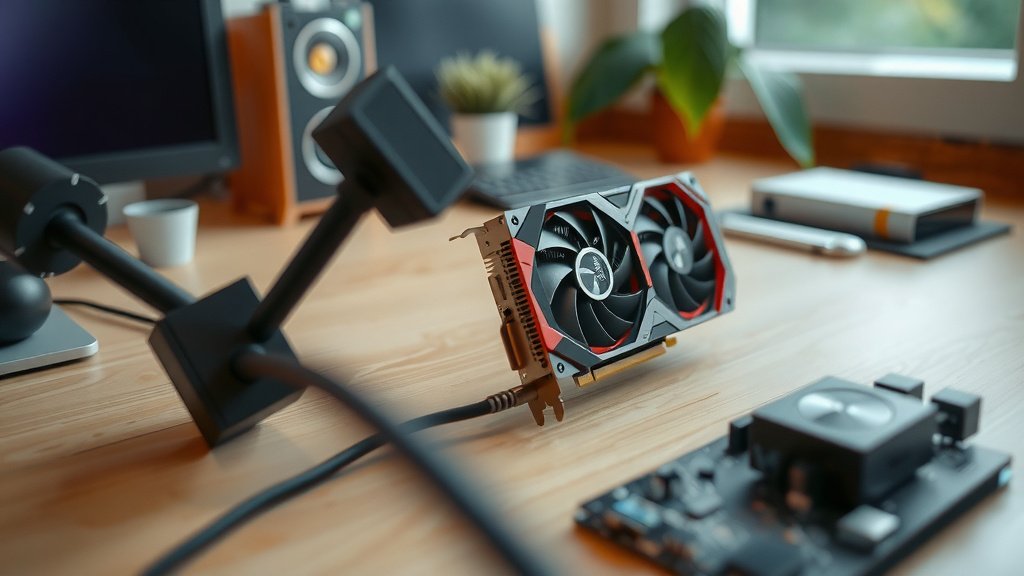
If you’re thinking about getting a new computer or upgrading your current one, the GPU is a key component to consider. What makes one GPU better than another?
Core Count and Clock Speed
More cores generally mean more processing power for graphics. Clock speed measures how fast each core operates. A higher clock speed means faster calculations. These two metrics often go hand-in-hand for performance.
Video Memory (VRAM)
GPUs have their own dedicated memory, called VRAM. This memory stores the textures, frame buffers, and other graphical data the GPU needs. More VRAM allows for higher resolutions and more detailed graphics. We found that insufficient VRAM can lead to stuttering and lower-quality visuals (NVIDIA Developer Blog).
Cooling and Power Consumption
Powerful GPUs generate a lot of heat. Good cooling systems are essential to prevent overheating and maintain performance. They also consume more power. You’ll need a power supply unit (PSU) that can handle the GPU’s demands.
The Future is Visual (and Computational)
As technology advances, GPUs are becoming even more capable. They are critical for emerging fields like virtual reality (VR) and augmented reality (AR). These technologies demand incredibly high-resolution, real-time graphics. They rely heavily on the parallel processing power of modern GPUs.
Furthermore, the role of GPUs in artificial intelligence (AI) continues to grow. Training complex AI models requires processing massive datasets. Researchers have found that GPUs can speed up AI training times by orders of magnitude compared to CPUs. This makes AI development more accessible and faster. It’s clear that GPUs are not just for gaming; they are fundamental to many technological advancements.
Quick GPU Checklist for Your Understanding
- Core Function: Handles graphics and visual output.
- Processing Power: Uses thousands of cores for parallel tasks.
- Beyond Graphics: Also used for AI, scientific research, and data analysis.
- Key Specs: Core count, clock speed, and VRAM matter.
- Cooling is Key: Powerful GPUs need effective cooling.
- Future Impact: Essential for VR, AR, and AI development.
Conclusion
You now understand that a GPU is your computer’s visual engine. It handles graphics with amazing speed using thousands of cores. This parallel processing power isn’t just for games. It also drives advancements in AI, scientific research, and creative work. Whether you’re a gamer, designer, or researcher, your GPU plays a vital role. If you’re looking to upgrade your system, consider the GPU as a key component. Think about your needs and choose a GPU that fits your workflow and budget for the best visual experience.
Frequently Asked Questions
Do I need a dedicated GPU for everyday tasks?
For most standard everyday tasks like web browsing, email, and word processing, the integrated graphics built into your CPU are usually sufficient. A dedicated GPU is primarily beneficial for graphics-intensive applications such as gaming, video editing, and 3D modeling.
How much VRAM do I really need?
The amount of VRAM you need depends on your usage. For general computing, 4GB is often enough. Gamers might want 8GB or more for modern titles at higher resolutions. Professionals working with large 3D models or high-resolution video may require 12GB or even 24GB of VRAM.
Can a powerful GPU hurt my other computer components?
A powerful GPU itself won’t directly damage other components, but it does have some indirect considerations. You’ll need a robust enough power supply (PSU) to handle its energy demands. Additionally, high-performance GPUs generate significant heat, so ensuring good case airflow and cooling is important to prevent overheating of all components.
Is it possible to use multiple GPUs together?
Yes, it is possible to use multiple GPUs together through technologies like NVIDIA’s SLI or AMD’s CrossFire. However, the support for these configurations has decreased in recent years, especially in gaming. Many applications and games do not scale well with multiple GPUs, so it’s often more effective to buy a single, more powerful GPU.
How often should I update my GPU drivers?
It’s a good practice to update your GPU drivers regularly, especially if you’re a gamer. Manufacturers release new driver versions frequently to improve performance, fix bugs, and add support for new games and features. Checking for updates monthly or when a new game you want to play is released is a good general guideline.
![10 Best Amd 8gb Graphics Card [2026]](https://spsolutionscare.com/wp-content/uploads/2026/08/10-best-amd-8gb-graphics-card-2026-featured-768x432.jpg)
![10 Best Cheap Graphics [2026]](https://spsolutionscare.com/wp-content/uploads/2026/09/10-best-cheap-graphics-2026-featured-768x432.jpg)