What is a Graphics Card and How Does it Work
A graphics card, also known as a GPU (Graphics Processing Unit), is essentially your computer’s visual powerhouse. It handles everything you see on your screen, from basic text to high-definition videos and demanding video games. Think of it as the artist that paints the images your computer displays, allowing for smooth and detailed visuals.
Without a capable graphics card, your computer would struggle to display even simple graphics. It works closely with your CPU (Central Processing Unit) to process visual information. A good GPU can make a massive difference in your computer’s overall performance, especially for tasks like gaming, video editing, and graphic design, ensuring a flawless visual experience.
- A graphics card makes images appear on your screen.
- It’s also called a GPU.
- It’s vital for gaming, video, and design work.
- A better card means smoother visuals.
Let’s get into what makes a graphics card tick and why it’s so important for your PC.
Understanding Your Computer’s Visual Engine
So, what exactly does this graphics card, or GPU, do for your computer? Think of it as a dedicated mini-computer within your computer. Its primary job is to process all the visual data that your CPU can’t handle efficiently. This means it’s responsible for drawing every pixel you see on your monitor. From the text in this article to the most explosive scenes in your favorite game, the GPU makes it all happen.
Without a graphics card, your computer would rely solely on integrated graphics. These are basic graphics processors built directly into your CPU. They’re fine for simple tasks like browsing the web or typing documents. But for anything more demanding, you’ll quickly see their limitations. You might experience slowdowns, choppy video, or inability to run certain programs.
The Anatomy of a Graphics Card
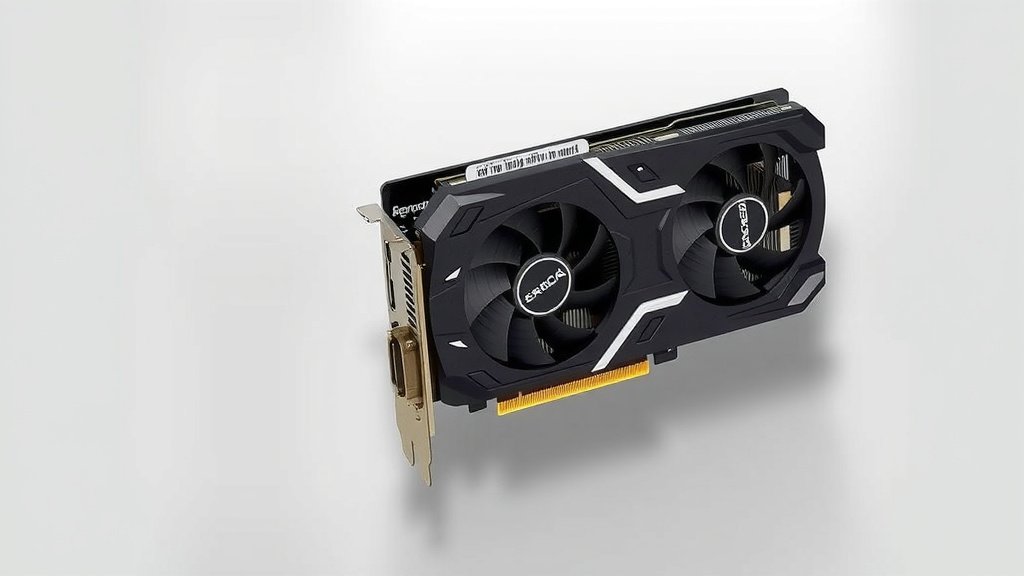
A graphics card is more than just one piece. It’s a collection of components working together. Each part plays a vital role in generating those stunning visuals. Let’s break down the key players you’ll find on a typical graphics card.
The GPU Chip Itself
This is the brain of the operation. The Graphics Processing Unit (GPU) is a specialized processor designed for parallel processing. It has thousands of smaller cores compared to your CPU’s fewer, more powerful cores. This makes it incredibly good at handling repetitive tasks, which is exactly what drawing pixels is. Research shows these cores can perform millions of calculations simultaneously to render images quickly (NVIDIA).
Video Memory (VRAM)
Graphics cards come with their own dedicated memory, called VRAM. This memory stores all the visual information your GPU needs quick access to. This includes textures, frame buffers, and shaders. More VRAM generally means better performance in demanding applications. It’s like having a bigger desk for your artist to spread out their supplies. Many experts agree that VRAM is crucial for high-resolution gaming and complex visual projects (AMD).
Cooling System
All that processing generates a lot of heat. Graphics cards have cooling systems to prevent overheating. These usually include heatsinks, fans, or even liquid cooling solutions. Keeping the GPU cool is essential for maintaining performance and longevity. If it gets too hot, it will throttle its speed to protect itself.
Output Ports
These are the connectors that allow you to plug your monitor into the graphics card. You’ll commonly find ports like HDMI and DisplayPort. They ensure your visuals are transmitted to your screen. Different ports support different resolutions and refresh rates.
Why Do You Need a Dedicated Graphics Card?
You might be wondering if your computer really needs a separate graphics card. The answer depends heavily on how you use your PC. If you’re just browsing the internet and checking emails, your CPU’s integrated graphics might be enough. However, if you want a smooth experience with anything visually intensive, a dedicated card is a must-have.
Gaming Performance
This is where graphics cards truly shine. Modern video games are incredibly detailed and demanding. They require immense processing power to render realistic graphics, complex lighting, and smooth animations. A powerful GPU can mean the difference between a game that plays beautifully and one that stutters and lags. Many gamers consider the graphics card the single most important component for their setup.
Creative Workloads
If you’re into video editing, 3D rendering, graphic design, or even 3D modeling, a dedicated graphics card is essential. These tasks involve manipulating large amounts of visual data. A good GPU can dramatically speed up rendering times and allow you to work with higher quality previews in real-time. For example, a study found that GPU acceleration can reduce video rendering times by up to 70% in certain software suites (Adobe Systems research).
High-Resolution Displays and Multiple Monitors
Running a high-resolution monitor (like 4K) or multiple monitors puts a significant strain on your graphics capabilities. Integrated graphics often struggle to push these higher pixel counts smoothly. A dedicated graphics card ensures that you can enjoy crisp visuals across all your connected displays without compromise.
Integrated vs. Dedicated Graphics: What’s the Difference?
It’s helpful to understand the distinction between the graphics processing built into your CPU and a separate graphics card. Think of it like this: integrated graphics is a small, efficient engine in your car, good for everyday driving. A dedicated graphics card is like a powerful, high-performance engine added for racing or towing heavy loads.
| Feature | Integrated Graphics | Dedicated Graphics Card |
|---|---|---|
| Location | Built into the CPU | Separate component on the motherboard |
| Performance | Basic, suitable for everyday tasks | High-performance, for gaming and demanding applications |
| Power & Cooling | Uses system RAM and cooling | Has its own VRAM and dedicated cooling system |
| Cost | Included with CPU, lower overall system cost | Adds significant cost to the system |
| Upgradeability | Cannot be upgraded | Can be upgraded independently of the CPU |
As you can see, a dedicated card offers much more power and flexibility. It’s an investment that pays off for users who push their computers visually. Many IT professionals recommend a dedicated card for any workstation that goes beyond basic office productivity (CompTIA).
Choosing the Right Graphics Card for You
Selecting a graphics card can feel overwhelming with all the options available. Here are a few key considerations to help you make the best choice for your needs:
- Your Budget: Graphics cards range from under $100 to over $1,000. Determine how much you’re willing to spend.
- Your Primary Use: Are you a gamer? A video editor? A casual user? Your needs dictate the power required.
- Your Monitor’s Resolution and Refresh Rate: A high-resolution, high-refresh-rate monitor needs a more powerful GPU to drive it.
- Physical Size and Power Supply: Ensure the card will fit in your PC case and that your power supply can handle its requirements.
Researching specific models based on your use case is always a good idea. Reviews and benchmarks can provide real-world performance data. Many sources suggest checking recent benchmarks for the games or applications you plan to use most.
Quick Checklist for Graphics Card Essentials
To make sure you’ve got a handle on graphics cards, let’s recap the main points:
- Understands it’s your PC’s visual processing unit.
- Knows it has its own dedicated memory (VRAM).
- Recognizes the importance of its cooling system.
- Identifies its role in gaming and creative tasks.
- Differentiates it from integrated graphics.
- Considers budget and usage when choosing.
Conclusion
You’ve learned that a graphics card, or GPU, is the essential component powering everything you see on your screen. It handles demanding tasks like gaming and creative work, far surpassing basic integrated graphics. Understanding its parts, like the GPU chip and VRAM, helps you appreciate its power. A dedicated card ensures smooth visuals and better performance for your specific needs. Now that you know what makes a graphics card tick, you can make a more informed decision about choosing the right one for your PC setup. Take your time, consider your budget and usage, and get ready to experience your computer like never before.
Frequently Asked Questions
Do I really need a graphics card for my new computer?
It really depends on what you plan to do. If you’re just browsing the web, typing documents, or watching videos, the graphics built into your CPU might be perfectly fine. However, if you want to play modern video games, edit videos, or do any kind of 3D work, you’ll likely need a dedicated graphics card for a good experience.
What’s the difference between a graphics card and my computer’s graphics?
Think of your computer’s graphics as basic. It’s built right into the main processor (CPU) and is good for simple tasks. A graphics card is a separate, specialized component. It’s like having a dedicated artist for your screen, handling all the heavy visual lifting that the CPU can’t do efficiently.
How much VRAM (Video RAM) do I need on a graphics card?
The amount of VRAM you need depends on your use. For basic gaming or everyday tasks, 4GB or 6GB might be enough. If you’re aiming for higher resolutions (like 1440p or 4K gaming) or doing professional video editing and 3D rendering, 8GB, 12GB, or even more VRAM will provide a much smoother experience.
Can I upgrade the graphics card in my laptop?
Generally, no, laptop graphics cards are not upgradeable. They are typically integrated directly into the laptop’s motherboard. This is one of the main differences compared to a desktop computer, where you can easily swap out and upgrade your graphics card.
How do I know if my graphics card is good enough for a specific game?
The best way is to check the game’s recommended system requirements. Game developers usually list the minimum and recommended graphics cards. You can also look up benchmarks online for that specific game and see how different graphics cards perform in real-world tests. This will give you a clear idea of what to expect.
![10 Ti Video Card [2026]](https://spsolutionscare.com/wp-content/uploads/2026/08/10-ti-video-card-2026-featured-768x432.jpg)