
What Is a Discrete GPU: A Simple Explanation
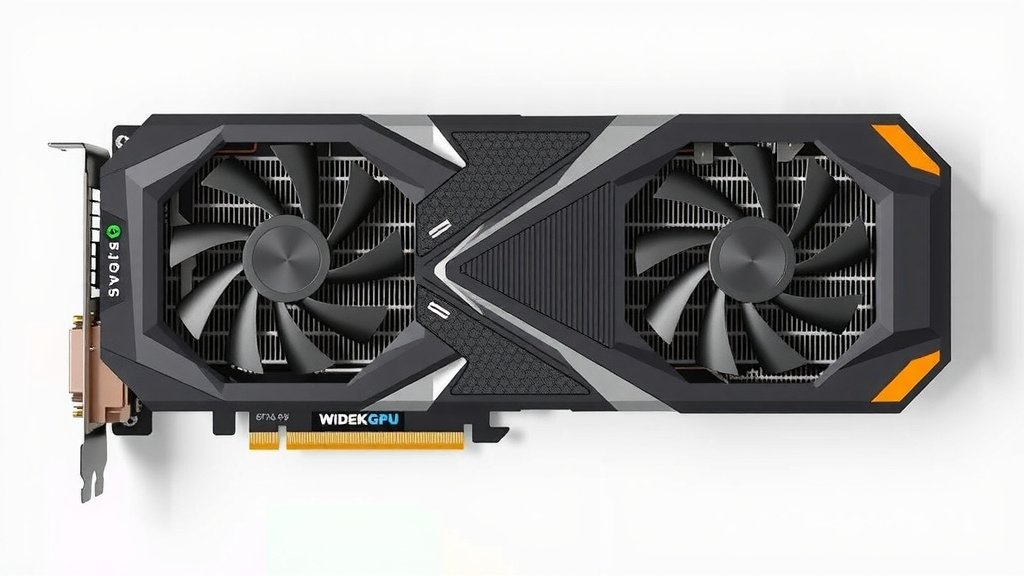
A discrete GPU, also known as a dedicated graphics card, is a separate component in your computer designed specifically for rendering images and video. Unlike integrated graphics built into the CPU, a discrete GPU has its own memory and processing power, making it ideal for demanding tasks like gaming or video editing.
Think of it as your computer’s specialized artist. While your CPU handles general tasks, the discrete GPU takes on the heavy lifting of creating visuals. This separation allows for much smoother performance in graphics-intensive applications, preventing your main processor from getting bogged down.
- A discrete GPU is a dedicated graphics card.
- It has its own memory and processing power.
- It handles demanding visual tasks like gaming.
- This improves performance by offloading work from the CPU.
Let’s dive deeper into what makes a discrete GPU tick and why you might need one for your setup.
What Exactly is a Discrete Graphics Card?
A discrete graphics card is your computer’s powerhouse for all things visual. It’s a separate piece of hardware. Think of it like a specialized brain just for pictures and videos. Unlike the graphics capabilities built right into your main computer chip (the CPU), a discrete GPU has its own dedicated memory and processing unit. This separation is key.
When you’re playing a game or editing a video, your CPU has a lot of general thinking to do. If it also had to handle all the graphics processing, things would slow to a crawl. The discrete GPU steps in to take that load. It’s designed specifically for rendering everything you see on your screen. This makes your computer much more responsive for graphics-heavy tasks.
How Does a Discrete GPU Differ from Integrated Graphics?
The main difference lies in their setup and capability. Integrated graphics are part of your CPU. They share system memory (RAM) with the CPU. This makes them less powerful. They’re great for everyday tasks like browsing the web or using office software. But they can struggle with anything demanding visually.
A discrete GPU, on the other hand, is a standalone component. It’s usually a separate card plugged into your motherboard. It has its own high-speed memory, often called VRAM. This dedicated memory is much faster for graphics processing. This allows it to handle complex scenes, high resolutions, and smooth animations without impacting your CPU’s performance.
Understanding the Components of a Discrete GPU
Every discrete GPU has a few key parts. The main component is the Graphics Processing Unit (GPU) itself. This is the chip that does all the heavy lifting for calculations. Then there’s the video memory (VRAM). This is where textures, frame buffers, and other visual data are stored. Having more VRAM generally means better performance at higher resolutions.
You’ll also find cooling solutions. These can range from simple heatsinks to complex fan systems or even liquid cooling. Powerful GPUs generate a lot of heat. Effective cooling is essential to keep them running smoothly and prevent damage. Many discrete GPUs also have specialized ports for connecting your monitors.
Why Would You Need a Discrete GPU?
You might be wondering if you really need one. For basic computer use, probably not. Your computer likely has integrated graphics that do a fine job. But if you find yourself frustrated by slow loading times, choppy visuals, or applications crashing when they hit a graphical load, a discrete GPU could be your answer.
The Gaming Advantage
Gamers are often the biggest proponents of discrete GPUs. Modern video games are visually stunning. They require immense processing power to render detailed environments, realistic lighting, and smooth character movements. A discrete GPU ensures you can play these games at higher settings and frame rates. This means a much more immersive and enjoyable gaming experience.
Creative Professionals and Their Tools
Beyond gaming, discrete GPUs are vital for creative professionals. Video editors, 3D animators, graphic designers, and engineers all rely on these cards. Tasks like rendering complex 3D models, editing high-resolution video footage, or running demanding simulation software are made significantly faster. This can save professionals hours of work time.
Accelerating AI and Machine Learning
Interestingly, discrete GPUs are also becoming incredibly important for artificial intelligence and machine learning. Their parallel processing capabilities are perfectly suited for the massive calculations involved in training AI models. Researchers and developers are increasingly turning to powerful GPUs for these tasks.
Key Features to Consider in a Discrete GPU
When looking at discrete GPUs, you’ll see a lot of specs. It’s easy to get lost in the numbers. We’ll break down the most important ones for you.
Performance Metrics: Clock Speed and Cores
The GPU’s clock speed, measured in MHz or GHz, indicates how fast its core processes are. More cores generally mean more processing power. Think of cores like tiny workers. More workers can get more done simultaneously. Higher clock speeds and more cores usually translate to better performance.
Memory Matters: VRAM Capacity and Speed
VRAM is your GPU’s dedicated workspace. For gaming and professional applications, more VRAM is generally better. It allows the GPU to store more high-resolution textures and complex scene data. VRAM speed, measured in GB/s, affects how quickly the GPU can access this data. We found that for modern AAA games, 8GB of VRAM is becoming the minimum recommended amount.
Power and Cooling: Keeping it Cool
High-performance GPUs draw a lot of power. You need to ensure your power supply unit (PSU) can handle the load. Cooling is also critical. Most discrete GPUs come with fans built-in. For very high-end cards, consider case airflow. This prevents overheating and ensures consistent performance.
Making the Right Choice for Your Needs
Choosing a discrete GPU depends entirely on what you plan to do with your computer. Don’t buy more power than you need. It’s like buying a race car to drive to the grocery store – overkill!
Budget-Friendly Options
For users who want a bit more graphical oomph than integrated graphics provide, entry-level discrete GPUs are available. These can handle light gaming, HD video playback, and some photo editing. They offer a noticeable upgrade without breaking the bank.
Mid-Range Performance
This is the sweet spot for many gamers and casual creators. Mid-range GPUs offer a great balance of performance and price. They can handle most modern games at medium to high settings. They also speed up tasks like 1080p video editing and graphic design work.
High-End and Enthusiast Cards
If you demand the absolute best performance for 4K gaming, professional video production, or complex 3D rendering, you’ll be looking at high-end cards. These come with a premium price tag. They offer top-tier specifications and will tackle almost any task you throw at them.
A Quick Checklist for Your GPU Decision
Thinking about adding a discrete GPU? Here’s a quick rundown of things to keep in mind:
- Your primary use case: Gaming? Video editing? Everyday browsing?
- Your budget: How much are you comfortable spending?
- Your current system: Does your power supply have enough wattage?
- Monitor resolution and refresh rate: Higher resolutions need more GPU power.
- Future needs: Do you plan to upgrade your software or play more demanding games?
Conclusion
You’ve now got a clear picture of what a discrete GPU is and why it matters. It’s your computer’s graphics powerhouse, essential for anything beyond basic tasks. Whether you’re a gamer, a creative professional, or working with AI, a dedicated graphics card makes a huge difference. It ensures smooth visuals and faster processing. Think about your primary computer uses. Then, match those needs to a GPU’s capabilities and your budget. Now you’re ready to make an informed decision for your next upgrade!
Frequently Asked Questions
Can I add a discrete GPU to any computer?
You can add a discrete GPU to most desktop computers. You’ll need an available PCIe slot on your motherboard. Make sure your computer’s power supply unit (PSU) has enough wattage. Also, check that the card will physically fit inside your computer case.
Will a discrete GPU make my computer faster overall?
A discrete GPU primarily speeds up graphics-related tasks like gaming and video editing. It won’t necessarily make your web browsing or word processing much faster. However, by offloading graphical work, it can free up your CPU, leading to a smoother experience in multitasking.
How much VRAM do I really need?
The amount of VRAM you need depends on your use case. For basic tasks and light gaming, 4GB might suffice. For modern AAA games or 1080p video editing, 8GB is a good starting point. Professional work or 4K gaming often benefits from 12GB or more.
Do I need to upgrade my power supply for a discrete GPU?
It’s highly likely. Powerful discrete GPUs consume more electricity than integrated graphics. Most manufacturers recommend a minimum PSU wattage for their cards. Always check your GPU’s requirements and ensure your PSU meets or exceeds it.
Are discrete GPUs worth the cost if I only play casual games?
For casual games, a discrete GPU might be overkill. Integrated graphics found in many modern CPUs are often sufficient for less demanding titles. If you’re experiencing lag or low frame rates even in casual games, a budget-friendly discrete GPU could offer a nice improvement without a huge investment.


![10 Best Gpu For Gaming Under $1000 [2026]](https://spsolutionscare.com/wp-content/uploads/2026/10/10-best-gpu-for-gaming-under-1000-2026-featured-768x432.jpg)
![10 Driver [2026]](https://spsolutionscare.com/wp-content/uploads/2026/08/10-driver-2026-featured-768x432.jpg)