
GPU Clock Speed Explained: What It Means for Your Performance
GPU clock speed is a measure of how fast your graphics card’s processor can run. Think of it like the engine’s RPM in a car. A higher clock speed generally means your GPU can perform more calculations per second, leading to better gaming performance and faster graphics processing. It’s a key factor in determining your GPU’s overall power.
You’ll often see clock speed measured in megahertz (MHz) or gigahertz (GHz). While it’s a really important metric, it’s not the only thing that makes a graphics card speedy. Things like memory speed and the number of processing cores also play a big role in how well your GPU handles demanding tasks.
- GPU clock speed tells you how fast your graphics card’s processor works.
- Higher clock speeds usually mean better performance.
- It’s measured in MHz or GHz.
- It’s a key spec, but not the only one that matters for graphics power.
Let’s break down what GPU clock speed really means for your PC and why you should care about it.
Understanding Your GPU’s Clock Speed
Your graphics card’s clock speed is a fundamental measure of its processing power. It tells you how many cycles per second the GPU’s main processor can complete. Think of it like the heartbeat of your graphics engine; a faster heartbeat means more work can get done.
What Exactly is GPU Clock Speed?
When we talk about GPU clock speed, we’re referring to the frequency at which the GPU’s core runs. This frequency dictates how many operations or calculations the GPU can perform in a single second. It’s typically measured in megahertz (MHz) or, more commonly today, gigahertz (GHz).
For instance, a GPU with a clock speed of 1.5 GHz can perform 1.5 billion cycles every second. A higher clock speed generally translates to a faster and more responsive graphics experience, especially in demanding applications like video games or video editing software.
The Basics: Cycles and Frequency
Imagine a clock ticking. Each tick is a cycle. The faster the clock ticks, the more cycles it completes in a given time. In a GPU, these cycles are where the actual graphics processing happens. More cycles per second mean more calculations for things like rendering graphics, processing textures, and calculating lighting effects.
This speed is determined during the manufacturing process, but it can sometimes be adjusted by users through overclocking, though this comes with its own considerations. It’s a direct indicator of how quickly your GPU can process visual information.
MHz vs. GHz: What’s the Difference?
The distinction between MHz and GHz is simply a matter of scale. One gigahertz (GHz) is equal to 1,000 megahertz (MHz).
| Unit | Meaning |
|---|---|
| MHz | Megahertz (Millions of cycles per second) |
| GHz | Gigahertz (Billions of cycles per second) |
So, a GPU running at 1.8 GHz is performing 1,800 MHz worth of cycles. Modern GPUs almost exclusively operate in the GHz range because of the immense processing capabilities required today.
Why Does Clock Speed Matter for Your Performance?
Your GPU clock speed is a big deal when it comes to how smoothly your games run or how quickly your creative projects render. A faster clock speed means your GPU can process instructions more rapidly.
Impact on Gaming
In gaming, clock speed directly influences your frame rate, often measured in frames per second (FPS). Higher FPS means a smoother, more fluid visual experience on your screen. If your GPU’s clock speed is too low for a demanding game, you might experience stuttering or lag, which can be really frustrating.
Research has consistently shown that a higher GPU clock speed correlates with higher average FPS in many game benchmarks (Tom’s Hardware). It’s like giving your gaming engine a higher redline; it can push more power when needed.
Beyond Gaming: Other Applications
While gaming is a primary driver for GPU development, clock speed is important for other tasks too. Video editing, 3D rendering, and even complex scientific simulations all rely on the GPU’s processing might. A faster clock speed can mean shorter render times for your videos or more detailed models being generated quickly.
Many professional applications can now utilize the parallel processing power of GPUs. This means that for tasks outside of gaming, your GPU clock speed can also be a key factor in your overall productivity and workflow efficiency.
Clock Speed Isn’t Everything: Other Important Factors
It’s easy to get fixated on clock speed, but it’s just one piece of the puzzle. Your GPU also has other specifications that are equally, if not more, important for its overall performance.
CUDA Cores or Stream Processors
These are the actual workhorses of your GPU. Think of them as the individual workers on an assembly line. The more workers you have (more cores), the more tasks can be performed simultaneously. A GPU with fewer, but faster, cores might perform similarly to one with more, but slower, cores. It’s about the total processing capability.
Memory (VRAM) Speed and Bandwidth
Your GPU’s memory, or VRAM, is where it stores the data it needs to process. If the clock speed is the engine, VRAM is the fuel tank and the pipes feeding the engine. If the VRAM can’t supply data fast enough, even a powerful, high-clock-speed GPU will be held back. This is known as memory bandwidth.
We found that for high-resolution gaming or working with large datasets, VRAM capacity and bandwidth can be even more critical than raw clock speed (TechSpot reviews). It’s about having enough fuel and getting it to the engine quickly.
Architecture and Generation
Newer GPU architectures are often more efficient. This means they can perform more work per clock cycle than older designs. So, a newer GPU with a slightly lower clock speed might still outperform an older GPU with a higher clock speed. It’s like comparing a modern, fuel-efficient car engine to an older, gas-guzzling one of similar horsepower.
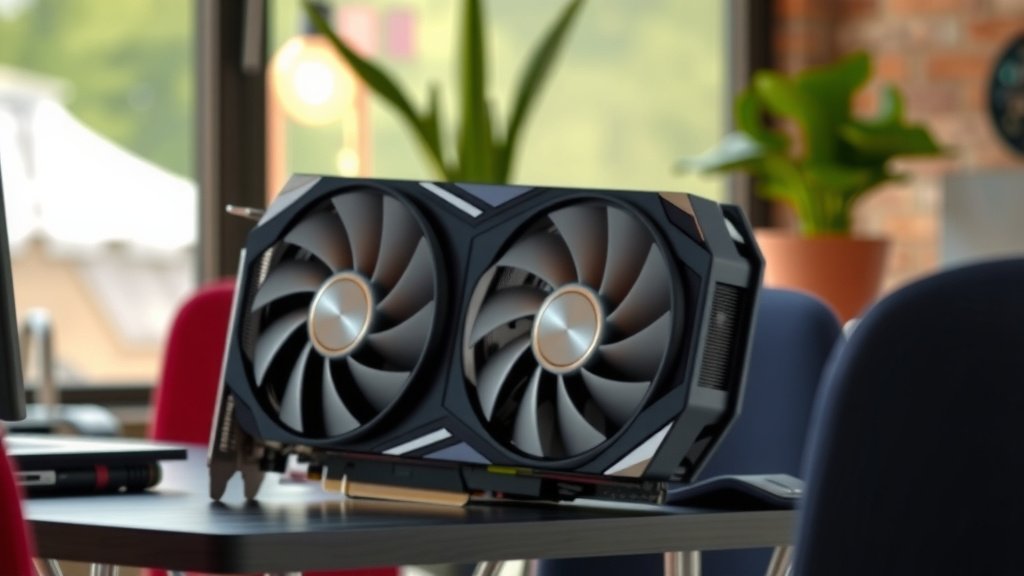
Understanding Base Clock vs. Boost Clock
You’ll often see two clock speeds listed for a GPU: the base clock and the boost clock.
Base Clock Speed
This is the guaranteed minimum operating speed of the GPU’s processor. It’s the speed the card will run at under normal load, ensuring stability and reliability.
Boost Clock Speed
This is the maximum speed the GPU can automatically reach under ideal conditions. When the GPU has enough thermal and power headroom, it will boost its clock speed beyond the base clock to deliver higher performance. Think of it as the GPU hitting a temporary speed burst when it can.
Many sources note that the actual clock speed your GPU operates at will fluctuate between the base and boost speeds depending on the demands of the application and the thermal conditions of your system (AnandTech).
What to Look for When Choosing a GPU
When you’re looking to upgrade or buy a new graphics card, keep these points in mind regarding clock speed and other factors.
- Check the Boost Clock: This is usually a better indicator of peak performance.
- Consider the VRAM: Ensure you have enough memory capacity and bandwidth for your needs.
- Compare Architectures: Newer generations often offer better performance per clock cycle.
- Look at Core Counts: More processing cores can mean better multitasking capabilities.
- Read Reviews: Real-world benchmarks are the best way to see how a GPU truly performs.
Conclusion
You’ve learned that GPU clock speed is a key performance indicator for your graphics card. It directly impacts how quickly your GPU processes visual data, affecting everything from gaming frame rates to rendering times. Remember, while a higher clock speed is generally better, it’s not the whole story. Factors like VRAM speed, core count, and GPU architecture play vital roles too. When choosing a new GPU, look beyond just the clock speed. Always check real-world benchmarks and reviews to find the best card for your specific needs and budget.
Frequently Asked Questions
Is a higher GPU clock speed always better for gaming?
Generally, a higher GPU clock speed means better gaming performance and higher frame rates. However, it’s not the only factor. Your GPU’s VRAM, core count, and the game’s optimization also play a big part in how smoothly your games run. You should always check benchmarks for the specific games you play.
What’s the difference between base clock and boost clock speed?
The base clock is the guaranteed minimum speed your GPU will run at. The boost clock is the maximum speed it can reach under ideal conditions, like when it has good cooling and power. The actual speed your GPU operates at will usually fluctuate between these two speeds.
Can I increase my GPU’s clock speed myself?
Yes, you can often increase your GPU’s clock speed through a process called overclocking. This can boost performance, but it also increases heat and power consumption. It’s important to do this carefully and monitor your system to avoid instability or damage.
How much does GPU clock speed affect video editing or rendering?
GPU clock speed significantly impacts video editing and rendering tasks. A faster clock speed allows your GPU to process and render video effects or entire projects more quickly. This can lead to much shorter waiting times for your creative work.
Should I prioritize clock speed over VRAM amount?
It depends on your usage. For basic tasks or older games, clock speed might be more critical. However, for modern, demanding games at high resolutions or for professional creative work with large files, having enough VRAM and good memory bandwidth can be just as, if not more, important than raw clock speed.


![10 Best Gpu For External Gpu [2026]](https://spsolutionscare.com/wp-content/uploads/2026/09/10-best-gpu-for-external-gpu-2026-featured-768x432.jpg)