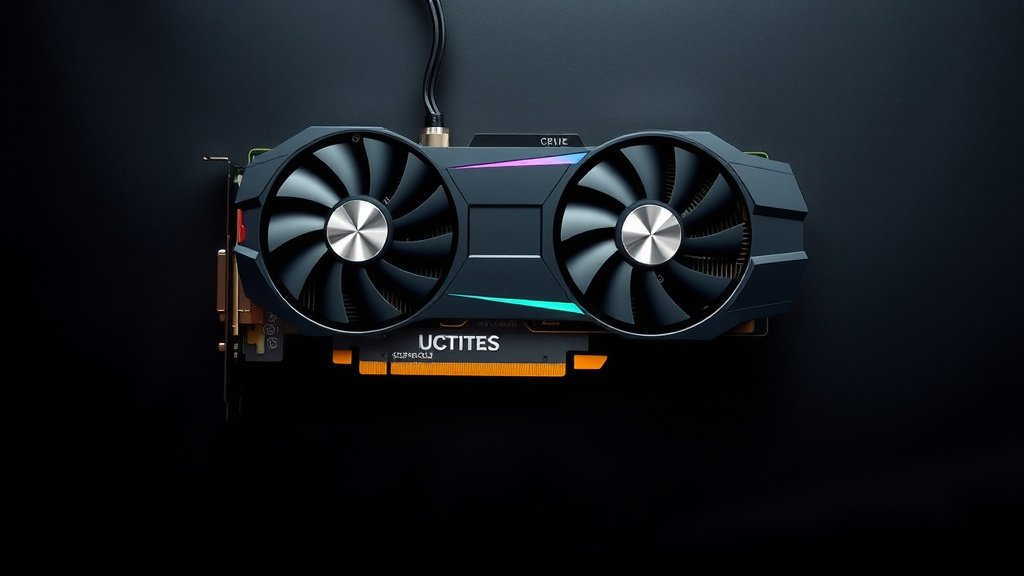
What Is a Dual Slot Graphics Card Explained
A dual slot graphics card is essentially a video card that takes up two expansion slots on your computer’s motherboard. Think of your computer’s internal space like a building. Slots are like doorways for components. A dual slot card needs two of those doorways to fit and function properly, mainly because it’s larger and generates more heat than a single slot card.
Why does size matter? These cards are typically more powerful, designed for demanding tasks like gaming or video editing. Because they pack more punch, they also need better cooling systems. This often means a beefier heatsink and more fans, which is why they occupy more space. Many users wonder if they have enough room. You’ll want to check your PC case before buying.
TL;DR:
- A dual slot graphics card uses two motherboard expansion slots.
- They are usually more powerful than single slot cards.
- More power means they need better cooling systems.
- You need to check your computer case for physical space.
Ready to see if a dual slot card is right for your setup? Let’s dive into what that really means for your PC.
Understanding Your Graphics Card’s Physical Footprint
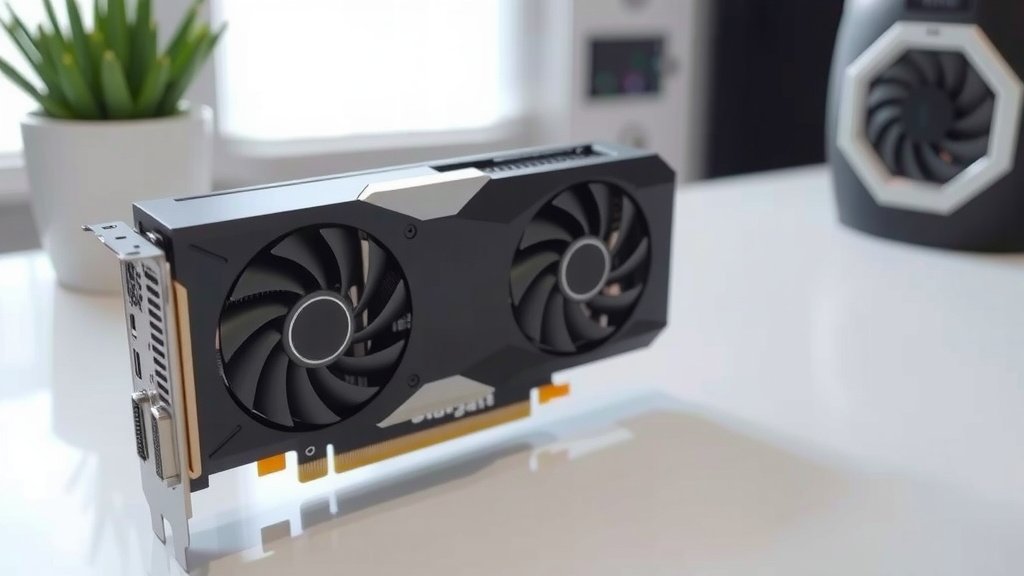
So, you’ve heard about dual slot graphics cards and are wondering what that really means for your PC. Let’s break it down. When we talk about a “dual slot” card, we’re referring to its physical size, specifically how much space it takes up inside your computer tower. Think of the back of your computer where you plug things in. You’ll see a row of metal brackets. Each one covers an expansion slot on your motherboard. A single slot card uses just one of these brackets. A dual slot card, however, uses two of these brackets.
This is usually because the card itself is thicker. It needs that extra width to house its components. The main reason for this extra width is often the cooling system. More powerful cards generate more heat. To keep them from overheating, they need larger heatsinks and more fans. These parts just take up more room. So, the card is designed to extend across two neighboring expansion slots to accommodate this beefier cooling.
What Exactly Are Expansion Slots?
Expansion slots, often called PCIe slots (Peripheral Component Interconnect Express), are like direct highways for data. They connect specialized hardware, like your graphics card, directly to your motherboard and, in turn, your CPU. The graphics card is the most common component that uses these slots, though other devices like sound cards or network cards can too.
When a graphics card is installed, it essentially plugs into one of these PCIe slots. The number of slots a card occupies is determined by its physical design. This design is closely tied to its performance and cooling needs. A higher-performance card will almost always require a more substantial cooling solution.
Why Do Some Cards Need Two Slots?
The core reason a graphics card needs two slots is its cooling solution. We found that high-end graphics cards, especially those built for demanding gaming or professional workloads like 3D rendering or video editing, produce a significant amount of heat. To dissipate this heat effectively, manufacturers equip these cards with larger heatsinks and multiple fans.
A heatsink is a metal component designed to absorb heat. The bigger and more complex it is, the more heat it can draw away from the GPU chip. Similarly, more fans mean better airflow. They push cool air over the heatsink and expel hot air from the card. All these components – the large heatsink, the fans, and the protective shroud – add to the card’s thickness. This thickness necessitates a dual slot design to ensure it fits properly within a computer case and doesn’t obstruct other components.
Performance and Cooling: The Dual Slot Advantage
You might be wondering if this extra size means extra performance. Generally, yes. Dual slot graphics cards are typically engineered for higher performance. They house more powerful GPUs (Graphics Processing Units) and often come with more video memory (VRAM). This allows them to handle more demanding tasks with greater speed and efficiency.
Think of it like this: a single slot card might be like a zippy sports car, great for its purpose. A dual slot card is more like a powerful SUV – it has the muscle and the capacity to handle heavier loads and more challenging terrain, which in computer terms means higher resolutions, more detailed graphics, and smoother frame rates.
The Bigger the Cooler, The Better the Performance?
While not a strict rule, there’s a strong correlation. The advanced cooling found on dual slot cards isn’t just about preventing overheating; it’s also about allowing the GPU to perform at its peak. GPUs have built-in safety mechanisms that reduce their clock speed (how fast they operate) if they get too hot. A superior cooling system means the card can maintain its higher clock speeds for longer periods without throttling.
We found that many enthusiasts and benchmark tests show that cards with robust cooling solutions consistently outperform their less-cooled counterparts. This often translates to a smoother gaming experience or faster rendering times for creative professionals. The extra space allows for better airflow, larger fans, and more effective heat dissipation.
Checking Your PC Case for Space
Before you get too excited about a powerful dual slot card, you absolutely must check if it will fit in your computer case. This is where many people run into trouble. Cases come in all shapes and sizes, from tiny mini-ITX builds to massive full towers. A dual slot card requires about two inches of vertical clearance where it plugs into the motherboard. This is in addition to the length of the card, which can also be substantial.
You’ll need to look at your PC case’s specifications or, even better, measure the available space yourself. Pay attention to the slots on the back of your case. If you currently have a single slot graphics card or no graphics card, you might only see one or two slots occupied by other components. You need to ensure there are at least two empty expansion slot covers available, and that the internal space is sufficient.
Measuring Your PC Case
To measure, you’ll typically want to check the space available from the motherboard’s expansion slots towards the opposite side panel of your case. You need to consider both the width (how many slots it takes) and the length. Many manufacturers provide case dimensions online, so look up your model. If you can’t find the specs, a simple ruler or tape measure will do. Measure the depth from the motherboard mounting bracket area to the side panel.
Keep in mind that even if you have the width, you might have other components like large CPU coolers or drive cages that could obstruct the card’s length. It’s always better to err on the side of caution. If you’re unsure, consult your case manual or look for build guides online for your specific case model.
Are There Downsides to Dual Slot Cards?
While dual slot cards offer great performance, they aren’t without their considerations. The most obvious is the physical space requirement we’ve discussed. If you have a smaller form-factor PC, a dual slot card might simply not fit. This can be a dealbreaker for compact builds or older pre-built systems.
Another factor is power consumption. More powerful GPUs typically draw more electricity. You’ll need to ensure your power supply unit (PSU) has enough wattage to handle the graphics card, especially when it’s under heavy load. Manufacturers usually specify the recommended PSU wattage for each graphics card model. We found that underestimating your PSU needs can lead to system instability or even damage.
Power Supply Unit (PSU) Considerations
When choosing a dual slot graphics card, always check its power requirements. A typical recommendation might be anywhere from 500W to 750W or even higher for top-tier cards. Your current PSU might be sufficient, but it’s worth verifying. If your PSU is borderline or insufficient, you’ll need to upgrade it as well.
This adds to the overall cost and complexity of upgrading. It’s not just about the card itself. You’re looking at the card’s physical fit, its power draw, and ensuring your PSU can meet that demand. Many experts suggest having a PSU with at least 100-150W of headroom above the graphics card’s minimum recommendation for optimal stability and longevity.
Motherboard Slot Compatibility
While most modern motherboards have plenty of PCIe slots, it’s worth a quick check. A dual slot card will occupy one primary PCIe x16 slot (the long one) and then block the adjacent slot. This means you can’t use the slot directly next to your graphics card for another expansion card, like a sound card or Wi-Fi adapter, unless your motherboard has very specific spacing.
Most users are perfectly fine, as the graphics card is the primary component using that slot. However, if you’re running a highly specialized setup with multiple expansion cards, you’ll need to plan your layout carefully. We found that motherboards with more spacing between PCIe slots are beneficial for users who run multiple add-in cards alongside their GPU.
Is a Dual Slot Card the Right Choice for You?
Ultimately, the decision hinges on your needs and your PC’s capabilities. If you’re looking for a significant boost in gaming performance, better video editing speeds, or the ability to handle more demanding visual tasks, a dual slot card is likely a strong contender.
But before you buy, remember to perform these checks:
- Confirm your PC case has the physical space (width and length).
- Check your power supply unit (PSU) for sufficient wattage.
- Ensure your motherboard has an available PCIe x16 slot.
- Understand that the adjacent slot will be blocked.
- Consider the overall cooling and airflow in your case.
- Think about your primary use case – does it justify the power and size?
Conclusion
So, you’ve learned that a dual slot graphics card is a bigger, more powerful component that needs extra space. It utilizes two expansion slots primarily to house its enhanced cooling system, which is key to its higher performance. This means better gaming and smoother creative workflows. Remember, before you buy, always double-check your PC case for physical clearance and ensure your power supply can handle the extra load. Making these checks will help you avoid potential headaches and ensure your new graphics card fits and runs perfectly.
Frequently Asked Questions
Will a dual slot graphics card fit in any computer?
Not necessarily. Dual slot cards are thicker than single slot cards and require about two inches of vertical clearance and two adjacent expansion slot covers at the back of your case. Smaller computer cases, especially those for mini-ITX or some pre-built systems, may not have enough physical space for them.
Can I use the second expansion slot a dual slot card covers?
Generally, no. When you install a dual slot graphics card, it physically blocks the expansion slot immediately adjacent to it. This means you won’t be able to install another expansion card, like a sound card or network adapter, in that neighboring slot.
Do dual slot cards always mean better performance than single slot cards?
While there’s a strong correlation, it’s not a strict rule. Dual slot cards are typically designed for higher performance due to their more powerful GPUs and robust cooling. However, a very high-end single slot card might outperform a lower-end dual slot card in some scenarios.
What happens if my power supply isn’t strong enough for a dual slot card?
If your power supply unit (PSU) doesn’t meet the wattage requirements for your dual slot graphics card, you might experience system instability, unexpected shutdowns, or even hardware damage. It’s essential to check the card’s recommended PSU wattage and ensure your PSU meets or exceeds it.
How do I know if my motherboard supports a dual slot graphics card?
Almost all modern motherboards come equipped with at least one PCIe x16 slot, which is the type graphics cards use. As long as your motherboard has a standard PCIe x16 slot and your case provides the physical space, it will support a dual slot graphics card.


![10 Driver [2026]](https://spsolutionscare.com/wp-content/uploads/2026/08/10-driver-2026-featured-768x432.jpg)
![10 Best 4k Budget Graphics Card [2026]](https://spsolutionscare.com/wp-content/uploads/2026/08/10-best-4k-budget-graphics-card-2026-featured-768x432.jpg)