What Is a Blower Style Graphics Card And When To Use It
A blower style graphics card is a GPU that uses a single, fan-based cooler that exhausts hot air directly out of your PC case. This design is often preferred in smaller PC builds or when you have multiple graphics cards running together. It helps keep overall system temperatures lower by not recirculating warm air inside.
Unlike other graphics card coolers that spread heat around your case, a blower card acts like a miniature exhaust fan for your GPU. We found this makes them great for managing heat in confined spaces. Many builders use them when case airflow is a bit of a challenge, or they want to ensure the hot air doesn’t linger.
- Blower cards push hot air directly out of your PC.
- They are ideal for small computer cases.
- Multiple blower cards in one system can work well together.
- This design helps prevent heat buildup inside your case.
Let’s break down exactly what makes a blower style graphics card different and how it might be the right choice for your next PC build.
Understanding Blower-Style Graphics Cards
So, what exactly sets a blower-style graphics card apart from the rest? It’s all about the cooling system. Unlike most modern GPUs that use multiple fans to push air around your case, a blower card features a single fan. This fan is enclosed within a shroud that directs all the hot air produced by the GPU out of your computer’s chassis through the back.
Think of it like a tiny, dedicated exhaust fan for your graphics card. This direct exhaust method is its defining feature. It’s a design choice that comes with specific advantages, especially for certain types of PC builds.
How Blower Coolers Work
The fan on a blower card pulls cool air in from the outside. It then forces that air over the heatsink and other components of the graphics card. As the air heats up, it’s expelled directly out of the back of your PC case. This process is very efficient at removing heat quickly.
This single-fan design is often smaller. It allows the card to be more compact. It also means the card itself might not stick out as far into your motherboard area. This can be a lifesaver in tightly packed systems.
The Blower Fan: A Unique Design
The fan itself is typically an axial fan. It’s housed within a plastic or metal cover that forms the entire cooler. This cover guides the airflow. It ensures that the hot air has only one way to go: out the I/O bracket at the rear of your computer.
You’ll often see these types of coolers on reference models of graphics cards. Many GPU manufacturers will also use this design for their lower-end cards or specific workstation cards. It’s a tried-and-true method for cooling.
Key Benefits of Blower-Style GPUs
The primary advantage of a blower card is its ability to manage heat effectively in challenging environments. If your PC case has limited airflow, a blower card is a smart choice. It actively pushes hot air away, preventing it from lingering inside your case and raising overall temperatures.
This is especially useful if you’re building a small form factor (SFF) PC. These cases are often very cramped. They don’t have a lot of room for large, elaborate cooler designs that dump heat everywhere. A blower card helps keep your components cooler and potentially performing better.
Ideal Scenarios for Blower Cards
When do you really want to consider a blower card? Here are a few key situations:
- Small PC Builds: As mentioned, mini-ITX or other SFF cases benefit greatly.
- Multi-GPU Setups: If you’re running two or more graphics cards, blower cards can prevent a heat war. Each card exhausts its own hot air outwards. This is much better than having multiple open-air coolers recirculating heat.
- Poor Case Airflow: If your PC case doesn’t have great intake and exhaust fans, a blower card takes on some of that exhaust duty.
- Workstation Use: Some professional applications demand sustained high loads. Blower cards can offer consistent cooling under pressure.
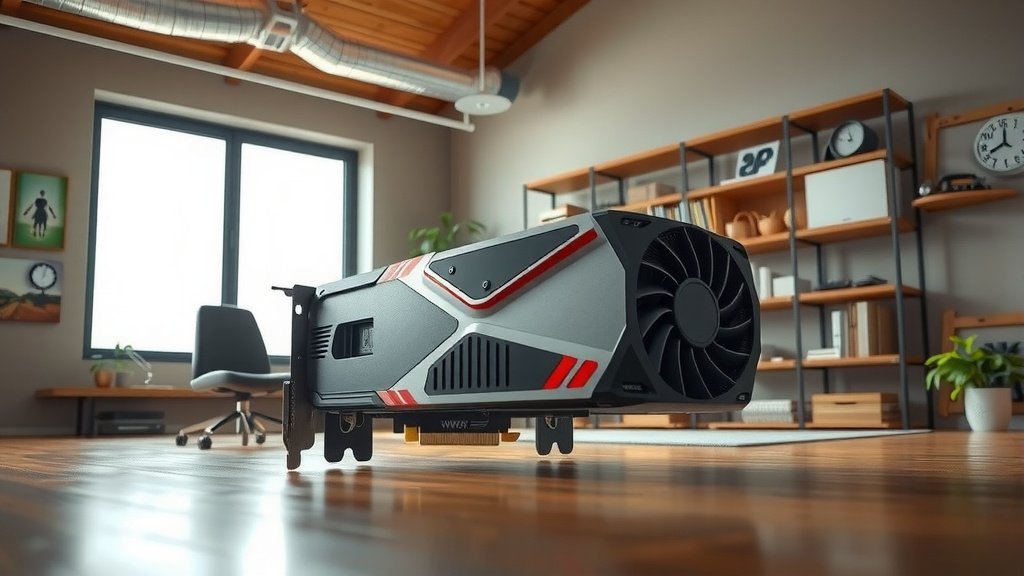
Comparing Blower Coolers to Open-Air Coolers
Most consumer graphics cards today use open-air coolers. These typically have two or three fans directly attached to the heatsink. They are designed to push air down onto the heatsink and then spread it out into the PC case. The idea is that your case fans will then clear that air out.
While open-air coolers are often quieter and can achieve lower GPU temperatures in well-ventilated cases, they have a downside. They dump a lot of heat back into your PC. This can increase the temperature of other components, like your CPU or motherboard.
| Feature | Blower Style | Open-Air Style |
|---|---|---|
| Fan Design | Single fan in an enclosed shroud | Multiple fans directly on heatsink |
| Airflow | Direct exhaust out of case | Air dispersed within case |
| Noise Level | Can be louder under load | Generally quieter, but can vary |
| Ideal For | SFF cases, multi-GPU, poor case airflow | Well-ventilated cases, single GPU |
| Heat Management | Excellent for heat removal from case | Can increase case ambient temps |
Noise Considerations
It’s true, blower cards can sometimes be noisier than their open-air counterparts. The single fan often has to spin faster to move enough air through the restrictive shroud. This can result in a more noticeable fan sound under heavy load.
However, many modern blower cards have improved significantly. They use better fan designs and materials. Some even feature semi-passive modes where the fan turns off at low temperatures. You’ll want to check reviews for specific models to gauge their noise performance.
When a Blower Card Might NOT Be Your Best Bet
If you’re building a standard mid-tower or full-tower PC with excellent airflow, you might not need a blower card. Open-air coolers often provide superior cooling performance for the GPU itself in these situations. They can keep the GPU temperatures lower and potentially allow for higher clock speeds.
Also, if noise is your absolute top priority and you have a well-ventilated case, an open-air cooler might be the better choice. The direct exhaust nature of a blower card can sometimes lead to higher fan RPMs, which means more noise.
Checklist: Is a Blower Card Right for You?
Before you make your decision, ask yourself these quick questions:
- Is your PC case small or have limited space?
- Do you plan on using multiple graphics cards?
- Is your current case airflow not very good?
- Do you need to expel heat directly out of the system?
- Are you building a compact workstation?
- Is the GPU’s heat output a major concern for your overall system temps?
If you answered yes to several of these, a blower-style graphics card could be the perfect solution for your build. They are engineered to solve specific cooling challenges.
Conclusion
You’ve learned that a blower-style graphics card is your go-to for efficient heat management in tight spaces. Its single fan and direct exhaust design actively push hot air out of your PC. This makes it perfect for small builds, multi-GPU setups, or systems with less-than-ideal case airflow. While they can sometimes be a bit louder, their ability to keep your overall system cooler is a major win. If you’re facing these specific cooling challenges, a blower card is a smart, practical choice to keep your components running smoothly.
Frequently Asked Questions
Are blower cards only for gaming PCs?
Not at all! While gamers often consider them for compact builds, blower cards are also excellent for professional workstations. Any setup where you need to manage heat in a confined space or prevent heat buildup can benefit from this cooling design. They offer consistent performance under sustained loads.
Can I use a blower card in a standard-sized PC case?
Yes, you certainly can. Even if your case has good airflow, a blower card can still be a good option if you’re running multiple GPUs or want to ensure all GPU heat is expelled directly outside. It won’t hurt anything and might even help keep your other components cooler.
How do I know if my PC case has “poor airflow”?
Poor airflow often means your case doesn’t have enough intake and exhaust fans, or the fans are too small. You might also notice that other components, like your CPU, get quite hot. If hot air seems to linger inside your case, it likely has less-than-ideal airflow.
Are blower cards always louder than open-air cards?
They can be, especially older or lower-quality models. The single fan often needs to spin faster to achieve effective cooling through the enclosed shroud. However, many modern blower cards are much quieter, and some even have modes where the fan stops at low temperatures. It’s always good to check reviews for specific models.
What’s the difference between a blower and a standard GPU cooler?
The main difference is how they handle heat. A standard or “open-air” cooler has multiple fans that blow air onto the heatsink and disperse it inside your PC case. A blower card uses a single fan in an enclosed shroud to capture hot air and force it directly out of the back of your computer.

![10 Best 2d Video Card [2026]](https://spsolutionscare.com/wp-content/uploads/2026/08/10-best-2d-video-card-2026-featured-768x432.jpg)