
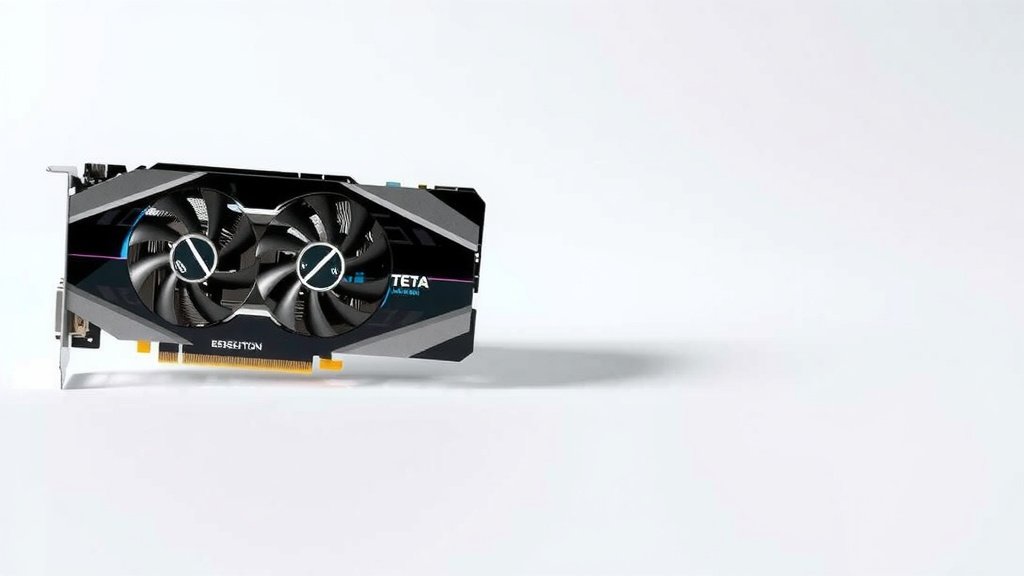
Workstation Graphics Card: What It Is & Why You Need One
A workstation graphics card is a high-performance GPU built for demanding professional tasks like 3D modeling, video editing, and complex simulations. Unlike consumer gaming cards, these GPUs prioritize stability, accuracy, and reliability for professional applications. They are specifically designed to handle large datasets and complex calculations with greater precision.
Many professionals rely on these specialized cards for their daily work. They offer certified drivers that ensure compatibility with professional software, which is a big deal. This focus on certification and robust engineering helps prevent crashes and ensures your work is saved accurately. You’re investing in dependable performance for your career.
- Workstation GPUs are for professional tasks, not just gaming.
- They focus on stability and accuracy for critical work.
- Certified drivers ensure compatibility with professional software.
- They handle complex data and calculations better than consumer cards.
Ready to understand how these powerful tools can benefit your workflow? Let’s walk through exactly what makes a workstation graphics card stand out from the crowd.
“`htmlUnderstanding Professional Graphics Cards
So, what exactly separates a workstation graphics card from the one you might find in a gaming PC? It all comes down to purpose and priorities. While both are GPUs designed to render images, their underlying design and optimization are worlds apart.
Think of it like this: you wouldn’t use a race car to haul lumber, and you wouldn’t use a heavy-duty truck for a drag race. Workstation GPUs are built for the heavy lifting of professional creative and scientific work. They prioritize precision, stability, and certified compatibility over raw frame rates in games.
Built for Stability, Not Just Speed
The primary goal of a workstation GPU is dependable, consistent performance. Professionals can’t afford crashes or errors when working on critical projects. These cards are engineered with higher quality components and more rigorous testing to ensure they run smoothly for hours on end.
You’ll often find that workstation cards have larger heatsinks and more robust cooling solutions. This isn’t just for show; it’s to maintain optimal temperatures during demanding, sustained workloads. Researchers have found that consistent thermal management directly impacts performance and longevity (AnandTech).
Gaming cards, on the other hand, are optimized for brief bursts of high performance, often with less emphasis on long-term, steady operation. They aim for the highest possible frame rates, which can sometimes lead to quicker wear if pushed constantly.
Accuracy and Reliability Are Key
Another major difference lies in how these cards handle data. Workstation GPUs are designed for greater accuracy in calculations. This is vital for tasks where even tiny errors can have big consequences, like in CAD, scientific simulations, or medical imaging.
Many workstation cards offer ECC (Error Correcting Code) memory. This is a specialized type of RAM that can detect and fix common types of internal data corruption. It’s like having a built-in proofreader for your graphics card’s memory, ensuring the data it processes is pristine.
Most consumer gaming cards do not include ECC memory. The focus there is on speed, and the occasional bit flip is generally considered an acceptable trade-off for lower cost and higher clock speeds.
The Power of Certified Drivers
This is perhaps one of the most significant advantages for professionals. Workstation graphics cards come with certified drivers. What does that mean for you?
These drivers have been tested and validated by the software developers themselves. So, if you’re using Autodesk AutoCAD, Adobe Premiere Pro, or SolidWorks, you can be confident that the workstation GPU and its drivers will work flawlessly with your software.
What Certified Drivers Prevent
Think of certified drivers as a handshake agreement between your hardware and your software. They ensure that your professional applications run as intended, without unexpected glitches or crashes. Many industry professionals report that uncertified drivers on gaming cards can lead to frustrating compatibility issues (TechRadar).
This certification process means fewer headaches and less time spent troubleshooting. You can focus on your creative work instead of battling software conflicts. It’s about ensuring your tools are reliable.
Driver Updates: Different Priorities
While both types of cards receive driver updates, their release schedules and focus differ. Workstation driver updates tend to be more conservative. They prioritize stability and compatibility, often rolling out after thorough testing for specific professional applications.
Gaming card drivers, conversely, are frequently updated to support new game releases and push performance boundaries. While this is great for gamers, it can sometimes introduce new bugs or compatibility problems that haven’t been ironed out yet.
Workstation Graphics Cards vs. Consumer Cards: A Comparison
To really see the difference, let’s put them side-by-side. While both are GPUs, their DNA is different.
| Feature | Workstation Graphics Card | Consumer (Gaming) Graphics Card |
|---|---|---|
| Primary Focus | Stability, accuracy, reliability, certified compatibility | Raw performance, high frame rates, gaming features |
| Drivers | Certified for professional applications | Optimized for games, general use |
| Memory (RAM) | Often ECC memory for error correction | Standard GDDR memory, no error correction |
| Performance | Consistent, dependable for long tasks | High peak performance, can vary |
| Cost | Generally higher | Generally lower |
| Target User | Designers, engineers, video editors, scientists | Gamers, general computer users |
When Might You Need a Workstation Card?
If your daily tasks involve any of the following, you should seriously consider a workstation GPU:
- 3D modeling and CAD (Computer-Aided Design)
- Video editing and motion graphics
- Scientific visualization and simulations
- High-resolution content creation
- Complex data analysis
- Virtual reality (VR) development
Essentially, any field where precision, stability, and software compatibility are non-negotiable will benefit from these specialized cards. They are an investment in your productivity and the quality of your output.
Performance Beyond Gaming Benchmarks
You won’t typically see workstation cards topping charts in gaming benchmarks, and that’s perfectly fine. Their performance metrics are different. Instead of frames per second, you’ll look at things like:
- Rendering times for complex scenes.
- Speed of data processing in simulations.
- Smoothness of playback in high-resolution video timelines.
- Accuracy and stability in CAD operations.
Many professional software suites are optimized to take full advantage of the specific features found in workstation GPUs. This means you get better performance within your application, even if the raw specs might seem lower than a high-end gaming card.
Key Takeaways for Your Workflow
So, to recap, a workstation graphics card is more than just a powerful GPU. It’s a meticulously engineered tool built for professionals. Here’s what you should remember:
- Prioritizes Stability: Designed for hours of uninterrupted, reliable work.
- Ensures Accuracy: Features like ECC memory prevent data errors.
- Certified Compatibility: Drivers are tested with professional software.
- Built for Demands: Handles large datasets and complex calculations efficiently.
- Professional Support: Often comes with better technical support for business users.
Conclusion
You’ve learned that a workstation graphics card is more than just a beefy GPU; it’s a precision instrument designed for professionals. By prioritizing stability, accuracy, and certified driver compatibility, these cards ensure your critical work runs smoothly. They handle complex datasets and demanding tasks reliably, preventing costly errors and downtime.
This investment in a workstation GPU means investing in your productivity and the quality of your output. If your daily tasks involve 3D design, video editing, scientific simulations, or any field where errors aren’t an option, it’s time to consider upgrading your hardware.
Frequently Asked Questions
Do I really need a workstation GPU for video editing?
For professional video editing, especially with high-resolution footage or complex effects, a workstation GPU is highly recommended. Its certified drivers and focus on stability help prevent crashes and ensure smoother playback and rendering times within your editing software.
Can a gaming GPU be used for CAD work?
While a powerful gaming GPU can handle some basic CAD tasks, it’s not ideal for professional or complex work. Workstation cards offer certified drivers and better precision for CAD applications, minimizing errors and ensuring compatibility with specialized design software.
What’s the main difference between ECC memory and standard GPU memory?
ECC (Error Correcting Code) memory, often found in workstation cards, can detect and correct internal data corruption. Standard GPU memory, found in gaming cards, does not have this error-checking capability, which can be critical for applications requiring high data integrity.
Are workstation graphics cards much more expensive than gaming ones?
Generally, yes, workstation graphics cards come at a higher price point. This cost reflects their specialized engineering, rigorous testing, certified drivers, and often higher-quality components designed for professional reliability and performance in specific applications.
How often should I update my workstation GPU drivers?
Workstation driver updates are typically less frequent than gaming drivers because they prioritize stability and compatibility. It’s best to update your drivers when your professional software specifically recommends it or when a new driver version is certified for your applications.
![10 Best Affordable Gaming Video Card [2026]](https://spsolutionscare.com/wp-content/uploads/2026/08/10-best-affordable-gaming-video-card-2026-featured-768x432.jpg)
![10 Best 8gb Graphics Card [2026]](https://spsolutionscare.com/wp-content/uploads/2026/08/10-best-8gb-graphics-card-2026-featured-768x432.jpg)

![10 Best Cheap Graphics [2026]](https://spsolutionscare.com/wp-content/uploads/2026/09/10-best-cheap-graphics-2026-featured-768x432.jpg)