10 Best Video Card To Buy Right Now [2026]
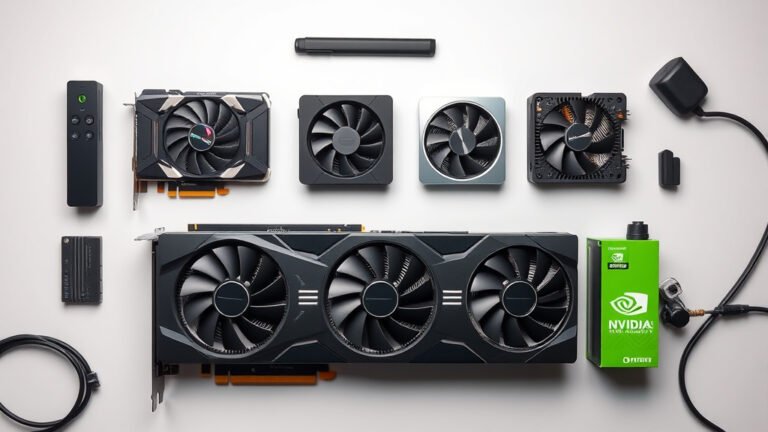
The best video cards to buy right now are the ASUS RTX 5060 Ti 16GB, the ASRock RX 9070 Challenger, and the XFX Radeon RX 9060 XT — chosen for their balance of performance, VRAM capacity, and overall value.
It’s a strong moment to upgrade, with current cards delivering smooth 1440p gaming, solid ray tracing support, and enough video memory to handle modern titles without compromise. Whether you’re a budget-conscious builder or chasing higher frame rates at max settings, there’s a card here that fits.
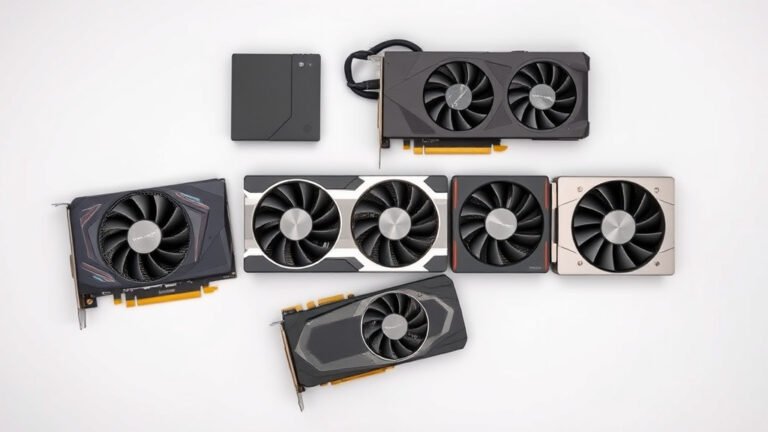
In this guide, we’ve narrowed the field to 10 top picks after hands-on comparison and research. We evaluated each card on gaming performance across resolutions, thermal behavior, power draw, noise levels, and long-term value — not just raw specs on a box. The full breakdown, including the standout ASUS RTX 5060 Ti 16GB for all-around 1440p use, starts with the comparison table below.
3 Standout Picks: 1440p All-Rounder, 1440p Performance, and VRAM Value
Start with these 3 standouts. Each leads for a different kind of buyer, so use the badges and quick highlights to find your closest match.

ASUS RTX 5060 Ti 16GB
- 16GB GDDR7 memory
- DLSS 4 and 767 AI TOPS
- Dual BIOS quiet mode

ASRock RX 9070 Challenger
- 16GB GDDR6 256-bit
- RDNA 4 with 56 CUs
- 2520 MHz factory OC
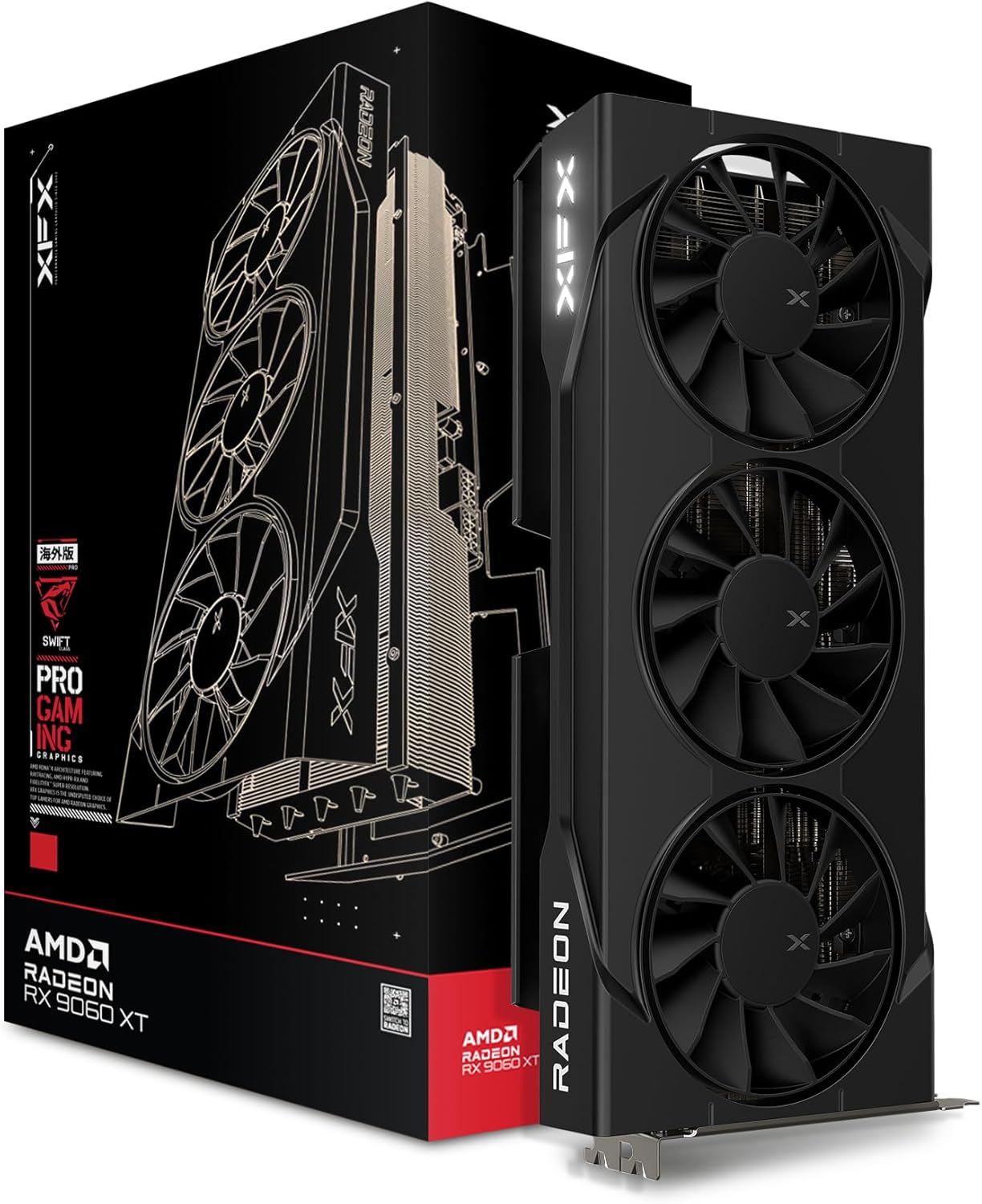
XFX Radeon RX 9060 XT
- 16GB GDDR6 memory
- RDNA 4 architecture
- Triple-fan Swift cooling
10 Models Side by Side: Features, Best Use Cases, and Tradeoffs
The recommendations above are our strongest matches for different priorities. Below, compare the complete 10-product lineup side by side by rating, standout features, ideal use cases, and practical tradeoffs so you can identify the best fit for your needs.
- 16GB GDDR7 memory
- DLSS 4 and 767 AI TOPS
- Dual BIOS quiet mode
- 16GB GDDR6 256-bit
- RDNA 4 with 56 CUs
- 2520 MHz factory OC
- 16GB GDDR6 memory
- RDNA 4 architecture
- Triple-fan Swift cooling

- 8GB GDDR7 memory
- DLSS 4 support
- PCIe 5.0 interface

- 12GB GDDR6 memory
- 3X WINDFORCE cooling
- RGB Fusion 2.0

- Compact 2-slot design
- IP5X dust resistance
- Axial-tech dual fans

- 6GB GDDR6 memory
- 2X WINDFORCE fans
- Ampere RT and Tensor cores

- 6GB GDDR6 memory
- Dual-fan Ventus cooling
- HDMI 2.1a and DisplayPort

- 8GB GDDR5 memory
- 4K display support
- Intelligent semi-passive fans

- Low-profile SFF design
- No external power needed
- HDMI and VGA outputs
10 Models Reviewed in Depth
#1. ASUS RTX 5060 Ti 16GB
GDDR7 Memory
AI TOPS
BIOS Switch
The ASUS Dual RTX 5060 Ti 16GB OC hits a sweet spot: 16GB of GDDR7, Blackwell-era DLSS 4, and a factory OC of 2632 MHz in a manageable 2.5-slot design. You’ll get excellent 1440p performance with genuine VRAM headroom for high-texture settings and creative workloads. Dual BIOS lets you toggle between quiet and performance profiles.
The caveat is that ASUS’s premium cooling and build add bulk and cost versus basic dual-fan models, and 4K gaming still stretches this tier. But as a do-everything 1440p card with AI and content-creation chops, it’s one of the strongest picks right now. Great for enthusiasts who want longevity; skip if you’re strictly budget-focused.
Pros
- 16GB GDDR7 memory
- DLSS 4 support
- Dual BIOS profiles
Cons
- Premium price tier
- 2.5-slot bulkier
- 4K still a stretch
Specifications
#2. ASRock RX 9070 Challenger
Memory Bus
Ray Tracing
Silent Idle
The ASRock RX 9070 Challenger OC is a serious 1440p-to-4K contender. With 56 compute units, 3584 stream processors, and 16GB of GDDR6 on a full 256-bit bus at 20 Gbps, you get the bandwidth that modern texture-heavy games demand. The triple-fan cooler handles the 2520 MHz boost clock with 0dB silent operation at idle.
Plan your build around it: this is a 2.5-slot, 290mm card needing two 8-pin connectors and a 700W PSU, so verify chassis clearance first. AMD’s ray tracing has improved markedly with RDNA 4, though NVIDIA still leads in upscaling adoption. Ideal for high-refresh 1440p gamers; skip if your case or PSU is small.
Pros
- Strong 1440p/4K raster
- 256-bit memory bandwidth
- 0dB silent idle mode
Cons
- Needs 700W PSU
- Large 290mm card
- Two 8-pin connectors
Specifications
#3. XFX Radeon RX 9060 XT
VRAM Capacity
Architecture
Fan Cooling
The XFX Swift RX 9060 XT OC stands out with 16GB of GDDR6 — double what most competitors offer at this tier — paired with AMD’s efficient RDNA 4 architecture. The triple-fan Swift cooler keeps the 3320 MHz boost clock sustainable under load, and you get strong 1440p performance with headroom for texture-heavy games.
The honest trade-off: AMD’s ray tracing and upscaling ecosystem still trails NVIDIA’s DLSS in some titles, so frame-generation support varies by game. But for pure rasterization value, this is hard to beat. Ideal for 1440p gamers who want VRAM headroom; skip it if FSR adoption in your library matters more than raw memory.
Pros
- 16GB VRAM capacity
- Strong 1440p performance
- Triple-fan cooling
Cons
- Weaker ray tracing
- FSR less widespread
- Larger triple-fan size
Specifications
#4. GIGABYTE RTX 5060 Windforce
AI Upscaling
Fast Memory
5.0 Interface
The GIGABYTE RTX 5060 WINDFORCE OC 8G is one of the most compelling mainstream cards right now. NVIDIA’s Blackwell architecture with DLSS 4 delivers big frame-rate multipliers, and the 8GB of GDDR7 on a 128-bit bus keeps 1080p and entry 1440p gaming smooth. The dual-fan WINDFORCE cooler runs cool and quiet for a card this size.
The caveat is that 8GB of VRAM can pinch in the most demanding modern titles at higher settings, so you’ll want to moderate textures in some games. PCIe 5.0 efficiency and a 3-year warranty round out a strong package. Great for budget-to-midrange builders; skip if you need heavy VRAM headroom for 4K or content creation.
Pros
- DLSS 4 frame generation
- Efficient Blackwell architecture
- PCIe 5.0 support
Cons
- 8GB VRAM limit
- 128-bit memory bus
- Not for 4K gaming
Specifications
#5. GIGABYTE RTX 3060 12GB
VRAM Capacity
WINDFORCE Fans
Proven Track
The GIGABYTE RTX 3060 Gaming OC 12G remains a crowd favorite, and its 12GB of GDDR6 is the reason — more VRAM than many newer midrange cards. The 3X WINDFORCE cooler with alternate-spinning fans keeps the 1837 MHz boost clock cool and quiet, and RGB Fusion 2.0 adds lighting flair. With over 3,000 reviews at 4.7 stars, it’s proven.
The caveat: it’s last-gen Ampere, so you miss DLSS 4 frame generation and newer efficiency gains, and raw performance sits below current-gen midrange cards. But for 1080p/1440p gaming with VRAM headroom, it’s still excellent value. Good for budget builders who prioritize memory; skip if you want the latest architecture features.
Pros
- 12GB VRAM capacity
- Quiet 3X WINDFORCE
- Huge review track record
Cons
- Previous-gen Ampere
- No DLSS 4
- Higher power draw
Specifications
#6. ASUS Dual RTX 3050
Compact Design
Dust Resistance
Tech Fans
The ASUS Dual RTX 3050 OC Edition is built for small chassis, packing flagship-style cooling into a 20cm, 2-slot card. You get Axial-tech fans with IP5X dust resistance and a stainless steel bracket, plus a 1500 MHz OC boost clock for a bit of extra headroom over reference. It’s a polished, reliable 1080p card.
The caveat is capacity: 6GB of VRAM and the RTX 3050’s raw horsepower mean you’ll dial settings down in newer AAA games. But for SFF builds, HTPCs, or a first gaming PC, the compact design and ASUS build quality are genuinely valuable. Good for small-form-factor buyers; skip if you want more performance per dollar from a bigger card.
Pros
- Compact 2-slot design
- IP5X dust resistance
- Strong ASUS build quality
Cons
- 6GB VRAM only
- Modest raw performance
- DVI-only legacy extra
Specifications
#7. GIGABYTE RTX 3050 Windforce
RT Cores
Boosted FPS
WINDFORCE Fans
The GIGABYTE RTX 3050 WINDFORCE OC V2 6G is a tidy entry-level gaming card. You get Ampere’s 2nd-gen RT cores and 3rd-gen Tensor cores, 6GB of GDDR6, and a factory OC to 1477 MHz, all kept cool by GIGABYTE’s reliable dual-fan WINDFORCE solution. Esports and 1080p gaming run smoothly with DLSS assistance.
The honest limitation is the 96-bit memory bus and 6GB VRAM, which cap texture settings in the newest AAA releases. It’s also a crowded segment where a bit more budget buys a meaningful jump. But as a dependable, cool-running first GPU for 1080p play, it earns its place. Good for first-time builders; skip if you can stretch to an RTX 5060.
Pros
- Reliable WINDFORCE cooling
- DLSS support
- Compact dual-fan size
Cons
- 6GB VRAM limit
- 96-bit memory bus
- Modest raw power
Specifications
#8. MSI RTX 3050 Ventus 2X
Gaming Ready
Fan Cooling
2.1a Output
The MSI RTX 3050 Ventus 2X 6G OC is a sensible entry point if you’re building a budget 1080p rig. You get 6GB of GDDR6, a modest 1492 MHz boost clock, and MSI’s twin-fan cooling that stays quiet under light loads. It handles esports titles and older AAA games comfortably at 1080p.
The honest caveat: the 96-bit memory bus and 6GB VRAM limit you in modern AAA titles, and ray tracing is more of a checkbox than a feature here. If you mostly play competitive or older games and want a low-power, compact card, this fits well. Skip it if you’re targeting 1440p or heavy ray-traced titles.
Pros
- Quiet dual-fan cooling
- Compact 7.4-inch length
- HDMI 2.1a outputs
Cons
- Only 6GB VRAM
- Narrow 96-bit bus
- Weak ray tracing
Specifications
#9. AISURIX RX 580 8GB
GDDR5 Memory
Noise Idle
Display Support
The AISURIX RX 580 8GB is a classic ultra-budget play. You get 8GB of GDDR5 and 2048 stream processors — enough for 1080p gaming in older and less demanding titles — plus 4K display output and dual-monitor support. The semi-automatic fans stop spinning at low load, giving you zero-noise desktop use.
The caveats are real: this is an aging Polaris architecture card drawing up to 185W, so performance per watt is poor and modern AAA gaming requires big setting compromises. Driver support is also winding down long-term. If you need the cheapest possible 8GB card for light or older gaming, it works. Skip it if efficiency or new-game performance matters.
Pros
- 8GB VRAM cheaply
- Semi-passive silent fans
- 4K display output
Cons
- Aging Polaris architecture
- High 185W draw
- Weaker new-game performance
Specifications
#10. QTHREE GeForce GT 210
SFF Ready
External Power
Monitor Output
The QTHREE GeForce GT 210 exists for one job: adding display outputs to a PC with no working GPU. The low-profile bracket, passively cooled low-power design, and plug-and-play install make it a painless fix for slim or ITX systems. You get HDMI and VGA outputs and dual-monitor support for basic desktop work.
Be clear-eyed about what this is: with 1GB of DDR3 and a 589MHz core, it is not a gaming card, and it doesn’t support Windows 11. If you need multi-monitor office output or a dead-GPU workaround in an SFF case, it does that cheaply and quietly. Skip it entirely if gaming is anywhere on your list.
Pros
- Fits slim SFF cases
- No external power
- Very easy install
Cons
- Not for gaming
- No Windows 11 support
- Only 1GB memory
Specifications
The Smart Shopper’s Playbook for Your Next Video Card
A video card is one of the most consequential upgrades you can make to a PC — it determines how games look, how smoothly they run, and how future-proof your system feels. But the market moves fast, stock comes and goes, and marketing numbers can mislead. A little strategy before you buy goes a long way toward getting real performance for your money instead of paying for hype. Our buyer’s guide to choosing a gaming GPU walks through each of these factors step by step.
The Factors That Separate a Winner From a Wallet-Drainer
- Resolution you actually play at. A card that shines at 1080p may struggle at 1440p or 4K. Match the card to your monitor, not to a reviewer’s test bench, and you’ll avoid overspending on power you can’t see.
- VRAM and memory type. Modern games and creative apps are increasingly memory-hungry. Check how much video memory the card offers and how it performs in titles similar to the ones you play.
- Power supply and case fit. High-end cards can demand serious wattage and physical space. Confirm your PSU has the right connectors and that the card fits your case before checkout — returns are a hassle.
- Cooling and noise. Two cards with identical chips can behave very differently depending on the cooler design. Look for reviews that mention thermals and fan noise under load, not just frame rates.
- Driver support and software ecosystem. Regular driver updates, useful companion software, and solid stability matter as much as raw speed over the life of the card.
- Sticking to your budget. Decide your ceiling before browsing, and remember the total cost: a beefier power supply or new case can quietly inflate the bill. Last-generation cards often deliver most of the performance at a friendlier price.
Pitfalls That Catch Even Careful Buyers
- Chasing the top of the lineup. The flagship card rarely offers the best value. One step down the stack often costs far less while delivering nearly identical real-world performance.
- Ignoring your CPU and monitor. Pairing a powerful GPU with an aging processor — or a card built for 4K with a 1080p screen — wastes money on either side of the equation.
- Buying on launch-day hype. Early reviews, stock shortages, and inflated pricing skew judgment. Waiting even a few weeks often reveals the true value picture.
Take your time, cross-check independent benchmarks, and buy the card that fits your games and setup — not the one topping a headline.
Best Video Card to Buy Right Now: Your Next Move
If you want the best overall performance, the ASUS Dual RTX 5060 Ti 16GB is our top pick, while the ASRock RX 9070 Challenger suits gamers chasing serious RDNA 4 muscle. The XFX Swift RX 9060 XT nails the midrange sweet spot, and the GIGABYTE RTX 5060 WINDFORCE is ideal for 1080p builds on tighter budgets. Value hunters should eye the GIGABYTE RTX 3060 12G for its VRAM headroom, while the ASUS Dual RTX 3050 6GB, GIGABYTE RTX 3050 WINDFORCE V2, and MSI Ventus 2X cover entry-level gaming. Legacy or SFF users can grab the AISURIX RX 580 or QTHREE GT 210.
Every card here fits your budget, so pick your tier and go. Check current availability and pricing via the buttons above before you buy.
Final 3 Picks: 1440p All-Rounder, 1440p Performance, and VRAM Value
Ready to decide? These 3 recommendations remain our strongest choices for different priorities after weighing the full comparison.
ASUS RTX 5060 Ti 16GB
- 16GB GDDR7 memory
- DLSS 4 and 767 AI TOPS
- Dual BIOS quiet mode
ASRock RX 9070 Challenger
- 16GB GDDR6 256-bit
- RDNA 4 with 56 CUs
- 2520 MHz factory OC
XFX Radeon RX 9060 XT
- 16GB GDDR6 memory
- RDNA 4 architecture
- Triple-fan Swift cooling