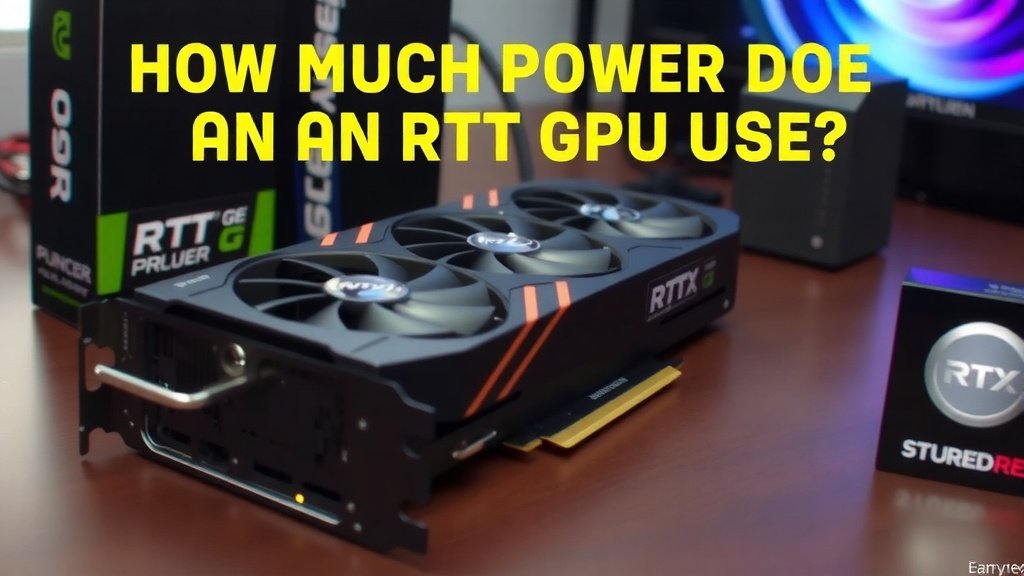
How Much Power Does an RTX GPU Use? Watts Explained
An RTX GPU typically uses between 150 and 450 watts under load, depending on the model. Lighter cards like the RTX 4060 sip around 115 watts, while beasts like the RTX 4090 can spike past 450 watts. So the exact answer really depends on which card you own. If you’re new to the topic, our explainer on how GPU power draw works covers the basics.
Why does this matter? Your power supply needs to handle the load, your electric bill feels it every month, and heat builds up in your case. We researched real-world benchmarks and manufacturer specs so you don’t have to guess.
- Entry-level RTX cards (4060, 4060 Ti) use roughly 115–160 watts.
- Mid-range cards (4070, 4070 Ti) pull around 200–285 watts.
- Flagship cards (4080, 4090) can draw 320–450 watts or more.
- Idle power is much lower, usually 10–30 watts.
- Your PSU should have headroom above your GPU’s rated draw.
Below, we break down everything you need to know about RTX GPU power draw, from per-model numbers to what it means for your setup. Let’s dig in.
RTX Graphics Card Power Draw by Model
Wondering how your specific card stacks up? We found that Nvidia publishes official total graphics power (TGP) ratings for every RTX card, and real-world testing usually lands close to those numbers.
Here’s a quick reference table so you can see where your card sits. Think of it as a menu of appetites, from light snacker to competitive eater.
| RTX Model | Rated Power Draw | Suggested PSU Size |
|---|---|---|
| RTX 4060 | 115W | 550W |
| RTX 4060 Ti | 160W | 600W |
| RTX 4070 | 200W | 650W |
| RTX 4070 Ti | 285W | 700W |
| RTX 4080 / 4080 Super | 320W | 750W |
| RTX 4090 | 450W | 850W+ |
Older RTX 30-series cards follow a similar pattern. The RTX 3060 sips around 170 watts, while the RTX 3090 Ti guzzled up to 450 watts. Same family, very different appetites.
Idle Power vs. Gaming Power: What Your Card Actually Uses
Your GPU doesn’t run flat-out all day. When you’re just browsing or watching YouTube, most RTX cards draw a mere 10 to 30 watts. That’s about as much as a bright light bulb.
Load a game, though, and the meter starts spinning. Under full gaming load, expect the numbers from the table above. Video rendering or AI workloads can push things even higher for short bursts.
Why Transient Spikes Matter
Here’s something many people miss: GPUs can spike above their rated power for a few milliseconds. We found that this trips up power supplies more than steady draw does, especially on big cards like the RTX 4090.
That’s why experts recommend extra PSU headroom. A spike that lasts milliseconds can still make a marginal PSU shut down your whole system. Annoying? Very. Fixable? Also very.
How to Check Your Own GPU’s Power Use
You don’t need lab equipment to see your real numbers. Free tools show you live wattage right on your screen, which is honestly kind of fun to watch.
- HWiNFO64: Free, detailed, and shows real-time GPU power draw.
- MSI Afterburner: Popular with gamers; overlays stats during play.
- Nvidia App: Built-in monitoring straight from the source.
Run a demanding game for 20 minutes and note the peak reading. That number is what your PSU actually needs to handle.
Choosing the Right Power Supply for Your RTX Card
Pick a PSU with roughly 30 to 40 percent headroom above your GPU’s rated draw. This covers spikes, keeps the unit quiet, and lets it run efficiently.
So for an RTX 4070 pulling 200 watts, a quality 650W unit gives you plenty of breathing room. Cheap no-name supplies are where people get burned. Stick to respected brands with an 80 Plus certification.
Do You Need the 12VHPWR Connector?
RTX 40-series cards use the new 12VHPWR cable. Your PSU may already have it, or you can use the adapter included in the box. Either works fine.
A Quick Safety Note on Cables
Make sure the connector is fully seated. Reports of melted connectors traced back to loose plugs, not the standard itself. Push it in firmly and you’re good.
What RTX Power Draw Means for Your Electric Bill
Let’s talk money, because watt-hours eventually become dollars. A GPU drawing 300 watts for three hours a day uses about 270 kilowatt-hours per month from gaming alone.
At the U.S. average electricity price of around 16 cents per kWh (U.S. Energy Information Administration), that’s roughly $43 a month. A smaller card like an RTX 4060 might cost you a quarter of that. Your wallet will notice the difference.
Want to trim the bill? Two easy moves:
- Enable frame rate caps or V-Sync so the GPU isn’t rendering frames nobody sees.
- Use Nvidia’s power limiter to cap the card at 80 to 90 percent; performance drops only slightly.
Heat, Noise, and Case Airflow
Every watt your GPU burns becomes heat. A 450-watt card is basically a small space heater with a fan attached. Cozy in January, miserable in July.
Good case airflow keeps temperatures and fan noise down. We found that cards throttling from heat lose performance, so airflow isn’t just about comfort. It protects your investment.
Undervolting: More Performance Per Watt
Undervolting lowers the voltage your GPU uses without hurting clock speeds much. Many enthusiasts report the same frame rates at 20 to 30 percent less power. It takes an afternoon to set up and costs nothing. Our step-by-step guide shows you how to undervolt a graphics card safely.
Is Undervolting Safe?
Yes. You’re reducing stress on the card, not adding it. Worst case, you crash a game and dial the settings back a notch.
Quick Pre-Build Power Checklist
Before you buy or upgrade, run through this list. Two minutes now saves a world of frustration later.
- Look up your card’s rated TGP and real-world peak draw.
- Pick a quality PSU with 30–40% headroom above that number.
- Confirm your PSU has the right connector (or the included adapter).
- Check that your case moves air well around the GPU.
- Set a frame cap to cut wasted watts.
- Monitor real draw with HWiNFO64 for a week.
Follow those steps and your RTX card will hum along happily, without tripping breakers or melting your budget. Happy gaming!
Conclusion
So, how much power does an RTX GPU use? Anywhere from about 115 watts on an RTX 4060 to 450 watts on an RTX 4090, with idle draw staying pleasantly low in between gaming sessions. The big takeaway is that the card itself is only half the equation. Your power supply, case airflow, and daily gaming habits shape your real-world numbers just as much.
We found that a little planning goes a long way. Match your PSU to your card with headroom to spare, monitor your actual draw, and cap those frame rates to keep your bill friendly.
Your next step? Look up your card’s TGP, check your PSU label, and run HWiNFO64 tonight. Ten minutes of checking beats a system that randomly shuts down mid-boss fight.
Frequently Asked Questions
Does an RTX GPU use power when my PC is idle?
Yes, but not much. Most RTX cards draw between 10 and 30 watts at idle, similar to a household light bulb. If your idle draw seems higher, check whether a second monitor or a browser with hardware acceleration is keeping the GPU awake.
Can I run an RTX 4090 on a 750W power supply?
Technically possible, but we don’t recommend it. The 4090’s rated 450 watts plus transient spikes leaves almost no headroom on a 750W unit, especially alongside a power-hungry CPU. A quality 850W or 1000W PSU gives you the breathing room you need.
Does power draw change with resolution?
It can. Higher resolutions push the GPU harder, so it often pulls more watts at 4K than at 1080p. That said, a fast frame rate cap at low resolution can also max out the card, so resolution alone isn’t the whole story.
Do RTX laptops use the same power as desktop cards?
No, laptop versions are tuned much lower. A mobile RTX 4070 might draw 60 to 100 watts, compared to 200 watts for the desktop version. Same name, very different appetite, which is worth knowing when comparing benchmarks.
Is it bad to leave my gaming PC on all day?
It won’t hurt the hardware, but it will add to your bill. An idle GPU sipping 20 watts still costs a few dollars a month around the clock. If you step away for hours, a quick shutdown or sleep mode keeps money in your pocket.