80°C GPU Temperature: Is It Safe for Your Graphics Card
Is a GPU temperature of 80°C safe? Generally, yes, 80°C is considered safe for most graphics cards during heavy use. While lower is always better, 80°C is within the typical operating range for many GPUs. Your GPU is designed to handle these temperatures under load without immediate damage, so you likely don’t need to panic if you see it reach this point.
However, consistently running your GPU at 80°C or higher can potentially reduce its lifespan over time. Different GPUs have different thermal limits, and some may start to throttle performance to protect themselves. We found that understanding your specific card’s maximum safe temperature is key. It’s also important to ensure proper airflow in your PC case.
- Generally, 80°C is safe for your GPU.
- It’s within the normal operating range under load.
- Sustained high temps might shorten its lifespan.
- Check your specific GPU’s max temp for peace of mind.
- Good PC airflow is always a plus.
Let’s look closer at what 80°C means for your graphics card and what you can do to keep it running cool and happy.
“`htmlUnderstanding Your GPU’s 80°C Temperature
So, your graphics card is hitting 80°C. Is that a bad thing? For most gamers and users, 80 degrees Celsius (80°C) is generally considered a safe operating temperature for your GPU under load. Think of it like a car engine; it’s designed to run warm when you’re pushing it hard, like on a long drive or going uphill.
Your GPU is built with sophisticated cooling systems and thermal safeguards. When temperatures rise, it has built-in mechanisms to protect itself. These often involve reducing its processing speed, a process known as thermal throttling, to prevent damage. So, while 80°C isn’t ideal, it’s usually not an immediate emergency.
What Do Different Temperatures Mean for Your GPU?
It’s helpful to understand the general temperature ranges and what they signify. This isn’t an exact science for every single card, but it gives you a good general idea of how your GPU is feeling.
Ideal vs. Acceptable Temperatures
When your GPU is idle or doing light tasks, you’ll want to see temperatures much lower. We found that ideal idle temperatures are typically between 30°C and 50°C. As you start gaming or running demanding applications, temperatures will climb. Hitting 80°C during intense gaming sessions is quite common and, as we’ve said, generally safe.
When to Start Worrying
Where you really want to pay attention is when your GPU starts consistently hitting temperatures above 85°C. Many GPUs will begin to throttle performance significantly around 83°C to 88°C to protect themselves. If your GPU is frequently reaching 90°C or higher, that’s a cause for concern. Prolonged exposure to these extreme heat levels can lead to performance degradation and, over the very long term, potentially shorten your GPU’s lifespan.
The Role of Thermal Throttling
Thermal throttling is your GPU’s way of saying, “Whoa, it’s getting a bit too toasty in here!” It’s a protective measure. When your GPU hits a certain temperature limit, it automatically reduces its clock speed and voltage. This lowers performance, meaning you might experience lower frame rates in games or slower processing times. This is a sign that your cooling isn’t quite keeping up with the heat generated.
Factors Influencing GPU Temperature
Several things can affect how hot your GPU gets. It’s not just about the card itself but also its environment and how it’s being used.
Workload and Usage
The most obvious factor is the workload. Playing the latest AAA games at high settings or running complex 3D rendering software will push your GPU much harder than browsing the web or watching videos. We found that the intensity of your tasks directly correlates with the heat output.
PC Case Airflow: Your GPU’s Best Friend
This is a big one! How well your PC case circulates air plays a massive role. If hot air can’t escape your case effectively, it will recirculate and heat up your components, including your GPU. Good airflow means cool air comes in, and hot air goes out. This is why cable management and having adequate case fans are so important. We’ve seen many systems perform much better with just a few strategic fan adjustments.
Ambient Room Temperature
Don’t forget the room you’re in! On a hot summer day, your PC components will naturally run warmer because the surrounding air is already hot. If your gaming room feels like a sauna, your GPU will likely feel the heat too. Keeping your room cool can make a surprising difference.
GPU Cooling Design
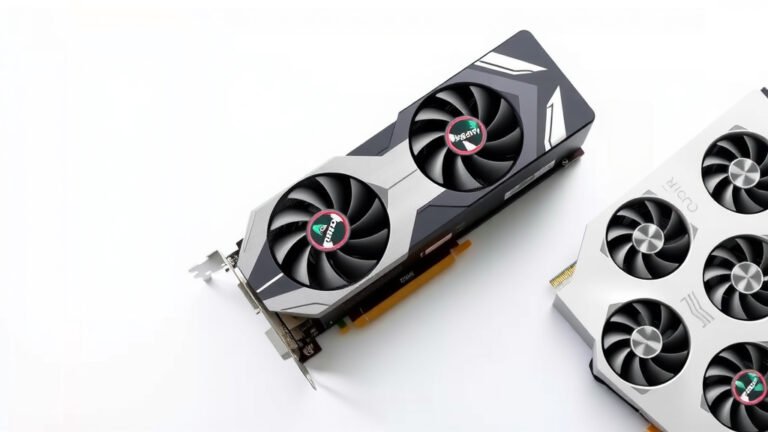
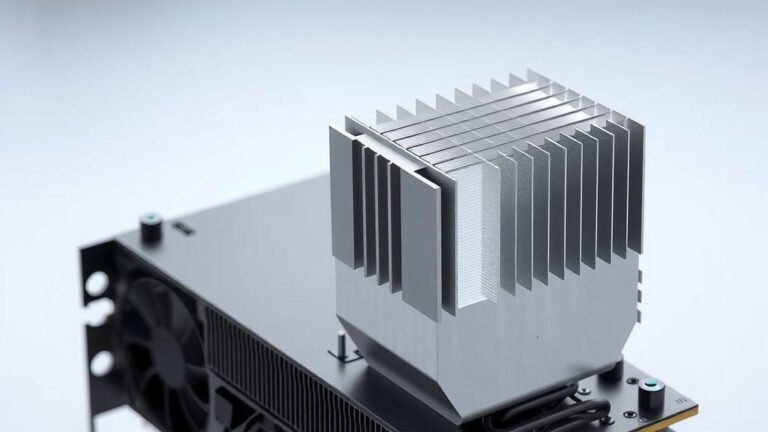
Not all GPUs are created equal when it comes to cooling. High-end cards often have massive heatsinks and multiple fans designed to dissipate heat effectively. Lower-profile or smaller GPUs might have less robust cooling solutions. The manufacturer’s cooling design is a key factor in how well a card handles heat.
How to Check Your GPU Temperature
Keeping an eye on your GPU’s temperature is easy with the right software. You don’t need to be a tech wizard to do it!
Using Monitoring Software
There are many free tools available for this. Software like MSI Afterburner (works with most brands, not just MSI cards), HWMonitor, or even your GPU manufacturer’s own utility software can display real-time temperature readings. Most of these programs let you see the temperature right on your desktop or while you’re gaming.
What to Look For in the Readings
When you’re running a demanding game or application, check the temperature after about 15-30 minutes. This gives the GPU enough time to reach a stable, high-temperature state. You’re looking for the average temperature during peak load. Occasional spikes are normal, but you want to see a consistent reading that isn’t constantly creeping upwards towards those danger zones we discussed.
Keeping Your GPU Cool: Simple Steps You Can Take
If you find your GPU is running hotter than you’d like, there are straightforward steps you can take to improve its cooling. You don’t always need to buy new hardware!
Here’s a quick checklist to ensure your GPU stays happy:
- Clean your PC: Dust buildup is a major enemy of good airflow.
- Check your fans: Make sure all your case fans are spinning and blowing air correctly.
- Improve case airflow: Consider adding more fans or adjusting their placement.
- Manage cables: Tidy cables help air move freely.
- Lower game settings: If temps are consistently high, try slightly reducing graphics quality.
- Consider ambient temperature: Keep your room as cool as possible.
By taking these simple steps, you can often bring down those temperatures and ensure your GPU performs optimally for years to come.
“`Conclusion
So, is 80°C safe for your GPU? Generally, yes. We’ve seen that this temperature is within the normal operating range for most graphics cards during demanding tasks. While it’s not the absolute coolest your GPU can be, it’s usually not a cause for immediate alarm. Remember, your GPU has built-in protections like thermal throttling to prevent damage. However, consistently high temps, especially above 85°C, can potentially affect its long-term health. Your best bet is to monitor your GPU’s temps regularly and ensure your PC has good airflow. Taking simple steps like cleaning out dust and checking your case fans can make a big difference in keeping your GPU running smoothly for years to come.
Frequently Asked Questions
Will 80°C damage my GPU permanently?
In most cases, no. 80°C is a temperature many GPUs are designed to handle under load. Permanent damage from this temperature alone is unlikely. However, prolonged exposure to extremely high temps can degrade components over a very long period.
Is 80°C considered “hot” for a GPU?
For gaming and heavy use, 80°C is considered warm but generally acceptable. Ideal temperatures are much lower, often in the 30-50°C range when idle. Hitting 80°C while gaming is common, but consistently staying above 85°C is where you should start looking for solutions.
What’s the difference between 80°C and 90°C for a GPU?
90°C is significantly hotter and is well into the danger zone for most GPUs. At 90°C, your GPU is likely thermal throttling heavily to protect itself, meaning a big drop in performance. Consistently running at 90°C can stress components and shorten lifespan much faster than 80°C.
How often should I check my GPU temperature?
It’s a good practice to check your GPU temperature periodically, especially when you’re playing new or demanding games. Many monitoring tools can show you the temperature in real-time on your screen. Reviewing the average temperature after a gaming session is also very helpful.
Can a GPU run at 80°C forever without issues?
While 80°C is generally safe, running your GPU at this temperature constantly, day after day, for many years, might contribute to a slightly shorter lifespan compared to a GPU that consistently runs cooler. Think of it like driving your car; pushing it hard all the time will eventually wear it out more than gentle driving.

![10 Best Amd 8gb Graphics Card [2026]](https://spsolutionscare.com/wp-content/uploads/2026/08/10-best-amd-8gb-graphics-card-2026-featured-768x432.jpg)