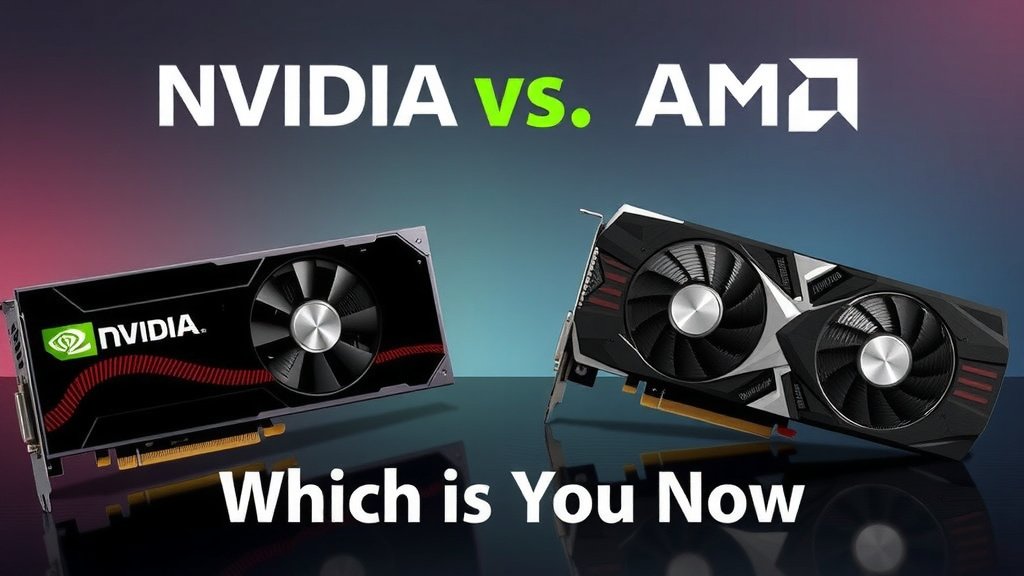
Nvidia vs AMD Graphics Cards: Which is Best Now
When choosing between NVIDIA and AMD graphics cards, it’s not about a single “winner.” Both brands offer excellent performance, but they often excel in different areas. NVIDIA typically leads in ray tracing and AI-powered features like DLSS. AMD often provides stronger raw performance per dollar and better driver stability in some games. Your best choice depends on your budget and gaming priorities.
Deciding on a new graphics card can feel like choosing a side in a major tech rivalry. We’ve seen how both NVIDIA and AMD continually push the boundaries of what’s possible in gaming and creative work. Understanding their strengths, like NVIDIA’s AI enhancements versus AMD’s value proposition, helps you make an informed decision for your PC build.
- NVIDIA often excels in ray tracing and AI upscaling (DLSS).
- AMD frequently offers more performance for your money.
- Driver stability can vary; research specific games you play.
- Your budget and what you plan to do with the card matter most.
Let’s break down what each brand brings to the table so you can pick the perfect GPU for your setup.
“`htmlComparing NVIDIA and AMD Graphics Cards for Your PC
When you’re building or upgrading your PC, the graphics card is often the star of the show. You want something that will handle your favorite games and creative tasks smoothly. This is where the NVIDIA versus AMD debate heats up. Both companies make fantastic GPUs, but they have different strengths that might make one a better fit for you than the other.
Understanding the Core Differences
At their heart, NVIDIA and AMD are competing fiercely. They push each other to innovate, which is great news for us consumers! Think of it like a friendly rivalry that pushes both sides to bring their A-game. You’ll find excellent performance from both, but how they achieve it and where they shine can differ.
NVIDIA’s Strengths: Ray Tracing and AI Magic
NVIDIA has really pushed the envelope with ray tracing technology. This makes lighting, shadows, and reflections in games look incredibly realistic. It’s like adding a super-powered coat of paint to your virtual worlds. They also have a proprietary technology called DLSS (Deep Learning Super Sampling). This uses AI to boost your frame rates, meaning smoother gameplay without sacrificing much visual quality. Many gamers find these features a big draw, especially if they want the absolute best visual fidelity.
AMD’s Strengths: Value and Raw Power
AMD often stands out when it comes to value for your money. You can frequently find AMD cards that offer impressive raw performance at a lower price point compared to their NVIDIA counterparts. If you’re on a tighter budget or just want the most gaming power for every dollar spent, AMD is definitely worth a close look. They also have their own upscaling technology, FidelityFX Super Resolution (FSR), which is open-source and works across a wider range of hardware. AMD’s FidelityFX Super Resolution (FSR) is their answer to DLSS, and our guide explains how it works.
Performance in Gaming
How do they stack up when you’re actually playing? It really depends on the game and the specific cards you’re comparing. Researching benchmarks for the games you play most often is your best bet.
High-End Gaming
At the very top tier, NVIDIA often holds a slight edge in raw frame rates, especially when ray tracing is enabled. Their DLSS technology is also very mature and widely supported. If you’re chasing the absolute highest settings and smoothest performance, particularly with ray tracing cranked up, NVIDIA often leads the pack.
Mid-Range and Budget Gaming
This is where AMD often shines. They frequently offer cards that deliver fantastic performance for their price. You can get a great gaming experience without breaking the bank. Many gamers find that an AMD card in this segment provides more bang for their buck. You might not get all the bells and whistles of the absolute highest-end cards, but the core gaming performance is still excellent.
Features Beyond Raw Performance
Graphics cards aren’t just about how many frames per second you get. Both companies offer unique software features that can enhance your experience.
NVIDIA’s Ecosystem: CUDA and AI
NVIDIA’s CUDA platform is a big deal for professional applications, like video editing, 3D rendering, and machine learning. If you do more than just game, this can be a significant advantage. DLSS, as mentioned, is also a powerful tool for improving performance in supported games. NVIDIA’s drivers are also generally considered quite stable, though this can vary.
AMD’s Open Approach: FSR and Adrenalin Software
AMD’s FidelityFX Super Resolution (FSR) is their answer to DLSS. It’s an open standard, meaning it can work on more graphics cards, including some NVIDIA ones. AMD’s Adrenalin software suite also offers a lot of customization and control for gamers. We found that many users appreciate the driver stability AMD has been improving over the years. For some, the open-source nature of FSR is a compelling reason to choose AMD.
Driver Stability and Updates
This is an area where opinions can differ, and it often comes down to individual experience and specific games. Both companies release driver updates regularly to fix bugs and improve performance.
Past Trends and Current Status
Historically, AMD sometimes struggled with driver stability in certain titles. However, they’ve made huge strides, and many users report excellent stability now. NVIDIA also generally has a strong reputation for driver performance. Our research suggests that it’s always a good idea to check recent driver reviews for the specific games you play before making a purchase. Sometimes, a particular game might run better with one brand’s drivers at launch.
Making Your Choice: A Simple Checklist
So, how do you decide? Let’s boil it down to a few key points you should consider:
- Your Budget: How much are you willing to spend?
- Your Games: What specific titles do you play most?
- Ray Tracing Needs: Is hyper-realistic lighting a must-have for you?
- AI Upscaling Preference: Do you want DLSS or FSR?
- Other Workloads: Will you use the card for video editing or other creative tasks?
- Monitor Resolution and Refresh Rate: What is your display capable of?
By thinking through these questions, you’ll get closer to understanding which brand’s strengths align best with your gaming setup and personal preferences. Both NVIDIA and AMD offer fantastic options, and the “better” card is truly the one that fits *your* needs.
“`
Conclusion
Choosing between NVIDIA and AMD graphics cards is all about finding the right fit for your personal PC setup. We’ve seen that NVIDIA often leads in advanced features like ray tracing and AI upscaling with DLSS, perfect for those chasing top-tier visuals. AMD frequently offers compelling value, delivering strong raw performance for your money, especially in the mid-range and budget segments. Remember to research benchmarks for the games you play and consider your overall budget and creative needs. Your next step should be to compare specific card models within your budget based on these priorities.
Frequently Asked Questions
Which brand is better for gaming performance overall?
For overall gaming performance, it often depends on the specific game and resolution you’re playing at. NVIDIA generally has a slight edge at the very high-end, especially with ray tracing enabled. AMD often provides more performance per dollar in the mid-range, making it a great choice for budget-conscious gamers.
Is NVIDIA’s DLSS or AMD’s FSR better?
Both DLSS and FSR are excellent upscaling technologies that boost frame rates. NVIDIA’s DLSS is proprietary and often provides slightly better image quality in supported titles. AMD’s FSR is open-source and works on a wider range of hardware, offering great flexibility and good performance.
Which graphics card brand is better for video editing or 3D rendering?
NVIDIA often has an advantage in professional applications like video editing and 3D rendering due to its CUDA platform, which is widely supported by professional software. If these tasks are a primary use for your GPU, NVIDIA might be the stronger choice.
Are AMD graphics card drivers less stable than NVIDIA’s?
Historically, AMD sometimes faced driver stability issues, but they have made significant improvements. Both brands now offer generally stable drivers, though specific game launches can sometimes highlight temporary differences. It’s wise to check recent driver reviews for your favorite titles.
How much should I spend on a graphics card in 2023/2024?
The amount you should spend varies greatly depending on your needs and budget. For solid 1080p gaming, you might find great options under $300. For high-refresh rate 1440p or 4K gaming with all the settings maxed out, expect to spend $500 or more, with top-tier cards costing well over $1000.
![10 Best Budget 1080p [2026]](https://spsolutionscare.com/wp-content/uploads/2026/08/10-best-budget-1080p-2026-featured-768x432.jpg)
![10 Gb Vram Gpu [2026]](https://spsolutionscare.com/wp-content/uploads/2026/08/10-gb-vram-gpu-2026-featured-768x432.jpg)