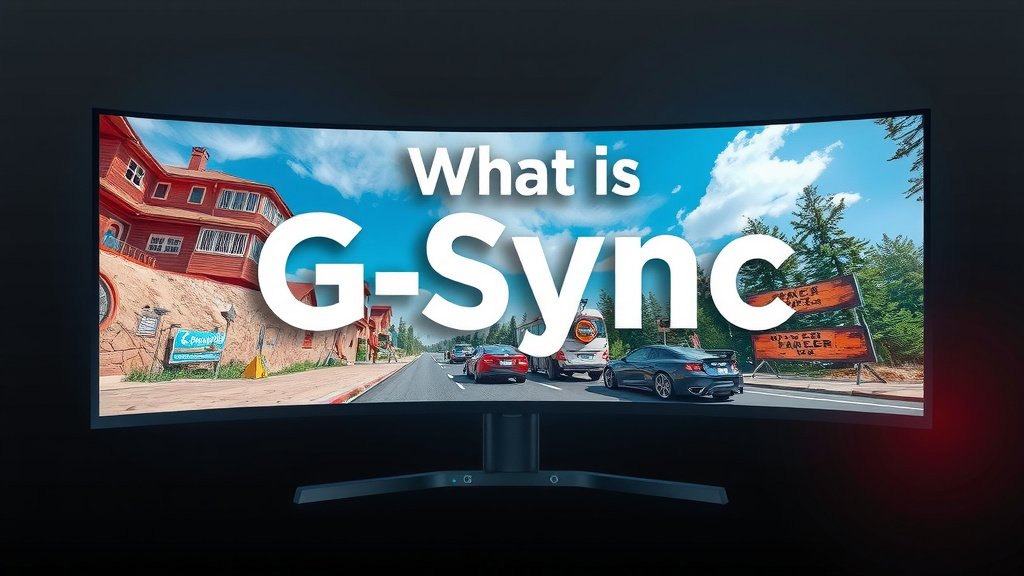
What is G-Sync? A Deep Dive into Smooth Gaming Displays
G-Sync is a premium display technology developed by NVIDIA. It synchronizes your monitor’s refresh rate with your graphics card’s frame output. This eliminates screen tearing and reduces stuttering for smoother gameplay. You’ll notice a big difference in visual quality.
Think of it as a director coordinating a play. Your graphics card sends out frames, and G-Sync tells your monitor exactly when to show them. This ensures every frame is displayed at the perfect moment. Many gamers find it a huge upgrade for competitive play.
- G-Sync is NVIDIA’s tech for smooth gaming visuals.
- It matches your monitor’s refresh rate to your graphics card.
- This prevents screen tearing and stuttering.
- It’s especially great for fast-paced games.
- You’ll need an NVIDIA graphics card and a G-Sync compatible monitor.
Let’s walk through exactly how G-Sync works and why it makes your games look so much better. We’ll cover what you need to get started.
How NVIDIA’s G-Sync Creates Smoother Gaming
You know that frustrating visual glitch where it looks like your screen is torn in half? That’s called screen tearing. It happens when your monitor tries to display different frames at the same time. G-Sync is NVIDIA’s smart solution to stop this. It perfectly matches your monitor’s refresh rate with your graphics card’s frame output. This means you get a much more fluid and enjoyable gaming experience.
The Problem: Mismatched Refresh and Frame Rates
Normally, your monitor refreshes its image a set number of times per second, like 60Hz or 144Hz. Your NVIDIA graphics card, meanwhile, renders frames as fast as it can. If the graphics card is faster than the monitor, it might send a new frame before the monitor has finished showing the last one. This causes a “tear” in the image. If the graphics card is slower, you can get stuttering. Your monitor might display the same frame multiple times, leading to choppy motion. This mismatch ruins the immersion.
The Solution: Dynamic Refresh Rate Synchronization
G-Sync acts like a traffic cop for your visuals. It uses a special hardware module inside the monitor. This module talks directly to your NVIDIA graphics card. Instead of the monitor sticking to its fixed refresh rate, G-Sync tells it to adapt. The monitor only refreshes when the graphics card has a complete new frame ready to show. This keeps everything perfectly in sync. The result is a smooth, tear-free, and stutter-free image, even when frame rates fluctuate.
Understanding the G-Sync Technology
G-Sync is not just a software tweak. It requires specific hardware. NVIDIA designed a dedicated G-Sync module that is built into compatible monitors. This module is key to its performance. Without this hardware, you can’t get the full G-Sync experience.
What Makes G-Sync Different?
Many technologies try to address screen tearing. Some use V-Sync, which caps your frame rate. This can lead to input lag and stuttering if your frame rate drops below the cap. Other technologies exist, but G-Sync stands out because of its hardware-based approach. This allows for a wider variable refresh rate range. It also means it works very effectively across a broad spectrum of frame rates.
The Role of the NVIDIA G-Sync Module
The G-Sync module is the brain of the operation. It lives inside the monitor. This module communicates with your NVIDIA GPU in real-time. It manages the monitor’s refresh timing. Many experts agree this direct communication is what allows for such precise synchronization. This leads to fewer visual artifacts and better responsiveness.
G-Sync Compatible vs. G-Sync Ultimate
You might see different labels when shopping for G-Sync monitors. NVIDIA categorizes them to help you choose.
| Label | Features | Best For |
|---|---|---|
| G-Sync Compatible | Works with a wide range of NVIDIA GeForce GPUs. Offers variable refresh rates and tear-free gaming. These often use open standards like VESA Adaptive-Sync. | Gamers looking for a great, smoother experience without breaking the bank. |
| G-Sync (Original/Standard) | Features the dedicated G-Sync module. Offers a wider VRR range and excellent performance. Certified by NVIDIA for quality. | Gamers prioritizing a high-quality, reliable G-Sync experience. |
| G-Sync Ultimate | Includes the G-Sync module plus advanced features like HDR support and high refresh rates. These monitors offer the most immersive visual experience. | Enthusiasts seeking the absolute best in visual fidelity and smooth gameplay. |
It’s important to check which category a monitor falls into. This helps you understand its capabilities. For many, G-Sync Compatible offers a fantastic upgrade over standard monitors.
What You Need to Use G-Sync
Getting started with G-Sync is fairly straightforward. You don’t need a super-complex setup. However, there are a couple of key requirements you’ll want to meet.
Requirement 1: An NVIDIA GeForce Graphics Card
G-Sync is a proprietary NVIDIA technology. This means it only works with NVIDIA graphics cards. You’ll need a GeForce GTX 10-series card or newer. Older cards may not support it. We found that even mid-range NVIDIA cards can benefit greatly from G-Sync. Make sure your card is supported before you buy a monitor.
Requirement 2: A G-Sync Compatible Monitor
This is where the monitor choice comes in. You need a monitor that is certified for G-Sync. As we saw, this can be a standard G-Sync monitor, G-Sync Ultimate, or a G-Sync Compatible model. Always check the monitor’s specifications. Manufacturers clearly list G-Sync compatibility. A quick search on the manufacturer’s website will confirm it. Many recent monitors now include this feature.
Requirement 3: Connecting Your Monitor
You also need to use the correct display cable. For G-Sync to function, you’ll typically need to use a DisplayPort cable. Some older G-Sync monitors might also support HDMI, but DisplayPort is generally the most reliable connection. Always check your monitor and GPU manual. It will tell you which cable to use for the best results. Using the wrong cable can prevent G-Sync from working.
Setting Up G-Sync on Your PC
Once you have the right hardware, setting it up is easy. You’ll need to download and install the latest NVIDIA drivers. Then, open the NVIDIA Control Panel. You should see a “Set up G-SYNC” option. From there, you can enable or disable it. You can choose to enable it for full-screen mode only, or for windowed and full-screen applications. Many users find enabling it for both modes offers the best experience.
To ensure you’re all set, here’s a quick checklist:
- Confirm you have an NVIDIA GeForce GPU.
- Verify your monitor is G-Sync or G-Sync Compatible.
- Use a DisplayPort cable for connection.
- Install the latest NVIDIA drivers.
- Enable G-Sync in the NVIDIA Control Panel.
- Test with a game or a G-Sync demo.
Following these steps will get you up and running. You’ll soon see the difference G-Sync makes in your games. Many players report a much more enjoyable and competitive experience once they switch.
Conclusion
So, you’ve learned that G-Sync is NVIDIA’s fantastic technology for smoother, tear-free gaming. It works by precisely syncing your monitor’s refresh rate with your graphics card’s output. This means less visual frustration and more immersive gameplay. Remember, you’ll need a compatible NVIDIA GPU and a G-Sync certified monitor, often connected via DisplayPort. If you’re looking to seriously upgrade your visual experience and gain a competitive edge, checking out G-Sync or G-Sync Compatible monitors is your next best step. Your eyes will thank you!
Frequently Asked Questions
Does G-Sync work with AMD graphics cards?
No, G-Sync is a proprietary technology developed by NVIDIA. It requires an NVIDIA GeForce graphics card to function. AMD graphics cards use their own adaptive sync technology called AMD FreeSync.
What’s the difference between G-Sync Compatible and standard G-Sync monitors?
Standard G-Sync monitors feature a dedicated G-Sync hardware module built by NVIDIA, offering a wider variable refresh rate range and guaranteed performance. G-Sync Compatible monitors use open standards like VESA Adaptive-Sync and are certified by NVIDIA to offer a good tear-free experience, often at a more accessible price point.
Can I use G-Sync with any monitor?
No, you need a monitor that is specifically listed as G-Sync or G-Sync Compatible by NVIDIA. Using a standard monitor, even with an NVIDIA card, will not enable G-Sync features. Always check the monitor’s specifications before purchasing.
Will G-Sync improve my game’s frame rate?
G-Sync itself does not directly increase your game’s frame rate. Its primary function is to improve the visual smoothness by eliminating screen tearing and stuttering. Your actual frame rate is still determined by your graphics card’s performance.
Is G-Sync worth the extra cost?
For many gamers, especially those playing fast-paced titles, the difference G-Sync makes in visual fluidity is substantial and well worth the investment. If you’re sensitive to screen tearing and stuttering, the smoother experience G-Sync provides can significantly enhance your enjoyment and competitive performance.

![10 Best Gpu Cards For Gaming [2026]](https://spsolutionscare.com/wp-content/uploads/2026/09/10-best-gpu-cards-for-gaming-2026-featured-768x432.jpg)