
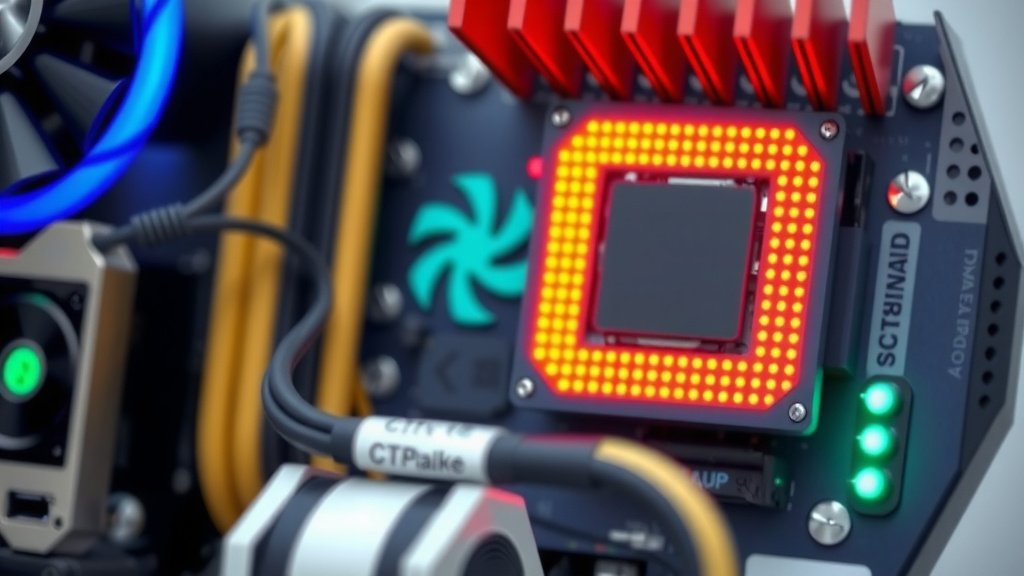
Can Your CPU Handle That Powerful GPU? Bottleneck Explained
Yes, your CPU can absolutely be too weak for your GPU. When this happens, your graphics card can’t perform at its best. This bottleneck means you won’t get the smooth frame rates you’re hoping for in games. Think of it like having a sports car with a tiny engine. The car itself is capable, but the engine can’t keep up.
We’ve seen this issue many times. Pairing a very powerful graphics card with an older or less capable processor often leads to this imbalance. Your CPU needs to prepare the data for your GPU. If it can’t do that fast enough, your expensive GPU will sit around waiting. This is often called a CPU bottleneck.
- A powerful GPU can be held back by a weak CPU.
- This is known as a CPU bottleneck.
- Your CPU prepares data for the GPU.
- If the CPU is too slow, the GPU waits.
- This prevents you from getting the best performance.
Let’s dive into why this happens and what you can do about it.
When Your CPU Can’t Keep Up with Your GPU
You’ve probably heard the term “bottleneck” thrown around when talking about computer parts. It’s like having a super-fast race car with a bicycle engine attached. The car itself has the potential for amazing speed, but the engine simply can’t deliver enough power to match.
When you pair a high-end graphics card with an older or less powerful processor, you’re likely to run into this problem. Your CPU is responsible for preparing all the instructions and data that your GPU needs to render images on your screen. If your CPU is too slow, it can’t get that information to your GPU fast enough. This leaves your powerful GPU sitting idle, waiting for instructions, and you get lower frame rates than you expected.
Understanding the CPU’s Role in Gaming
Think of your CPU as the director of a play, and your GPU as a highly skilled actor. The director has to read the script, tell the actor which lines to say, and when to move. If the director is slow and fumbles through the script, the actor, no matter how talented, has to wait around.
In gaming, your CPU handles a lot of behind-the-scenes work. This includes game logic, artificial intelligence for non-player characters, physics calculations, and managing your input from the mouse and keyboard. All of this has to be processed and sent to the GPU in a timely manner.
The Data Pipeline: CPU to GPU
Every frame you see on your screen is a product of this data pipeline. Your CPU processes game data, which is then sent to the GPU. The GPU uses this data to draw the graphics. This cycle repeats dozens, sometimes hundreds, of times every second. If there’s a slowdown at the CPU stage, the entire process gets delayed.
We found that games that are CPU-intensive, meaning they rely heavily on complex calculations and AI, are more likely to show a CPU bottleneck. Games with lots of characters or complex environments can really test your CPU’s limits.
Signs You Might Have a CPU Bottleneck
How can you tell if your CPU is holding your GPU back? There are a few tell-tale signs. The most obvious is when your frame rates are lower than expected, especially in certain games.
Low GPU Utilization
One of the clearest indicators is low GPU usage. You can monitor this using software like MSI Afterburner or even your graphics card’s own control panel. If your GPU is consistently running at, say, 50-70% utilization while your CPU is maxed out at 90-100%, that’s a strong sign of a CPU bottleneck. Your GPU is capable of doing more, but it’s not getting enough work from the CPU. One of the clearest indicators is low GPU usage, which can signal a CPU bottleneck.
Inconsistent Frame Rates
Another sign is stuttering or inconsistent frame rates. Even if your average frame rate seems okay, you might experience sudden drops or jerky movement. This often happens when the CPU struggles to keep up with sudden spikes in processing demands.
Many gamers report experiencing this as “micro-stutters,” which can be incredibly frustrating. We found that this inconsistency can really break immersion and make fast-paced games feel unplayable.
Performance Differences Across Games
Does your super-powerful GPU perform brilliantly in one game but disappointingly in another? If you notice a significant performance difference between games, and the underperforming games are known for being CPU-heavy, a bottleneck might be the culprit. Games like Civilization VI, Microsoft Flight Simulator, or certain large-scale multiplayer titles can be particularly demanding on the CPU.
How to Check for a CPU Bottleneck
Testing for a bottleneck is fairly straightforward. You’ll need some monitoring software. Tools like MSI Afterburner are popular for this because they can overlay performance data directly onto your game screen.
Using Monitoring Software
Here’s a general checklist to help you diagnose:
- Download and install MSI Afterburner (or a similar tool).
- Configure it to show CPU usage (overall and per core) and GPU usage.
- Play your games.
- Observe the usage percentages.
- If CPU usage is consistently near 100% while GPU usage is significantly lower, you likely have a CPU bottleneck.
We found that checking usage in different parts of a game, like during intense combat or while exploring an open area, can give you a clearer picture. Some parts of a game might not stress your CPU as much as others.
Factors Contributing to CPU Bottlenecks
Several things can lead to your CPU struggling to keep up. It’s not always just about having an old CPU.
CPU Age and Architecture
Older CPUs simply have fewer processing cores and lower clock speeds. They also lack modern instruction sets that newer processors use to speed up certain tasks. Many guidelines suggest that a CPU from three or more generations behind your GPU might be a bottleneck (Userbenchmark, an independent hardware benchmarking site, often highlights this). While not a hard rule, it’s a good starting point for consideration.
Game Optimization and Engine
Not all games are created equal when it comes to how they use your hardware. Some game engines are highly optimized for multi-core CPUs, while others might rely more heavily on a single core. A game that favors single-core performance will struggle more on a CPU that doesn’t excel in that area, even if it has many cores.
Developers are constantly working to improve game performance. However, we found that older titles or those built on less efficient engines are more prone to causing CPU bottlenecks, especially with very powerful GPUs.
Resolution and Graphics Settings
This might seem counterintuitive, but sometimes running games at a lower resolution can actually make a CPU bottleneck more apparent. At higher resolutions (like 4K), the GPU has a much harder job rendering all those pixels, so it becomes the limiting factor. At lower resolutions (like 1080p), the GPU can render frames very quickly, and it’s more likely that the CPU will become the bottleneck because it can’t prepare the data fast enough.
Similarly, lowering graphics settings like texture quality or anti-aliasing usually puts more load on the GPU. However, reducing settings that affect game logic, AI, or draw distance can sometimes put more strain on the CPU.
What Happens When Your CPU is “Too Weak”?
When your CPU is the bottleneck, your expensive GPU isn’t being used to its full potential. Imagine buying a top-of-the-line sports car but only being able to drive it on a road with a 20 mph speed limit. The car is capable of so much more, but the environment is limiting its performance.
This means you’re not getting the smooth gaming experience you paid for. Frame rates might be inconsistent, and you could be experiencing visual stutters. It’s frustrating to know your hardware can do better, but it’s being held back.
The Unmet Potential of Your Graphics Card
Your graphics card is designed to handle incredibly demanding visual tasks. When it’s not receiving instructions quickly enough from the CPU, it’s like having a master chef waiting for ingredients that are being delivered by a snail. The chef has all the skills and the best equipment, but they can’t cook the meal efficiently.
This is why many experts recommend balancing your CPU and GPU. We found that a good balance ensures both components can work together effectively, leading to a smoother and more enjoyable gaming experience.
| Scenario | Likely Bottleneck | Explanation |
|---|---|---|
| High Resolution (e.g., 4K) Gaming | GPU | The GPU must render vastly more pixels, making it the limiting factor. |
| CPU-Intensive Games (e.g., Strategy, Simulation) | CPU | Complex AI, physics, and logic demand more processing power from the CPU. |
| High Refresh Rate Gaming (e.g., 144Hz+) at 1080p | CPU | The CPU needs to prepare frames extremely rapidly, often outpacing older or weaker processors. |
| Older or Poorly Optimized Games | CPU | These titles may not efficiently utilize modern multi-core processors. |
So, while we often talk about needing a powerful GPU, it’s equally important to have a CPU that can keep pace. Think of it as a team effort; both parts need to perform well for the best results.
Conclusion
You’ve learned that your CPU and GPU need to work together like a well-oiled machine. When your CPU can’t keep up with your powerful GPU, it creates a bottleneck. This means you’re not getting the smooth frame rates you want, and your expensive graphics card is sitting idle. We’ve seen how low GPU usage and stuttering frame rates are clear signs. By understanding your system and monitoring performance, you can identify if your CPU is holding your GPU back. If you suspect a bottleneck, consider upgrading your CPU to match your graphics card’s power for a truly immersive gaming experience.
Frequently Asked Questions
How can I tell if my GPU is too powerful for my CPU?
The main signs are consistently low GPU usage (below 90%) while your CPU usage is maxed out, and experiencing stuttering or inconsistent frame rates. Monitoring software like MSI Afterburner can help you check these percentages while you game.
Does playing at a lower resolution make a CPU bottleneck worse?
Yes, it can. At lower resolutions, your GPU can render frames very quickly, meaning it might finish its work before the CPU can prepare the next frame. This highlights a CPU bottleneck more than at higher resolutions where the GPU is the primary limiting factor.
Will upgrading my CPU always fix a CPU bottleneck?
An upgrade can definitely help if your CPU is outdated or underpowered. However, ensure your new CPU is a good match for your GPU. We found that balancing the components is key to achieving optimal performance across your games.
What kind of games are most likely to cause a CPU bottleneck?
Games that rely heavily on complex AI, physics simulations, and large numbers of on-screen objects are prime candidates. Strategy games, simulations, and some large-scale multiplayer titles often put more demand on the CPU than the GPU.
Can my GPU be too powerful for my CPU in non-gaming applications?
While gaming is the most common scenario, it’s possible in other demanding applications like video editing or 3D rendering. If the software is heavily reliant on real-time calculations that your CPU handles before passing data to the GPU for processing, a bottleneck can occur.


![10 Best Gaming Graphics Card In The World [2026]](https://spsolutionscare.com/wp-content/uploads/2026/09/10-best-gaming-graphics-card-in-the-world-2026-featured-768x432.jpg)