GPU Liquid Cooling Explained: Everything You Need to Know
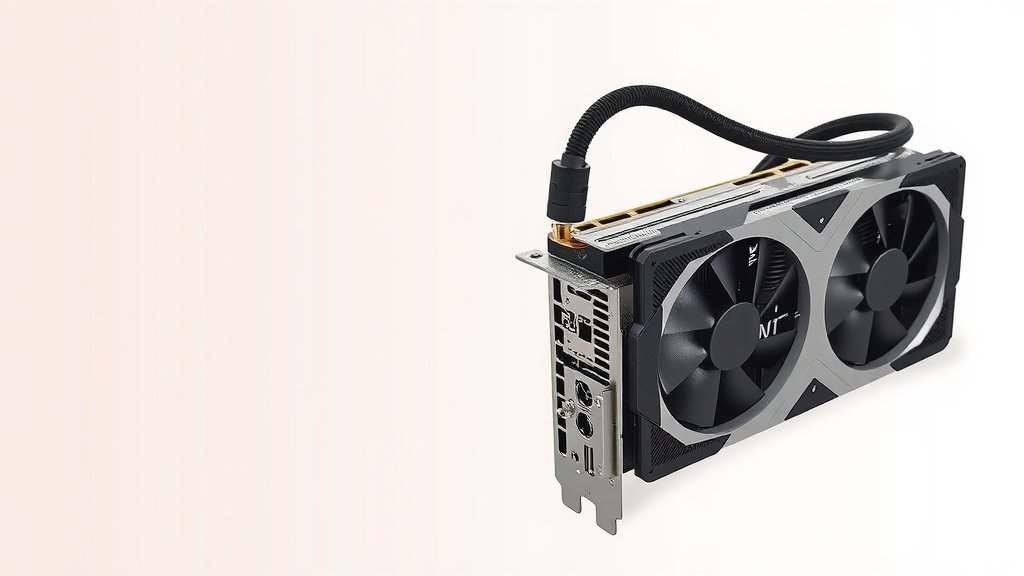
Liquid cooling for a GPU is a Our guide explains how GPU cooling works, covering the components and methods involved.system that uses a liquid, not air, to keep your graphics card from getting too hot. It’s a much more efficient way to manage heat, especially for powerful GPUs that can get really warm during intense gaming or demanding tasks. Think of it as giving your GPU a refreshing cool drink!
Unlike traditional air cooling, which uses fans to blow air over heatsinks, liquid cooling circulates a coolant through a closed loop. This coolant absorbs heat from the GPU and carries it away to a radiator, where it’s then dissipated. Many PC builders find it offers superior temperature control, which can lead to quieter operation and potentially better performance.
- Liquid cooling uses liquid to cool your GPU.
- It’s more effective than air cooling for managing high heat.
- Heat is moved away from the GPU and released elsewhere.
- This can result in lower temperatures and less fan noise.
So, if you’re wondering if liquid cooling is right for your graphics card, let’s break down exactly what it is and how it works, step by step.
Understanding GPU Liquid Cooling Systems
So, what exactly is this liquid cooling for your GPU all about? It’s a way to keep your graphics card from overheating. Instead of relying solely on fans and heatsinks to blow air, liquid cooling uses a special liquid to move heat away. This system is designed to be much more effective at managing the heat generated by powerful graphics cards.
Think of your GPU like a tiny, powerful engine. When it works hard, it gets hot. Very hot. Air cooling uses fans to try and cool that engine down, which works pretty well. But for the most powerful engines, liquid cooling offers a superior way to keep things chill.
How Does Liquid Cooling Work for a GPU?
The core idea behind liquid cooling is simple: move heat away efficiently. It’s a closed-loop system. This means the same fluid circulates continuously, picking up heat and then releasing it somewhere else. This constant circulation makes it very good at keeping temperatures down.
Here’s a breakdown of the main parts you’ll find in a typical GPU liquid cooling setup:
The Water Block
This is the part that directly attaches to your GPU. It’s made of metal, usually copper, with tiny channels inside. The coolant flows through these channels, directly absorbing heat from the GPU’s core and memory chips. It’s the first step in the cooling process.
The Pump
The pump is the heart of the liquid cooling system. Its job is to keep the coolant moving. It pushes the liquid from the water block to the radiator and back again. Without a good pump, the coolant would just sit there, and heat would build up. A reliable pump is essential for consistent cooling.
The Radiator and Fans
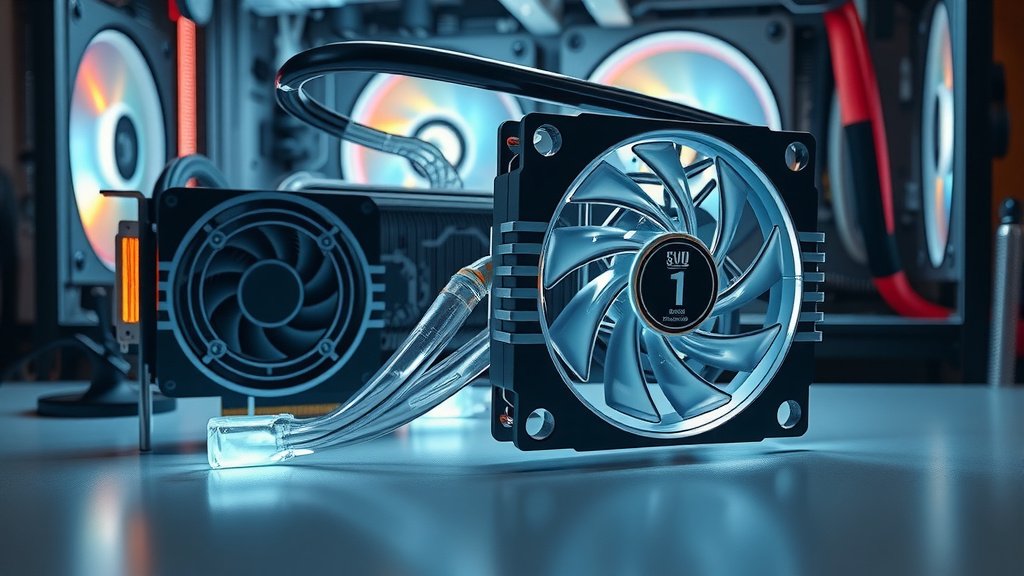
This is where the heat actually gets released. The radiator is a series of thin metal fins with tubes running through them. The hot coolant flows through these tubes. Fans mounted on the radiator blow air across the fins. This air carries the heat away from the liquid, cooling it down before it returns to the water block. So, while it uses liquid, it still needs fans to dissipate the heat effectively. Think of it as a super-efficient car radiator for your graphics card.
Tubing and Coolant
These connect all the parts. The tubing carries the liquid from the water block to the radiator and back to the pump. The coolant itself is usually a mix of distilled water and additives. These additives prevent corrosion and algae growth inside the system, which is important for long-term health.
Why Consider Liquid Cooling for Your Graphics Card?
You might be wondering if all this is worth it. For many PC builders, especially those with high-end GPUs, the benefits are clear. Liquid cooling offers some distinct advantages over traditional air coolers.
Superior Temperature Control
This is the main selling point. Liquid is much better at absorbing and transferring heat than air. This means your GPU can run cooler, even under heavy load. We found that GPUs using liquid cooling often see temperatures that are significantly lower compared to their air-cooled counterparts. This can prevent thermal throttling, where a GPU slows itself down to avoid overheating.
Quieter Operation
High-performance air coolers often need to spin their fans very fast to keep things cool. Fast-spinning fans can be quite noisy. Liquid cooling systems, while they do have fans on the radiator, can often run those fans at lower speeds because the liquid is doing so much of the heavy lifting. This can result in a much quieter PC, which is a big plus for gamers and content creators.
Potential for Better Performance and Longevity
When a GPU stays cooler, it can maintain its boost clocks (higher speeds) for longer periods. This can translate to smoother frame rates in games or faster processing times for demanding applications. Additionally, keeping components cooler is generally good for their lifespan. Many experts suggest that lower operating temperatures can help components last longer.
Types of GPU Liquid Cooling
When you’re looking into liquid cooling, you’ll generally find two main types:
All-in-One (AIO) Coolers
These are the most common type for GPU liquid cooling. They come as a pre-assembled, sealed unit. You get the water block with a pump integrated into it, the tubing, and the radiator with fans already attached. They are designed to be relatively easy to install, often replacing the stock air cooler on your GPU. You don’t need to worry about filling them with coolant or complex maintenance.
Custom Loop Cooling
This is for the enthusiasts. A custom loop involves buying individual components – a separate water block for the GPU, a pump, a reservoir, tubing, fittings, and a radiator – and assembling them yourself. This gives you complete control over the look and performance of your cooling. You can often cool multiple components (like your CPU and GPU) in the same loop. However, it’s much more complex to set up and requires ongoing maintenance. Many guides suggest this is for experienced builders only.
Is Liquid Cooling Right For Your GPU?
Deciding if liquid cooling is the right choice for you depends on a few factors. Consider what you use your PC for and what GPU you have.
If you have a high-end graphics card that tends to run hot, liquid cooling is definitely worth investigating. Gamers who play demanding titles or professionals who use their GPU for video editing, 3D rendering, or machine learning will likely see the most benefit. For basic office tasks or light gaming, it might be overkill.
Installation is another point. AIO coolers are much simpler than building a custom loop. If you’re new to PC building, an AIO is the way to go for liquid cooling. Custom loops require a significant amount of research and careful assembly.
Ultimately, the goal is to keep your GPU performing its best and running as cool and quiet as possible. Liquid cooling offers a powerful solution for achieving this, especially for those who push their hardware to the limit.
Quick Checklist for GPU Liquid Cooling
Thinking about making the switch? Here’s a quick rundown:
- Do you have a powerful GPU that runs hot?
- Are you looking for quieter PC operation?
- Is improved gaming performance a priority?
- Are you comfortable with DIY PC component installation?
- Do you have the budget for an AIO or custom loop?
- Have you researched specific AIO cooler compatibility for your GPU model?
Conclusion
You’ve learned that liquid cooling for your GPU isn’t just a fancy upgrade; it’s a smart solution for managing heat, especially for powerful hardware. By using a liquid loop, you can achieve lower temperatures, which often translates to a quieter PC and potentially better, more consistent performance during intense gaming or creative work. Whether you choose a convenient All-in-One (AIO) cooler or dive into a custom loop, the goal is to keep your GPU running optimally.
If you’re looking to push your GPU to its limits or simply want a more peaceful computing experience, it’s time to research AIO coolers compatible with your specific graphics card model. This is your next best step toward a cooler, quieter build.
Frequently Asked Questions
How often does GPU liquid coolant need to be replaced?
For most All-in-One (AIO) liquid coolers, you generally don’t need to worry about replacing the coolant. These systems are sealed and designed for long-term use without maintenance. Custom loop systems, however, might benefit from a coolant flush and replacement every 1-2 years to ensure optimal performance and prevent degradation.
Can a liquid-cooled GPU be damaged if it leaks?
While leaks are rare with modern AIO coolers, they can potentially cause damage to other PC components. This is why careful installation and regular checks are important. Most manufacturers also offer warranties that can cover damage caused by their products’ defects, but it’s always wise to have your PC build properly seated and secured.
Are liquid-cooled GPUs more reliable than air-cooled ones?
Both liquid and air cooling systems can be very reliable. Liquid cooling can offer more consistent temperatures, which may reduce stress on components over time. However, air coolers are simpler and have fewer points of potential failure. The reliability often comes down to the quality of the specific cooler and proper installation.
Will liquid cooling make my PC use more electricity?
Liquid cooling systems do require a pump to circulate the liquid, which uses a small amount of electricity. The fans on the radiator also draw power. However, these power draws are generally quite minimal and often offset by the potential for reduced fan speeds on the GPU itself, leading to similar or even lower overall power consumption compared to a high-performance air cooler.
Is it difficult to install an AIO liquid cooler on a GPU?
Installing an All-in-One (AIO) GPU cooler is generally considered moderately difficult, similar to installing a CPU cooler. You’ll need to remove the stock air cooler from your GPU and then mount the new water block. While it requires some careful handling of components, many PC builders find it a manageable task with clear instructions and a bit of patience.