
What Is an AIO GPU Cooler: Your Ultimate Guide
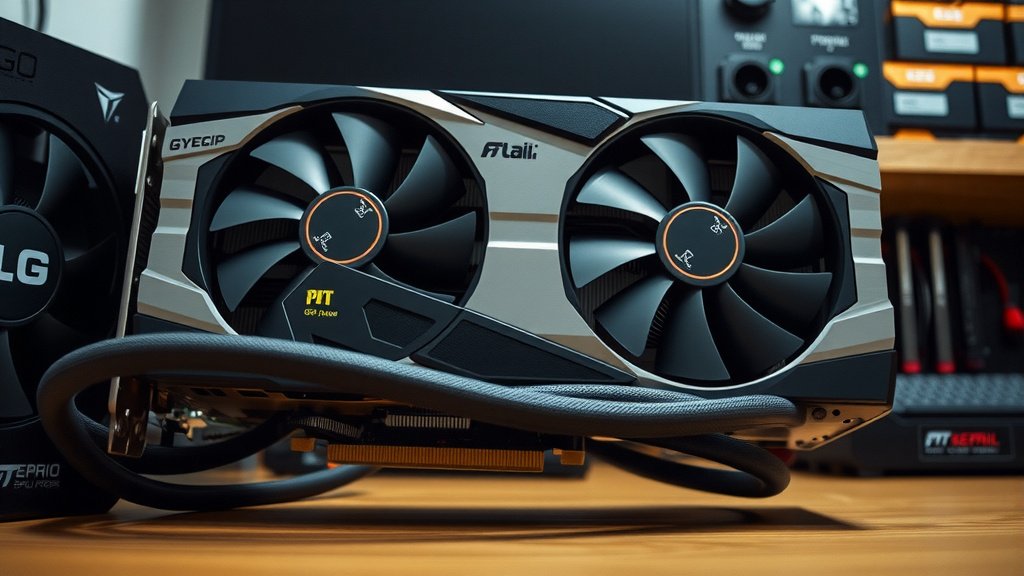
An All-In-One (AIO) GPU cooler An All-In-One (AIO) GPU cooler is a self-contained liquid cooling system designed to directly cool your graphics card; learn how GPU cooling works in our guide. is a self-contained liquid cooling system designed to directly cool your graphics card. It uses a pump, radiator, and fans to remove heat more efficiently than traditional air coolers. This helps keep your GPU running cooler, even under heavy loads.
Think of it as a mini-refrigerator for your graphics card. Unlike bulky air coolers that rely solely on heatsinks and fans, an AIO GPU cooler circulates a special liquid. This liquid absorbs heat from the GPU and carries it away to a radiator. The fans then blow air through the radiator to dissipate the heat. This process results in significantly quieter operation and lower temperatures.
- An AIO GPU cooler is a self-contained liquid cooling unit for your graphics card.
- It uses a pump, radiator, and fans to remove heat efficiently.
- This leads to lower GPU temperatures and can reduce noise levels.
- AIOs offer a more robust cooling solution compared to standard air coolers.
- They are designed to be relatively easy to install.
So, what exactly is an AIO GPU cooler and how does it work to keep your graphics card frosty? Let’s break down the details you need to know.
Understanding the All-In-One GPU Cooler System
So, you’ve heard about AIO GPU coolers and are wondering what makes them tick. Simply put, an All-In-One (AIO) GPU cooler is a pre-assembled liquid cooling unit designed specifically for your graphics card. It’s a closed-loop system, meaning you don’t have to mix any fluids or assemble multiple parts like you might with custom liquid cooling. Think of it as a highly efficient, self-contained cooling package for the heart of your gaming PC.
These systems are built to take on the heat your GPU generates during intense tasks like gaming or video editing. Traditional air coolers have done a decent job for years, but as graphics cards become more powerful, they also produce more heat. This is where AIOs step in, offering a more robust solution to keep things running smoothly and quietly. These systems are built to take on the heat your GPU generates during intense tasks like gaming or video editing to keep things running smoothly.
The Core Components of an AIO GPU Cooler
You might be curious about the parts that make up this advanced cooling technology. An AIO GPU cooler consists of a few key components working together harmoniously. Each piece plays a vital role in the efficient transfer and dissipation of heat.
The Pump
At the center of it all is the pump. This little powerhouse is responsible for circulating the liquid coolant throughout the system. It’s typically integrated into the block that sits directly on your GPU. The pump ensures a constant flow, moving the heated liquid away from the GPU to where it can be cooled down.
The Radiator and Fans
Next up is the radiator. This is a finned metal component, usually mounted to your PC case, where the hot liquid flows. Attached to the radiator are one or more fans. As the hot coolant travels through the radiator’s thin tubes, the fans blow air across the fins. This action cools the liquid down significantly before it returns to the pump.
The Water Block
The water block, often called a GPU block or cold plate, is the component that makes direct contact with your graphics card’s main processing chip (the GPU die) and its memory modules (VRAM). It’s designed to absorb heat very effectively. Many AIO GPU coolers include a thermal pad or paste application to ensure optimal heat transfer from the GPU to the block itself.
Tubing and Coolant
Connecting all these parts are flexible tubes. These carry the coolant back and forth between the water block and the radiator. The coolant itself is a special mixture, often water-based with additives to prevent corrosion and biological growth. You generally don’t need to worry about this; it’s a sealed system for ease of use.
How Does an AIO GPU Cooler Work Its Magic?
The process is actually quite straightforward, though it involves some clever engineering. It’s a continuous cycle designed for maximum heat removal. Let’s walk through it step-by-step so you can visualize how your GPU stays cool.
The Heat Absorption Phase
When your graphics card starts working hard, it generates a lot of heat. The water block, sitting directly on the GPU, absorbs this heat. This is like placing a cool towel on a warm forehead; it draws the heat away. The liquid inside the block gets warmer as it absorbs this energy.
Circulation to the Radiator
Once the liquid has absorbed heat, the pump kicks in. It pushes this now-warm liquid through the tubing towards the radiator. This circulation is constant, ensuring that heat doesn’t build up on the GPU for too long.
Cooling Down at the Radiator
As the warm liquid flows through the thin channels of the radiator, it’s exposed to a larger surface area. The fans mounted on the radiator spin, drawing cool air from your PC case and blowing it across the radiator’s fins. This airflow helps to dissipate the heat from the liquid into the air. Many studies show that radiator size and fan speed directly impact cooling efficiency (NCBI).
Returning the Coolant
After passing through the radiator and shedding its heat, the now-cooler liquid flows back through the tubing to the pump. From there, it’s ready to start the cycle all over again, picking up more heat from the GPU. This continuous loop keeps your graphics card at a much more manageable temperature.
Benefits of Choosing an AIO GPU Cooler
You might be wondering if an AIO GPU cooler is the right choice for your setup. There are several compelling reasons why PC builders and enthusiasts opt for this cooling solution. They often offer a noticeable upgrade over standard air cooling.
Superior Cooling Performance
Let’s face it, the primary goal is better cooling. AIOs generally outperform bulky air coolers, especially on high-end graphics cards. They can achieve significantly lower temperatures under load. This means your GPU can boost to higher clock speeds for longer, leading to better performance in games and applications.
Reduced Noise Levels
While fans are still involved, the liquid cooling process can often lead to quieter operation. The pump itself is usually very quiet. Plus, with more efficient heat dissipation, the fans don’t always need to spin as fast as they would on a comparable air cooler, especially under moderate loads. Many users report a more peaceful computing experience.
Aesthetic Appeal
Let’s not forget looks! Many AIO GPU coolers feature sleek designs, RGB lighting, and clean aesthetics. They can really enhance the visual appeal of your PC build, making it stand out. If you have a tempered glass side panel, a well-designed AIO can be a real showpiece.
Easier Installation for Some
While custom liquid cooling can be daunting, AIOs are designed for a more straightforward installation. The system comes pre-assembled, so you’re essentially mounting the water block to the GPU and then mounting the radiator and fans to your PC case. For many, this is less intimidating than building a custom loop.
Potential for Increased GPU Lifespan
Running components at lower temperatures can potentially extend their lifespan. Excessive heat is a known enemy of electronics. By keeping your GPU cooler, you might be helping it stay healthy for longer. Experts generally agree that managing heat is key to component longevity (Cleveland Clinic).
Key Considerations Before Buying
Before you jump in and buy the first AIO GPU cooler you see, there are a few things you should check. Making sure it’s compatible and fits your needs is important for a smooth upgrade.
- Compatibility: Does the AIO fit your specific graphics card model? Some AIOs are universal, while others are designed for particular GPU series.
- Radiator Size: AIOs come with different radiator sizes (e.g., 120mm, 240mm). Make sure your PC case has the space to mount the radiator and fans.
- Pump and Fan Headers: You’ll need the correct motherboard headers to connect your pump and fans.
- Aesthetics: Does it match the look and feel of your build?
- Brand Reputation: Look for well-reviewed brands known for quality and reliability.
Conclusion
You’ve now seen how an AIO GPU cooler works to keep your graphics card running cool and quiet. By using a pump, radiator, and fans, these systems efficiently transfer heat away from your GPU. This leads to better performance, reduced noise, and potentially a longer lifespan for your card. If you’re looking to upgrade your PC’s cooling and improve your gaming or creative experience, researching compatible AIO GPU coolers is your next smart move. Consider your case’s space and your GPU model to find the perfect fit.
Frequently Asked Questions
Are AIO GPU coolers really worth the extra cost?
For many users, yes. If you’re running demanding games or applications, the improved cooling performance can lead to better stability and higher clock speeds. The quieter operation is also a big plus for those sensitive to noise. Consider your specific usage and budget when deciding if the benefits outweigh the cost for you.
Can I install an AIO GPU cooler on any graphics card?
Not all AIO GPU coolers are universal. Some are designed for specific GPU models or series, while others offer broader compatibility with mounting bracket adjustments. Always check the product specifications to ensure it will fit your particular graphics card before purchasing.
How often does an AIO GPU cooler need maintenance?
AIOs are designed as sealed systems and generally require very little maintenance. The coolant is factory-sealed and doesn’t need refilling. You should periodically clean the dust from the radiator and fans to ensure optimal airflow, much like you would with any PC component.
Will an AIO GPU cooler make my PC louder?
Typically, AIO GPU coolers aim to reduce noise. While they do have fans and a pump, these are often quieter than the stock air coolers on high-performance GPUs. The more efficient heat dissipation means the fans may not need to spin as fast, contributing to a more peaceful experience.
What’s the difference between an AIO GPU cooler and custom liquid cooling?
An AIO GPU cooler is a pre-assembled, closed-loop system for your graphics card. Custom liquid cooling involves buying individual components (pump, reservoir, blocks, tubing, fittings) and assembling them yourself, offering more customization but requiring more technical skill and maintenance.
![10 Best Brand For Rx 6700 Xt [2026]](https://spsolutionscare.com/wp-content/uploads/2026/08/10-best-brand-for-rx-6700-xt-2026-featured-768x432.jpg)
![10 Best 2060 [2026]](https://spsolutionscare.com/wp-content/uploads/2026/08/10-best-2060-2026-featured-768x432.jpg)
![10 Best Budget Graphics Card Under $300 [2026]](https://spsolutionscare.com/wp-content/uploads/2026/09/10-best-budget-graphics-card-under-300-2026-featured-768x432.jpg)