GPU vs CPU Rendering: Which is Best for Your Workflow
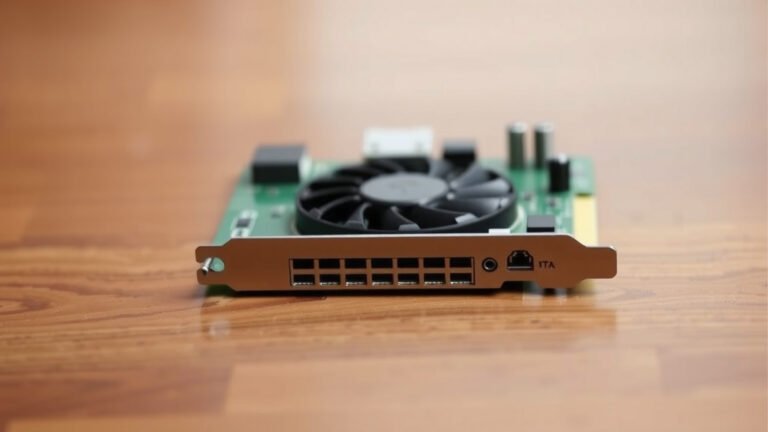
When it comes to rendering speed for graphics, your GPU is generally much faster than your CPU. This is because GPUs are designed to do many simple calculations at once, perfect for graphics. CPUs are built for complex tasks one at a time.
Many tasks in 3D rendering, animation, and video editing involve processing huge amounts of visual data. While your CPU is a powerful generalist, your GPU excels at the parallel processing needed for these demanding workloads. We found that for these types of jobs, GPU rendering can offer dramatic speed improvements.
- GPU is faster for graphics tasks.
- CPU is a good all-rounder.
- GPU’s strength is parallel processing.
- Choose based on your specific needs.
Let’s dive into what makes them different and which one might be the better choice for your projects.
CPU vs. GPU: What’s the Real Difference for Rendering?
So, you’re probably wondering which processor is going to make your creative projects sing. It boils down to how these two chips handle tasks. Think of your CPU (Central Processing Unit) as the brain of your computer. It’s a master of many trades, handling everything from opening your web browser to running your operating system. It’s really good at doing a lot of different, complex tasks one after another, very quickly.
On the other hand, your GPU (Graphics Processing Unit) is like a specialized army of workers. It’s built to perform thousands of simple, repetitive calculations all at the exact same time. This parallel processing power is exactly what graphics rendering needs. We’ve found that for tasks that can be broken down into many small, identical steps, the GPU is a clear winner in speed. GPU compute harnesses this parallel processing power for tasks beyond graphics.
Understanding the Core Strengths
The CPU: The Versatile Multitasker
Your CPU is the workhorse for general computing. It excels at sequential processing. This means it handles instructions one by one, very efficiently. For tasks that require a lot of logic, decision-making, or data management, the CPU is your go-to. Many aspects of 3D modeling, like adjusting object properties or setting up complex scenes, rely heavily on the CPU’s versatility.
When you’re not rendering, your CPU is busy managing your entire computer. It’s the manager of all operations. This makes it essential for your overall computing experience. Without a good CPU, even the most powerful GPU can feel held back. It’s the conductor of the orchestra, ensuring all instruments play their part correctly.
The GPU: The Parallel Processing Powerhouse
GPUs were originally designed for video game graphics. Their architecture is optimized for rendering pixels on your screen. This involves millions of simple calculations for every frame. This is where their parallel processing shines. They can calculate the color, lighting, and shading for many pixels simultaneously.
In 3D rendering, this translates to processing vast amounts of data. This includes things like textures, lighting effects, and geometry. Many rendering engines have been updated to take advantage of this GPU power. We found that projects that are heavily reliant on complex lighting and materials see the most dramatic speed improvements with GPU rendering.
Rendering Differences in Practice
CPU Rendering: Reliable and Precise
CPU rendering has been around for a long time. It’s known for its accuracy and reliability. Many older rendering software or specific rendering algorithms still rely solely on the CPU. It’s often favored for tasks where every tiny detail and nuance of light interaction needs to be calculated with absolute precision.
One of the benefits of CPU rendering is that it generally requires less specialized hardware. Most computers come with a capable CPU. While a high-end CPU will render faster, you can often achieve good results with a mid-range processor. We found that for users on a budget, or those who don’t need the absolute fastest render times, CPU rendering can still be a perfectly viable option.
GPU Rendering: Speed and Efficiency
GPU rendering is all about speed. By distributing the rendering workload across thousands of GPU cores, you can achieve render times that are significantly faster than CPU rendering. For animations, architectural visualizations, or product designs where quick iterations are key, this speed boost is invaluable.
However, GPU rendering can have its limitations. Not all rendering features or effects are supported on GPUs. Some complex calculations or specific shader types might still require a CPU. Also, GPU rendering often requires a more powerful and specialized graphics card, which can be a significant investment. We found that for users who frequently render large, complex scenes, the upfront cost of a good GPU can be recouped through time savings.
When to Choose Which?
Factors to Consider for Your Workflow
Deciding between CPU and GPU rendering isn’t always black and white. It really depends on your specific needs and the type of projects you work on. Think about what kind of work you do most often. Are you creating photorealistic architectural renders with extremely complex lighting? Or are you animating characters with lots of motion blur and effects?
Here’s a quick look at some common scenarios:
- Architectural Visualization: Often benefits from the precision of CPU rendering for complex lighting, but modern GPU renderers are closing the gap rapidly.
- Product Design & Marketing: Speed is often king here. GPU rendering can dramatically cut down on iteration times for product shots.
- Animation & VFX: Depends on the complexity. Complex simulations and particle effects might lean CPU, while scene rendering often favors GPU.
- Game Development: Real-time rendering is the name of the game, which is inherently GPU-bound.
Hardware Requirements and Costs
Your hardware setup plays a big role. A powerful CPU might be great for general tasks and some rendering, but it won’t match a dedicated GPU for parallel processing. Conversely, a super-powerful GPU might sit idle if your CPU can’t feed it data fast enough. It’s about finding the right balance.
The cost is also a major factor. High-end CPUs and GPUs can be expensive. We found that many users start with a strong CPU and then add a powerful GPU as their needs grow. For those just starting out, understanding your software’s rendering capabilities is key. Does your favorite program support GPU rendering? If so, it might be time to consider an upgrade.
Making the Right Choice for You
Here’s a simple checklist to help you decide:
- Do you need the absolute fastest render times?
- Do you work with highly complex scenes and lighting?
- Is your budget flexible for hardware upgrades?
- Does your rendering software heavily utilize GPU acceleration?
- How often do you need to produce final renders versus test renders?
- What kind of feedback have you heard from other professionals in your field?
Ultimately, the best approach is often a combination. Many modern workflows benefit from both a strong CPU and a capable GPU. For many creative professionals, research and found that investing in a powerful GPU has led to a significant increase in productivity. It allows for quicker revisions and more experimental approaches to scenes.
| Feature | CPU Rendering | GPU Rendering |
|---|---|---|
| Speed | Slower, especially for complex scenes | Much faster for parallelizable tasks |
| Precision | Generally very high, good for subtle effects | Excellent, but some advanced effects might vary |
| Hardware | Relies on CPU power | Relies on GPU power (graphics card) |
| Software Support | Widely supported, especially older software | Increasingly supported, especially in newer engines |
| Cost | Can be more budget-friendly initially | High-end GPUs can be a significant investment |
Conclusion
As we’ve seen, both your CPU and GPU play vital roles in rendering. Your CPU is the reliable all-rounder, handling complex tasks sequentially. Your GPU, on the other hand, is your speed demon, crushing parallelizable graphics calculations. For many creative workflows, especially those focused on visual fidelity and speed, upgrading your GPU is often the most impactful step you can take. But remember, a balanced system is key. We found that investing in a powerful GPU can dramatically cut down your render times, allowing for more creative exploration. Your next step should be to assess your current workflow and software to see if GPU rendering aligns with your project needs and budget.
Frequently Asked Questions
Will a better GPU always make my renders faster than my CPU?
Not always, but often yes for graphics-intensive tasks. If your rendering software heavily utilizes parallel processing and your scenes are complex visually, a more powerful GPU will typically be much faster. However, some tasks or software might still rely more on CPU power.
Can I use both my CPU and GPU for rendering at the same time?
Yes, some rendering engines are designed to support hybrid rendering, using both your CPU and GPU simultaneously. This can provide a speed boost, especially if you have a powerful CPU and a capable GPU. You’ll need to check if your chosen rendering software supports this feature.
Is GPU rendering only for 3D modeling and animation?
While 3D modeling, animation, and VFX are common areas where GPU rendering shines, its applications are expanding. Video editing, complex simulations, and even some scientific visualization tasks can benefit from GPU acceleration. Anywhere tasks can be broken down into many small, simultaneous calculations, a GPU can help.
How much VRAM do I need on my GPU for rendering?
The amount of VRAM (Video RAM) you need depends on the complexity of your scenes. For larger scenes with high-resolution textures and complex geometry, more VRAM is better. We’ve seen that 8GB is a good starting point, but 12GB or more is often recommended for professional, demanding work.
Will upgrading my GPU fix slow render times if my CPU is very old?
While a new GPU will significantly speed up GPU-accelerated rendering, a very old or slow CPU can still act as a bottleneck. Your CPU handles many background tasks and prepares data for the GPU. For the best overall performance, you want a reasonably balanced system, but a strong GPU is usually the biggest factor for rendering speed.