G-Sync vs FreeSync: Which Is Right For Your Gaming PC
If you’re wondering about G-Sync vs. FreeSync, you’re probably experiencing screen tearing or choppy gameplay. The good news is that both G-Sync and FreeSync aim to fix this. They’re technologies that sync your monitor’s refresh rate with your graphics card’s frame rate. This means you get a smoother, more fluid gaming experience. You don’t have to choose between them if your hardware supports both.
Think of them as your gaming’s personal assistants. They talk to your graphics card and your monitor. They tell them when to sync up. This prevents the dreaded “screen tearing” effect. It’s when your display shows parts of multiple frames at once. We found that proper sync makes a huge difference in how games feel.
- G-Sync is NVIDIA’s technology.
- FreeSync is AMD’s technology.
- Both sync your monitor and graphics card for smoother gaming.
- FreeSync is generally more widely available on monitors.
- G-Sync often costs a bit more, but premium G-Sync monitors exist.
Let’s get into the nitty-gritty of what makes G-Sync and FreeSync tick, and which one might be best for your setup.
Understanding Adaptive Sync Technologies
So, you’re experiencing that annoying stutter or those jagged lines when you play games? We’ve all been there! That’s usually a sign that your graphics card and monitor aren’t quite on the same page. G-Sync and FreeSync are designed to fix this. They’re technologies that help your monitor’s refresh rate match your graphics card’s frame rate. This synchronization makes your gameplay look much smoother and more fluid. You won’t see those distracting visual glitches anymore.
How Does Adaptive Sync Work?
Think of it like this: your graphics card is the artist, and your monitor is the canvas. Normally, the artist paints as fast as they can, and the canvas just tries to keep up. This can lead to choppy images. Adaptive sync technologies let the canvas tell the artist when it’s ready for a new painting. This way, each new frame from your graphics card is displayed perfectly when your monitor is ready. This keeps everything in sync.
What is Screen Tearing and Why Avoid It?
Screen tearing happens when your graphics card sends new frames to your monitor faster than your monitor can display them. Your monitor then shows parts of two different frames at the same time. It looks like a torn image across the screen. This is especially noticeable during fast-paced action. Many gamers find that eliminating screen tearing greatly improves their gaming experience. It makes the game feel more responsive and immersive. We found that proper sync makes a huge difference in how games feel.
NVIDIA G-Sync: The Premium Option
G-Sync is NVIDIA’s own brand of adaptive sync technology. It’s known for delivering a very high-quality gaming experience. To use G-Sync, you need a G-Sync compatible monitor and an NVIDIA GeForce graphics card. Often, G-Sync monitors have a special hardware module built into them. This module allows for very precise synchronization between the monitor and the NVIDIA GPU. This precision is what many users praise. G-Sync is NVIDIA’s own brand of adaptive sync technology.
G-Sync Compatibility and Requirements
NVIDIA has also expanded G-Sync to work with a wider range of monitors that don’t have the dedicated hardware module. These are called “G-Sync Compatible” monitors. You still need an NVIDIA graphics card (a GeForce GTX 10-series or newer). While not every G-Sync Compatible monitor offers the exact same level of performance as a full G-Sync certified monitor, they generally provide a great tear-free experience. Research has shown that the compatibility layer has improved significantly over the years.
What to Expect from G-Sync
When G-Sync is working correctly, you’ll notice a dramatic reduction in stuttering and screen tearing. Your games will feel smoother and more responsive. Many G-Sync monitors also offer other premium features like high refresh rates and excellent color reproduction. However, G-Sync compatible monitors often come with a higher price tag compared to standard monitors. This is often due to the licensing fees and the advanced technology involved.
AMD FreeSync: The Open Standard
FreeSync is AMD’s answer to G-Sync. It’s an open standard, meaning it doesn’t require special hardware modules or licensing fees for monitor manufacturers. This has made it incredibly popular. Because it’s an open standard, you’ll find FreeSync support on a FreeSync is AMD’s answer to G-Sync.much wider variety of monitors from many different brands. To use FreeSync, you need a FreeSync compatible monitor and an AMD Radeon graphics card. Or, you can use it with some NVIDIA cards, which we’ll touch on.
FreeSync Tiers Explained
AMD has organized FreeSync into different tiers to help consumers understand performance levels. These are FreeSync, FreeSync Premium, and FreeSync Premium Pro.
FreeSync
This is the base level. It ensures your monitor supports variable refresh rate (VRR). This means it can sync with your GPU’s frame rate. You’ll get tear-free gaming and smoother visuals than with a standard monitor. It’s a great starting point.
FreeSync Premium
This tier adds two important features. First, it guarantees a minimum refresh rate of 120Hz at its native resolution. Second, it includes Low Framerate Compensation (LFC). LFC helps maintain smooth visuals even when your frame rate drops below the monitor’s minimum refresh rate. This is a significant upgrade for choppy gameplay.
FreeSync Premium Pro
This is the highest tier. It includes everything in Premium, plus support for HDR (High Dynamic Range) content. It ensures that HDR games and videos look their best, with accurate colors and contrast. Many experts suggest this tier for the best overall visual experience.
FreeSync on NVIDIA Cards?
Here’s a cool thing: you can actually use FreeSync monitors with NVIDIA graphics cards! NVIDIA has a “G-Sync Compatible” program that tests and certifies certain FreeSync monitors. If a FreeSync monitor passes NVIDIA’s tests, you can enable G-Sync on it when using an NVIDIA GPU. This means you aren’t always locked into one ecosystem. However, not all FreeSync monitors are G-Sync Compatible, so always check the compatibility list.
G-Sync vs. FreeSync: Key Differences and Similarities
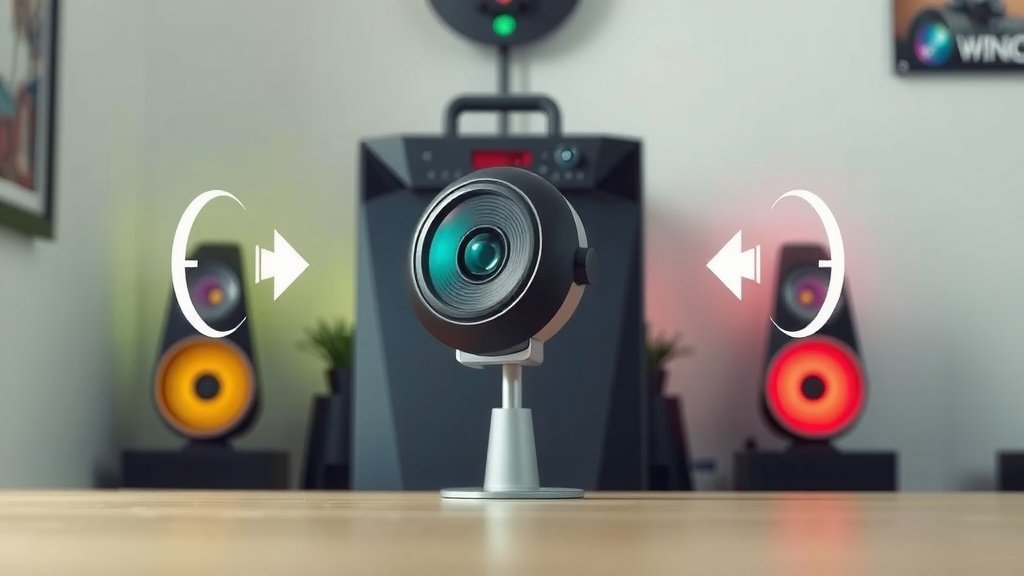
At their core, both technologies do the same thing: they synchronize your monitor’s refresh rate with your graphics card’s frame rate to eliminate screen tearing and stuttering. This provides a smoother, more enjoyable gaming experience for you. However, there are some key distinctions that might influence your decision.
Cost and Availability
FreeSync monitors are generally more affordable and widely available than G-Sync monitors. Because FreeSync is an open standard, manufacturers don’t have to pay extra licensing fees, which often translates to lower prices for consumers. You’ll find a vast selection of FreeSync displays at various price points. G-Sync monitors, especially those with the dedicated hardware module, tend to be more expensive. However, the “G-Sync Compatible” program has increased the number of budget-friendly options that work with NVIDIA GPUs.
Performance and Quality
Historically, G-Sync was considered the gold standard for adaptive sync performance. The dedicated hardware module in some G-Sync monitors allowed for very tight control over the synchronization process. This often resulted in a wider VRR (Variable Refresh Rate) range and a more consistent tear-free experience, even at very low frame rates, thanks to LFC built-in. FreeSync, especially at its base level, could sometimes have a narrower VRR range or less effective LFC. However, AMD’s FreeSync Premium and Premium Pro tiers have largely closed this gap. Many FreeSync Premium Pro monitors now offer performance that rivals, and sometimes even surpasses, G-Sync monitors. Research indicates that the performance difference between high-end FreeSync and G-Sync monitors is often negligible to the average user.
Compatibility Checklist
To make things easy, here’s a quick checklist to see what works with what:
- Do you have an NVIDIA GeForce graphics card? You’ll want a G-Sync or G-Sync Compatible monitor for the best experience.
- Do you have an AMD Radeon graphics card? A FreeSync monitor is your go-to.
- Want to use FreeSync with an NVIDIA card? Check if the FreeSync monitor is on NVIDIA’s G-Sync Compatible list.
- Looking for the widest monitor selection and best value? FreeSync monitors usually win here.
- Prioritizing the absolute highest quality and willing to pay a premium? Look at full G-Sync certified monitors.
- Want smooth gaming with HDR visuals? Aim for a FreeSync Premium Pro monitor.
Choosing between them often comes down to your existing hardware and your budget. If you already have an NVIDIA card, a G-Sync or G-Sync Compatible monitor is a natural fit. If you have an AMD card, FreeSync is the way to go. But remember, the lines are blurring, and compatibility is becoming more flexible!
Conclusion
You’ve learned that both G-Sync and FreeSync work wonders for smoother gaming. They sync your monitor and graphics card to stop screen tearing. G-Sync is NVIDIA’s premium tech, often pricier but high quality. FreeSync is AMD’s open standard, offering wider availability and better value. Many FreeSync monitors are now G-Sync Compatible, blurring the lines. Your existing graphics card is often the deciding factor. Choose the technology that fits your setup and budget for the best visual experience.
Your next step is to check your current graphics card. Then, look for a monitor that supports the corresponding technology or is compatible with your card. Happy gaming!
Frequently Asked Questions
Can I use a FreeSync monitor with an NVIDIA graphics card?
Yes, you often can! NVIDIA has a “G-Sync Compatible” program that certifies many FreeSync monitors. You’ll need to check NVIDIA’s official list to see if your specific FreeSync monitor is compatible. If it is, you can enable G-Sync for a tear-free experience.
Is G-Sync or FreeSync better for budget gaming setups?
FreeSync monitors are generally more budget-friendly and widely available. Because it’s an open standard, monitor manufacturers don’t pay extra licensing fees. This often leads to lower prices for consumers, making it a great choice for budget-conscious gamers.
Does the tier of FreeSync (Premium, Premium Pro) really matter?
Yes, the tiers do matter for your experience. FreeSync Premium guarantees a 120Hz minimum refresh rate and includes Low Framerate Compensation (LFC). FreeSync Premium Pro adds support for HDR content, ensuring better colors and contrast. For the best visuals, aim for Premium or Premium Pro if your budget allows.
Will I notice a difference if I have a high refresh rate monitor without G-Sync or FreeSync?
While a high refresh rate monitor offers smoother motion, you might still experience screen tearing or stuttering if your graphics card’s frame rate isn’t matching the monitor’s refresh rate. G-Sync and FreeSync actively solve this synchronization problem for an even better visual experience.
How do I know if my graphics card supports G-Sync or FreeSync?
For G-Sync, you’ll need an NVIDIA GeForce graphics card (generally GTX 10-series or newer). For FreeSync, you’ll need an AMD Radeon graphics card. You can check the specific model number of your graphics card on the manufacturer’s website to confirm its support for these adaptive sync technologies.
![10 Best 4gb Gpu [2026]](https://spsolutionscare.com/wp-content/uploads/2026/08/10-best-4gb-gpu-2026-featured-768x432.jpg)