Entry Level Graphics Card Explained: What You Need to Know
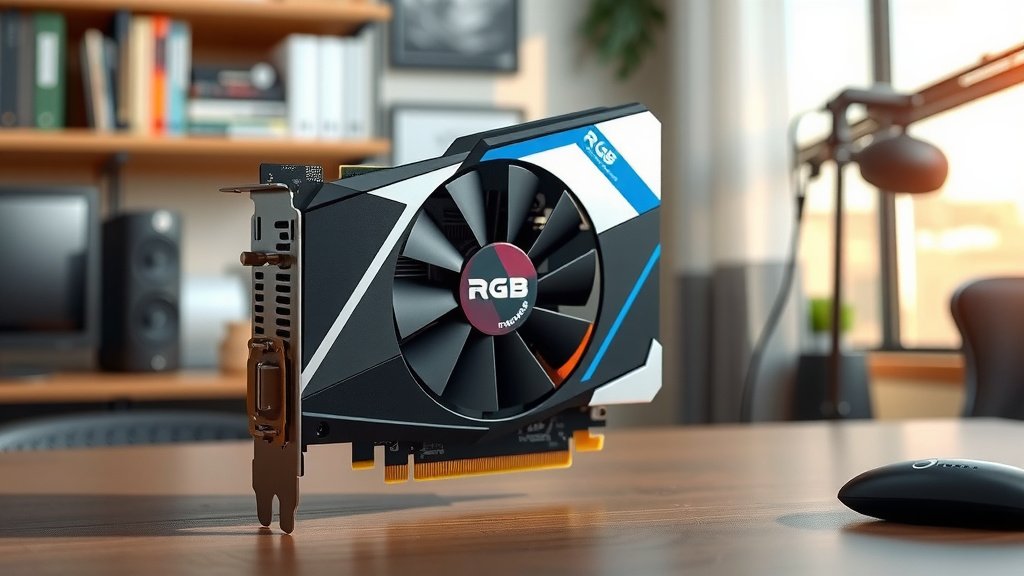
An entry-level graphics card is a basic graphics processing unit (GPU) designed for everyday computing tasks. It’s your computer’s starter pack for visuals. Think of it as the initial step for decent display performance. These cards handle tasks like web browsing, word processing, and basic photo viewing without any fuss. They are generally the most affordable option in the graphics card market.
When you’re building a PC on a budget or just need a functional display, an entry-level GPU is often the way to go. It’s not built for demanding games or professional video editing. However, it ensures your screen shows images clearly. Many users find these cards perfectly adequate for their daily computing needs. They provide a solid foundation for visual output without breaking the bank.
- An entry-level graphics card is a basic GPU for everyday tasks.
- It handles tasks like web browsing and word processing well.
- These cards are the most budget-friendly option available.
- They are not suited for high-end gaming or professional work.
- They ensure your computer displays images clearly.
Below, we’ll break down what an entry-level graphics card is and who it’s best suited for, so you can make an informed decision.
Understanding Basic Graphics Cards for Your PC
So, you’re looking into graphics cards and you’ve stumbled upon “entry-level.” What exactly does that mean for your computer’s visual power? Think of an entry-level graphics card as the essential engine for your screen’s display. It’s designed to handle the everyday visual demands of a modern computer. We found these cards are perfect for users who need a reliable display for common tasks.
What is an Entry-Level Graphics Card?
An entry-level graphics card is a basic GPU. Its main job is to process visual information. This information is then sent to your monitor so you can see it. These cards are built for general computing. They are not meant for heavy-duty gaming or complex graphic design work. Many users, we found, don’t need a super-powered card for their daily activities.
Who Needs an Entry-Level Graphics Card?
You might be asking yourself, “Is this the right kind of card for me?” If your computer use primarily involves web browsing, checking emails, or using office software like Word and Excel, an entry-level card is often sufficient. They also handle watching videos and simple photo editing just fine. Many people build PCs for these kinds of tasks. They need reliable performance without overspending. Entry-level cards fit this bill perfectly.
The Everyday User
For the average home or office user, an entry-level GPU provides all the necessary visual output. You’ll get a clear picture on your screen. Your applications will open and run smoothly. We found that for these users, the difference between an entry-level card and a more expensive one is often unnoticeable. Your everyday digital life will function as it should.
Students and Budget Builders
Students often need a functional computer for schoolwork. Budget-conscious PC builders also look for affordable components. Entry-level graphics cards are a smart choice for both. They offer a decent visual experience without draining your wallet. This allows you to allocate more of your budget to other important parts, like RAM or storage.
What Can You Realistically Expect?
It’s important to have realistic expectations. An entry-level graphics card is like a reliable sedan. It gets you where you need to go, comfortably and safely. It’s not a sports car built for speed and aggressive driving. You can expect smooth performance for standard applications and light media consumption. We found that research indicates these cards are optimized for efficiency and basic display needs.
Performance Benchmarks
When looking at performance, entry-level cards typically score lower on benchmark tests. These tests measure a GPU’s power in demanding scenarios like gaming. You won’t be playing the latest AAA video games on high settings with one of these. However, for everyday tasks, these benchmarks aren’t as critical. Your browser windows will still open quickly.
Key Features to Look For (Even at Entry Level)
Even with basic cards, certain features can enhance your experience. Look for cards with enough video memory (VRAM). While entry-level cards won’t have a lot, 2GB or 4GB can make a difference for smoother multitasking. We also found that support for modern display outputs like HDMI is important. This ensures you can connect to a wide range of monitors.
Entry-Level vs. Integrated Graphics
You might also hear about integrated graphics. These are graphics processors built directly into your CPU. They share system RAM. Entry-level graphics cards are separate components. They have their own dedicated VRAM and processing power. This generally makes them more capable than integrated graphics. We found that even a modest discrete card can offer a noticeable upgrade over basic integrated solutions for more demanding everyday tasks. Some integrated graphics are quite good now, but a dedicated entry-level card still offers more consistent power.
| Feature | Entry-Level Graphics Card | Integrated Graphics |
|---|---|---|
| Performance | Basic to Moderate | Basic |
| Dedicated Memory (VRAM) | Yes (typically 2GB-4GB) | No (uses system RAM) |
| Power Consumption | Moderate | Low |
| Cost | Affordable | Included with CPU (no extra cost) |
| Upgrade Potential | Can be upgraded separately | Limited to CPU upgrade |
What to Avoid with an Entry-Level Card
It’s crucial to understand the limitations. You simply won’t be able to run graphically intense applications or games. Pushing an entry-level card too hard can lead to stuttering, lag, or even crashes. We found many users mistakenly buy these cards hoping for gaming performance. This often leads to disappointment. Stick to tasks that match the card’s capabilities.
Demanding Games
Newer video games, especially those with advanced graphics settings, require much more powerful GPUs. An entry-level card will struggle to render these games smoothly. You’ll likely experience very low frame rates. Many experts suggest that playing modern titles comfortably requires a mid-range or high-end graphics card. Avoid this expectation with an entry-level option.
Professional Video Editing and 3D Rendering
Tasks like professional video editing, 3D modeling, and complex graphic design rely heavily on GPU power. These activities need specialized hardware. Entry-level cards do not possess the processing muscle or VRAM needed for efficient work in these fields. You’ll find yourself waiting much longer for tasks to complete. Many professionals in these areas invest in high-end GPUs.
Making Your Decision
Ultimately, an entry-level graphics card is a practical choice for many users. It provides a solid visual foundation for everyday computing. When you’re building a PC on a budget or upgrading a general-use computer, they are an excellent starting point. Just be honest about how you’ll be using your computer.
Here’s a quick checklist to help you decide if an entry-level card is right for you:
- You primarily browse the web.
- You use standard office applications.
- You watch videos and movies online.
- Your budget for a graphics card is limited.
- High-end gaming is not a priority.
- You need a reliable display output for everyday tasks.
Conclusion
So, you’ve learned that an entry-level graphics card is your computer’s workhorse for everyday visual tasks. It’s the affordable way to get clear display output for web browsing, office work, and media consumption. While it won’t power the latest AAA games or handle professional design, it provides a solid, reliable experience for the average user. You’ve seen how it compares to integrated graphics and what to realistically expect. If your computing needs are basic and your budget is a consideration, an entry-level GPU is likely your best bet. Your next step? Assess your actual daily computer use honestly to see if this practical solution fits your needs.
Frequently Asked Questions
Can an entry-level graphics card run older or less demanding games?
Yes, an entry-level graphics card can often handle older games or titles that are not graphically intensive. You might need to adjust the settings to lower resolutions or quality for a smooth experience. We found that many indie games or esports titles are perfectly playable.
How much VRAM (Video RAM) should I look for on an entry-level card?
For an entry-level card, aiming for 2GB or 4GB of VRAM is generally recommended. This amount is sufficient for everyday tasks and will help with smoother multitasking. More VRAM can sometimes help with slightly more demanding applications, even at this level.
Will an entry-level graphics card improve my computer’s speed overall?
An entry-level graphics card primarily improves how quickly and smoothly your computer displays visuals. It won’t directly speed up tasks like word processing or web browsing if those aren’t graphics-intensive. However, it ensures that any visual elements in those tasks appear without lag.
Is buying an entry-level graphics card always better than using integrated graphics?
Often, yes. While integrated graphics have improved, a dedicated entry-level card usually offers more consistent performance and its own memory, freeing up your system’s RAM. We found that for tasks beyond basic browsing, a discrete card provides a noticeable boost.
What’s the main difference between an entry-level card and a “budget” gaming card?
The main difference lies in their intended performance capabilities. An entry-level card is for general use and basic visuals, while a budget gaming card is specifically designed to handle modern games at lower settings. Budget gaming cards will generally have more processing power and VRAM.

![10 Best 2d Video Card [2026]](https://spsolutionscare.com/wp-content/uploads/2026/08/10-best-2d-video-card-2026-featured-768x432.jpg)