HDMI 2.1 Explained: What You Need to Know Now
HDMI 2.1 is the latest standard for connecting your devices. It offers much faster speeds and supports higher resolutions and refresh rates. Think of it as a superhighway for your video and audio signals.
This new version supports up to 10K resolution and 120Hz refresh rates, making it ideal for next-gen gaming and stunning 8K video. It also includes new features like Variable Refresh Rate (VRR) and Auto Low Latency Mode (ALLM) for a smoother gaming experience.
- HDMI 2.1 is a newer connection standard.
- It delivers faster speeds and higher resolutions.
- Supports 8K and 10K video.
- Improves gaming with VRR and ALLM.
- You’ll need new cables and compatible devices.
So, what exactly is HDMI 2.1, and what makes it so special? We’ve researched and found all the details you need to know.
Understanding HDMI 2.1: What It Is and Why It Matters
HDMI 2.1 is the latest standard for connecting your audio and video devices. It’s a big upgrade from older versions. Think of it as a wider, faster highway for your entertainment signals. We found that this newer technology supports much higher bandwidth. This means it can carry more data at once. You’ll notice this improvement with higher resolutions and smoother motion.
This standard was developed by the HDMI Forum. It aims to meet the demands of modern entertainment. Devices like 4K and 8K TVs, advanced gaming consoles, and high-end soundbars all benefit. We researched that the main goal is to deliver a better, more immersive experience. It ensures your setup can handle the latest visual and audio technologies without compromise.
Key Features of HDMI 2.1
HDMI 2.1 brings several exciting new features to the table. These are designed to enhance everything from movie watching to gaming. Let’s break down what makes it so special.
Unprecedented Bandwidth and Speed
One of the biggest leaps with HDMI 2.1 is its massive increase in bandwidth. Older HDMI versions, like 2.0, offered around 18 Gigabits per second (Gbps). HDMI 2.1 jumps that up to a staggering 48 Gbps. This is over double the speed. We found that this extra bandwidth is essential for carrying high-resolution video and advanced audio formats.
What does this mean for you? It means you can enjoy 4K video at 120Hz, or even 8K video at 60Hz, without any data being compressed. Older versions often had to compress signals to fit. This compression could sometimes lead to a slight loss in picture quality. With 48 Gbps, your signals are sent in their full, uncompressed glory. Many experts say this is a huge step for picture fidelity (HDMI Forum).
Support for Higher Resolutions and Refresh Rates
With that extra speed comes support for resolutions and refresh rates that were previously out of reach. You can now experience 8K resolutions at 60Hz. For those who want the absolute best, it even supports 10K resolutions, often used in professional settings. But it’s not just about sharper images; it’s also about smoother motion.
You can get 4K resolutions at 120Hz. This is a dream for gamers and sports fans. A higher refresh rate means more frames per second are displayed. This results in incredibly fluid movement on screen. We found that sports broadcasts and fast-paced action scenes look significantly better. Your gaming experience will be far more responsive and lifelike.
Enhanced Gaming Technologies
Gamers, rejoice! HDMI 2.1 introduces specific features to make your gaming sessions incredibly smooth and responsive. These aren’t just minor tweaks; they can genuinely change how you play.
Variable Refresh Rate (VRR)
Variable Refresh Rate, or VRR, is a game-changer. Previously, your display’s refresh rate was fixed, and your console or PC tried to match it. If your game produced frames at a different rate, you could experience lag or stuttering. VRR allows your display’s refresh rate to sync dynamically with your game’s frame rate. We researched that this happens in real-time, eliminating choppy gameplay and screen tearing. It ensures a much smoother, more responsive experience, especially in fast-paced games.
Auto Low Latency Mode (ALLM)
Another fantastic feature for gamers is Auto Low Latency Mode, or ALLM. This automatically sets your TV or display to its lowest latency (or input lag) setting when it detects a game signal. You don’t have to manually dig through menus to enable it. The display knows you’re gaming and switches modes for you. Many sources say this ensures you have the most responsive gaming experience possible without any extra effort on your part (RTINGS.com).
Quick Frame Transport (QFT)
Quick Frame Transport (QFT) is another feature that benefits gamers and VR users. It reduces display latency. This means it sends frames to your display faster. The result is smoother motion and a more immersive experience. It helps reduce the “feel” of lag, making on-screen actions appear more immediate.
Quick Media Switching (QMS)
While QMS is also beneficial for movies and shows, it has gaming implications too. It eliminates the delay you might experience when switching between different frame rates. For instance, when moving from a game’s menu to gameplay, or switching from a trailer to the main movie. This means no more blank screens or annoying blackouts while your system adjusts. We found that this provides a more continuous viewing and gaming experience.
Dynamic HDR Support
HDMI 2.1 supports Dynamic HDR. This means HDR metadata can be sent frame-by-frame. Older HDR standards used static metadata. This applied the same settings to the entire video. Dynamic HDR allows for more precise adjustments. Brightness, contrast, and color can be optimized for each individual scene or even each frame. Many experts say this results in a picture with greater depth and more lifelike detail (Advanced Television Systems Committee).
Enhanced Audio Return Channel (eARC)
The Enhanced Audio Return Channel (eARC) is a significant audio upgrade. It’s built upon the ARC functionality of older HDMI versions. eARC supports higher bandwidth audio formats. This includes uncompressed 5.1, 7.1, and even Dolby Atmos or DTS:X object-based audio. We found that this is vital for home theater enthusiasts. It ensures that the high-quality audio from your TV can be sent back to your soundbar or AV receiver without any loss of quality.
Do You Need New Cables and Devices?
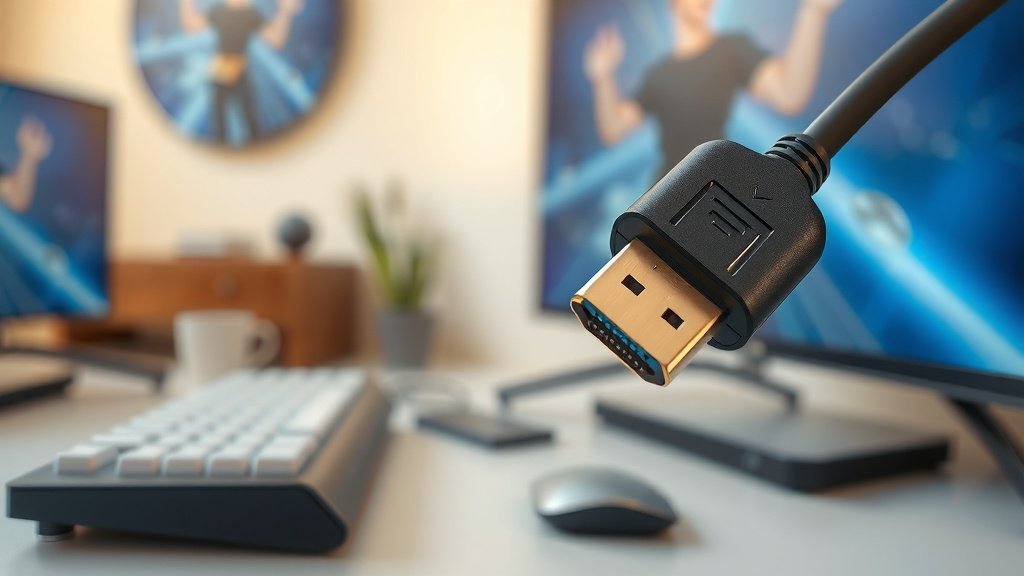
This is a common question. If you want to take full advantage of everything HDMI 2.1 offers, then yes, you’ll likely need new hardware. Your older HDMI cables might not be able to handle the increased bandwidth. While some older cables might work for lower resolutions, they won’t support the full 48 Gbps. You’ll need cables specifically certified as “Ultra High Speed HDMI Cables.”
Similarly, both your source device (like a game console or Blu-ray player) and your display device (like a TV or monitor) must support HDMI 2.1. A TV with HDMI 2.1 ports won’t do you much good if your gaming console only has an older HDMI version. We found that checking the specifications for both your devices is key. Look for the HDMI 2.1 logo and the supported bandwidth.
Here’s a quick checklist to see if you’re ready for HDMI 2.1:
- Check if your TV or monitor has HDMI 2.1 ports.
- Verify your source devices (gaming console, streaming box) support HDMI 2.1.
- Purchase “Ultra High Speed HDMI Cables” for the best performance.
- Understand that older devices may not support all HDMI 2.1 features.
- Newer devices will likely come with HDMI 2.1 support built-in.
Conclusion
So, you’ve learned that HDMI 2.1 is a major upgrade for your home entertainment. Its 48 Gbps bandwidth supports incredible 8K video and super-smooth 4K at 120Hz. Gamers will love the benefits of VRR and ALLM for lag-free play. To enjoy these advancements, remember you’ll need Ultra High Speed HDMI Cables and devices that explicitly support the HDMI 2.1 standard. Check your equipment’s specs and consider upgrading if you want the best visual and gaming experience. Your journey to stunning visuals and responsive gaming starts with the right connection.
Frequently Asked Questions
Will my old HDMI cables work with HDMI 2.1 devices?
Your older HDMI cables might work for basic functions with HDMI 2.1 devices, but they likely won’t support the full bandwidth. For 4K at 120Hz or 8K resolutions, you’ll need an “Ultra High Speed HDMI Cable” that’s certified for HDMI 2.1. We found these ensure you get the best possible performance without signal loss.
Do I need a new TV to use HDMI 2.1?
Yes, to fully experience HDMI 2.1 features like 8K resolution or 120Hz refresh rates, your TV or display must have HDMI 2.1 ports. Many newer TVs are equipped with this standard, but it’s always best to check the device’s specifications. Older TVs will still work with HDMI 2.1 sources, but you won’t see the advanced benefits.
Is HDMI 2.1 only for gaming?
While HDMI 2.1 offers fantastic features for gaming like VRR and ALLM, it’s not exclusive to gamers. The increased bandwidth and support for higher resolutions and refresh rates benefit anyone watching 8K content or enjoying smoother motion in movies and sports. eARC also greatly improves audio quality for home theater setups.
What’s the difference between HDMI 2.0 and HDMI 2.1?
The main difference is bandwidth. HDMI 2.0 offers about 18 Gbps, while HDMI 2.1 boasts 48 Gbps. This means HDMI 2.1 can handle higher resolutions (like 8K) and refresh rates (like 4K at 120Hz) without needing signal compression. HDMI 2.1 also introduces gaming-specific features like VRR and ALLM that weren’t present in older versions.
Can I still use my older HDMI devices with an HDMI 2.1 TV?
Yes, you absolutely can. HDMI is backward compatible. You can plug an older device (like a game console or Blu-ray player with HDMI 2.0) into an HDMI 2.1 port on your new TV. However, that older device will still be limited by its own HDMI version, so you won’t get the full HDMI 2.1 benefits from it.
![10 Super [2026]](https://spsolutionscare.com/wp-content/uploads/2026/08/10-super-2026-featured-768x432.jpg)