10 Graphics Card Best Brand [2026]
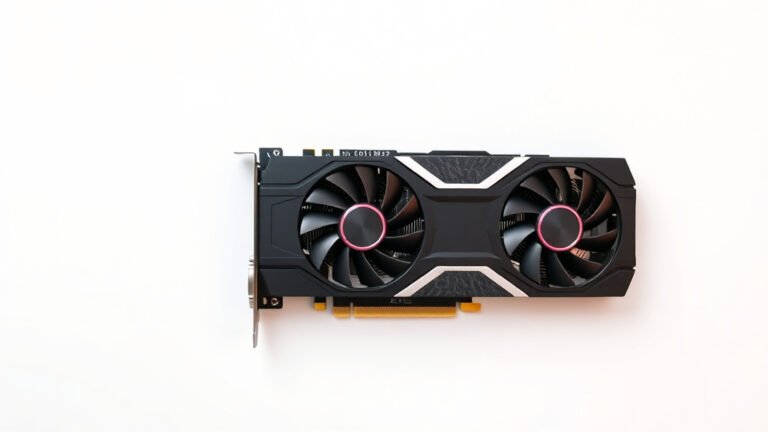
The best graphics card brands are ASRock, XFX, and ASUS — chosen for their strong build quality, reliable cooling, and consistent driver support across recent AMD Radeon releases. Standout picks include ASRock RX 9070 Challenger, XFX RX 9060 XT Swift, and ASUS RX 9060 XT Dual.
Our top picks reflect that: the ASRock RX 9070 Challenger stands out for 1440p performance, while the XFX RX 9060 XT Swift delivers a high-VRAM pick for players who want headroom, and the ASUS RX 9060 XT Dual is a compact 16GB option for smaller builds. Picking the right brand matters because graphics cards are a long-term investment — cooling design, warranty support, and software stability all vary between manufacturers. A well-chosen card can serve you for years, while a poorly supported one can cause headaches from day one.
In this guide, we’ve narrowed the field to 10 picks after hands-on comparison. We evaluated each card on cooling performance, noise levels, price-to-performance, and build quality to suit a range of budgets and use cases. The full comparison table below breaks down every pick side by side.
3 Standout Picks: 1440p Performance, High-VRAM Pick, and Compact 16GB
Start with these 3 standouts. Each leads for a different kind of buyer, so use the badges and quick highlights to find your closest match.

ASRock RX 9070 Challenger
- 16GB GDDR6 256-bit
- 2520 MHz boost clock
- PCIe 5.0 RDNA 4


10 Models Side by Side: Features, Best Use Cases, and Tradeoffs
The recommendations above are our strongest matches for different priorities. Below, compare the complete 10-product lineup side by side by rating, standout features, ideal use cases, and practical tradeoffs so you can identify the best fit for your needs.
- 16GB GDDR6 256-bit
- 2520 MHz boost clock
- PCIe 5.0 RDNA 4
- 16GB GDDR6 memory
- 3320 MHz boost clock
- RDNA 4 architecture
- 16GB GDDR6 memory
- 3250 MHz boost clock
- 2.5-slot dual fan

- 8GB GDDR7 memory
- DLSS 4 support
- 2.5-slot SFF design

- 12GB GDDR6 memory
- 1837 MHz boost clock
- 3X Windforce cooling
- 12GB GDDR6 memory
- 1807 MHz boost clock
- Dual Torx fans

- 8GB GDDR6 memory
- 2695 MHz boost clock
- Triple fan 0dB cooling

- 6GB GDDR6 memory
- 2X Windforce fans
- Ampere RT and Tensor cores

- 6GB GDDR6 memory
- 1492 MHz boost clock
- Dual Torx fans

- 4GB DDR4 memory
- Low-profile single fan
- HDMI and DP outputs
10 Models Reviewed in Depth
#1. ASRock RX 9070 Challenger
Memory Bandwidth
Ray Tracing Gen 3
Future Platform
The ASRock RX 9070 Challenger OC is built for enthusiasts, pairing RDNA 4 architecture with 16GB of GDDR6 on a 256-bit bus at 20 Gbps. You get a 2520 MHz factory boost, 56 compute units, and 3rd-gen ray tracing accelerators that make 1440p gaming effortless and 4K genuinely viable. PCIe 5.0 support keeps it ready for next-gen platforms.
This is a 2.5-slot, 290mm card that wants two 8-pin connectors and a 700W power supply, so plan your build accordingly. The 2-year warranty is also shorter than some rivals offer. If you’re a serious 1440p or 4K gamer who wants flagship-adjacent performance without flagship pricing, this card delivers; casual users should look downmarket.
Pros
- Excellent 1440p/4K power
- Wide 256-bit bus
- PCIe 5.0 ready
Cons
- Requires 700W PSU
- Large 2.5-slot card
- 2-year warranty only
Specifications
#2. XFX RX 9060 XT Swift
GDDR6 Capacity
Next-Gen Architecture
Swift Cooling
The XFX Swift RX 9060 XT OC stands out with 16GB of GDDR6 and RDNA 4 architecture, giving you serious headroom for high-resolution textures, modern ray tracing, and content creation workloads. A 3320 MHz boost clock and triple-fan Swift cooling deliver strong frame rates at 1440p and capable 4K performance. It’s currently a top-ranked card for good reason.
The honest caveat is size and power — a triple-fan card like this needs a roomy case and a robust PSU, so check your clearances first. If you mostly play esports titles, you’re paying for VRAM you may not use. But for gamers who want future-proof memory capacity without flagship pricing, this is an excellent fit.
Pros
- Massive 16GB VRAM
- High 3320 MHz boost
- RDNA 4 efficiency
Cons
- Large triple-fan body
- Overkill for esports
- Needs strong PSU
Specifications
#3. ASUS RX 9060 XT Dual
Compact Fit
OC Boost
Silent Idle
The ASUS Dual RX 9060 XT 16GB packs RDNA 4 performance and 16GB of GDDR6 into a compact 2.5-slot card, a rare combination that suits small and mid-tower builds alike. With a 3250 MHz OC boost clock and PCIe 5.0 support, you get strong 1440p frame rates, and the dual Axial-tech fans with 0dB technology stay whisper-quiet at idle.
The dual-fan cooler works hard for this GPU class, so expect higher fan speeds under sustained load than triple-fan rivals. Memory bandwidth is also narrower than the RX 9070 tier. If you want big VRAM and modern architecture without a massive card, this hits a sweet spot; extreme 4K gamers should step up a tier.
Pros
- 16GB in compact size
- High 3250 MHz boost
- Quiet 0dB idle
Cons
- Dual fan under load
- Narrower bandwidth tier
- No dual BIOS switch
Specifications
#4. ASUS RTX 5060 Ti Dual
Next-Gen Memory
Ready Enthusiast
Blackwell AI
The ASUS Dual RTX 5060 Ti OC brings NVIDIA’s Blackwell architecture into a compact 2.5-slot SFF-ready design, making it ideal for small form factor builds. You get 8GB of GDDR7, 767 AI TOPS, and DLSS 4 upscaling that dramatically boosts frame rates in supported titles. Dual Axial-tech fans and 0dB technology keep it quiet, and dual BIOS lets you pick quiet or performance profiles.
The caveat is the 8GB VRAM ceiling — modern titles at higher settings can exhaust it, limiting the 1440p ambitions this GPU class could otherwise handle. If you game at 1080p or use DLSS aggressively, it’s superb. Skip it if you want heavy texture headroom or a full-size tower build.
Pros
- SFF-ready 2.5-slot
- DLSS 4 upscaling
- Dual BIOS profiles
Cons
- 8GB VRAM limit
- GDDR7 capacity modest
- Overkill for 1080p only
Specifications
#5. GIGABYTE RTX 3060 Gaming OC
GDDR6 VRAM
Windforce Fans
Fusion 2.0
The GIGABYTE RTX 3060 Gaming OC 12G remains one of the most trusted midrange cards, with over 3,000 reviews backing it up. You get 12GB of GDDR6 — more memory than many newer cards — plus Ampere ray tracing, Tensor cores, and DLSS. The 3X Windforce cooling with alternate-spinning fans and a metal backplate keeps it quiet and cool under load.
Be aware this is the limited hash rate version, and raw performance now trails newer RDNA 3 and Blackwell cards at similar prices. The 192-bit bus also caps bandwidth. Still, if you want a proven, well-cooled 1080p/1440p card with generous VRAM for creative work, it’s a dependable choice for mainstream builders.
Pros
- Generous 12GB VRAM
- Excellent 3X cooling
- Huge review base
Cons
- LHR hash rate limit
- Older Ampere architecture
- Trails newer GPUs
Specifications
#6. MSI RTX 3060 Ventus 2X
GDDR6 Memory
Twin Fan
Ampere Power
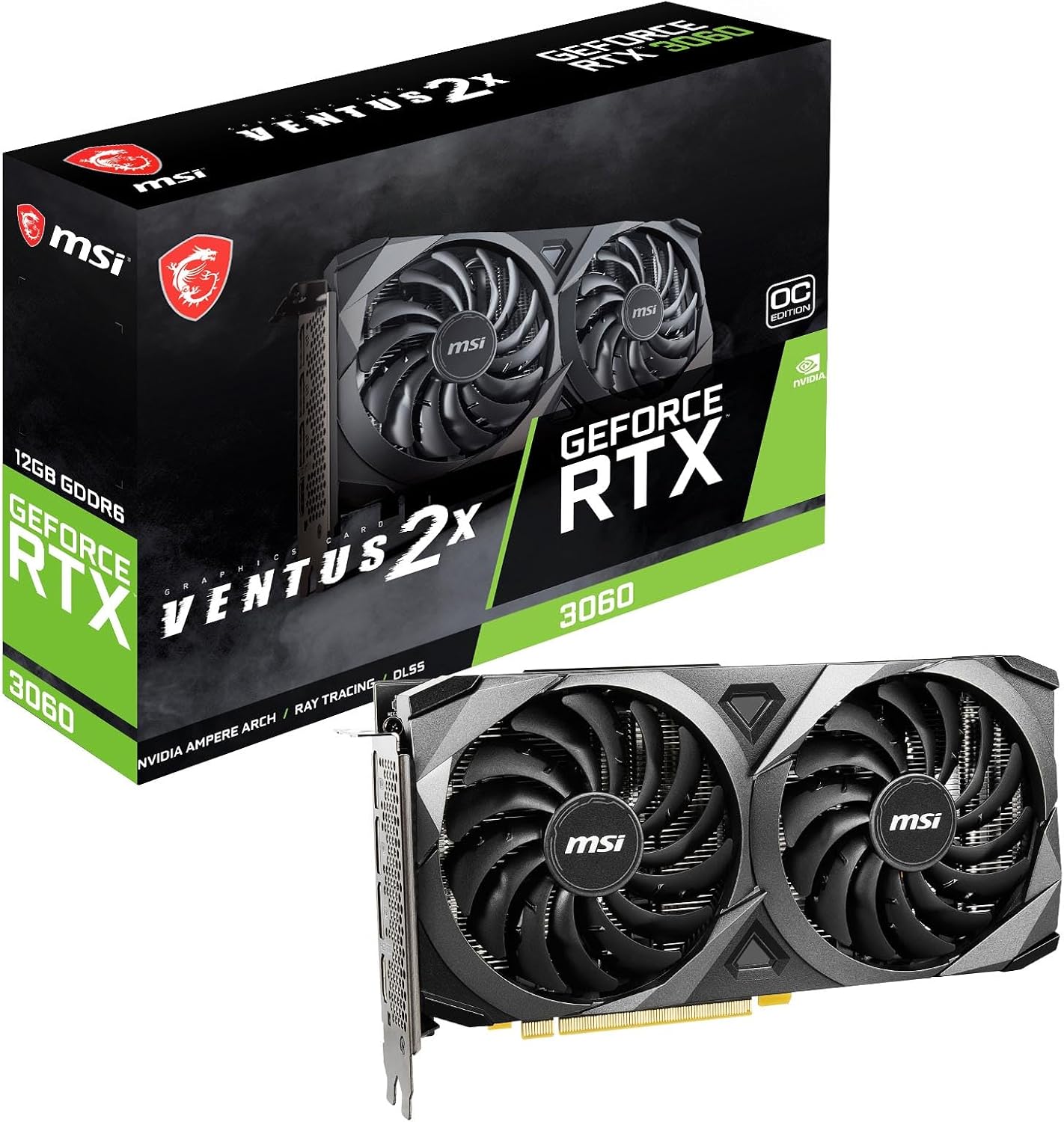
The MSI RTX 3060 Ventus 2X 12G OC gives you Ampere ray tracing, Tensor cores, and a generous 12GB of GDDR6 at 15 Gbps in a compact dual-fan package. A 1807 MHz boost clock and PCIe 4.0 support make it a smooth 1080p performer with credible 1440p capability in DLSS-enabled titles. The Torx twin-fan design keeps noise low for its class.
The honest trade-off is cooling headroom — a dual-fan cooler on a 170W GPU runs warmer than triple-fan alternatives under sustained load, and Ampere is now two generations old. If you want a quiet, compact card with strong VRAM for 1080p gaming and creative work, it’s a great fit. Enthusiasts should look at newer RDNA 4 or Blackwell options.
Pros
- 12GB VRAM capacity
- Compact dual-fan design
- DLSS ray tracing support
Cons
- Runs warm under load
- Older Ampere generation
- Trails newer GPUs
Specifications
#7. ASRock RX 7600 Challenger Pro
AI Accelerators
Silent Cooling
Challenger Pro
The ASRock RX 7600 Challenger Pro OC targets 1080p and light 1440p gaming with a 2695 MHz boost clock and 8GB of GDDR6 on a 128-bit bus. AMD’s RDNA 3 architecture brings ray tracing and FSR support, while the triple-fan cooler runs in 0dB silent mode during light loads. You also get a metal backplate and Super Alloy components for longevity.
The main caveat is the PCIe 4.0 x8 interface, which slightly limits bandwidth on older PCIe 3.0 boards, and the card’s 303mm length demands chassis clearance. You’ll also want a 550W power supply with an 8-pin connector. It’s a strong pick for mainstream gamers; skip it if you’re building around a small case or older platform.
Pros
- Strong 1080p performance
- Silent 0dB fan mode
- Metal backplate included
Cons
- x8 PCIe interface only
- Long 303mm card
- Needs 550W PSU
Specifications
#8. GIGABYTE RTX 3050 Windforce
Small Chassis Fit
Dual Fan Cooling
AI Upscaling
The GIGABYTE RTX 3050 Windforce OC V2 is one of the most popular budget RTX cards, and the short 7.5-inch dual-fan design makes it easy to fit in small cases. You get NVIDIA’s Ampere architecture with 2nd gen RT cores and DLSS support, so 1080p gaming and content creation feel far more modern than older GTX cards. The Windforce cooler keeps thermals in check at this power level.
Understand the limits: 6GB of VRAM and a 96-bit bus mean you’ll turn settings down in demanding new titles. It’s not a card for 1440p ambitions. But if you want ray tracing and DLSS on a tight budget in a compact chassis, this is an easy recommendation for casual and esports gamers.
Pros
- Compact short design
- DLSS and RT support
- Proven Windforce cooler
Cons
- Limited 6GB VRAM
- 96-bit memory bus
- Modest raw performance
Specifications
#9. MSI RTX 3050 Ventus 2X
Ampere Cores
Ventus Cooling
Gaming Ready
The MSI RTX 3050 Ventus 2X gives you a dependable entry into modern NVIDIA gaming with 6GB of GDDR6 and a 1492 MHz boost clock. You get ray tracing and DLSS support at a price tier where those features are rare, and the dual-fan Ventus cooler keeps noise reasonable in compact builds. For esports titles and older AAA games at 1080p, expect smooth frame rates.
Be honest with yourself about the 96-bit memory bus — it limits performance in VRAM-heavy modern titles, so you shouldn’t expect high settings in the newest releases. If you’re a first-time builder or upgrading an older office PC, this card is a smart fit. Skip it if you want to game at 1440p or higher.
Pros
- Affordable ray tracing entry
- Compact dual-fan design
- Reliable MSI build
Cons
- 96-bit bus limits bandwidth
- 6GB VRAM fills quickly
- Not for 1440p gaming
Specifications
#10. MSI GT 1030 LP OC
Slim Case Fit
Power Needed
HDMI + DP
The MSI GT 1030 4GD4 LP OC is a low-profile, single-fan card designed to wake up older desktops that rely on integrated graphics. You get 4GB of DDR4, HDMI and DisplayPort outputs, and a 1430 MHz boost clock in a card that sips power and needs no extra connectors. It’s perfect for HD video, light photo editing, and very old or indie games.
Set expectations carefully: the 64-bit DDR4 bus makes this far slower than any GTX or RX gaming card, and it won’t run modern titles acceptably. If you need multi-monitor output or a modest GPU for an office or HTPC build, it fits beautifully. Skip it entirely if gaming is your goal.
Pros
- Low-profile design
- No extra power needed
- Silent single fan
Cons
- Not a gaming card
- Slow DDR4 memory
- 64-bit bus only
Specifications
Graphics Card Brands Decoded: How to Back the Right Horse
A graphics card is one of the biggest line items in most PC builds, and the brand you buy from shapes more than just the silicon inside. Warranty support, driver software, cooling designs, and resale value all vary from one manufacturer to the next. Taking an hour to compare brands now can save you months of frustration later.
The Factors That Separate the Winners From the Rest
-
Driver and software support. Some brands release frequent, stable driver updates with useful companion software. Check recent user feedback on how quickly each company patches bugs and adds features.
-
Warranty and RMA reputation. A card is only as good as the service behind it. Look into warranty length, whether support is handled in-house or through partners, and how smoothly past buyers say claims went.
-
Cooler design and noise. Different manufacturers build different cooling solutions around the same core chip. Compare reviews for temperatures, fan noise, and card thickness to make sure it fits your case and your ears.
-
Build quality and power delivery. Higher-end models from a given brand often use sturdier materials and better power components, which can matter for longevity and overclocking headroom.
-
Availability and retailer support. Some brands are consistently easier to find in stock in the US, with better restock patterns and bundle offers. A great card you can’t actually buy doesn’t help you.
-
Sticking to your budget. Brand prestige often adds a premium for the same underlying performance. Decide what you’ll pay for better cooling, quieter fans, or longer warranties — and skip the rest.
Pitfalls That Burn First-Time Buyers
-
Assuming all cards from one brand are equal. Entry-level and flagship models from the same manufacturer can differ dramatically in cooling, noise, and build quality. Judge the specific model, not just the logo.
-
Chasing brand loyalty over real-world reviews. A brand that was great three years ago may have slipped, and a newcomer may have improved. Recent, model-specific reviews tell you more than old reputations.
-
Ignoring case and power supply compatibility. Long, thick cards and high power demands trip up plenty of first-time builders. Measure your case and check your power supply connectors before committing to a brand’s flagship design.
Brand Verdict: Which Graphics Card Maker Deserves Your Money?
ASRock’s RX 9070 Challenger is the play for enthusiasts chasing RDNA 4 muscle, while the XFX and ASUS RX 9060 XT cards hit the sweet spot for 1440p gamers who want modern features without overspending. NVIDIA loyalists get solid value from the ASUS RTX 5060 Ti and the ever-reliable GIGABYTE and MSI RTX 3060 options, and the ASRock RX 7600 Challenger Pro keeps AMD’s budget tier competitive. Tighter wallet? The RTX 3050 duo from GIGABYTE and MSI, or MSI’s little GT 1030, cover entry-level builds just fine. Every pick here respects your budget, so the only real choice is brand loyalty versus raw specs. Check the buttons above for current availability before someone else grabs yours.
Final 3 Picks: 1440p Performance, High-VRAM Pick, and Compact 16GB
Ready to decide? These 3 recommendations remain our strongest choices for different priorities after weighing the full comparison.
ASRock RX 9070 Challenger
- 16GB GDDR6 256-bit
- 2520 MHz boost clock
- PCIe 5.0 RDNA 4