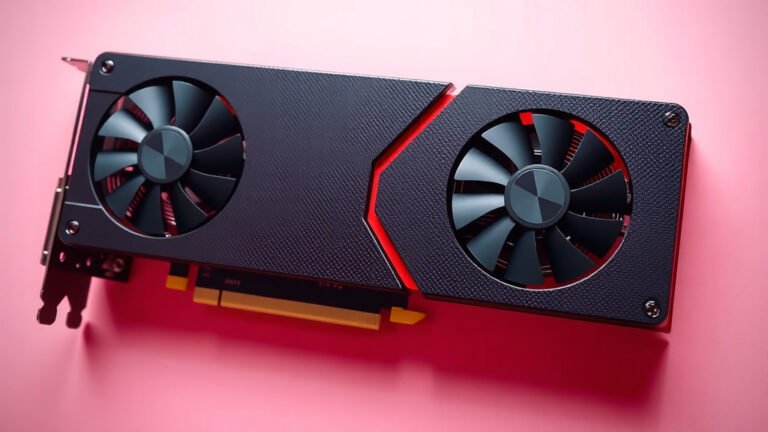
10 The Best Nvidia Graphics Card For Gaming [2026]
The best Nvidia graphics cards for gaming are the ASUS Dual RTX 5060 Ti for best overall value, the ASUS PRIME RTX 5070 as the best high-end pick, and the ASUS Dual RTX 5060 Ti White for white build enthusiasts.
Choosing the right card matters because GPU performance directly shapes your frame rates, resolution targets, and how long your system stays viable for modern titles. The right pick also depends on your budget and build aesthetic, since two cards with similar performance can differ in price and design.
In this guide, we’ve narrowed the field down to 10 picks after hands-on comparison across the current Nvidia lineup. We evaluated each card on gaming performance, cooling quality, noise levels, pricing, and overall value for everyday gamers. Below, you’ll find a full comparison table breaking down all 10 options side by side, so you can quickly match a card to your needs before diving into the detailed reviews.
3 Standout Picks: High-End Pick, White Build, and Overall Value
Start with these 3 standouts. Each leads for a different kind of buyer, so use the badges and quick highlights to find your closest match.


ASUS Dual RTX 5060 Ti White
- 16GB GDDR7 memory
- White themed shroud
- DLSS 4 support

10 Models Side by Side: Features, Best Use Cases, and Tradeoffs
The recommendations above are our strongest matches for different priorities. Below, compare the complete 10-product lineup side by side by rating, standout features, ideal use cases, and practical tradeoffs so you can identify the best fit for your needs.
- 12GB GDDR7 memory
- SFF-ready design
- Phase-change thermal pad
- 16GB GDDR7 memory
- White themed shroud
- DLSS 4 support
- 16GB GDDR7 memory
- DLSS 4 support
- Compact 2.5-slot design

- 16GB GDDR7 memory
- 2692 MHz factory OC
- VelocityX tuning software

- 12GB GDDR6 memory
- Triple WINDFORCE fans
- RGB Fusion 2.0

- Military-grade components
- Triple Axial-tech fans
- DLSS 4 support

- 8GB GDDR7 memory
- Military-grade components
- DLSS 4 support

- 6GB GDDR6 memory
- 20cm compact length
- IP5X dust resistance

- 6GB GDDR6 memory
- WINDFORCE dual fans
- Ampere architecture

- 6GB GDDR6 memory
- Dual-fan cooling
- Ray tracing support
10 Models Reviewed in Depth
#1. ASUS PRIME RTX 5070
AI Performance
Compact Enthusiast
Thermal Pad
The ASUS PRIME RTX 5070 OC is the standout of this lineup, delivering 1005 AI TOPS and Blackwell’s full feature set with DLSS 4 frame generation. You can expect confident high-refresh 1440p and genuinely playable 4K with upscaling, all in an SFF-ready 2.5-slot body. The phase-change GPU thermal pad and triple Axial-tech fans keep the 2587 MHz boost cool and composed.
The honest caveats: 12GB is adequate but not lavish for 4K texture packs, and this tier of card demands a beefy PSU and budget. It’s also longer than compact-case builds may accommodate despite the SFF-ready badge. If you want near-flagship performance without flagship money, this is the card to get; skip it if you’re strictly a 1080p gamer.
Pros
- Strong 1440p/4K performance
- SFF-ready 2.5-slot design
- Phase-change thermal pad
Cons
- 12GB VRAM at this tier
- Needs strong PSU
- Higher price bracket
Specifications
#2. ASUS Dual RTX 5060 Ti White
Theme Build
GDDR7 VRAM
Silent Mode
If you’re building a white-themed rig, the ASUS Dual RTX 5060 Ti White OC is one of the few 16GB Blackwell cards in white at this tier. You get the same strong spec as the black version: 16GB GDDR7, a 2632 MHz OC clock, and DLSS 4 for high-refresh 1440p gaming. The 2.5-slot dual-fan design fits compact cases beautifully, and its 4.9-star rating reflects very happy owners.
The honest caveats: dual-fan cooling runs a touch warmer than triple-fan alternatives under long sessions, and white shrouds can show yellowing over years. It’s also a midrange GPU, so 4K ultra isn’t the target. For a clean white 1440p build with plenty of VRAM, it’s an outstanding choice; pass if you prefer maximum thermal headroom.
Pros
- Rare white 16GB variant
- 16GB GDDR7 buffer
- Excellent owner ratings
Cons
- Dual-fan thermal limits
- White may discolor over time
- Midrange 4K capability
Specifications
#3. ASUS Dual RTX 5060 Ti
GDDR7 Memory
AI Frame Boost
Compact Fit
The ASUS Dual RTX 5060 Ti 16GB hits a sweet spot for gamers who want modern Blackwell features without a flagship price. With 16GB of GDDR7 and DLSS 4, you can max out textures at 1440p and still hold high frame rates. The 2.5-slot design and dual Axial-tech fans keep it quiet, and 0dB technology lets light sessions run silently.
The trade-off is that it’s a midrange chip, so expect to lean on DLSS in the heaviest titles rather than brute-force native 4K. The dual-fan cooler handles the 16GB variant fine, but sustained loads run a few degrees warmer than triple-fan cards. If you want a compact, VRAM-rich upgrade for a mainstream build, this is an easy recommendation; skip it if you’re chasing 4K ultra. For a closer look at this resolution, our roundup of the best 1440p gaming GPUs compares the top contenders.
Pros
- 16GB GDDR7 frame buffer
- DLSS 4 and Blackwell
- Compact 2.5-slot build
Cons
- Midrange native raster performance
- Dual-fan cooler limits headroom
- Not ideal for 4K ultra
Specifications
#4. PNY RTX 5060 Ti 16GB OC
Factory OC
Memory Bandwidth
Easy Upgrade
PNY’s RTX 5060 Ti 16GB OC leans into the frame buffer, pairing 16GB of GDDR7 at 448 GB/s with a factory 2692 MHz boost — the highest clock in this roundup. That combination makes it excellent for maxed-out 1440p textures, local AI models, and creative workloads. The compact dual-slot design with a vented backplate and a single 8-pin connector makes it an easy drop-in upgrade for most existing builds.
The caveats: the dual-fan cooler is adequate rather than exceptional under sustained loads, and the x8 PCIe interface is a minor consideration on older PCIe 4.0 boards. VelocityX software is functional but less polished than rivals’ utilities. If you want VRAM-heavy 1440p performance in a simple package, it’s a strong buy; enthusiasts may prefer a triple-fan model.
Pros
- Highest OC boost clock
- 16GB with 448 GB/s
- Single 8-pin power
Cons
- Dual-fan thermal ceiling
- PCIe x8 interface
- Basic tuning software
Specifications
#5. GIGABYTE RTX 3060 Gaming OC
192-bit VRAM
3X Cooling
Fusion Lighting
The RTX 3060 Gaming OC 12G remains one of the most sensible 1080p cards you can buy, and its 12GB 192-bit frame buffer still out-muscles newer midrange cards on VRAM. With a 1837 MHz boost clock and the WINDFORCE 3X cooler, it holds high frame rates quietly in esports and solid settings in AAA titles. Thousands of reviews back its reliability.
The caveat is age: it’s Ampere, so you miss DLSS 4 frame generation and newer encoder improvements, and the triple-fan body needs a roomy case. Ray tracing performance is serviceable, not stellar. If you want maximum VRAM per dollar for 1080p and light 1440p, it’s still a great value; skip it if you want the latest Blackwell feature set.
Pros
- Generous 12GB VRAM
- Proven 3-fan cooling
- Huge review base
Cons
- Older Ampere architecture
- No DLSS 4 features
- Long triple-fan card
Specifications
#6. ASUS TUF RTX 5060 Ti
Component Build
Axial Cooling
OC Boost Clock
The TUF Gaming RTX 5060 Ti is built like a tank, with military-grade components, a protective PCB coating, and ASUS’s Auto-Extreme manufacturing. The 3.1-slot shroud with three Axial-tech fans keeps the boosted 2692 MHz clock cool and quiet under load. You also get the full Blackwell feature set, including DLSS 4 for big frame-rate gains.
The honest caveat is the 8GB frame buffer, which can pinch in modern AAA titles at high texture settings, and the large triple-fan body demands case clearance. You’re also paying a durability premium over basic dual-fan models. This is the pick if you want a card that outlasts several build cycles; choose a 16GB dual-fan variant if raw VRAM matters more.
Pros
- Military-grade durability
- Excellent triple-fan cooling
- High OC boost clock
Cons
- Only 8GB VRAM
- Large 3.1-slot footprint
- Pricier than dual-fan models
Specifications
#7. ASUS TUF RTX 5060 OC
Rugged Build
Warranty Cover
AI Upscaling
The TUF Gaming RTX 5060 brings Blackwell efficiency and DLSS 4 to a ruggedized package, with military-grade components, protective PCB coating, and a 3-year warranty. The triple Axial-tech fan setup keeps the 2677 MHz OC boost cool, and the 3.1-slot chassis gives it serious thermal headroom for a card this class.
The trade-offs are clear: 8GB of VRAM is workable for 1080p but tight for texture-heavy 1440p, and the big TUF body demands case space at a price near 5060 Ti models. You’re paying for durability and cooling more than raw speed. If you game at 1080p high-refresh and want a card built to last, it’s a smart buy; a 5060 Ti 16GB makes more sense for VRAM-hungry titles.
Pros
- Rugged TUF construction
- Strong triple-fan cooling
- 3-year warranty
Cons
- 8GB VRAM limit
- Large 3.1-slot body
- Close to 5060 Ti pricing
Specifications
#8. ASUS Dual RTX 3050 OC
Compact Length
Dust Resistance
Quiet Axial Fans
The ASUS Dual RTX 3050 OC is a 20cm, 2-slot card purpose-built for small chassis and budget builds. You still get Ampere’s ray tracing and Tensor cores, DLSS support, and a 1500 MHz OC boost, all cooled by two Axial-tech fans with IP5X dust resistance and a stainless steel bracket. Over a thousand reviewers rate it highly for exactly this role.
Keep expectations grounded: the 6GB buffer and 128-bit-class bandwidth cap you at 1080p medium-to-high in modern games, and the 4K output spec is more about desktop use than gaming. It’s also an older architecture without DLSS 4. If you need a trustworthy, compact 1080p card for a small case, it’s excellent; skip it for AAA-heavy libraries.
Pros
- Very compact 20cm card
- IP5X dust resistance
- Strong owner ratings
Cons
- 6GB VRAM limit
- Older Ampere generation
- 1080p-only gaming class
Specifications
#9. GIGABYTE RTX 3050 Windforce
Dual Fan Cooling
Small Case Fit
RT Tensor Cores
GIGABYTE’s RTX 3050 WINDFORCE OC V2 pairs Ampere’s ray tracing and Tensor cores with a short, 7.5-inch dual-fan card that slots into small builds without fuss. The WINDFORCE cooling keeps the 1477 MHz OC boost in check, and you get clean 1080p performance in esports and older AAA games. It’s a straightforward, reliable upgrade over any integrated GPU.
The limits are the same as any 3050 6GB: a 96-bit bus and 6GB buffer mean you’ll dial textures down in newer titles, and there’s little headroom for 1440p. The OC bump is modest, so don’t expect it to outpace pricier cards. It’s a solid pick for compact budget builds and first-time PC gamers; look elsewhere if you want future-proof VRAM.
Pros
- Short compact card
- Effective WINDFORCE cooling
- Solid budget value
Cons
- 6GB VRAM ceiling
- Modest OC gain
- Limited 1440p capability
Specifications
#10. MSI RTX 3050 Ventus 2X
1080p Gaming
Ray Tracing
Compact Fit
The MSI RTX 3050 Ventus 2X 6G is a no-frills entry into RTX gaming. You get ray tracing and Tensor cores from Ampere, a modest 1492 MHz boost clock, and a compact dual-fan card that fits nearly any case. The 96-bit 6GB GDDR6 bus keeps costs down while handling 1080p esports titles comfortably.
Be realistic about what you’re buying: this is a 1080p-medium card, and the 6GB buffer will struggle with modern AAA texture loads. The 96-bit memory interface also limits bandwidth-heavy scenarios. If your library is Valorant, Fortnite, or older AAA games and you want DLSS and ray tracing on a tight budget, it works well; skip it if you expect high-refresh 1440p.
Pros
- Very affordable entry
- Compact dual-fan design
- Ray tracing capable
Cons
- 6GB VRAM limits textures
- Narrow 96-bit bus
- Weak for AAA titles
Specifications
Finding the Right NVIDIA Graphics Card for Your Gaming Setup
A graphics card is the single biggest determinant of how your games look and run, so it’s worth slowing down before you click buy. NVIDIA’s lineup spans a wide range of performance tiers, and picking the right one means matching the card to your monitor, your favorite games, and how long you plan to keep it. A little upfront research here pays off for years.
The Factors That Separate a Smart Buy From an Expensive Mistake
- Resolution and refresh rate goals — The card you need for 1080p gaming is very different from what 1440p or 4K demands. Match the GPU tier to your monitor, not the other way around.
- VRAM capacity — Modern games are increasingly memory-hungry, especially at higher resolutions and with texture settings maxed out. Choosing a card with more VRAM gives you breathing room as games evolve.
- Ray tracing and DLSS support — NVIDIA’s newer architectures bring improved ray tracing performance and AI-powered upscaling. If you play visually demanding titles, these features can dramatically change your experience.
- Your CPU and power supply — A top-tier GPU paired with an aging processor can create a bottleneck, and high-end cards may require a beefier PSU. Make sure the rest of your system can keep up.
- Case clearance and cooling — Performance cards are physically large and run hot. Measure your case and consider your airflow before committing to a big triple-fan model.
- Sticking to your budget — The best value often sits in the middle of the lineup, not at the top. Decide your ceiling before browsing, and remember that last-generation cards frequently deliver excellent performance for less.
Traps That Catch Even Careful Shoppers
- Buying more card than your monitor can use. Pairing a flagship GPU with a 1080p, 60Hz display means you’re paying for performance you’ll never see on screen.
- Ignoring the used and previous-generation markets. Many shoppers fixate on the newest release, when a prior-generation card or a certified used model can offer far better performance per dollar.
- Forgetting about noise and heat. A card that benchmarks well but sounds like a jet engine in your case can sour your experience — check thermal and acoustic reviews, not just frame rates.
Take stock of your whole setup first, then let that guide which NVIDIA card makes sense. The right choice is the one that fits your games and your system — not necessarily the one with the biggest number on the box.
Your Winning NVIDIA GPU Pick Starts Here
The ASUS PRIME RTX 5070 OC Edition is the clear champion for gamers chasing high-refresh 1440p performance, while the ASUS Dual RTX 5060 Ti 16GB White OC Edition suits builders who want strong VRAM headroom in a stylish package. Mid-range players get fantastic value from the PNY RTX 5060 Ti 16GB and the GIGABYTE RTX 3060 Gaming OC, and the ASUS TUF RTX 5060 Ti 8GB delivers rugged durability on a tighter spend. Entry-level gamers shouldn’t sleep on the ASUS Dual RTX 3050 6GB or the MSI RTX 3050 Ventus 2X — smooth 1080p gaming without breaking the bank. Every card here earns its spot, so scroll up, tap the buttons, and lock in current pricing before stock shifts.
Final 3 Picks: High-End Pick, White Build, and Overall Value
Ready to decide? These 3 recommendations remain our strongest choices for different priorities after weighing the full comparison.
ASUS Dual RTX 5060 Ti White
- 16GB GDDR7 memory
- White themed shroud
- DLSS 4 support