10 The Best Video Card For Pc [2026]
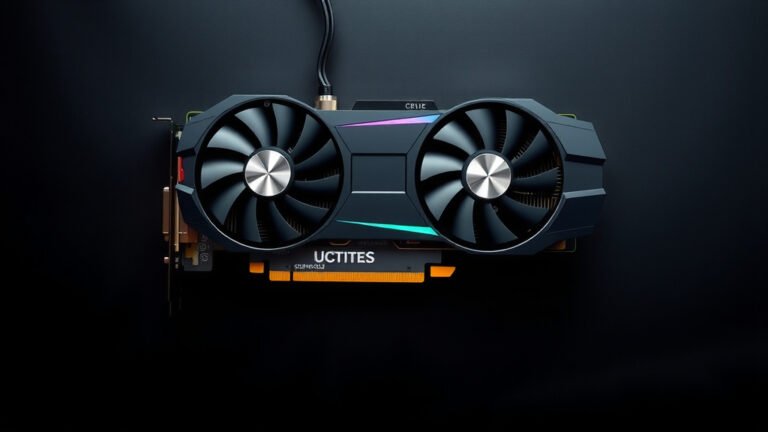
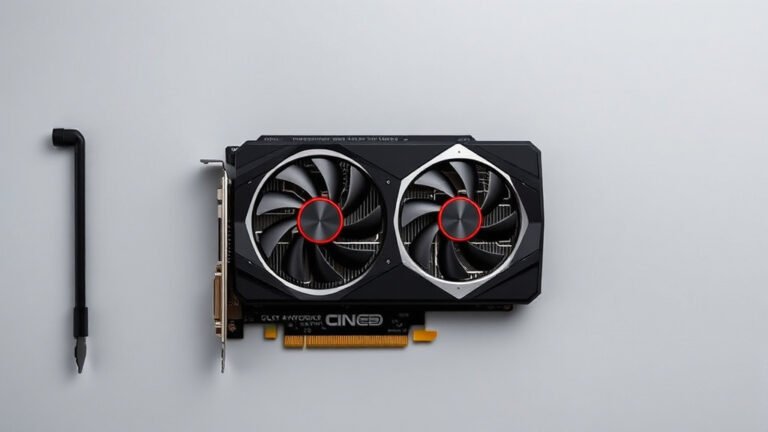
The best video cards for PC are the ASUS Dual RTX 5060 Ti for best overall value, the XFX Swift RX 9070 XT for high-end gaming, and the GIGABYTE RTX 3060 Gaming OC as the top mid-range pick.
The right graphics card is the single biggest upgrade you can make to a PC, determining how well it handles modern games at high resolutions, VRAM-heavy creative work, and ray tracing. Whether you’re a competitive gamer, a content creator, or just building a reliable everyday system, matching the card to your needs prevents overspending on power you’ll never use. If you’re new to GPU shopping, our buyer’s guide to choosing a graphics card explains the key specs in plain language.
In this guide, we’ve narrowed the field to 10 top picks after hands-on comparison. Each card was evaluated on gaming performance, price-to-performance, thermal behavior, and long-term driver support across a range of budgets. Below, you’ll find a full comparison table breaking down every pick side by side so you can find the right fit at a glance.
3 Standout Picks: High-End Gaming, Overall Value, and Mid-Range Pick
Start with these 3 standouts. Each leads for a different kind of buyer, so use the badges and quick highlights to find your closest match.


ASUS Dual RTX 5060 Ti
- 16GB GDDR7 memory
- DLSS 4 and Blackwell
- Compact 2.5-slot design

GIGABYTE RTX 3060 Gaming OC
- 12GB GDDR6 memory
- Triple WINDFORCE cooling
- 1837 MHz boost clock
10 Models Side by Side: Features, Best Use Cases, and Tradeoffs
The recommendations above are our strongest matches for different priorities. Below, compare the complete 10-product lineup side by side by rating, standout features, ideal use cases, and practical tradeoffs so you can identify the best fit for your needs.
- 16GB GDDR6 memory
- RDNA 4 architecture
- 2970 MHz boost clock
- 16GB GDDR7 memory
- DLSS 4 and Blackwell
- Compact 2.5-slot design
- 12GB GDDR6 memory
- Triple WINDFORCE cooling
- 1837 MHz boost clock

- 6GB GDDR6 memory
- 20cm 2-slot card
- IP5X dust resistance

- 6GB GDDR6 at 14 Gbps
- 1492 MHz boost clock
- Dual HDMI 2.1a outputs

- 6GB GDDR6 memory
- Dual WINDFORCE fans
- Ray tracing capable

- 4GB DDR4 memory
- Low-profile single fan
- HDMI 2.0b and DP

- 4GB DDR3 memory
- HDMI, DVI and VGA
- No external power needed

- 4GB DDR3 memory
- Four display outputs
- 30W low power draw

- 1GB DDR3 memory
- Low-profile SFF design
- HDMI and VGA outputs
10 Models Reviewed in Depth
#1. XFX Swift RX 9070 XT
Latest Architecture
20 Gbps VRAM
Boost Clock
The XFX Swift RX 9070 XT is the standout performer in this lineup. AMD’s RDNA 4 architecture paired with 16GB of GDDR6 at 20 Gbps delivers serious 1440p and capable 4K gaming, with a boost clock reaching 2970 MHz out of the box. The SWFT triple-fan cooler keeps this high-draw GPU stable during long sessions, and three DisplayPorts plus HDMI give you flexible multi-monitor options.
The main considerations are physical and practical: it’s a large triple-fan card weighing over four pounds, so check your case clearance, and you’ll want a robust power supply to feed it. Ranked #2 in its Amazon category with a 4.6-star average, it’s clearly resonating with buyers. If you want top-tier raster performance without flagship pricing, this is your card; budget builders should look lower.
Pros
- Excellent 1440p/4K performance
- 16GB high-speed VRAM
- Strong triple-fan cooling
Cons
- Large triple-fan footprint
- Needs strong power supply
- Higher power draw
Specifications
#2. ASUS Dual RTX 5060 Ti
GDDR7 Memory
AI Frame Boost
Compact Fit
The ASUS Dual RTX 5060 Ti gives you serious headroom for 1440p gaming thanks to 16GB of GDDR7 memory and NVIDIA’s Blackwell architecture. With DLSS 4 support and a 767 AI TOPS boost, you can expect smooth frame rates in modern titles without maxing out your budget. The 2.5-slot dual-fan design fits compact builds while the Axial-tech fans and 0dB mode keep things quiet during light sessions.
The trade-off is that this is a mid-range chip, so you won’t get flagship 4K ultra performance in the heaviest ray-traced games. Dual BIOS switching between Quiet and Performance profiles is a nice touch if you like tuning. If you’re building a balanced 1440p rig or upgrading from a 30-series card, this is a smart pick; skip it only if you need extreme 4K horsepower.
Pros
- 16GB GDDR7 memory
- DLSS 4 support
- Quiet 0dB mode
Cons
- Not a 4K flagship
- Mid-range ray tracing
- 2.5-slot needs clearance
Specifications
#3. GIGABYTE RTX 3060 Gaming OC
GDDR6 VRAM
WINDFORCE Cooling
Sweet Spot
The GIGABYTE RTX 3060 Gaming OC 12G remains one of the best value propositions in PC gaming. Its 12GB of GDDR6 on a 192-bit bus gives you VRAM headroom that even some newer cards lack, making 1440p gaming and content creation comfortable. The 3X WINDFORCE cooling with alternate spinning fans keeps temperatures in check under sustained load. We compare more RTX 3060 models side by side in our roundup of the best RTX 3060 cards.
You should know it’s a Limited Hash Rate revision, so it’s aimed squarely at gamers, and raw performance sits below current-generation mid-range cards. RGB Fusion 2.0 and a metal back plate round out a well-built package with over 3,000 positive reviews. If you want proven 1440p performance with big VRAM for mods or creative work, this is a great fit; skip it if you chase cutting-edge frame rates.
Pros
- 12GB VRAM headroom
- Strong 1440p performance
- Effective triple-fan cooling
Cons
- Previous-gen architecture
- Hash rate limited
- Larger triple-slot footprint
Specifications
#4. ASUS Dual RTX 3050 6GB
Small Chassis Fit
Dust Resistance
Fan Cooling
The ASUS Dual RTX 3050 OC Edition is built for small chassis without cutting corners. At just 20cm long in a 2-slot design, it fits compact and ITX-friendly builds while dual Axial-tech fans deliver airflow borrowed from ASUS flagship cards. You get IP5X dust resistance and a stainless steel bracket, details that pay off in long-term durability.
Performance-wise, the 6GB GDDR6 configuration targets 1080p gaming and esports; the 96-bit bus means you’ll moderate texture settings in demanding newer titles. An OC boost clock of 1500 MHz adds a little free headroom. With over 1,100 reviews averaging 4.7 stars, it’s a proven pick. If you’re building a small form factor gaming PC, this is an easy recommendation; large-case enthusiasts may want more VRAM.
Pros
- Compact 20cm length
- IP5X dust resistance
- Highly rated by buyers
Cons
- 96-bit memory bus
- 6GB VRAM ceiling
- 1080p-class performance
Specifications
#5. MSI RTX 3050 Ventus 2X
GDDR6 Speed
AI Upscaling
Dual Fan Cooler
The MSI RTX 3050 Ventus 2X 6G OC is a tidy entry into the RTX ecosystem. You get Ampere’s RT and Tensor cores, a 1492 MHz factory boost clock, and 6GB of GDDR6 running at 14 Gbps — enough for smooth 1080p gaming and DLSS-accelerated frame rates. The dual-fan Ventus cooler keeps the short card quiet and compact.
The honest caveat is the 96-bit memory interface, which constrains performance in VRAM-heavy modern titles; treat this as a 1080p medium-settings card. On the plus side, dual HDMI 2.1a outputs plus DisplayPort make multi-monitor setups easy. If you’re stepping up from integrated graphics or an older GTX 10-series card, it’s a worthwhile jump; competitive builders wanting more headroom should consider the RTX 3060.
Pros
- Factory overclocked
- Dual HDMI 2.1a
- Compact dual-fan design
Cons
- 96-bit bus limits VRAM
- 1080p-focused only
- 6GB fills up quickly
Specifications
#6. GIGABYTE RTX 3050 WINDFORCE
Gaming Ready
Dual Fan Cooling
Ray Tracing Capable
If you want ray tracing on a tight budget, the GIGABYTE RTX 3050 WINDFORCE OC V2 delivers. You get 6GB of GDDR6 on a 96-bit bus, which handles 1080p gaming and esports titles comfortably. The dual WINDFORCE fans keep this short card cool, and its compact footprint makes it an easy drop into smaller cases.
Be realistic about limits: the 96-bit memory bus and 6GB VRAM mean you’ll want to dial back textures in newer AAA games, and 4K is off the table. It’s a solid Ampere entry with 2nd-gen RT cores for occasional ray tracing. If you’re upgrading from integrated graphics or an old GTX card for 1080p play, this fits well; skip it if you plan on high-resolution or VRAM-heavy workloads.
Pros
- Affordable ray tracing
- Compact dual-fan card
- Good 1080p performance
Cons
- 96-bit memory bus
- 6GB limits textures
- No 4K gaming
Specifications
#7. MSI GT 1030 4GB LP OC
SFF Compatible
Video Output
Quiet Operation
The MSI GT 1030 4GD4 LP OC is the kind of card you buy when your slim desktop just needs a display upgrade. The low-profile single-fan design slides into SFF and HTPC cases, and the 4GB of DDR4 is a step up from the usual 2GB variants. You get HDMI 2.0b and DisplayPort for clean 4K video output.
Don’t confuse this with a gaming card — the 64-bit DDR4 bus caps it at light esports titles and older games at low settings. What it does well is silent, reliable HD video playback and multi-monitor office work, backed by a 3-year warranty. If you’re reviving an office PC or building a media box, it’s a sensible buy; gamers should look at an RTX 3050 instead.
Pros
- Low-profile SFF fit
- 4GB vs typical 2GB
- Silent everyday operation
Cons
- Weak gaming performance
- 64-bit DDR4 bus
- Not for modern titles
Specifications
#8. SOYO GT 740 4GB
Legacy Port Ready
No Extra Cables
Slim Case Fit
The SOYO GT 740 is a purpose-built rescue card for aging desktops. You get 4GB of DDR3 on a 128-bit bus — double the memory of typical budget cards — plus HDMI, DVI, and VGA outputs, so it connects to anything from modern monitors to legacy projectors without adapters. Because it draws power entirely from the PCIe slot, no external power connector is needed, making installation genuinely plug-and-play.
Set expectations correctly: this is a Kepler-era chip meant for 1080p video, office multitasking, and light games like League of Legends, not modern AAA titles. The low-profile half-height bracket suits slim cases, and it supports Windows 11 drivers. If you’re upgrading an old PC from integrated graphics on a budget, it does the job; skip it for any serious gaming.
Pros
- Triple display outputs
- Slot-powered installation
- Half-height bracket included
Cons
- Old Kepler architecture
- DDR3 memory speed
- Light gaming only
Specifications
#9. QTHREE GT 730 4GB
Display Output
Low Power Draw
ITX Compatible
The QTHREE GT 730 4GB is built around one standout trick: four display outputs — two HDMI, a DisplayPort, and VGA — letting you drive up to four monitors from a single low-profile card. With just a 30W power draw and no external connector, it slots into almost any desktop, including ITX cases, without touching your power supply.
Performance is strictly basic: the 64-bit DDR3 bus and Kepler architecture handle office work, HD video, and light multimedia, but nothing resembling modern gaming. It supports Windows 11 and DirectX 12 drivers, which keeps older machines relevant. If your goal is a multi-monitor trading, office, or productivity setup on the cheap, this card nails it; gamers and content creators should invest in something far more capable.
Pros
- Drives four monitors
- Only 30W power draw
- Windows 11 supported
Cons
- Minimal gaming ability
- Slow DDR3 memory
- Old Kepler architecture
Specifications
#10. QTHREE GT 210 1GB
Easy Install
Slot Powered
Slim Case Fit
The QTHREE GeForce GT 210 exists for one job: getting a display out of a PC whose integrated graphics have died. The low-profile design with included bracket fits slim and ITX cases, it needs no external power, and HDMI plus VGA outputs cover both modern and older monitors. Installation is genuinely plug-and-play.
You must understand what you’re buying: 1GB of DDR3 and a 589 MHz core mean this handles web browsing, video playback, and photo editing — nothing more. It’s not Windows 11 compatible and won’t run modern games at all. As an ultra-cheap emergency display card or a fix for a legacy office machine, it does exactly what it promises; anyone wanting gaming or Windows 11 support should spend a little more.
Pros
- Extremely affordable
- Low-profile bracket included
- No external power needed
Cons
- Only 1GB VRAM
- No Windows 11 support
- No gaming capability
Specifications
Finding a Video Card That Earns Its Spot in Your Build
A video card is often the single most expensive component in a PC, and it’s also the one that decides how your games look, how smoothly your creative software runs, and how long your system stays relevant. That combination of cost and impact makes this a purchase worth slowing down for. The “best” card isn’t the one with the biggest number on the box — it’s the one that matches your monitor, your workload, and your patience for noise and heat.
The Specs That Make or Break a Video Card
- Performance for your resolution. The card that’s overkill at 1080p might barely keep up at 4K. Match the card to the monitor you actually own (or plan to buy), not to a resolution you aspire to someday.
- Memory capacity. Video memory matters most when you’re pushing high resolutions, heavy texture settings, or memory-hungry creative applications. Skimping here is the fastest way to make a card feel old before its time.
- Power and cooling requirements. Check your power supply’s capacity and your case’s airflow before you fall in love with a card. A triple-fan monster won’t help you if it doesn’t fit or your system can’t feed it.
- Noise and thermals. Two cards with identical performance can behave very differently under load. Reviews that measure fan noise and temperatures are worth more than marketing slides.
- Features that fit your software. Ray tracing, upscaling technology, video encoding quality, and driver stability all matter differently depending on whether you game, stream, edit video, or train models.
- Sticking to your budget. Decide your ceiling before you browse, because the tier above always looks tempting. The smartest move is often buying the best card for your actual needs rather than stretching for a tier you’ll never fully use.
Pitfalls That Burn First-Time Buyers
- Buying for a game you’ll play “eventually.” It’s easy to overspend chasing future releases. Buy for what you play now, with a reasonable margin for the next year or two.
- Ignoring the rest of the system. A top-tier card paired with an aging processor, a weak power supply, or a cramped case will underperform and frustrate. Make sure the whole build can keep up.
- Trusting launch-day hype. Early reviews and stock shortages distort the picture. Cards often settle into their real value — and their real street availability — a few months after release.
Take your time, read performance data for your resolution, and buy the card your setup actually needs.
Your Next GPU Upgrade Starts Here
The XFX Swift RX 9070 XT is the clear champion for enthusiasts chasing 4K glory, while the ASUS Dual RTX 5060 Ti 16GB nails the sweet spot for high-refresh 1440p gamers. Mid-range warriors should eye the GIGABYTE RTX 3060 for solid 1080p performance, and the ASUS Dual RTX 3050 or MSI Ventus 2X cover budget builds beautifully. Need something smaller? The MSI GT 1030 and SOYO GT 740 handle slim SFF rigs, the QTHREE GT 730 breathes life into aging desktops, and the GT 210 covers basic display duty.
Every card here delivers serious value for its tier, so match one to your monitor and workload, then hit the buttons above to check current availability before it sells out.
Final 3 Picks: High-End Gaming, Overall Value, and Mid-Range Pick
Ready to decide? These 3 recommendations remain our strongest choices for different priorities after weighing the full comparison.
ASUS Dual RTX 5060 Ti
- 16GB GDDR7 memory
- DLSS 4 and Blackwell
- Compact 2.5-slot design
GIGABYTE RTX 3060 Gaming OC
- 12GB GDDR6 memory
- Triple WINDFORCE cooling
- 1837 MHz boost clock