10 What Company Makes The Best Nvidia Graphics Cards [2026]
The companies making the best NVIDIA graphics cards right now are ASUS and GIGABYTE — with standout models including the ASUS ROG Astral RTX 5090, the GIGABYTE RTX 3060 Gaming OC, and the ASUS Dual RTX 5060 Ti.
Choosing the right board partner matters because cooling design, factory overclocks, and build quality can vary significantly between brands using the same GPU chip. Whether you’re chasing 4K flagship performance, solid 1080p value, or a dependable mainstream gaming card, the partner brand behind the GPU makes a real difference in thermals, noise, and long-term reliability.
In this guide, we’ve narrowed the field to 10 top picks after hands-on comparison across the current NVIDIA lineup. We evaluated each card on cooling performance, acoustics, build quality, price-to-performance, and warranty support to match different budgets and use cases. The full breakdown starts below — the comparison table up next makes it easy to see how each pick stacks up at a glance.
3 Standout Picks: Enthusiast Flagship, 1080p Value, and Mainstream Gaming
Start with these 3 standouts. Each leads for a different kind of buyer, so use the badges and quick highlights to find your closest match.

GIGABYTE RTX 3060 Gaming OC
- 12GB GDDR6 memory
- 3X WINDFORCE cooling
- 1837 MHz core clock

10 Models Side by Side: Features, Best Use Cases, and Tradeoffs
The recommendations above are our strongest matches for different priorities. Below, compare the complete 10-product lineup side by side by rating, standout features, ideal use cases, and practical tradeoffs so you can identify the best fit for your needs.
- 32GB GDDR7 memory
- Four-fan cooling
- PCIe 5.0 interface
- 12GB GDDR6 memory
- 3X WINDFORCE cooling
- 1837 MHz core clock
- 16GB GDDR7 memory
- DLSS 4 support
- 2.5-slot compact design

- 24GB GDDR7 ECC memory
- Blackwell architecture
- Single-slot design
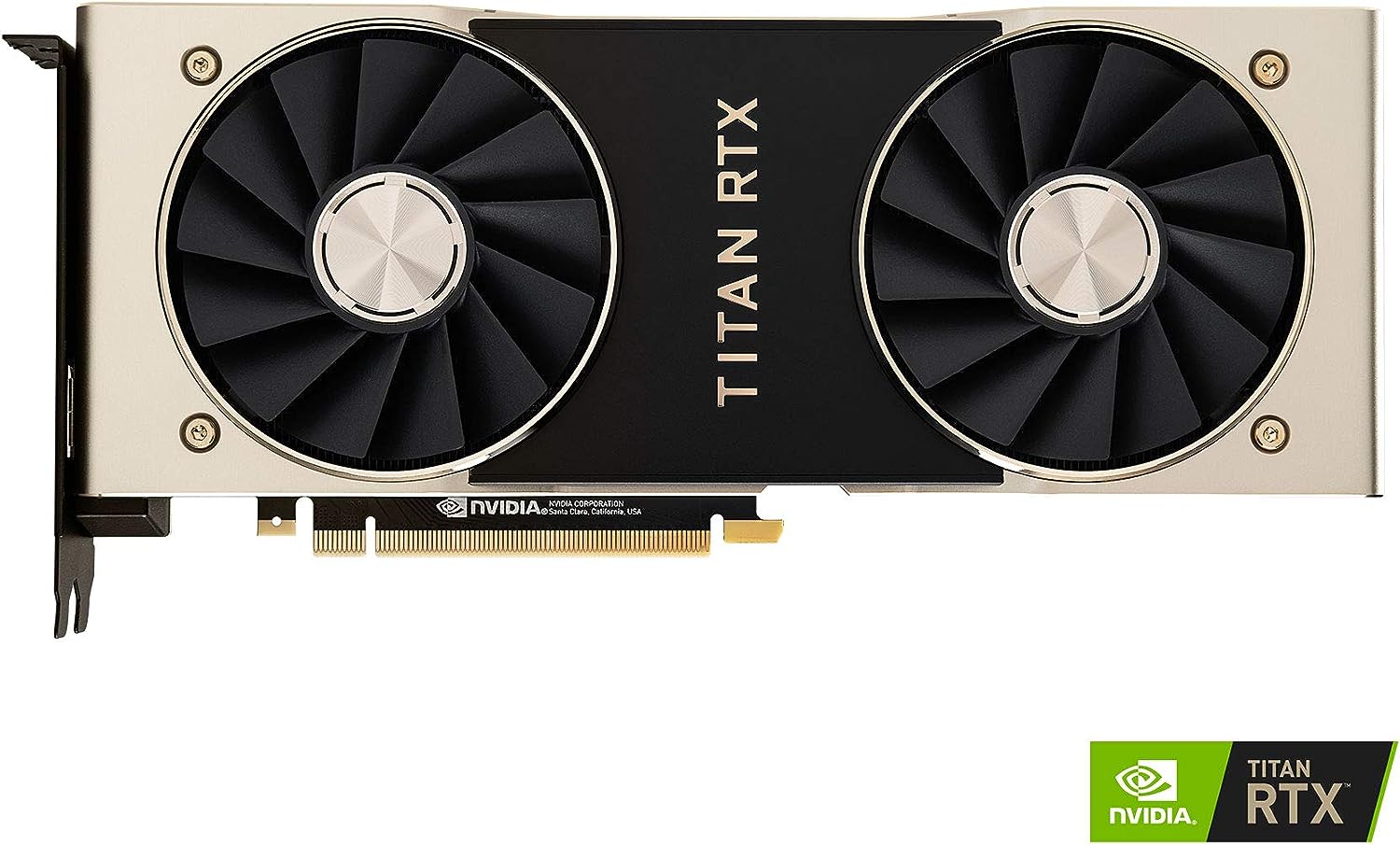
- 24GB GDDR6 memory
- 4609 CUDA cores
- 72 ray tracing cores
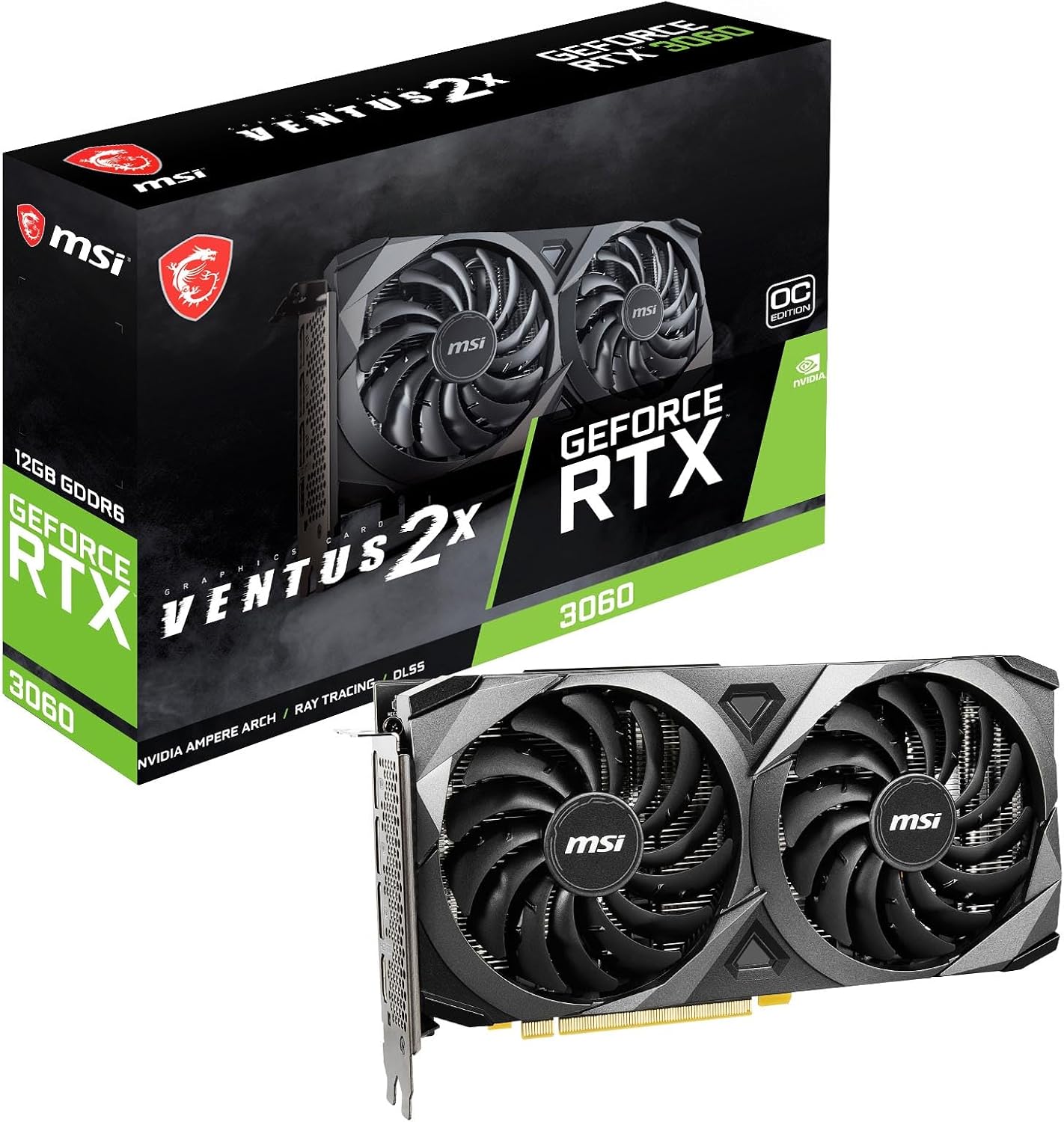
- 12GB GDDR6 memory
- 1807 MHz boost clock
- Torx twin fans

- 16GB GDDR6 ECC memory
- Half-height dual-slot
- Blower active fan
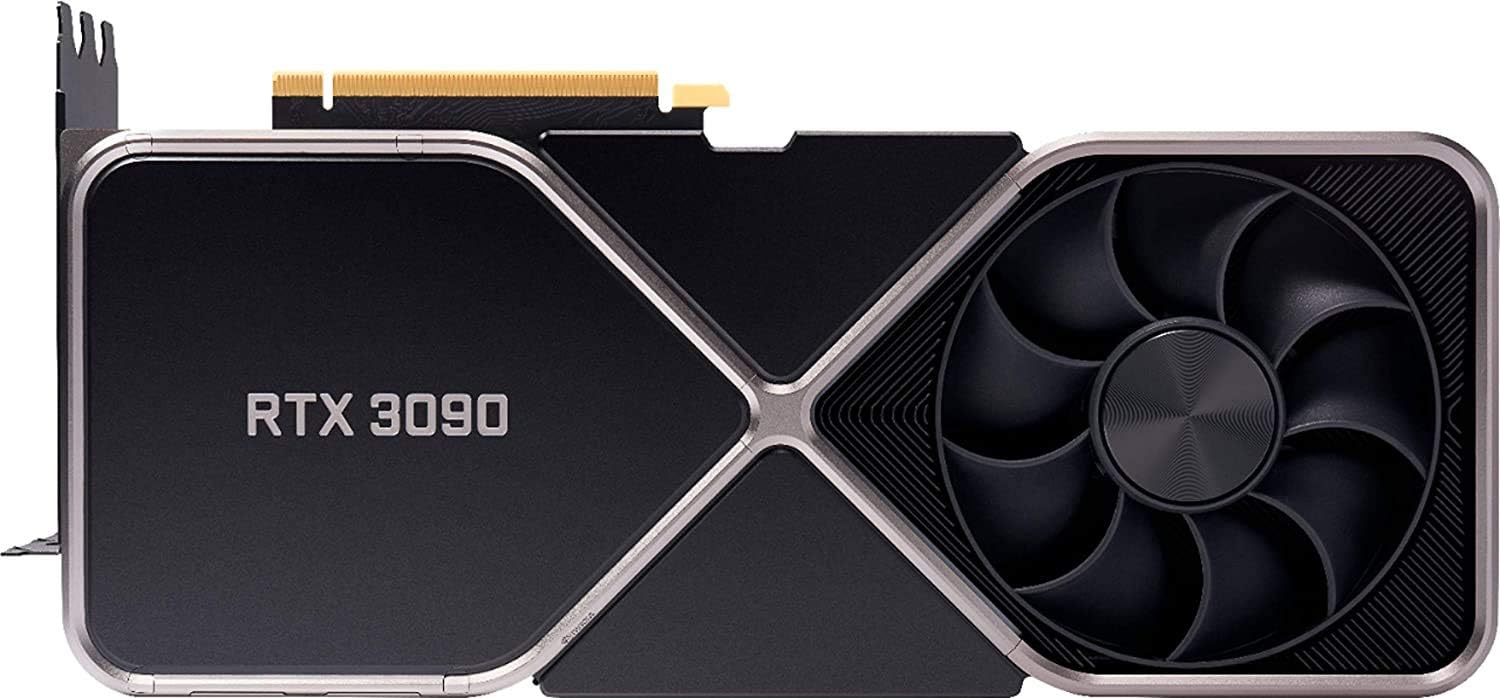
- 24GB GDDR6X memory
- Founders Edition design
- Renewed with 90-day warranty

- 6GB GDDR6 memory
- Dual WINDFORCE fans
- Ampere RT and Tensor cores

- 6GB GDDR6 memory
- 1492 MHz boost clock
- Twin Torx fans
10 Models Reviewed in Depth
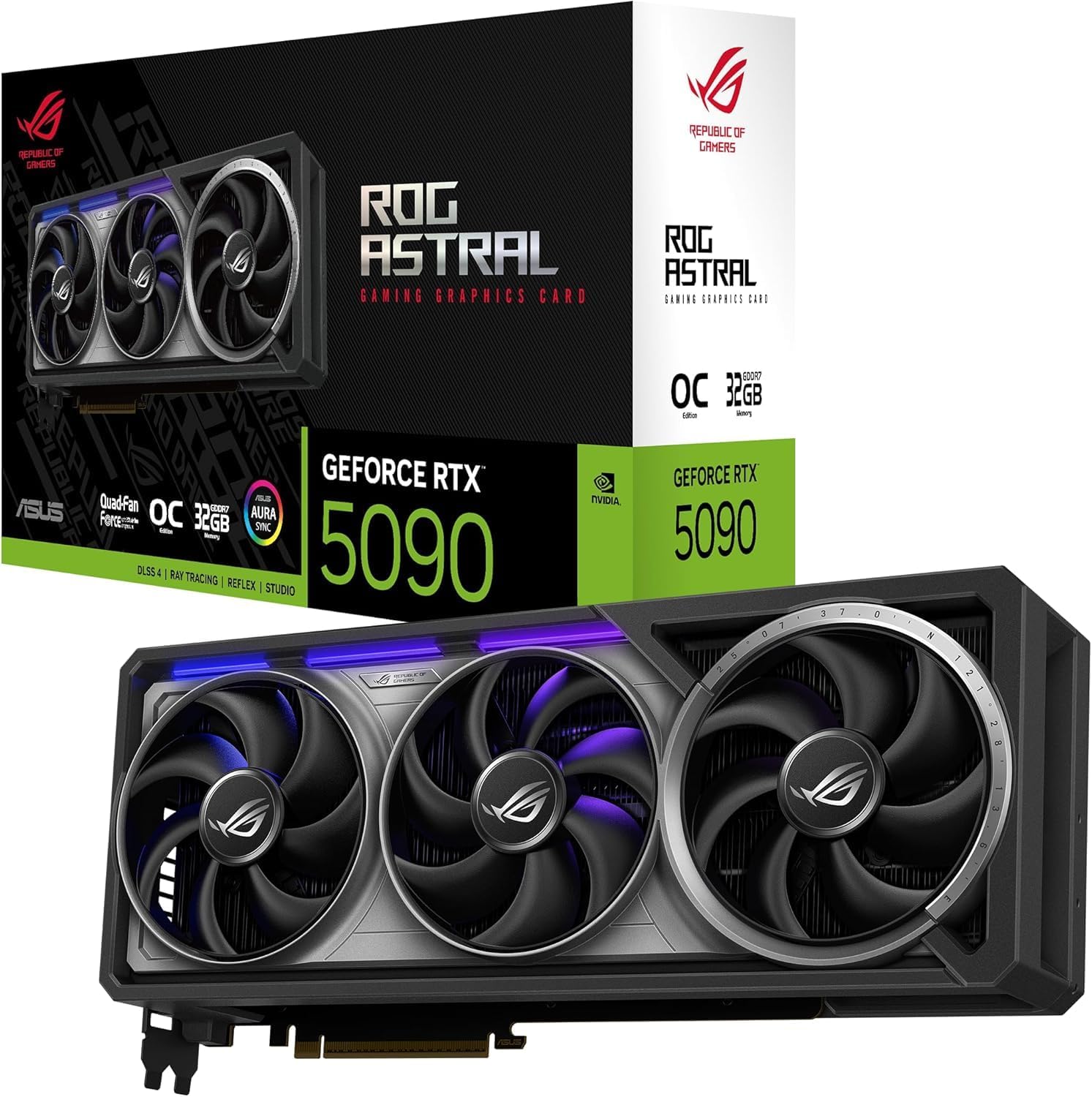
#1. ASUS ROG Astral RTX 5090
GDDR7 Memory
Fan Cooling
Chamber Tech
The ASUS ROG Astral RTX 5090 is the no-compromise flagship. With 32GB of GDDR7 and the full Blackwell stack, you can game at 4K with path tracing, drive multi-monitor setups, and chew through AI or rendering workloads without breaking a sweat. The four-fan, 3.8-slot cooler with vapor chamber keeps this monster’s thermals under control even at maximum load.
The caveats are physical and financial: it’s a massive 3.8-slot card at over 14 inches, so measure your case and verify PSU headroom first. If you’re an enthusiast who wants the fastest GPU available, nothing else comes close; skip it if your case or budget can’t accommodate a halo product.
Pros
- 32GB GDDR7 memory
- Four-fan vapor chamber
- Top-tier 4K performance
Cons
- Huge 3.8-slot size
- Requires strong PSU
- Very expensive
Specifications
#2. GIGABYTE RTX 3060 Gaming OC
GDDR6 Memory
WINDFORCE Cooling
Back Plate
The GIGABYTE RTX 3060 Gaming OC 12G is the crowd favorite for a reason, backed by thousands of strong reviews. You get 12GB of GDDR6 on a 192-bit bus, which is unusually generous for this class and keeps the card relevant for 1080p ultra and even 1440p gaming. The 3X WINDFORCE cooler with alternate-spinning fans runs cool and quiet, and the metal back plate adds rigidity.
The caveat: it’s an Ampere card, so it lacks DLSS 4-era features and newer efficiency gains, and it’s a hash-rate-limited variant. If you want maximum VRAM per dollar for 1080p/1440p gaming or light ML work, it’s superb; skip it if you must have the latest architecture.
Pros
- 12GB VRAM generous
- Excellent 3-fan cooling
- Huge review base
Cons
- Older Ampere arch
- Hash-rate limited
- Three-slot footprint
Specifications
#3. ASUS Dual RTX 5060 Ti
AI Upscaling
GDDR7 Memory
Silent Idle
The ASUS Dual RTX 5060 Ti OC hits the sweet spot for mainstream gamers. You get 16GB of GDDR7 on the Blackwell architecture with DLSS 4, which keeps frame rates high at 1440p and makes 4K plausible in supported titles. The 2.5-slot design and Axial-tech fans fit compact builds while staying cool and quiet thanks to 0dB idle mode.
The honest caveat: it’s a midrange GPU, so expect to lean on upscaling for the heaviest 4K titles, and the OC headroom is modest. Dual BIOS and dual ball bearings add longevity. If you want a 1440p gaming workhorse in a small case, this is it; skip it if you need uncompromised 4K native.
Pros
- 16GB GDDR7 memory
- DLSS 4 support
- Quiet 0dB idle mode
Cons
- Midrange 4K limits
- Modest OC headroom
- 2.5-slot still bulky
Specifications
#4. NVIDIA RTX PRO 4000
GDDR7 Memory
Slot Design
Architecture
The RTX PRO 4000 Blackwell is built for serious professional work, and it shows. You get 24GB of ECC GDDR7 on a PCIe 5.0 bus, which means error-corrected memory for AI datasets, 3D rendering, and simulation work where data integrity matters. The single-slot, full-height design is a rare treat, letting you stack cards in dense workstation chassis.
The caveat is focus: this is a professional card, so gaming value isn’t its selling point, and DisplayPort-only output may require adapters for some monitors. If you’re building an AI workstation or a certified pro rig, it’s an excellent fit; skip it if you just want a gaming GPU.
Pros
- ECC GDDR7 memory
- Single-slot form factor
- PCIe 5.0 bandwidth
Cons
- Pro-focused pricing
- No HDMI output
- Few reviews yet
Specifications
#5. NVIDIA Titan RTX
GDDR6 Memory
Tensor Cores
Tracing Cores
If you need a card that blurs the line between gaming and workstation, the NVIDIA Titan RTX still delivers. Its 24GB of GDDR6 and 577 Tensor Cores make it a genuine contender for AI training, rendering, and heavy compute work. The Turing architecture’s 72 RT cores keep ray tracing smooth, and the dual-fan blower design fits standard cases without fuss.
The honest caveat is age: this is a Turing-era flagship, so newer cards beat it in efficiency and modern feature support. You also want a 650W power supply ready before you buy. It’s a strong pick if you find it at a good price for professional workloads, but skip it if you’re purely gaming on a budget.
Pros
- Massive 24GB memory
- Strong AI acceleration
- Professional-grade build
Cons
- Older Turing architecture
- High power draw
- Limited availability now
Specifications
#6. MSI RTX 3060 Ventus 2X
GDDR6 Memory
Twin Fans
Warranty
MSI’s RTX 3060 Ventus 2X 12G OC pairs the 12GB Ampere formula with a lean two-fan cooler. The 1807 MHz boost clock and Torx twin fans deliver solid 1080p and capable 1440p performance while staying quiet, and the 12GB of GDDR6 gives you headroom for texture-heavy games and light content creation that 8GB rivals can’t match.
The caveat: it’s a previous-generation card, so you miss newer DLSS features and efficiency, and the two-fan cooler runs warmer than triple-fan siblings under sustained load. With a 3-year warranty, it’s a dependable pick for budget-conscious gamers; skip it if you want cutting-edge Blackwell features.
Pros
- 12GB GDDR6 memory
- Quiet twin-fan design
- 3-year warranty
Cons
- Previous-gen architecture
- Warmer under load
- No DLSS 4
Specifications
#7. NVIDIA RTX 2000 Ada
Height Design
GDDR6 Memory
Architecture
The RTX 2000 Ada is the card you reach for when your workstation is small but your workload isn’t. Its 16GB of ECC GDDR6 and Ada architecture accelerate real-time rendering and AI-powered creative tools, while the half-height, dual-slot form factor drops into SFF workstations and rack chassis that full-size cards can’t touch.
The caveat: it’s a professional card, so raw gaming frame rates aren’t the priority, and the Mini DisplayPort outputs may need adapters. Certified drivers make it a dependable choice for CAD and creative pros; skip it if you’re chasing gaming value per dollar.
Pros
- Half-height compact design
- ECC GDDR6 memory
- Certified pro drivers
Cons
- Not gaming-focused
- Mini DP adapters needed
- Limited availability
Specifications
#8. NVIDIA RTX 3090 FE
GDDR6X Memory
Inspected Unit
Gaming Ready
A renewed RTX 3090 Founders Edition remains one of the best performance-per-dollar plays in used GPUs. You still get 24GB of GDDR6X, which is why this card refuses to die — it’s genuinely useful for 4K gaming, machine learning, and GPU rendering. The Founders Edition’s flow-through dual-fan cooler handles the 350W load well in roomy cases.
The caveat is obvious: it’s refurbished, so expect cosmetic wear and only a 90-day warranty rather than multi-year coverage. Inspect on arrival and stress-test early. If you’re a value hunter comfortable with renewed hardware, it’s a smart buy; skip it if you want full warranty peace of mind.
Pros
- 24GB GDDR6X memory
- Strong 4K performance
- Renewed inspected unit
Cons
- 90-day warranty only
- Refurbished condition
- High power draw
Specifications
#9. GIGABYTE RTX 3050 Windforce
Dual Fans
Gaming Focus
RT Cores
The GIGABYTE RTX 3050 WINDFORCE OC V2 is a sensible entry point into RTX gaming. You get Ampere’s 2nd-gen RT cores and 3rd-gen Tensor cores, so ray tracing and DLSS are on the table even at this price tier. The dual WINDFORCE fans keep this low-power card cool and nearly silent, and its compact size fits almost any case.
The caveat is memory: 6GB on a 96-bit bus limits texture-heavy titles and future-proofing, so 1080p is the realistic target. If you’re upgrading an older GPU for esports and casual 1080p gaming, it’s a solid pick; skip it if you want headroom for 1440p or content creation.
Pros
- Low power draw
- Compact dual-fan design
- Ray tracing support
Cons
- Only 6GB VRAM
- 96-bit memory bus
- 1080p-class performance
Specifications
#10. MSI RTX 3050 Ventus 2X
Twin Fans
MHz Boost
SFF Ready
MSI’s RTX 3050 Ventus 2X OC is a tidy little card for budget builds. The 1492 MHz boost clock and Torx twin-fan cooler keep thermals in check without noise, and the short 7.4-inch board slots easily into compact cases. You still get Ampere’s ray tracing and Tensor cores, so DLSS support stretches your frame rates in modern titles.
The caveat is the same as any 3050: 6GB of VRAM and a 96-bit bus cap you at 1080p, and heavy texture packs will bite. It’s a good fit for first builds and esports rigs; skip it if you’re targeting 1440p or streaming-heavy workloads.
Pros
- Compact twin-fan cooler
- DLSS and ray tracing
- Quiet operation
Cons
- 6GB VRAM limit
- 96-bit bus
- 1080p ceiling
Specifications
NVIDIA Graphics Cards: Which Board Partner Deserves Your Money?
NVIDIA designs the GPU chips, but it doesn’t build most of the cards you’ll actually see on shelves. That job falls to a roster of board partners who take the same silicon and wrap it in their own cooling, build quality, and support. The “best” maker depends on what you value — whisper-quiet operation, rock-solid warranties, or simply the lowest price for the same chip. A little homework here pays off, because two cards with identical GPUs can feel worlds apart in your case.
The Factors That Separate a Great Card From a Loud One
- Cooling design. This is where partners differ most. Look for cards with substantial heatsinks, quality fans, and reviews that mention low temperatures under load. A cooler card also runs quieter and often lasts longer.
- Noise levels. Some manufacturers prioritize near-silent operation; others let fans spin harder for a few degrees of headroom. Fan-stop features, which shut fans off entirely during light tasks, are worth seeking out.
- Build quality and materials. Metal backplates, reinforced brackets, and sturdy shrouds signal a card built to survive years of use — and resale.
- Warranty and support. Coverage lengths and RMA experiences vary widely between brands. A long warranty with a reputation for honoring it can be worth a small premium.
- Clock speeds and factory tuning. Higher-end models from each maker often ship with modest factory overclocks and better power delivery, but the gains are usually small. Don’t overpay for a few percentage points.
- Size and power requirements. Check the card’s length, thickness, and recommended power supply against your case and PSU before committing. Flagship coolers can be enormous.
Traps That Catch Even Seasoned Builders
- Assuming the priciest version is the best card. Premium flagship models from any brand often cost far more than reference-level cards while delivering nearly identical performance. Mid-tier offerings from a reputable maker are usually the sweet spot.
- Ignoring the brand you can actually get support from. A great card from a company with slow warranty service in your region is a worse buy than a solid card from a responsive one. Check reviews of the seller’s support, not just the hardware.
- Buying on launch-day hype. Early stock shortages push buyers toward whatever’s available, often at inflated prices or from brands they’d normally skip. Waiting a few weeks usually restores both choice and sanity.
The honest answer to “which company is best” is that several are excellent — match the maker’s strengths to your priorities, and you’ll end up happy.
So, Who Actually Makes the Best NVIDIA Graphics Cards?
Here’s the honest answer: NVIDIA builds the silicon, but ASUS, GIGABYTE, and MSI are the board partners turning it into the cards worth buying. If you want the absolute flagship experience, the ASUS ROG Astral RTX 5090 with its quad-fan, 3.8-slot design is for enthusiasts who accept no compromises. Midrange gamers should look hard at the ASUS Dual RTX 5060 Ti 16GB or the GIGABYTE RTX 3060 Gaming OC, while budget builders get real value from the GIGABYTE and MSI RTX 3050 options. Creators and workstation pros are better served by the NVIDIA RTX PRO 4000 Blackwell or RTX 2000 ADA.
Every pick here delivers genuine quality — the real difference is which tier fits your needs. Scroll up and hit those buttons to check current availability before stock moves.
Final 3 Picks: Enthusiast Flagship, 1080p Value, and Mainstream Gaming
Ready to decide? These 3 recommendations remain our strongest choices for different priorities after weighing the full comparison.
GIGABYTE RTX 3060 Gaming OC
- 12GB GDDR6 memory
- 3X WINDFORCE cooling
- 1837 MHz core clock